
1. Úvod
This manual provides essential information for the safe and efficient use of your Doro Leva E20 4G Flip Phone. Designed with seniors in mind, this phone features a large 2.8-inch display, contrasting keys, loud and clear sound, HD voice, a camera, and a dedicated assistance button. Please read these instructions carefully before using your new phone.

Image 1: Doro Leva E20 highlighting key features such as 4G connectivity, large display, clear sound, and hearing aid compatibility.
2. Nastavení
2.1. Vložení SIM karty a baterie
Before using your phone, you must insert a SIM card (provided by your mobile network operator) and the battery.
- Open the phone: Gently open the flip phone to access the battery compartment.
- Odstraňte kryt baterie: Locate the notch on the back cover and carefully lift it off.
- Vložte SIM kartu: Slide the SIM card into the designated slot with the gold contacts facing down and the cut corner aligned as shown in the diagram (refer to your quick start guide for a visual).
- Vložte baterii: Place the battery into its compartment, ensuring the contacts align with those in the phone.
- Vyměňte kryt: Snap the battery cover back into place until it clicks.
2.2. Nabíjení telefonu
Your phone's battery may not be fully charged upon purchase. It is recommended to fully charge the battery before first use.
- Připojte nabíječku: Plug the USB Type-C cable into the charging port on the phone.
- Připojte k napájení: Zapojte druhý konec nabíječky do zásuvky ve zdi.
- Indikátor nabíjení: The charging indicator on the screen will show the charging status. The phone is fully charged when the indicator shows a full battery icon.
2.3. Zapnutí/vypnutí
- Zapnutí: Stiskněte a podržte červenou Ukončit hovor/Napájení button until the Doro logo appears.
- Vypnutí: Stiskněte a podržte červenou Ukončit hovor/Napájení a poté z možností na obrazovce vyberte možnost „Vypnout“.
3. Návod k obsluze
3.1. Základní funkce
- Uskutečnění hovoru:
- Zadejte telefonní číslo pomocí klávesnice.
- Stiskněte zelenou Volání tlačítko pro zahájení hovoru.
- Přijetí hovoru: Simply open the flip phone to answer an incoming call. Alternatively, press the green Volání tlačítko.
- Ukončení hovoru: Close the flip phone or press the red Ukončit hovor tlačítko.
- Nastavení hlasitosti: Use the volume buttons located on the side of the phone during a call or when playing media.
3.2. Odesílání a přijímání zpráv (SMS)
- Z hlavní nabídky přejděte na Zprávy.
- Vybrat Nová zpráva.
- Zadejte telefonní číslo příjemce nebo jej vyberte z kontaktů.
- Napište zprávu pomocí klávesnice.
- Stiskněte Poslat.
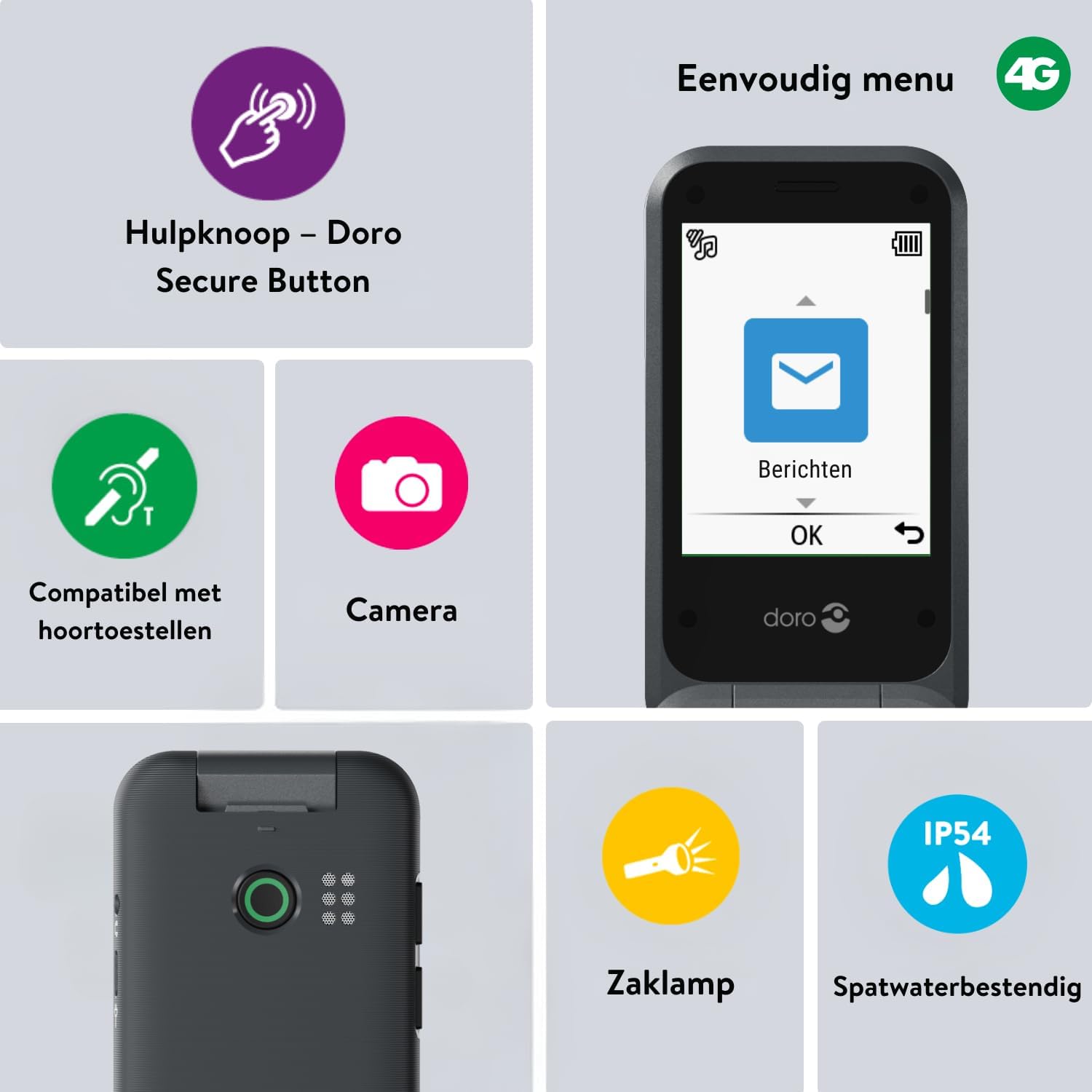
Image 2: The Doro Leva E20's simple menu interface, showing the 'Messages' icon, along with other features like the assistance button, camera, flashlight, and IP54 splash resistance.
3.3. Fotoaparát
The Doro Leva E20 includes a basic camera for capturing photos.
- Z hlavní nabídky vyberte Fotoaparát.
- Komponujte snímek pomocí obrazovky jako viewnálezce.
- Stiskněte tlačítko OK tlačítko pro pořízení snímku.
3.4. Assistance Button (Doro Secure Button)
The dedicated assistance button is a key safety feature, allowing you to quickly contact pre-set emergency numbers.
- Nastavení: Refer to the phone's settings menu under 'Assistance' to program emergency contacts.
- Aktivace: Press and hold the assistance button (located on the back of the phone) for a few seconds. The phone will automatically call and send an SMS to your pre-programmed emergency contacts.

Image 3: The Doro Leva E20's Doro Secure Button, designed for quick access to emergency contacts.
3.5. Svítilna
To activate the built-in flashlight:
- Locate the flashlight icon or dedicated button (if available) on the phone or in the quick settings menu.
- Press the corresponding key or navigate to the option to turn the flashlight on/off.
3.6. Tlačítka pro rychlý přístup
The Doro Leva E20 features quick access buttons for frequently used functions.
- Oblíbené kontakty: Assign frequently called numbers to speed dial keys.
- Fotoaparát: A dedicated button or menu option for quick camera access.
- Zprávy: A dedicated button or menu option for quick message access.

Image 4: The Doro Leva E20 in hand, showcasing the keypad with quick access buttons for favorite contacts, camera, and messages.
4. Údržba
4.1. Čištění zařízení
Aby byl váš telefon v optimálním stavu:
- Use a soft, dry, lint-free cloth to clean the screen and body of the phone.
- Vyhněte se používání agresivních chemikálií, čisticích rozpouštědel nebo silných čisticích prostředků.
- Nevystavujte telefon nadměrné vlhkosti.
4.2. Péče o baterie
The Doro Leva E20 is powered by a rechargeable battery. To maximize battery life and performance:
- Charge the phone regularly. Avoid letting the battery drain completely before recharging.
- Nevystavujte baterii extrémním teplotám.
- Pokud telefon nebudete delší dobu používat, nabijte jej před uskladněním přibližně na 50 %.
4.3. Voděodolnost
The Doro Leva E20 has an IP54 rating, meaning it is protected against dust ingress and splashing water from any direction. It is not designed to be submerged in water.
5. Řešení problémů
Pokud se s Doro Leva E20 setkáte s problémy, vyzkoušejte následující řešení:
| Problém | Možné řešení |
|---|---|
| Telefon se nezapne | Ensure the battery is charged. Connect the charger and try again. Check if the battery is correctly inserted. |
| Nelze uskutečňovat ani přijímat hovory | Check if the SIM card is correctly inserted. Ensure you have network coverage. Contact your service provider if the issue persists. |
| Špatná kvalita zvuku | Adjust the volume. Ensure the speaker/microphone is not blocked. If using a hearing aid, ensure compatibility settings are correct. |
| Baterie se rychle vybíjí | Reduce screen brightness. Close unused applications. Limit background data usage. Ensure the phone is not in an area with poor network signal, which can increase battery consumption. |
If these steps do not resolve the issue, please contact Doro customer support.
6. Specifikace
- Název modelu: Leva E20
- Operační systém: Mocor OS
- Model CPU: Cortex A7
- Velikost obrazovky: 2.8 palce
- Rezoluce: 320 x 240
- Buněčná technologie: 4G
- Konektivita: USB typ C
- Úložná kapacita paměti: 17 GB
- Barva: Černý
- Voděodolnost: IP54 (odolné proti stříkající vodě)
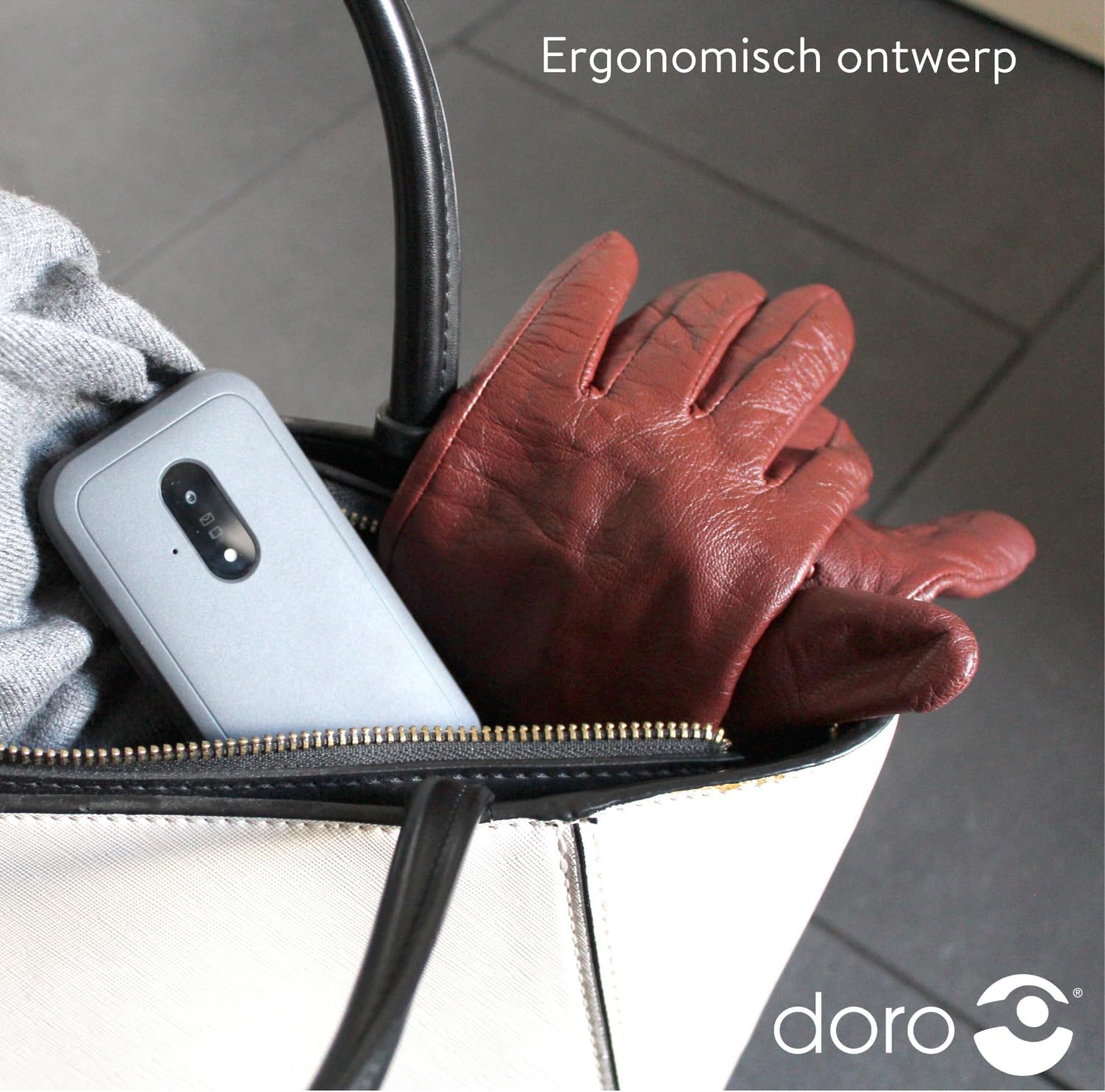
Image 5: The Doro Leva E20's ergonomic design allows for easy portability, fitting comfortably in a bag.
7. Záruka a podpora
Your Doro Leva E20 is manufactured by Doro. For specific warranty information, including terms and conditions, please refer to the warranty card included with your product or visit the official Doro website. For technical support, troubleshooting assistance beyond this manual, or service inquiries, please contact Doro customer support directly.
Výrobce: Doro
Webmísto: www.doro.com (Please check your regional Doro website for local support contact details.)