
1. Úvod
Thank you for choosing the AMEGAT 140W Portable Charger, Model PBQ2610. This high-capacity power bank is designed to provide efficient and fast charging for a wide range of devices, including laptops, smartphones, and tablets. This manual provides essential information for the safe and effective use of your device, covering setup, operation, maintenance, and troubleshooting.

Image: The AMEGAT 140W Portable Charger, a sleek gray device with a digital display showing charging status and ports.
2. Konec produktuview
2.1 Komponenty
- Powerbanka: The main portable charger device.
- Porty USB-C (x2): For both input (recharging the power bank) and output (charging devices).
- Port USB-A (x1): For output (charging devices).
- Digitální displej: Ukazuje procento baterietage, input/output power, and estimated recharge time.
- Vypínač: Aktivuje displej a zahájí nabíjení.
2.2 Klíčové vlastnosti
- 140W PD 3.1 Fast Charging: Delivers up to 140W output for rapid charging of compatible laptops and devices.
- Vysoká kapacita 20 000 mAh: Provides multiple charges for smartphones and significant power for laptops.
- 3-Port Simultaneous Charging: Two USB-C ports and one USB-A port allow charging of up to three devices concurrently.
- Intuitivní digitální displej: Real-time monitoring of charging status, power levels, and estimated recharge time.
- Komplexní ochrana: Built-in safety features guard against overcharging, overheating, overcurrent, overvoltage, a zkraty.

Image: The AMEGAT power bank demonstrating its 27600mAh capacity by showing charging capabilities for a MacBook Pro, iPhone, Galaxy S23 Ultra, and Nintendo Switch.
3. Nastavení
Before using your AMEGAT portable charger for the first time, it is recommended to fully charge it.
- Rozbalit: Remove the power bank and any included cables from the packaging.
- Počáteční poplatek: Connect the power bank to a compatible USB-C power adapter (not included) using a USB-C to USB-C cable. For optimal charging speed, use a 140W PD 3.1 compatible charger.
- Displej monitoru: The digital display will show the input power and battery percentage as the device charges. A full charge typically takes approximately 2 hours with a 140W input.
- Připraven k použití: Once fully charged, the power bank is ready to power your devices.

Image: The AMEGAT power bank connected via USB-C to a MacBook Pro, illustrating 140W fast charging capability, achieving 50% charge in 40 minutes.
4. Návod k obsluze
4.1 Nabíjecí zařízení
- Připojit zařízení: Use a compatible charging cable to connect your device (laptop, phone, tablet) to one of the power bank's output ports (USB-C1, USB-C2, or USB-A).
- Zahájení nabíjení: The power bank will automatically detect the connected device and begin charging. If not, press the power button once to activate.
- Nabíjení monitoru: The digital display will show the output power for each active port and the remaining battery percentage.
- Současné nabíjení: You can charge up to three devices simultaneously using the available ports. The power bank intelligently distributes power based on device requirements.
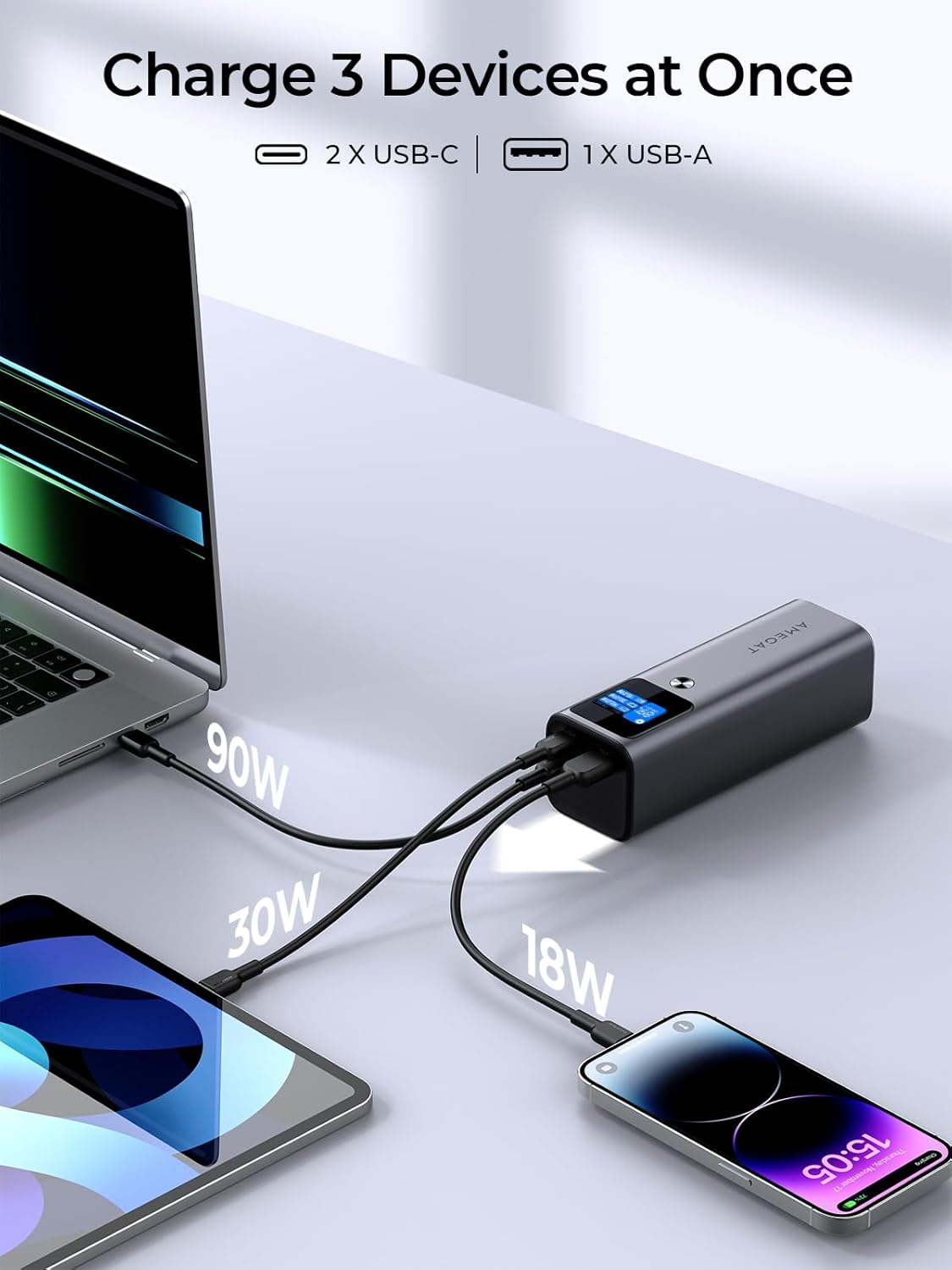
Image: The AMEGAT power bank simultaneously charging a laptop, tablet, and smartphone via its USB-C and USB-A ports, showing individual power outputs.
4.2 Funkce digitálního displeje
Integrovaný digitální displej poskytuje informace o stavu powerbanky v reálném čase.
- Procenta baterietage: Zobrazuje aktuální úroveň nabití powerbanky.
- Příkon (W): Indicates the wattage being drawn when recharging the power bank.
- Výstupní výkon (W): Zobrazuje wattage being delivered to each connected device (C1, C2, A1).
- Estimated Recharge Time: When charging the power bank, it shows the approximate time remaining until full.
- Doba zobrazení obrazovky: Pressing the power button cycles through different display modes, including estimated time for full recharge, battery cycles, and screen display duration settings (e.g., 30 seconds, Always).

Image: Close-up of the AMEGAT power bank's intuitive digital display, showing battery percentage, vstupní/výstupní hodnotatage for each port, and options for screen display time.
4.3 Režim nabíjení nízkým proudem
The USB-C ports support a low-current charging mode, suitable for small devices like wireless earbuds or smartwatches that require less power. This ensures safe and efficient charging for sensitive electronics.
5. Údržba
- Čištění: Powerbanku otřete měkkým, suchým hadříkem. Nepoužívejte agresivní chemikálie ani abrazivní materiály.
- Skladování: Powerbanku skladujte na chladném a suchém místě mimo dosah přímého slunečního záření a extrémních teplot.
- Stav baterie: For optimal battery longevity, avoid fully discharging the power bank frequently. Recharge it when the battery level is low.
- Vyhněte se kapkám: Chraňte zařízení před fyzickými nárazy a pády.
6. Řešení problémů
| Problém | Možná příčina | Řešení |
|---|---|---|
| Powerbanka se nenabíjí |
|
|
| Zařízení se nenabíjí z powerbanky |
|
|
| Pomalá rychlost nabíjení |
|
|
| Digitální displej nefunguje |
|
|
7. Specifikace
| Funkce | Detail |
|---|---|
| Číslo modelu | PBQ2610 |
| Kapacita baterie | 27600 102.12 mAh (XNUMX Wh) |
| Vstup (USB-C) | Až 140 W (PD 3.1) |
| Výstup (USB-C1/C2) | Až 140 W (PD 3.1) |
| Výstup (USB-A) | Až 22.5W |
| Celkový výkon | Max 140W (shared across ports) |
| Rozměry | 6.1 x 2 x 2 palce (153 mm x 53 mm x 50 mm) |
| Hmotnost | 1.51 libry (cca 685 g) |
| Speciální funkce | Digital Display, Low-Current Charging Mode, Air-Travel Friendly |

Image: A diagram showing the dimensions of the AMEGAT portable charger and an included USB-C cable.
8. Bezpečnostní informace
The AMEGAT 140W Portable Charger incorporates a comprehensive protection system, "EntireProtect," to ensure safe operation for both the power bank and your connected devices. This system guards against:
- Over-Voltage ochrana: Zabraňuje poškození způsobenému nadměrným objememtage vstup.
- Ochrana proti přebití: Zastaví nabíjení, jakmile je baterie plně nabitá, aby se zabránilo jejímu přebití.
- Ochrana proti zkratu: V případě zkratu automaticky vypne napájení.
- Ochrana proti nadměrnému vybití: Prevents the battery from being drained too low, preserving battery life.
- Nadproudová ochrana: Ochranné prvky proti nadměrnému toku proudu.
- Ochrana proti přehřátí: Monitoruje a reguluje vnitřní teplotu, aby se zabránilo přehřátí.
Důležitá bezpečnostní opatření:
- Do not expose the power bank to water or extreme temperatures.
- Do not disassemble, puncture, or modify the device.
- Uchovávejte mimo dosah dětí.
- Používejte pouze originální nebo certifikované kompatibilní nabíjecí kabely a adaptéry.
- Výrobek zlikvidujte zodpovědně v souladu s místními předpisy.
9. Záruka a podpora
AMEGAT products are designed for reliability and performance. For any questions, technical assistance, or warranty claims, please contact AMEGAT customer support through the retailer where the product was purchased or visit the official AMEGAT webstránky pro kontaktní informace.
Uschovejte si prosím doklad o koupi pro účely záruky.