
Konec produktuview
The ASTRO Gaming A20 Gen 2 Wireless Headset provides a high-quality audio experience for gaming across multiple platforms. Designed for comfort and performance, it features low-latency wireless connectivity and a convenient flip-to-mute microphone.
Klíčové vlastnosti:
- Next-Gen Compatibility: Seamlessly works with PlayStation 5, PlayStation 4, Windows, and Mac OS.
- Lag-Free Wireless Audio: 2.4GHz USB wireless transmitter ensures low-latency, high-quality sound.
- Baterie s dlouhou výdrží: Up to 15 hours of wireless gaming on a single charge.
- Mikrofon s překlopením a ztlumením: Flexible boom mic with an intuitive flip-to-mute function for instant control.
- Celodenní pohodlí: Lightweight design with padded headband and ear cushions for extended wear.
Co je v krabici
- Bezdrátová náhlavní souprava A20
- USB vysílač
- Nabíjecí kabel USB-C na USB-A
Pokyny pro nastavení
Follow these steps to set up your ASTRO Gaming A20 Gen 2 Wireless Headset:
- Nabíjení sluchátek s mikrofonem: Connect the headset to a power source using the provided USB-C to USB-A charging cable. Ensure the headset is fully charged before first use for optimal battery life.
- Connect the USB Transmitter: Plug the USB transmitter into an available USB port on your PlayStation console (PS5 or PS4) or your Windows/Mac computer. The transmitter facilitates the 2.4GHz wireless connection.
- Zapnutí: Turn on your ASTRO Gaming A20 Gen 2 Wireless Headset. The headset should automatically pair with the USB transmitter. Refer to your device's audio settings to ensure the headset is selected as the input and output device.
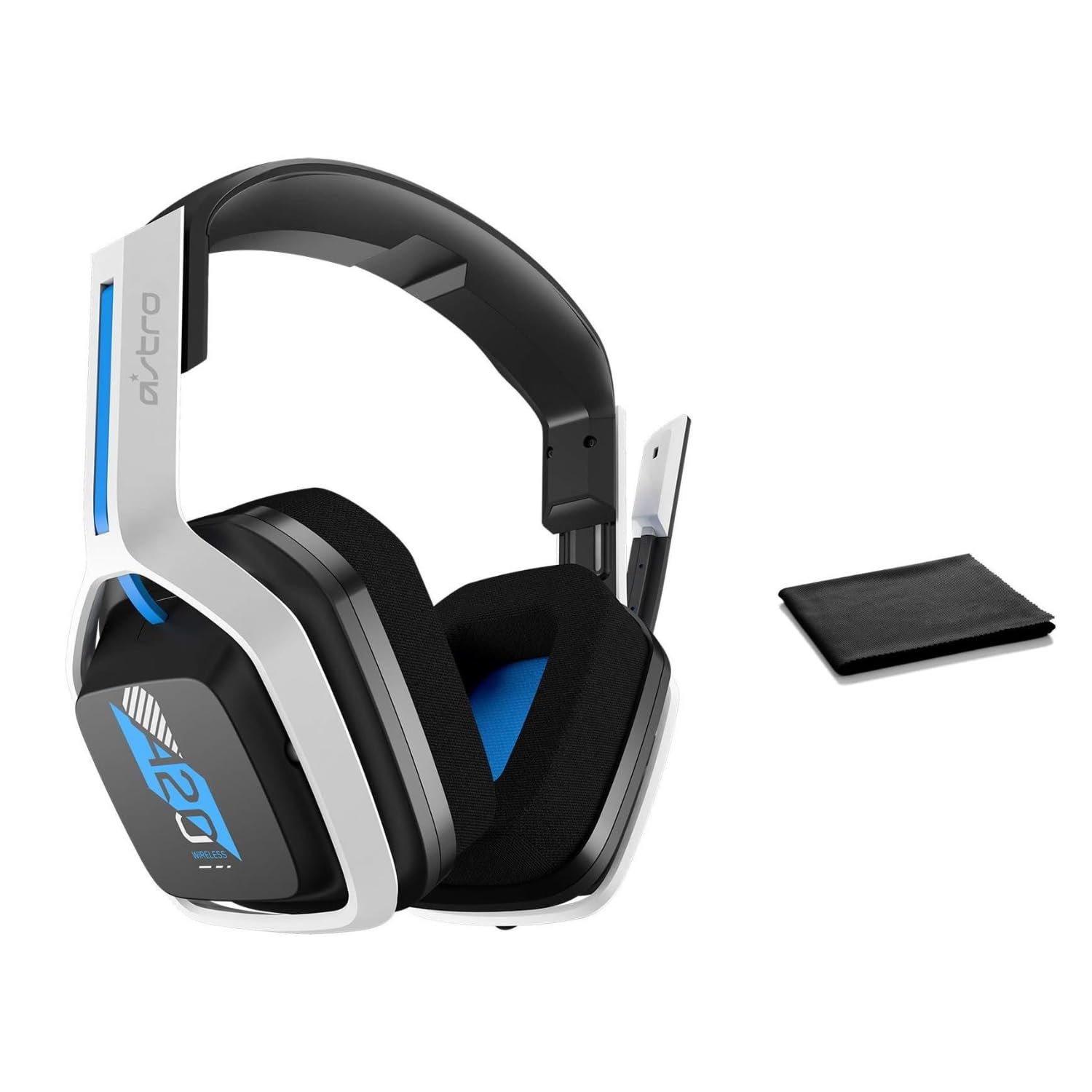
Image: The ASTRO Gaming A20 Gen 2 Wireless Headset, ready for use.
Návod k obsluze
Funkce mikrofonu
The headset features a flexible boom microphone with a flip-to-mute function. To mute your microphone, simply flip the boom arm upwards. To unmute and activate the microphone, flip the boom arm back down to its original position.
Ovládání hlasitosti
Adjust the audio volume using the dedicated volume control located on the headset. Rotate the dial or press the buttons (depending on the specific model variant) to increase or decrease the sound output.
Údržba
Pro zajištění dlouhé životnosti a optimálního výkonu vaší náhlavní soupravy:
- Čištění: Use the included premium microfiber cloth to gently wipe down the headset and accessories. This helps keep your headset dust-free and smudge-free.
- Skladování: Pokud sluchátka nepoužíváte, skladujte je na čistém a suchém místě mimo dosah extrémních teplot a přímého slunečního záření.
- Péče o baterie: For best battery health, avoid fully discharging the headset frequently. Charge it regularly.
Odstraňování problémů
If you encounter issues with your ASTRO Gaming A20 Gen 2 Wireless Headset, consider the following:
- Žádný zvuk/nefungující mikrofon: Ensure the USB transmitter is securely plugged into your device and the headset is powered on and paired. Check your device's audio settings to confirm the headset is selected as the default input/output. For the microphone, ensure it is not in the 'flipped-up' (muted) position.
- Problémy s připojením: Try unplugging and re-plugging the USB transmitter. If issues persist, try connecting to a different USB port.
- Baterie se nenabíjí: Verify the charging cable is properly connected to both the headset and the power source. Try a different USB port or power adapter.
- Aktualizace firmware: Visit the official ASTRO Gaming support website for any available firmware updates for your headset, as these can resolve various performance issues.
Specifikace
| Funkce | Detail |
|---|---|
| Název modelu | 939-001876 |
| Značka | ASTRO hry |
| Technologie připojení | Bezdrátový |
| Bezdrátová komunikace | 2.4GHz Bezdrátové připojení |
| Kompatibilní zařízení | Mac OS, PlayStation 4, Playstation 5, Windows |
| Životnost baterie | 15 hodiny |
| Doba nabíjení | 15 hodiny |
| Mikrofon | Flip-to-Mute |
| Umístění uší | Přes ucho |
| Hmotnost položky | 11.2 unce (318 gramů) |
| Materiál | Plast |
| Zahrnuté komponenty | A20 Wireless Headset, USB transmitter, USB-C to USB-A charging cable |
Záruka a podpora
For detailed warranty information and technical support, please refer to the official ASTRO Gaming webnebo se obraťte na jejich zákaznický servis. Uschovejte si doklad o koupi pro případ reklamace.