
GOBOULT B0FCSBLK42
GOBOULT Crown Smart Watch User Manual
Model: B0FCSBLK42
1. Úvod
Thank you for choosing the GOBOULT Crown Smart Watch. This manual provides essential information for setting up, operating, and maintaining your device. The GOBOULT Crown Smart Watch features a 1.95-inch HD display, Bluetooth calling, a functional rotating crown, and comprehensive health monitoring capabilities.
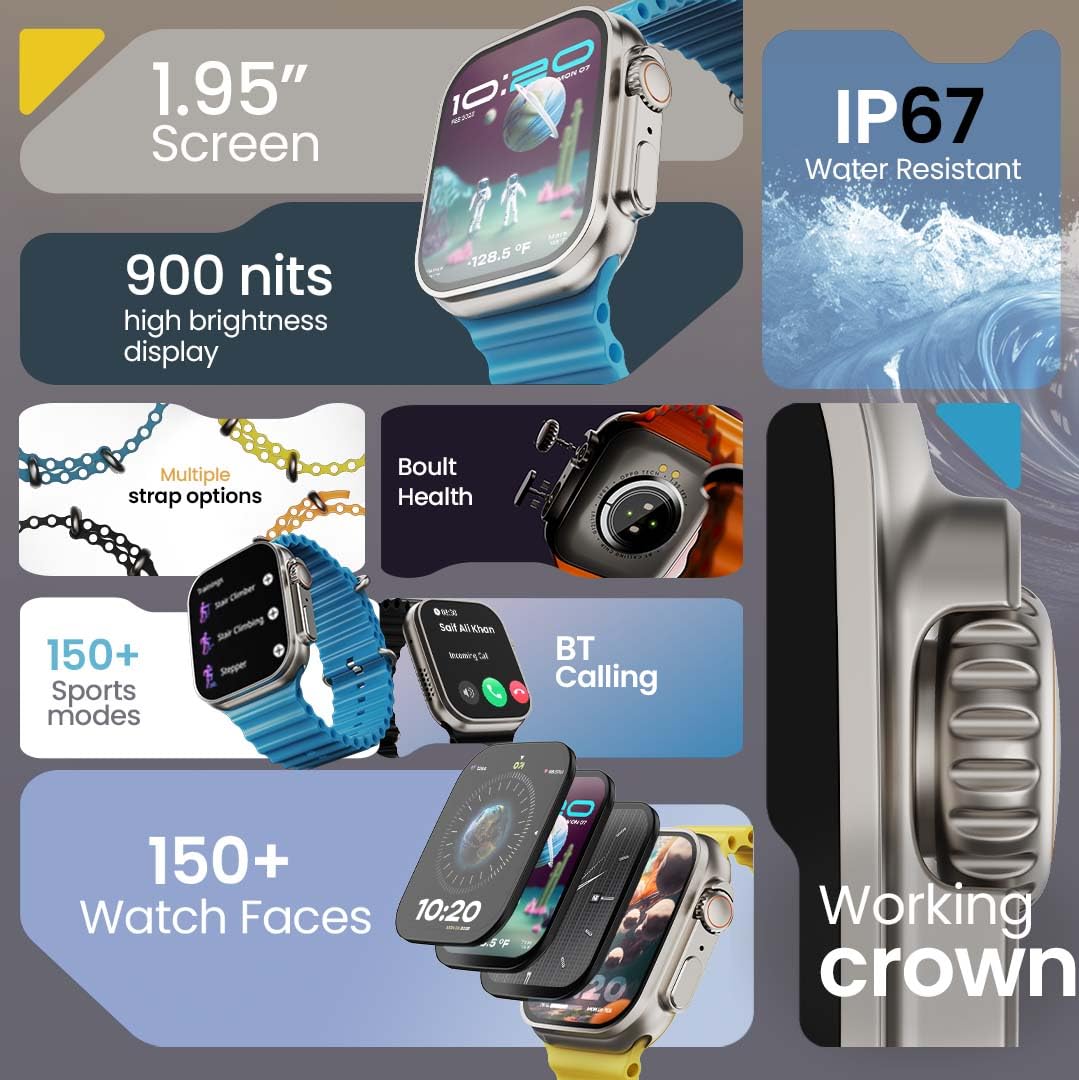
Obrázek 1.1: Konecview of the GOBOULT Crown Smart Watch highlighting its 1.95-inch screen, 900 nits brightness, IP67 rating, multiple strap options, Boult Health features, Bluetooth calling, 150+ sports modes, 150+ watch faces, and working crown.
2. Co je v krabici
Ujistěte se, že v balení vašeho produktu jsou přítomny všechny následující položky:
- GOBOULT Crown Smart Watch
- Nabíjecí kabel
- Uživatelská příručka
- Záruční list
3. Konec produktuview
The GOBOULT Crown Smart Watch is designed with a premium zinc alloy frame and a vibrant 1.95-inch HD display. It features a functional rotating crown for intuitive navigation and a dedicated button for sports modes.
3.1 klíčové komponenty
- 1.95palcový HD displej: Offers clear visuals with up to 900 nits brightness for excellent outdoor visibility.
- Working Rotating Crown: Used for scrolling, zooming, and navigating menus.
- Boční tlačítko: Often dedicated for quick access to sports modes or other functions.
- Zinc Alloy Frame: Poskytuje odolnost a prémiový pocit.
- Senzory: Located on the back for heart rate, SpO2, and other health monitoring.
- Mikrofon a reproduktor: Integrated for Bluetooth calling and voice assistant functions.
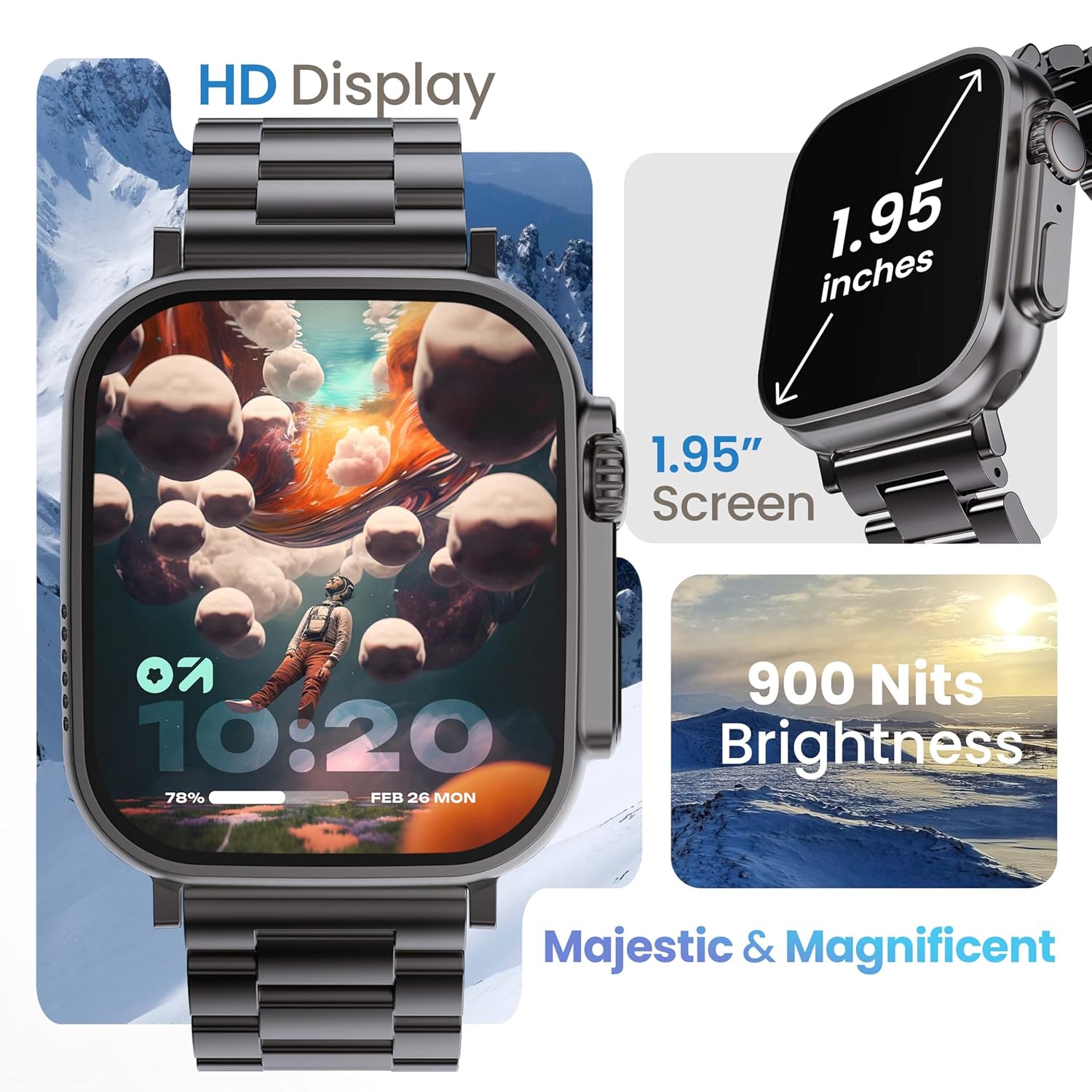
Image 3.1: The 1.95-inch HD display of the GOBOULT Crown Smart Watch, emphasizing its size and 900 Nits brightness for clear visibility.
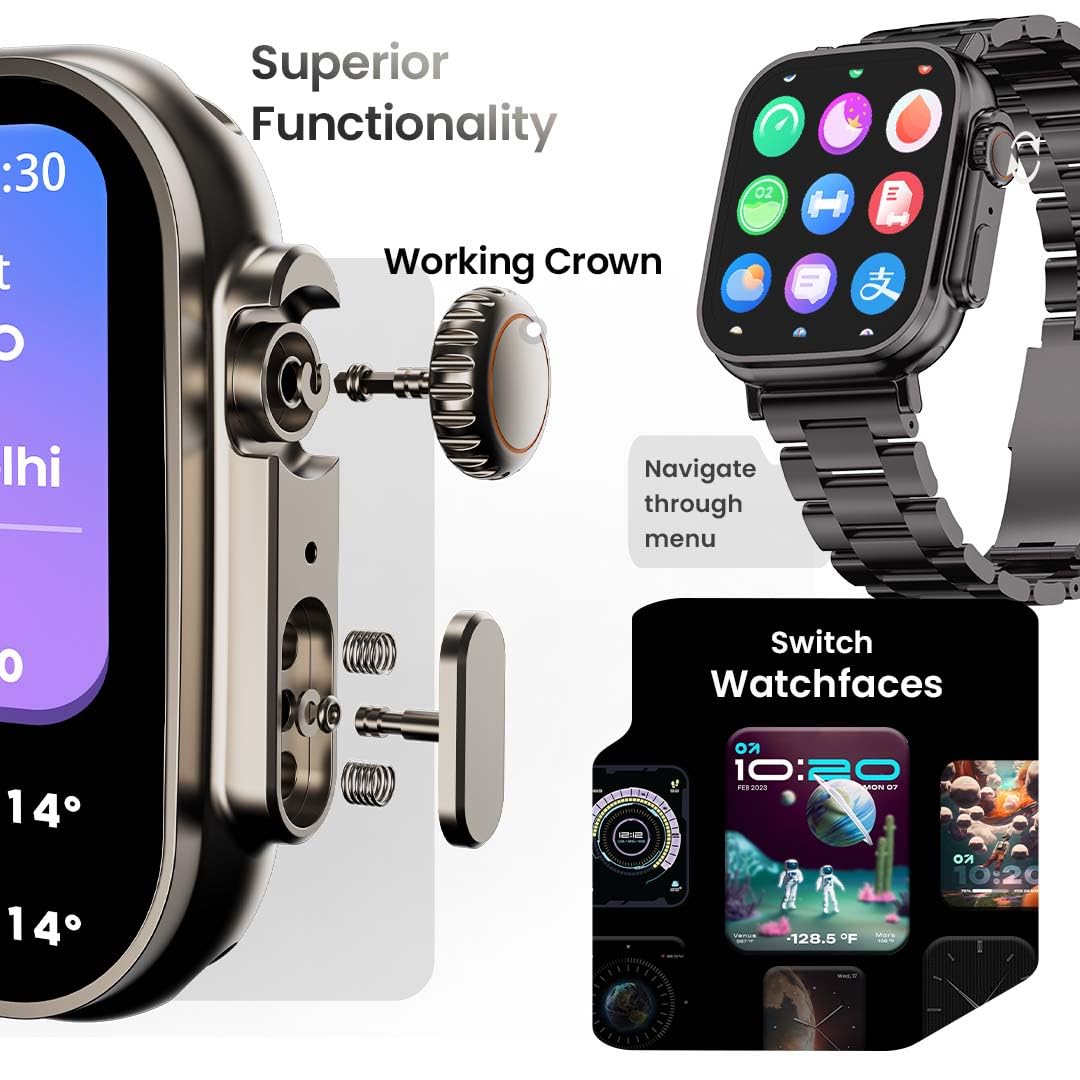
Obrázek 3.2: Detailní view of the working crown on the GOBOULT Crown Smart Watch, illustrating its use for navigating menus and switching watch faces.
4. Nastavení
4.1 Nabíjení chytrých hodinek
- Connect the magnetic charging cable to the charging pins on the back of the watch.
- Zapojte USB konec kabelu do standardního USB napájecího adaptéru (není součástí balení) nebo do USB portu počítače.
- Displej hodinek bude ukazovat stav nabíjení. Úplné nabití trvá přibližně 150 minut.
Poznámka: Před nabíjením se ujistěte, že jsou nabíjecí kontakty čisté a suché, aby nedošlo ke korozi.
4.2 Párování s vaším smartphonem
To unlock all features, pair your GOBOULT Crown Smart Watch with the companion app on your smartphone.
- Download the official GOBOULT companion app from your smartphone's app store (compatible with iOS and Android devices).
- Ujistěte se, že je na vašem smartphonu povoleno Bluetooth.
- Open the GOBOULT app and follow the on-screen instructions to create an account or log in.
- V aplikaci vyberte možnost „Přidat zařízení“ nebo „Spárovat nové zařízení“.
- The app will search for available devices. Select 'GOBOULT Crown' from the list.
- Potvrďte požadavek na párování na hodinkách i smartphonu.
Once paired, the watch will synchronize data with your phone, and you can customize settings through the app.
5. Návod k obsluze
5.1 Základní navigace
- Dotyková obrazovka: Přejetím prstem doleva, doprava, nahoru nebo dolů můžete procházet nabídky a oznámení. Klepnutím vyberete položky.
- Working Crown: Rotate the crown to scroll through lists, zoom in/out, or switch watch faces. Press the crown to return to the home screen or access the app menu.
- Boční tlačítko: Press to quickly access the sports mode menu.
5.2 Bluetooth volání
The GOBOULT Crown Smart Watch supports Bluetooth calling (BT 5.2) with a built-in speaker and microphone.
- Ujistěte se, že jsou hodinky spárovány s vaším chytrým telefonem přes Bluetooth.
- To make a call, access the dial pad on your watch or select a contact from your synchronized phonebook.
- To answer an incoming call, tap the green icon on the watch screen. To reject, tap the red icon.
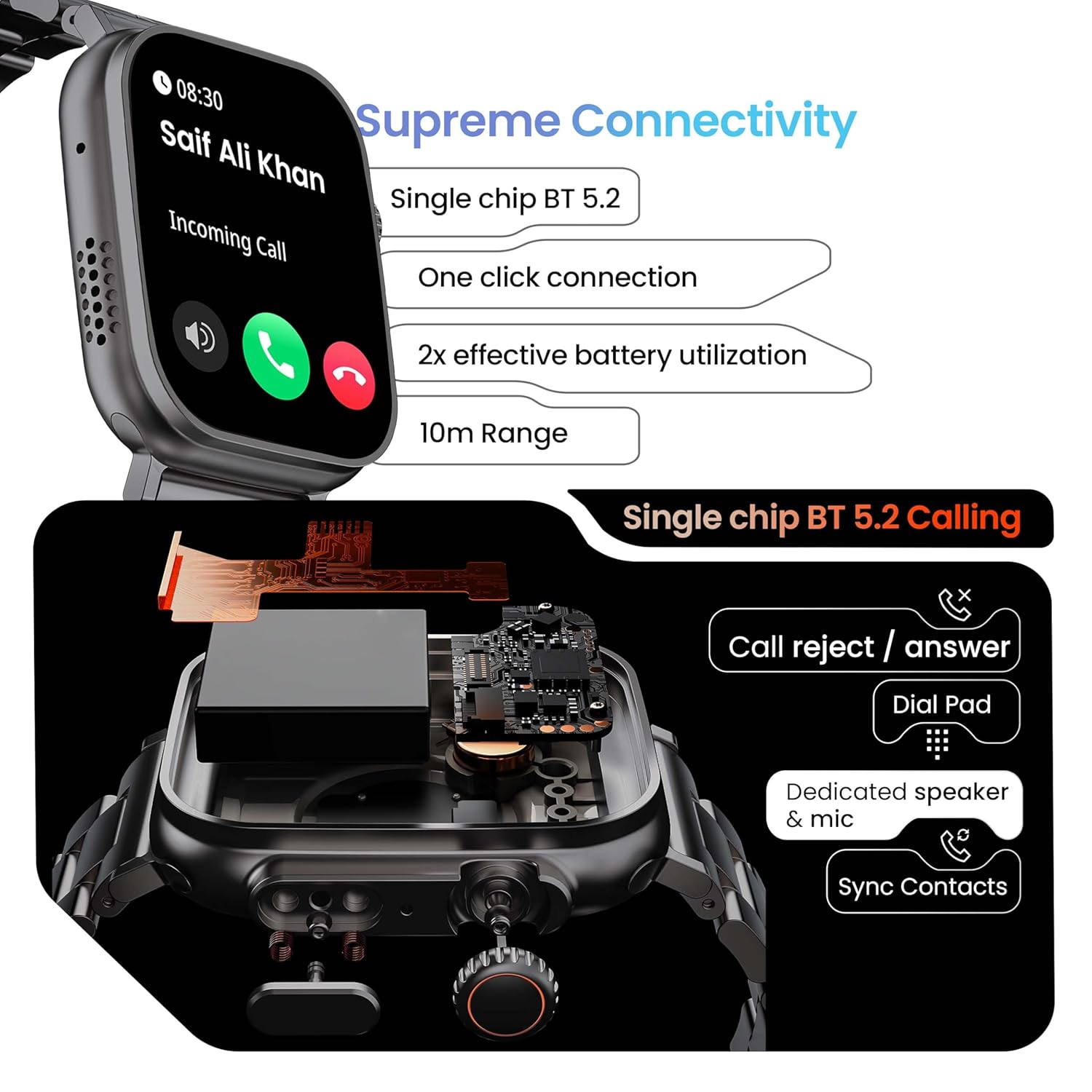
Image 5.1: Illustration of the Bluetooth 5.2 calling functionality on the GOBOULT Crown Smart Watch, including call reject/answer, dial pad, dedicated speaker & mic, and contact synchronization.
5.3 sportovních režimů
Hodinky nabízejí více než 120 sportovních režimů pro sledování různých fyzických aktivit.
- Press the dedicated side button or navigate through the app menu to access 'Sports Modes'.
- Select your desired activity (e.g., Running, Cycling, Yoga, HIIT).
- The watch will begin tracking metrics such as duration, heart rate, calories burned, and steps.
- End the workout by following the on-screen prompts. Data will be synchronized with the app.

Image 5.2: The GOBOULT Crown Smart Watch actively tracking a workout, showing real-time data for heart rate, calories, and steps, with a dedicated button for sports modes.
5.4 Monitorování zdraví
The watch provides continuous health tracking features.
- Monitorování srdeční frekvence: Sleduje vaši tepovou frekvenci 24 hodin denně, 7 dní v týdnu.
- Monitorování SpO2: Měří hladinu saturace krve kyslíkem.
- Analýza spánku: Sleduje spánkové vzorce a jejich kvalitu.
- Sledování aktivity: Zaznamenává kroky, vzdálenost a spálené kalorie během dne.
- Upozornění na sedavé chování: Připomíná vám, abyste se po obdobích nečinnosti hýbali.
- Sledování menstruačního cyklu u žen: Available through the companion app.
- Dechový trénink: Řízená dechová cvičení pro relaxaci.
Access detailed health data and trends in the GOBOULT companion app.
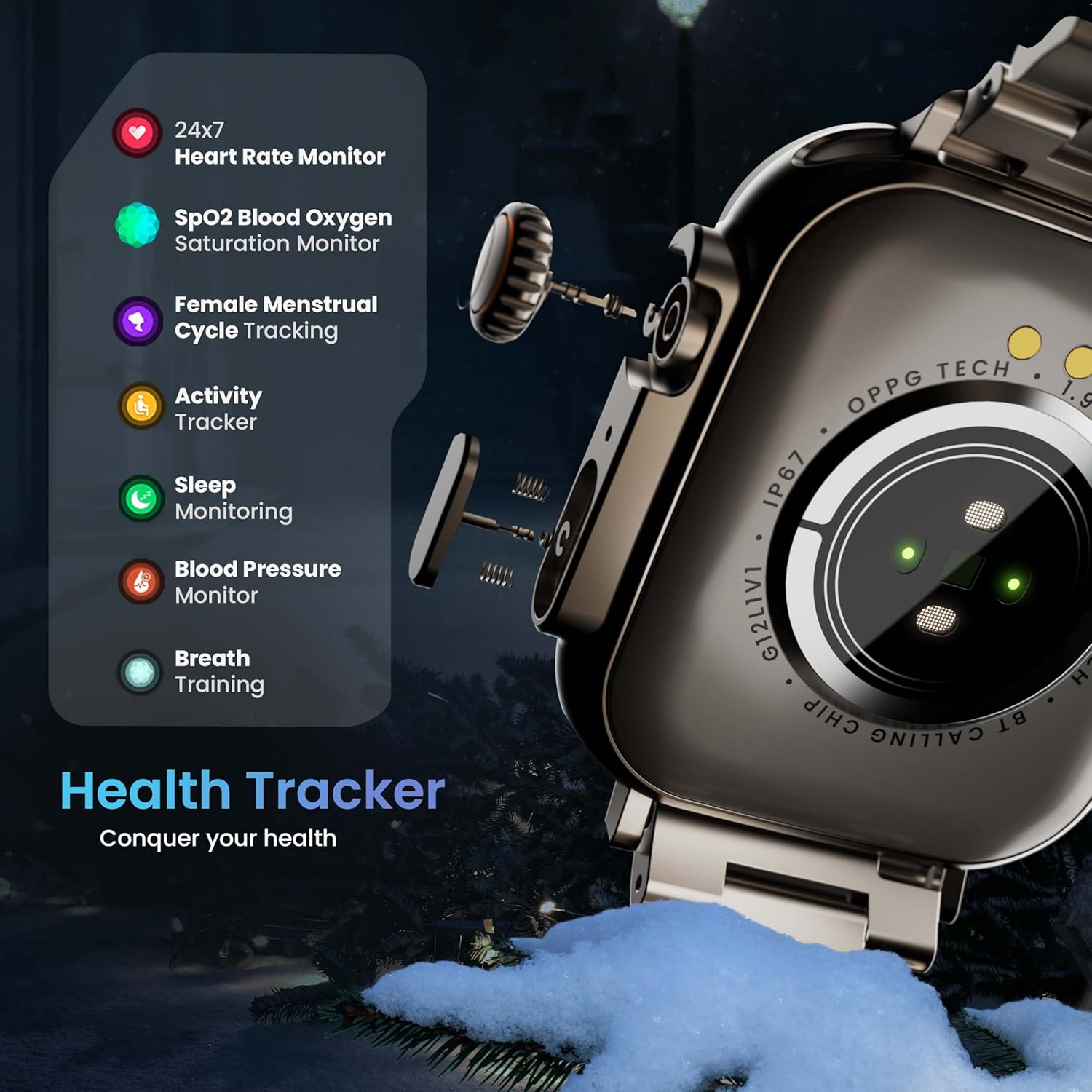
Image 5.3: The GOBOULT Crown Smart Watch highlighting its comprehensive health tracker capabilities, including 24x7 Heart Rate Monitor, SpO2 Blood Oxygen Saturation Monitor, Female Menstrual Cycle Tracking, Activity Tracker, Sleep Monitoring, Blood Pressure Monitor, and Breath Training.
5.5 Hlasový asistent s umělou inteligencí
Interact with your watch using voice commands for quick tasks.
- Activate the AI Voice Assistant by a specific gesture or button press (refer to in-app settings for configuration).
- Speak your command clearly, such as "Hey Siri" or "Ok Google" (if connected to a compatible phone).
- The watch will process your request, allowing you to set reminders, check weather, or control smart home devices.
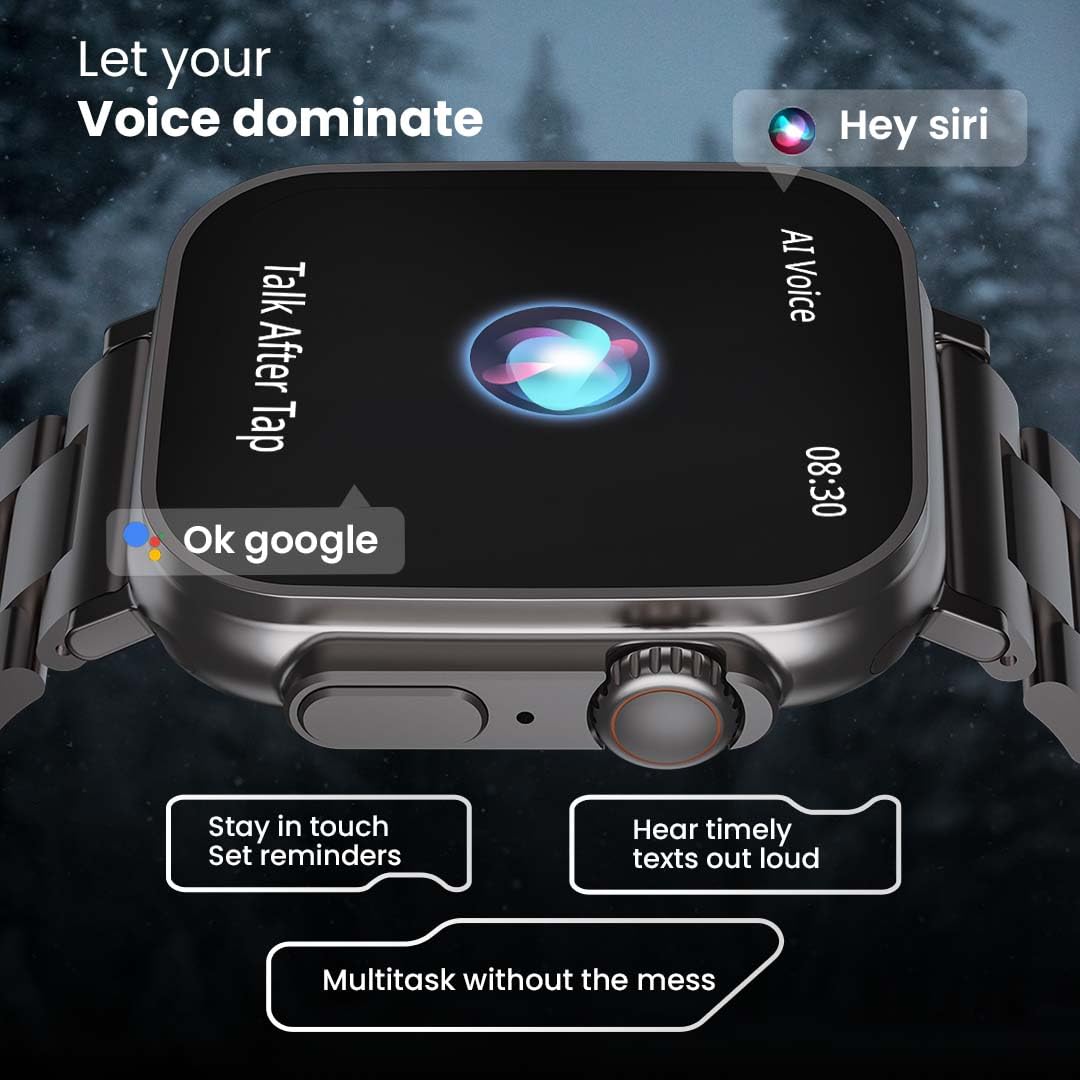
Image 5.4: The GOBOULT Crown Smart Watch interacting with AI Voice Assistants like Hey Siri and Ok Google, enabling users to stay in touch, set reminders, and hear timely texts aloud.
5.6 Watch Faces & Customization
Personalize your watch with over 100 cloud-based watch faces.
- Long-press the watch face on the home screen to quickly switch between pre-loaded faces.
- For more options, open the GOBOULT app and browse the 'Watch Faces' library.
- Download and apply new watch faces directly from the app.
5.7 Mini Games
The watch includes several mini-games for entertainment.
- Navigate to the 'Games' section in the app menu.
- Select a game (e.g., Young Bird, Hamster, Battleships, 2048) and follow the on-screen instructions to play.
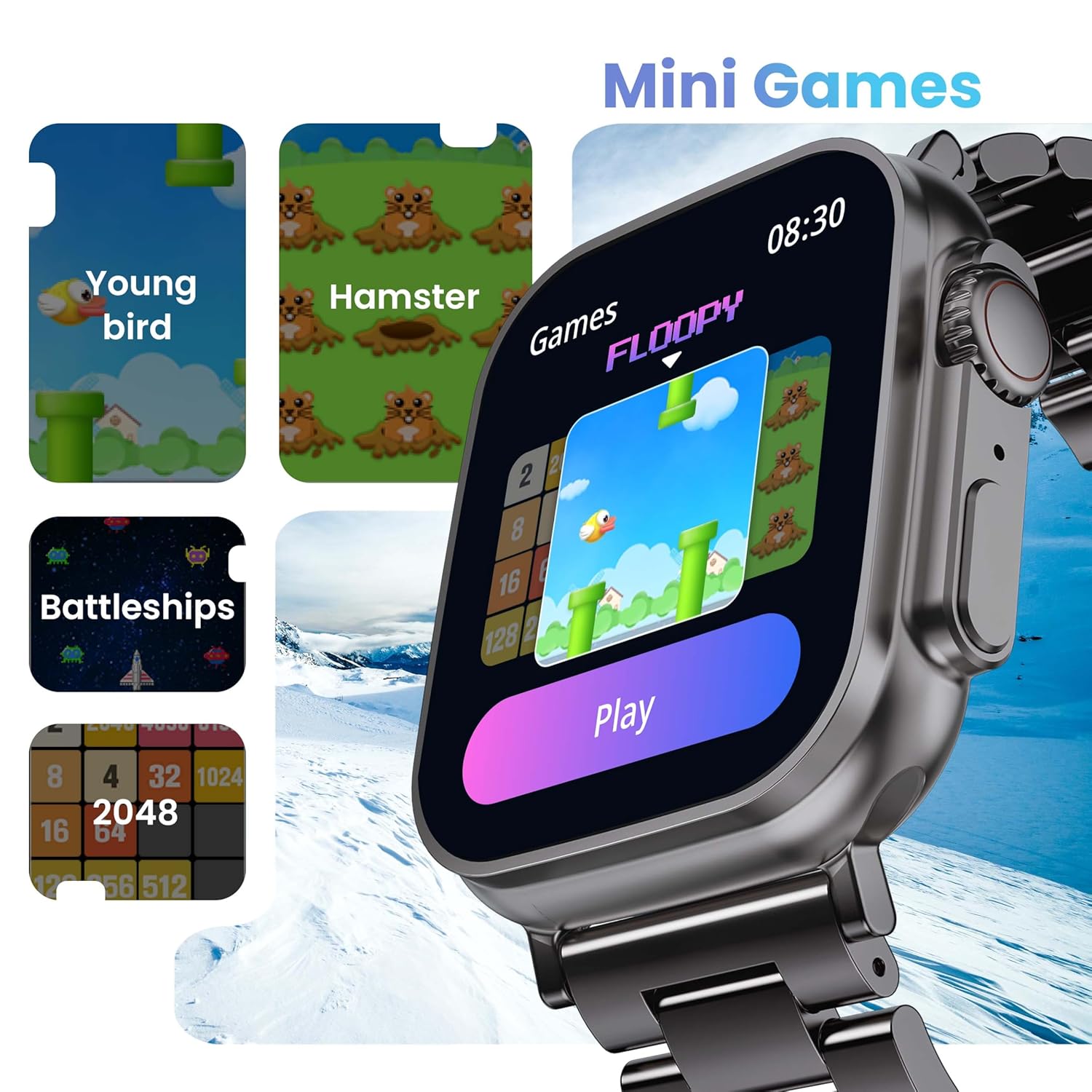
Image 5.5: The GOBOULT Crown Smart Watch showcasing its mini-games feature, including 'Young bird', 'Hamster', 'Battleships', and '2048'.
5.8 Najít můj telefon
Locate your paired smartphone using the watch.
- Go to the watch menu.
- Select the "Find Phone" option.
- The connected phone will ring or vibrate, helping you locate it.
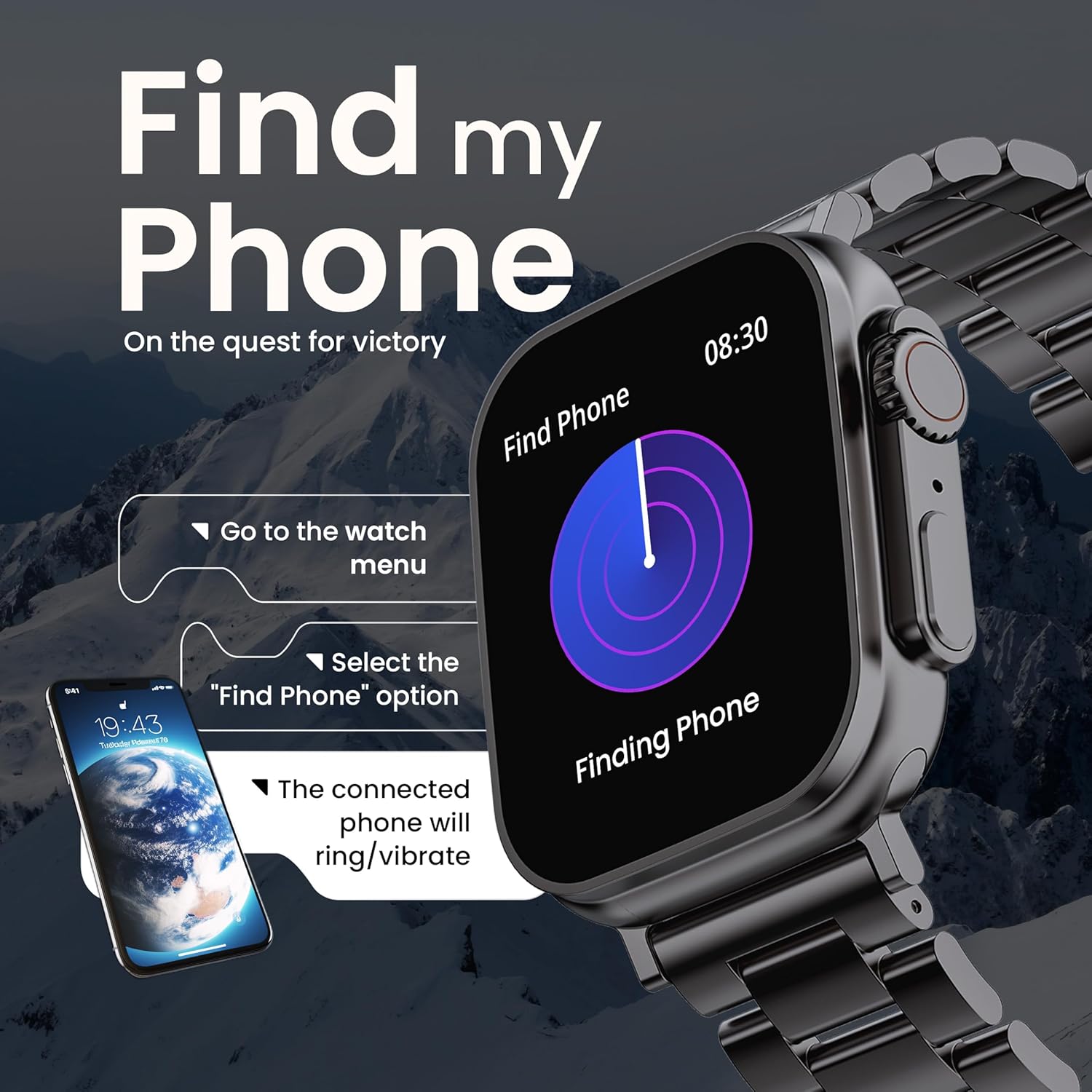
Image 5.6: The GOBOULT Crown Smart Watch illustrating the 'Find my Phone' feature, showing the steps to activate it and how the connected phone will respond.
6. Údržba
6.1 Čištění chytrých hodinek
- Otřete obrazovku a tělo hodinek měkkým hadříkem, který nepouští vlákna.
- Na odolné skvrny, damphadřík lehce navlhčete vodou. Nepoužívejte agresivní chemikálie ani abrazivní materiály.
- Clean the charging pins regularly to ensure proper connection.
- If your watch has a stainless steel band, use the provided strap adjustment tool for any modifications.
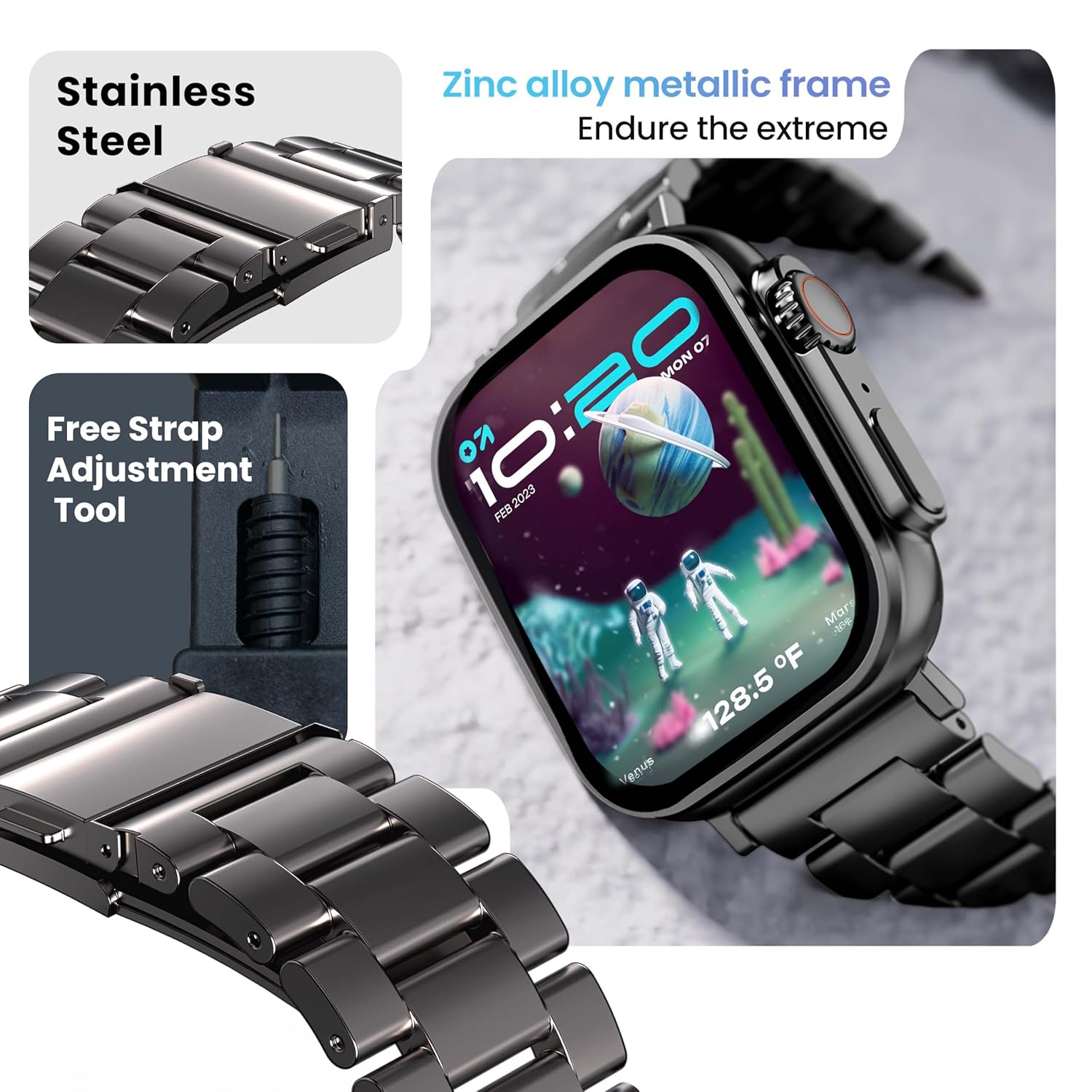
Image 6.1: The GOBOULT Crown Smart Watch featuring its stainless steel band and the included free strap adjustment tool for maintenance.
6.2 Voděodolnost
The GOBOULT Crown Smart Watch has an IP67 waterproof rating.
- Stupeň krytí IP67: This means the watch is dust-proof and can withstand submersion in water up to 1.5 meters for 30 minutes.
- It is suitable for daily use, such as washing hands or light rain.
- Avoid using the watch during swimming, diving, or in hot water (e.g., showers, saunas) as steam and high pressure can compromise the seal.
- Nestiskávejte tlačítka pod vodou.
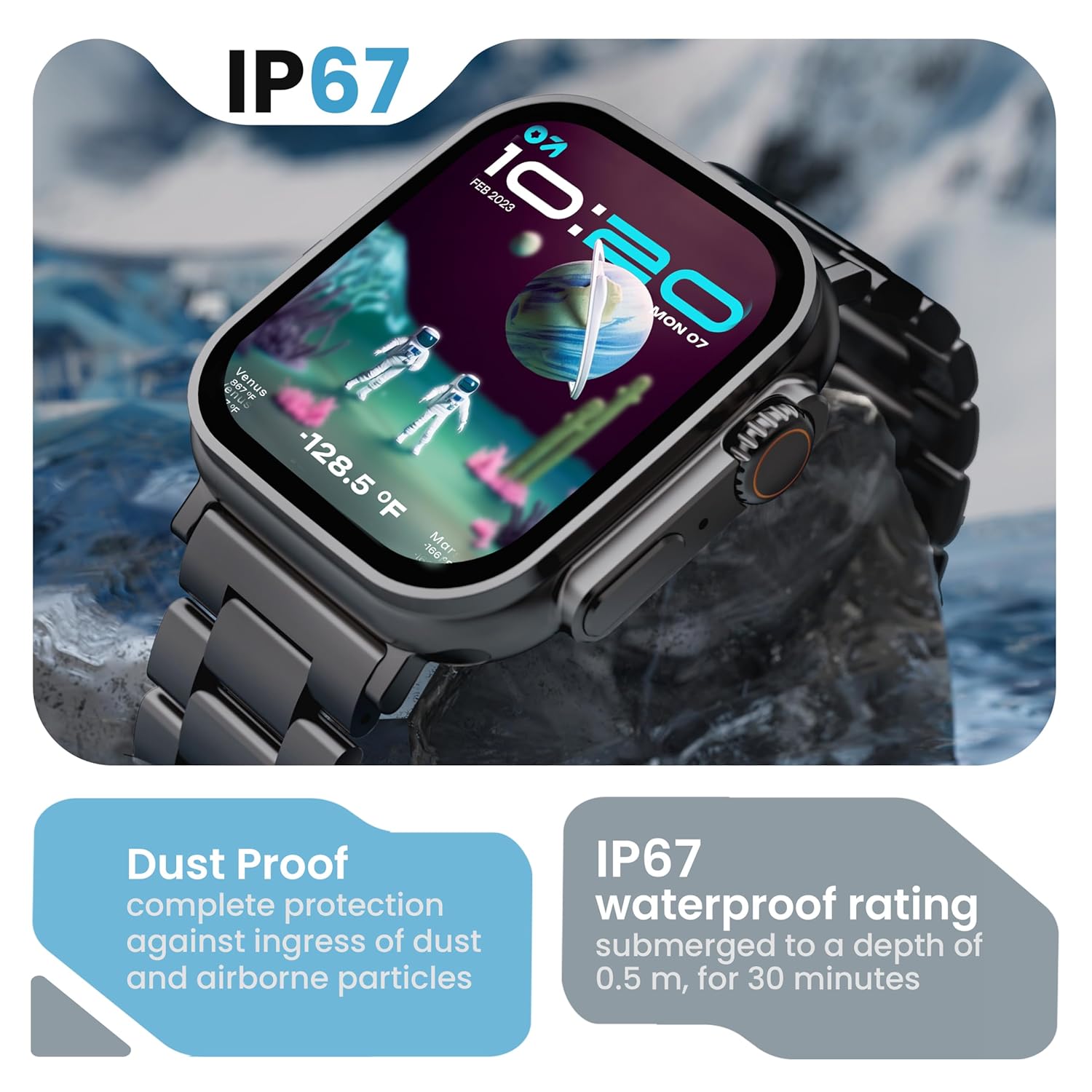
Image 6.2: The GOBOULT Crown Smart Watch emphasizing its IP67 rating, indicating complete protection against dust ingress and water submersion up to 0.5 meters for 30 minutes.
7. Řešení problémů
If you encounter issues with your GOBOULT Crown Smart Watch, refer to the following common solutions:
| Problém | Možné řešení |
|---|---|
| Hodinky se nezapínají | Ujistěte se, že jsou hodinky plně nabité. Připojte je k nabíječce alespoň na 30 minut. |
| Nelze spárovat se smartphonem | Ensure Bluetooth is enabled on your phone. Restart both the watch and phone. Make sure the watch is within Bluetooth range. Check the app for pairing instructions. |
| Nepřesné zdravotní údaje | Ujistěte se, že hodinky máte pevně na zápěstí, ne příliš těsně ani příliš volně. Vyčistěte oblast senzoru na zadní straně hodinek. |
| Problémy s voláním přes Bluetooth | Verify the watch is connected for both data and call audio in your phone's Bluetooth settings. Ensure microphone and speaker are not obstructed. |
| Obrazovka nereaguje | Restartujte hodinky. Pokud problém přetrvává, ujistěte se, že je obrazovka čistá a suchá. |
| Krátká výdrž baterie | Snižte jas obrazovky, vypněte nepotřebná oznámení a omezte nepřetržité sledování tepové frekvence, pokud není potřeba. |
Pokud problém přetrvává i po vyzkoušení těchto řešení, kontaktujte zákaznickou podporu.
8. Specifikace
Below are the technical specifications for the GOBOULT Crown Smart Watch (Model: B0FCSBLK42):
| Funkce | Detail |
|---|---|
| Číslo modelu | B0FCSBLK42 |
| Velikost displeje | 1.95 palce |
| Typ zobrazení | TFT |
| Maximum Display Brightness | 900 nitů |
| Technologie připojení | Bluetooth 5.2 |
| Kompatibilita operačního systému | Android Wear 1.0, iOS |
| Kapacita baterie | 300 miliamp Hodiny (lithium-polymer) |
| Průměrná životnost baterie | Až 7 dny |
| Doba nabíjení baterie | 150 minut |
| Hodnocení odolnosti proti vodě | IP67 (Water Resistant up to 1.5 meters depth) |
| Typ materiálu pásku | Nerez |
| Hmotnost položky | 40 gramů |
| Rozměry položky (D x Š x V) | 40H x 38Š x 6V milimetrů |
| Měřené metriky | Blood Oxygen (SpO2), Distance, Heart Rate, Step Count |
| Podporované aplikace | Voice Assistant, Communication, Notifications |
| Typ ovladače | Asistent Google, Siri |
9. Záruka a podpora
9.1 Informace o záruce
The GOBOULT Crown Smart Watch comes with a 1 roky záruka výrobce from the date of purchase. This warranty covers manufacturing defects. Please retain your purchase receipt for warranty claims.
9.2 Zákaznická podpora
For technical assistance, warranty claims, or any other inquiries, please contact:
- Výrobce: Boult Audio
- Dovozce: Exotic Mile Pvt. Ltd.
- Kontaktní informace dovozce: Průmyslová zóna B67 Wazirpur, Nové Dillí 110052
Please refer to the warranty card included in your box for specific terms and conditions.