
ARNSSIEN Y5
ARNSSIEN Y5 4K 48MP Dual Screen Digital Camera User Manual
Model: Y5
Zavedení
This manual provides detailed instructions for the ARNSSIEN Y5 4K 48MP Digital Camera. Please read it thoroughly before using the camera to ensure proper operation and to maximize its features. This camera is designed for ease of use, making it suitable for beginners, children, and teenagers.

Image: The ARNSSIEN Y5 Digital Camera, showcasing its dual screen feature and compact design.
Obsah balení
Ověřte, zda jsou v balení přítomny všechny položky:
- 1x Digital Camera
- 1x 32GB paměťová karta
- 1x kabel typu C
- 1x čtečka karet
- 1x Ochranné pouzdro
- 1x Šňůrka
- 1x Uživatelská příručka
- 1x dárková krabička

Image: All items included in the ARNSSIEN Y5 Digital Camera package, neatly arranged.
Fotoaparát skončilview
Seznamte se s komponenty a ovládacími prvky fotoaparátu.
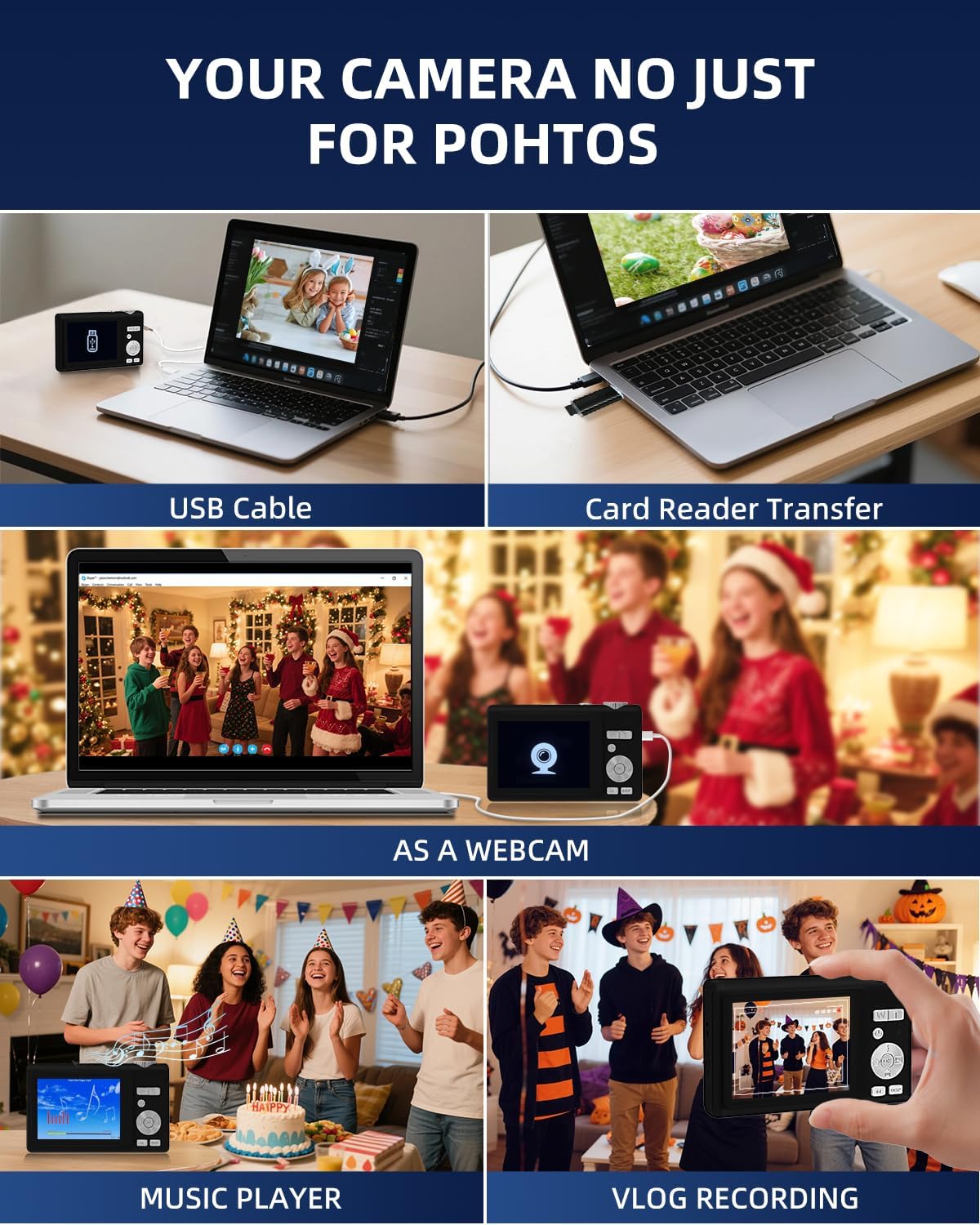
Image: Detailed diagram showing the camera's front, top, and rear views with labels for all buttons, ports, and screens.
- Mode Rotation Key: For selecting different camera modes.
- Tlačítko spouště: To take photos or start/stop video recording.
- Blesk: Integrated flash for low-light conditions.
- Nabíjecí port (typ C): For charging the camera and data transfer.
- Nabít Lamp: Indikuje stav nabíjení.
- Port TF karty: Slot for the microSD card.
- Selfie Display: The smaller front screen for self-portraits.
- Zoom Key (W/T): To zoom in (T) or zoom out (W).
- Vypínač: Zapnutí nebo vypnutí fotoaparátu.
- Kontrolka stavu: Shows camera's operational status.
- Up Button (Flash): Controls flash settings.
- Pravé tlačítko: Navigation or specific function button.
- Tlačítko OK: Confirms selections or accesses special effects (1-15 types).
- Tlačítko dolů: Navigation or specific function button.
- Klávesa DISP: Switches to the selfie screen.
- Přepínač režimu: Toggles between photo and video modes.
- Levé tlačítko: Navigation or specific function button.
- Hang Rope Hole: Pro připevnění šňůrky.
- Reproduktor: Pro přehrávání zvuku.
Nastavení
1. Nabíjení baterie
Before first use, fully charge the camera. Connect the camera to a power source using the provided Type-C cable. The Charge Lamp bude indikovat stav nabíjení.
Note: The camera uses a built-in Lithium-polymer battery. No battery swaps are needed; simply charge and go.
2. Vložení paměťové karty
The camera supports microSD cards up to 128GB. A 32GB memory card is included. Insert the memory card into the TF Card Port until it clicks into place.
Important: For optimal performance, format the SD card within the camera before its first use.
3. Zapnutí/vypnutí
Stiskněte a podržte Tlačítko napájení zapněte nebo vypněte fotoaparát.
Návod k obsluze
1. Basic Photography and Videography
- Fotit: V režimu fotografování stiskněte Tlačítko spouště to capture a 48MP image. The camera features autofocus for clear shots.
- Záznam videa: Switch to video mode using the Přepínač režimůa poté stiskněte tlačítko Tlačítko spouště to start/stop 4K video recording.
- Lupa: Použijte Zoom Key (W/T) to adjust the 16x digital zoom.
- Dual Screen Function: The camera has a 2.8" main screen and a 1.4" selfie screen. Press the Tlačítko DISP to switch to the selfie screen for easy self-portraits.
2. Camera Settings and Modes
The camera offers various settings and modes for enhanced creativity and control. Access these through the menu system or dedicated buttons.

Image: On-screen display of photo mode settings including flash, anti-shake, burst, time-lapse, music player, photo size, white balance, exposure, ISO, scene, sharpness, quality, and general settings.

Image: On-screen display of video mode settings including audio recording, flash, video bitrate, motion detection, loop recording, music player, white balance, exposure, ISO, scene, sharpness, quality, and general settings.
- ISO: Adjusts light sensitivity.
- EV (hodnota expozice): Controls image brightness.
- WB (vyvážení bílé): Corrects color cast based on lighting.
- WDR (široký dynamický rozsah): Improves detail in both bright and dark areas.
- Blikat: Use the Up Button to cycle through flash modes (e.g., Auto, Fill-flash).
- Ostrost: Upravuje jasnost obrazu.
- Filtry: Apply 15 different filter effects for creative shots.
- Režim krásy: Enhances facial features in portraits.
- Burst Shot: Pořídí více fotografií v rychlém sledu.
- Zpomalený pohyb: Records video at a slower playback speed.
- Časová prodleva: Captures images at set intervals to create a sped-up video.
- Stabilization (Anti-Shake): Reduces blur caused by camera movement.
- Detekce pohybu: Camera starts recording when motion is detected.
- Composition Aid: Assists in framing your shots.

Image: A visual comparison demonstrating the effect of Beauty Mode when activated and deactivated on a group photo.

Image: A sequence of three images showing a snowboarder in mid-air, illustrating the continuous shooting feature.

Image: A four-panel sequence showing a person blowing bubbles, demonstrating the time-lapse feature with timestamps.

Image: A visual comparison showing the difference in image stability with Anti-Shake mode activated versus deactivated, illustrated with a skier.

Image: A multi-panel comparison demonstrating the effects of different sharpness levels, white balance modes, ISO settings, filter effects, and exposure values on an image.
3. Další funkce
- Hudební přehrávač: The camera includes a built-in music player.
- WebFunkce vačky: Connect the camera to a computer via USB-C to use it as a webvačka.
- File Převod: Transfer photos and videos to a computer using the Type-C cable or the included card reader.

Image: Illustration of two methods for transferring files: directly via USB cable to a laptop, and using a card reader for the memory card.
Údržba
- Čištění: Use a soft, dry cloth to clean the camera body. For the lens and screens, use a specialized lens cleaning cloth and solution. Avoid abrasive materials.
- Péče o baterie: To prolong battery life, avoid fully discharging the battery frequently. Charge the camera regularly, especially if not used for extended periods. Store the camera in a cool, dry place.
- Skladování: When not in use, store the camera in its protective pouch to prevent scratches and dust accumulation.
Odstraňování problémů
| Problém | Možná příčina | Řešení |
|---|---|---|
| Fotoaparát se nezapne. | Slabá baterie. | Charge the camera fully using the provided Type-C cable. |
| Nelze pořizovat fotografie/videa. | Paměťová karta je plná nebo není správně vložena. | Check memory card insertion. Delete unnecessary files or replace the card. Ensure the card is formatted. |
| Obrázky jsou rozmazané. | Anti-shake feature off, camera movement, or focus issue. | Ensure Anti-Shake is enabled. Hold the camera steady. For autofocus, hold down the shutter button halfway to lock focus before fully pressing. |
| Camera freezes or crashes. | Softwarová závada nebo problém s paměťovou kartou. | Turn off the camera and restart. If the problem persists, remove and reinsert the memory card. |
If you encounter issues not listed here, please refer to the "Warranty & Support" section for assistance.
Specifikace
| Funkce | Detail |
|---|---|
| Číslo modelu | Y5 |
| Effective Capture Resolution | 48 megapixelů |
| Rozlišení záznamu videa | 2160p (4K UHD) |
| Optický zoom | 16x |
| Digitální zoom | 16x |
| Stabilizace obrazu | Optický |
| Autofokus | Ano |
| Typ zobrazení | LCD |
| Velikost hlavní obrazovky | 2.8 palce |
| Selfie Screen Size | 1.4 palce |
| Typ paměťové karty | microSD (TF Card) |
| Max Supported Memory Card | 128 GB |
| Paměťová karta v balení | 32 GB |
| Typ baterie | Lithium-polymer |
| Průměrná životnost baterie | 2 hodin |
| Technologie připojení | Micro USB (Type-C) |
| Rozměry (D x Š x V) | 2.54 x 5.08 x 3.81 cm |
| Hmotnost | 250 gramů |
| Úroveň dovedností | Začátečník |
| Podporováno File Formáty | JPEG, MP4 |
| Blikat | Integrated, Fill-flash automatic |
| Úroveň odolnosti proti vodě | Není vodotěsný |
Záruka a podpora
- Záruka: This product comes with a 30-day warranty from the date of purchase. Please retain your proof of purchase.
- Zákaznická podpora: For any questions, technical assistance, or warranty claims, please contact ARNSSIEN customer support. 24-hour assistance is available. Refer to the contact information provided with your purchase or on the official ARNSSIEN webmísto.
Ask a question about this manual
Ask about setup, troubleshooting, compatibility, parts, safety, or missing instructions. Manuals+ will review the question and use this page’s manual context to help answer it.