
OMOTON B0FCMD15TF
OMOTON Foldable Bluetooth Keyboard with Touchpad (QWERTZ Layout)
Model: B0FCMD15TF
Značka: OMOTON
1. Úvod
Thank you for choosing the OMOTON Foldable Bluetooth Keyboard with Touchpad. This portable QWERTZ keyboard is designed for convenience and efficiency, offering multi-device connectivity and an integrated touchpad. This manual provides detailed instructions for setup, operation, and maintenance to ensure optimal performance.
2. Obsah balení
Zkontrolujte prosím balení, zda neobsahuje následující položky:
- OMOTON Foldable Bluetooth Keyboard
- Stojan na mobilní telefon
- Nabíjecí kabel typu C.
- Přepravní pouzdro
- Uživatelská příručka
3. Konec produktuview
The OMOTON Foldable Bluetooth Keyboard features a compact QWERTZ layout with 78 full-size keys and a multi-touch touchpad. It supports connection to up to three devices simultaneously across iOS, Android, and Windows operating systems. Its magnetic folding design makes it highly portable.
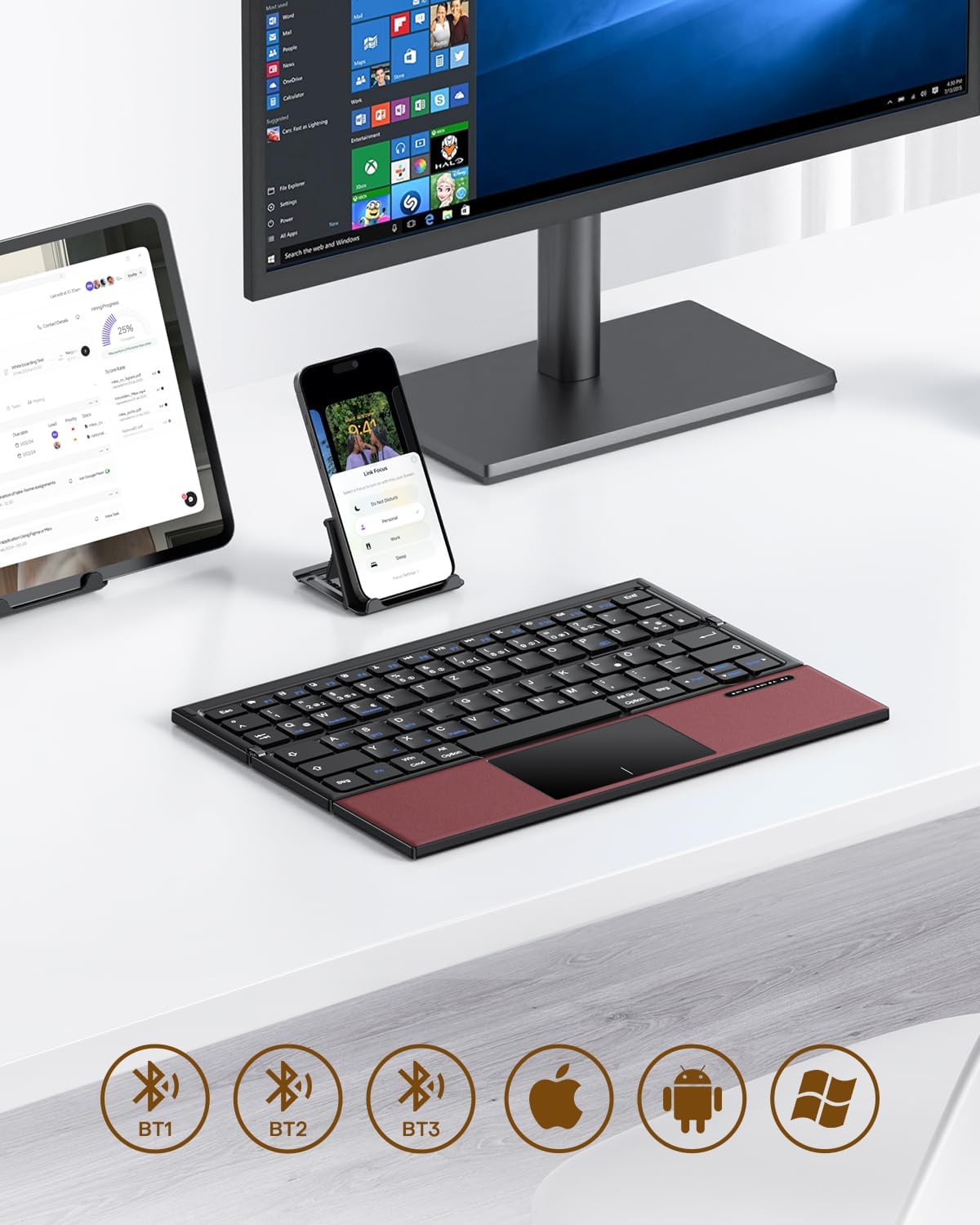
Image 3.1: The OMOTON Foldable Bluetooth Keyboard in use with a tablet, smartphone, and monitor, demonstrating multi-device connectivity via BT1, BT2, and BT3 channels.
Klíčové vlastnosti:
- Trojitý design: Compact and portable for travel.
- Integrovaný touchpad: Multi-touch functionality for navigation without an external mouse.
- Připojení více zařízení: Connects to up to three Bluetooth-enabled devices (BT1, BT2, BT3).
- QWERTZ Layout: Standard German keyboard layout with 78 full-size keys.
- Dobíjecí baterie: Built-in 180mAh battery with Type-C charging.

Image 3.2: Close-up details of the keyboard, highlighting its magnetic closure, indicator lights, silent scissor keys, elegant PU leather finish, and durable metal hinge.
Přenosnost:
The keyboard's compact, tri-fold design makes it ideal for travel and on-the-go use. It easily fits into bags and pockets, making it a convenient companion for various environments.

Image 3.3: The keyboard in use in a cafe, on an airplane, and in a meeting room, demonstrating its versatility for different work and travel scenarios.

Image 3.4: The folded keyboard being placed into a carrying case inside a bag and slipped into a jacket pocket, illustrating its compact size and ease of transport.
4. Nastavení
4.1 Nabíjení klávesnice
Before first use, fully charge the keyboard. Use the included Type-C charging cable to connect the keyboard to a power source (e.g., computer USB port, USB wall adapter).
- The power indicator light will show charging status.
- Plné nabití obvykle trvá 2-3 hodiny.
- The keyboard offers up to 60 hours of operating time and 90 days of standby time on a full charge.

Image 4.1: The keyboard connected via its Type-C port for charging, with icons indicating charging time, working time, and standby time.
4.2 Spárování se zařízením
The keyboard supports up to three Bluetooth connections (BT1, BT2, BT3). Follow these steps to pair your keyboard with a device:
- Zapnutí: Unfold the keyboard to automatically power it on. The indicator light will flash.
- Vyberte kanál: Stiskněte tlačítko Fn + BT1, Fn + BT2nebo Fn + BT3 keys simultaneously to select a Bluetooth channel. The corresponding indicator light will flash slowly.
- Vstupte do režimu párování: Stiskněte Fn+C (or the Bluetooth icon key) to enter pairing mode. The selected channel indicator light will flash rapidly.
- Povolení Bluetooth na zařízení: Na svém zařízení (chytrý telefon, tablet, notebook) přejděte do nastavení Bluetooth a zapněte Bluetooth.
- Vyberte klávesnici: Hledat "OMOTON Keyboard" (or similar) in the list of available devices and select it to connect.
- Potvrdit připojení: Once connected, the indicator light on the keyboard will stop flashing and remain solid for a few seconds before turning off.
Note: The Type-C cable is for charging only and does not support wired connectivity.
4.3 Přepínání mezi zařízeními
Chcete-li přepínat mezi spárovanými zařízeními, jednoduše stiskněte Fn + BT1, Fn + BT2nebo Fn + BT3 to select the desired channel. The keyboard will automatically connect to the last paired device on that channel.
5. Návod k obsluze
5.1 Keyboard Layout and Special Keys
The keyboard features a QWERTZ layout with 78 standard keys and 12 multimedia shortcuts. Familiarize yourself with the layout for efficient typing.

Image 5.1: The keyboard displaying its full-size keys and integrated multi-touch touchpad, designed for a laptop-like typing experience.
5.2 Používání touchpadu
The multi-touch touchpad supports various gestures for navigation. This eliminates the need for an external mouse.
- Klepnutí jedním prstem: Levé kliknutí.
- Klepnutí dvěma prsty: Klikněte pravým tlačítkem myši (kontextová nabídka).
- Posouvání dvěma prsty: Posunout nahoru/dolů nebo doleva/doprava.
- Stažením prstů přiblížíte: Zoom in/out (supported on some devices/apps).
- Gesta přejetí: Specific gestures may vary by operating system (Windows, Android, iOS).
Note for iPad users: You may need to enable "AssistiveTouch" in your iPad settings for full touchpad functionality. Some gestures may vary between applications. Scrolling direction can be adjusted in your device settings.
5.3 Režim úspory energie
To conserve battery, the keyboard will automatically enter sleep mode after 30 minutes of inactivity. To wake it up, press any key.
5.4 Ergonomic Usage
For comfortable and ergonomic typing, ensure your screen is positioned correctly to maintain a healthy posture.

Image 5.2: A visual guide showing the recommended ergonomic posture for using the keyboard with a screen, emphasizing proper neck and back alignment.
6. Údržba
- Čištění: K čištění povrchu klávesnice použijte měkký, suchý hadřík. V případě odolných nečistot lehceamphadřík vodou nebo jemným čisticím roztokem. Zabraňte nadměrné vlhkosti.
- Skladování: When not in use, fold the keyboard and store it in the provided carrying case to protect it from dust and scratches.
- Péče o baterie: Avoid fully discharging the battery frequently. Charge the keyboard regularly, especially if it will be stored for an extended period.
- Vyhněte se extrémním podmínkám: Nevystavujte klávesnici extrémním teplotám, přímému slunečnímu záření ani vysoké vlhkosti.
7. Řešení problémů
7.1 Klávesnice se nepřipojuje
- Ensure the keyboard is powered on (unfolded).
- Ujistěte se, že je na vašem zařízení povoleno Bluetooth.
- Check if the keyboard is in pairing mode (indicator light flashing rapidly after pressing Fn+C).
- Ensure you have selected the correct Bluetooth channel (BT1, BT2, or BT3).
- Zkuste zrušit párování a znovu spárovat klávesnici v nastavení Bluetooth vašeho zařízení.
- Ujistěte se, že je baterie klávesnice nabitá.
7.2 Touchpad Not Responding
- Ujistěte se, že je klávesnice správně připojena přes Bluetooth.
- For iPad users, verify that "AssistiveTouch" is enabled in your iPad settings.
- Restartujte klávesnici a zařízení.
- Očistěte povrch touchpadu od nečistot a usazenin.
7.3 Incorrect Key Output (QWERTZ vs. QWERTY)
- This keyboard has a QWERTZ layout. Ensure your device's software keyboard setting is also set to QWERTZ (German layout) for correct character output.
- If your device is set to QWERTY, some keys (e.g., Y/Z, special characters) will not match the physical keyboard. Adjust your device's input language/keyboard layout settings.
7.4 Krátká výdrž baterie
- Před použitím se ujistěte, že je klávesnice plně nabitá.
- The keyboard automatically enters sleep mode after 30 minutes of inactivity to save power.
- Avoid leaving the keyboard unfolded and powered on when not in use for extended periods.
8. Specifikace
| Značka | OMOTON |
| Model | B0FCMD15TF |
| Technologie připojení | Bluetooth |
| Kompatibilní zařízení | iPadOS, iOS, Android, Windows (Laptops, PCs, Tablets, Smartphones) |
| Rozložení klávesnice | QWERTZ (německé rozložení) |
| Počet klíčů | 78 |
| Speciální funkce | Foldable, Portable, Rechargeable, Integrated Multi-touch Touchpad |
| Materiál | Plast, Polyuretan (PU) |
| Kapacita baterie | 180 mAh Li-ion |
| Nabíjecí port | Typ-C |
| Doba nabíjení | Přibl. 2-3 hodiny |
| Provozní doba | Až 60 hodin |
| Pohotovostní doba | Až 90 dní |
| Rozměry ve složeném stavu | 25.3 x 6 x 2.1 cm |

Image 8.1: Visual representation of the keyboard's dimensions when unfolded and folded, alongside a tablet and smartphone for scale.
9. Záruka a podpora
OMOTON products come with a standard warranty. For detailed warranty information, please refer to the warranty card included in your package or visit the official OMOTON webmísto.
If you encounter any issues or have questions regarding your OMOTON Foldable Bluetooth Keyboard, please contact OMOTON Customer Support:
- Webmísto: OMOTON Official Store on Amazon
Please have your model number (B0FCMD15TF) and purchase details ready when contacting support.
Ask a question about this manual
Ask about setup, troubleshooting, compatibility, parts, safety, or missing instructions. Manuals+ will review the question and use this page’s manual context to help answer it.