
Dyurwa Smart Watch T60 User Manual
Model: T60
1. Úvod
Thank you for choosing the Dyurwa Smart Watch T60. This manual provides essential information for setting up, operating, and maintaining your new smartwatch. Please read it thoroughly to ensure proper use and to maximize your device's potential.
2. Co je v krabici
Upon opening your Dyurwa Smart Watch T60 package, you should find the following items:
- Dyurwa Smart Watch T60
- Nabíjecí kabel
- Uživatelská příručka (tento dokument)

Image: Package contents showing the Dyurwa Smart Watch T60, an extra strap, a charging cable, and the user manual.
3. Nastavení
3.1 Instalace aplikace
- Scan the QR code provided in the quick start guide or search for the "GloryFit" app in your smartphone's app store (Apple App Store for iOS, Google Play Store for Android).
- Stáhněte a nainstalujte si aplikaci „GloryFit“.
- Otevřete aplikaci a podle pokynů na obrazovce si vytvořte účet a nastavte si osobního profesionála.file.
3.2 Párování zařízení (připojení Bluetooth)
To connect your Dyurwa Smart Watch T60 to your smartphone:
- Ensure your smartphone's Bluetooth is turned on.
- Otevřete aplikaci „GloryFit“.
- V aplikaci přejděte do sekce zařízení a vyberte možnost „Přidat zařízení“ nebo „Hledat Device."
- The app will search for available devices. Select "T60" from the list to initiate pairing.
- V případě potřeby potvrďte požadavek na párování na smartphonu i chytrých hodinkách.
For iOS 13.0 and above, and Android 5.0 and above, a single connection through the GloryFit app is usually sufficient for all functions. For older iOS versions (13.0 and below), an additional Bluetooth connection for audio functions (answer/make calls) may be required:
- After successful binding in the GloryFit app, go to your phone's Bluetooth settings.
- Find "T60" in the list of available devices and tap to connect.
- Once connected, you can use the watch to answer and make calls.

Image: Visual guide for connecting the smartwatch to your phone, showing app download, Bluetooth activation, device search, and binding confirmation.
4. Návod k obsluze
4.1 Display and Dials
The Dyurwa Smart Watch T60 features a 1.91-inch HD full touch screen. You can customize your watch face:
- Změna ciferníků: Access over 200 designs through the "GloryFit" app.
- Vlastní ciferníky: Upload your favorite picture via the app to set it as your watch face.
- Nastavení jasu: Manually adjust the screen brightness through the watch settings (4 levels available) for optimal visibility in various lighting conditions.

Obrázek: Přehlídka chytrých hodinekasing its large 1.91-inch HD display and several customizable watch face options, including data like steps, heart rate, and weather.

Image: A user customizing their watch face with a personal photo through the companion app, demonstrating the DIY dial feature.
4.2 Calling and Messaging
With Bluetooth 5.3, the watch offers stable connectivity for communication features:
- Bluetooth hovory: Make and receive calls directly from your watch using the built-in microphone and Hi-Fi speaker.
- Upozornění na zprávy: Receive alerts for text messages and notifications from social media applications (e.g., Facebook, WhatsApp, Twitter) directly on your watch.

Image: The smartwatch displaying its Bluetooth call features, including a dial pad, contact list, incoming call screen, and call history.

Image: The smartwatch displaying notifications from various social media platforms and other apps, indicating its smart notification capabilities.
4.3 Monitorování zdraví
The Dyurwa Smart Watch T60 provides comprehensive health tracking features:
- Monitor srdečního tepu: Continuously monitors your heart rate 24/7. Data is for reference only and not for medical diagnosis.
- Sledovač spánku: Automatically measures your sleep patterns, including awake, light, and deep sleep stages, to help you understand and improve your sleep habits.
- Monitorování krevního kyslíku: Měří hladinu kyslíku v krvi.
- Sledování ženského zdraví: Manage and track menstrual cycles and predict fertile periods through the app.
- Dechová cvičení: Guided breathing sessions to help with relaxation.

Image: A split image showing the smartwatch's sleep monitoring function with sleep duration, and heart rate and blood oxygen monitoring displays.

Image: A woman exercising while wearing the smartwatch, with a close-up of the watch displaying heart rate data and a corresponding app screen.

Image: Demonstrates breathing exercises and blood oxygen monitoring features of the smartwatch, showing users engaging with these functions.
4.4 sportovních režimů
The watch supports over 110 built-in sports modes. During exercise, it records data such as steps, calories burned, distance, and heart rate.

Image: A cyclist wearing the smartwatch, with an overlay showing various sports icons and the watch displaying real-time exercise data like calories, steps, distance, and heart rate.

Image: A collage of people participating in various sports like running, cycling, yoga, and tennis, illustrating the wide range of supported sport modes.
4.5 Další funkce
The Dyurwa Smart Watch T60 includes several practical features:
- Hlasový asistent: Získejte přístup k hlasovému asistentovi telefonu přímo z hodinek.
- Ovládání hudby: Ovládejte přehrávání hudby na svém smartphonu.
- Ovládání kamery: Na dálku spusťte závěrku fotoaparátu svého smartphonu.
- Předpověď počasí: View aktuální povětrnostní podmínky a předpovědi.
- Budík a časovač: Nastavte si budíky a použijte funkci časovače.
- Stopky: Pro aktivity zaměřené na měření času.
- Najděte svůj telefon: Ztracený smartphone můžete vyhledat tak, že ho necháte zazvonit.
- Kalkulačka: Základní výpočetní funkce.
- Svítilna: Uses the screen as a light source.

Image: A comprehensive display of the smartwatch's various utility features, including calendar, stopwatch, camera remote, weather, alarm, timer, flashlight, calculator, breathing exercises, phone finder, voice assistant, and music control.
5. Baterie a nabíjení
The Dyurwa Smart Watch T60 is equipped with a large capacity battery, offering extended usage times:
- Doba nabíjení: Přibližně 2 hodiny na plné nabití.
- Pravidelné používání: Až 7-10 dní.
- Pohotovostní doba: Až 30 dny.
Use the provided magnetic charging cable to charge your device. Connect the magnetic end to the charging points on the back of the watch and the USB end to a standard USB power adapter (not included).
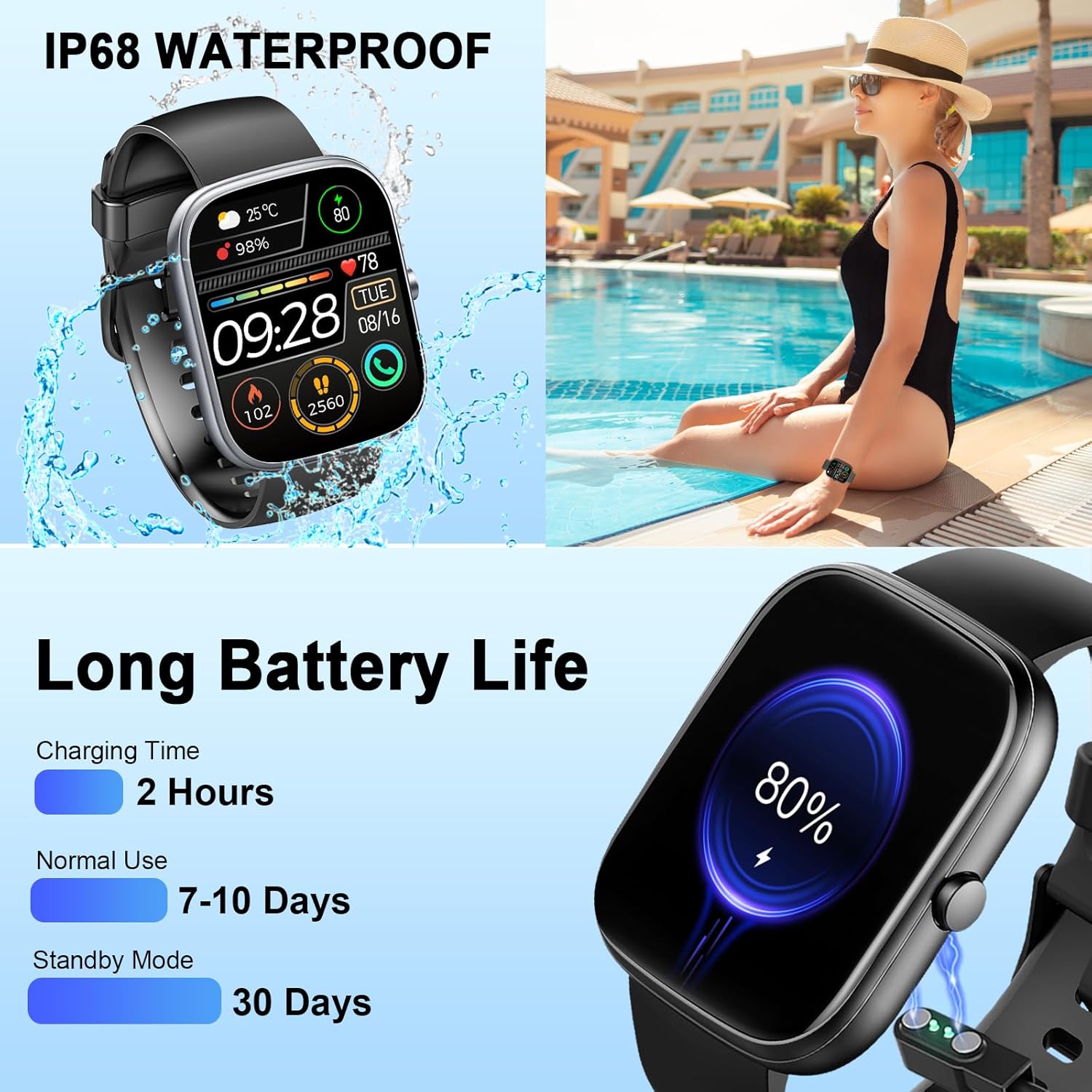
Image: The smartwatch connected to its magnetic charging cable, illustrating the charging process and highlighting its long battery life specifications.

Image: The smartwatch on its magnetic charger, with text indicating a daily use time of 7 days and a standby time of 30 days.
6. Informace o vodotěsnosti
The Dyurwa Smart Watch T60 is IP68 waterproof. This means it is resistant to dust and can withstand immersion in water up to 1.5 meters for up to 30 minutes. It is suitable for daily use, such as hand washing, bathing, and swimming.
Poznámka:
- Not suitable for hot water, saunas, or diving.
- Avoid exposure to high humidity or corrosive liquids.
- Voděodolnost se může časem v důsledku běžného opotřebení snižovat.

Image: The smartwatch being splashed with water, accompanied by icons indicating its IP68 waterproof rating for activities like bathing and swimming.
7. Údržba
- Čištění: Hodinky a řemínek pravidelně otírejte měkkým, suchým hadříkem. V případě potřeby použijte lehceamp hadříkem a důkladně osušte.
- Vyhněte se chemikáliím: Nepoužívejte agresivní chemikálie, čisticí rozpouštědla ani silné čisticí prostředky, protože by mohly poškodit povrchovou úpravu a těsnění hodinek.
- Kontakty pro nabíjení: Udržujte nabíjecí kontakty na zadní straně hodinek čisté a bez nečistot, aby se zajistilo správné nabíjení.
- Skladování: Pokud hodinky nepoužíváte, skladujte je na chladném a suchém místě.
8. Řešení problémů
| Problém | Možné řešení |
|---|---|
| Hodinky se nezapínají | Ujistěte se, že jsou hodinky plně nabité. Připojte je k nabíječce alespoň na 10 minut. |
| Nelze spárovat se smartphonem | 1. Ujistěte se, že je v telefonu povoleno rozhraní Bluetooth. 2. Ujistěte se, že jsou hodinky v dosahu vašeho telefonu. 3. Restartujte hodinky i telefon. 4. Try unpairing and re-pairing the device through the GloryFit app and phone's Bluetooth settings. |
| Inaccurate heart rate/sleep data | Ensure the watch is worn snugly on your wrist, not too tight or too loose. Clean the sensor on the back of the watch. Note that data is for reference and not medical use. |
| Oznámení nebyla přijata | 1. Check app permissions for GloryFit on your phone (notifications, background activity). 2. Ensure Bluetooth connection is stable. 3. Verify notification settings within the GloryFit app. |
| Krátká výdrž baterie | Reduce screen brightness, limit continuous heart rate monitoring, and disable unnecessary notifications. Ensure proper charging. |
9. Specifikace
| Funkce | Specifikace |
|---|---|
| Model | T60 |
| Velikost obrazovky | 1.91 inches (4.85 cm) HD Full Touch Screen |
| Konektivita | Bluetooth 5.3 |
| Operační systém | Android Wear 1.0 (compatible with iOS 9.0+ and Android 4.0+) |
| Hodnocení voděodolnosti | IP68 |
| Typ baterie | Lithium-iontová (1A baterie je součástí balení) |
| Doba nabíjení | Přibl. 2 hodin |
| Typická doba používání | 7-10 dní |
| Pohotovostní doba | Až 30 dní |
| Hmotnost položky | 3.2 unce |
| GPS | Bez GPS |
10. Záruka a podpora
For warranty information and customer support, please refer to the documentation included with your purchase or contact Dyurwa customer service directly. Details for contacting support are typically available on the product packaging or the official Dyurwa webmísto.


