
1. Úvod
This manual provides detailed instructions for the assembly, operation, and maintenance of your FLEXISPOT Q5 Standing Desk with Drawer. Please read this manual thoroughly before assembly and use to ensure proper function and safety.
2. Bezpečnostní informace
Důležité bezpečnostní pokyny:
- Stůl vždy sestavujte na stabilním a rovném povrchu.
- Keep the desk away from heat sources and avoid placing heavy objects on the edges to prevent tipping.
- Be cautious when adjusting the desk's height to avoid injury.
- Always follow the assembly instructions carefully and use appropriate tools.
- Ujistěte se, že všechny kabely jsou správně vedeny, aby se zabránilo zamotání během nastavování výšky.
- Nedovolte dětem obsluhovat stůl bez dozoru dospělé osoby.
3. Obsah balení
Verify that all components are present before beginning assembly. The FLEXISPOT Q5 Standing Desk typically ships in two separate packages. If any parts are missing or damaged, please contact customer support.
- Whole-piece desktop (55.1"x23.6")
- Desk frame (alloy steel)
- Motor and control panel
- Two wooden drawers
- Assembly hardware and tools (some tools may not be included, refer to instructions)
- Napájecí adaptér a kabel
4. Montážní návod
Assembly is required for the FLEXISPOT Q5 Standing Desk. It is recommended to have two people for assembly due to the size and weight of the components. Follow the step-by-step instructions provided in the separate assembly guide included with your product. Ensure all connections are secure before use.
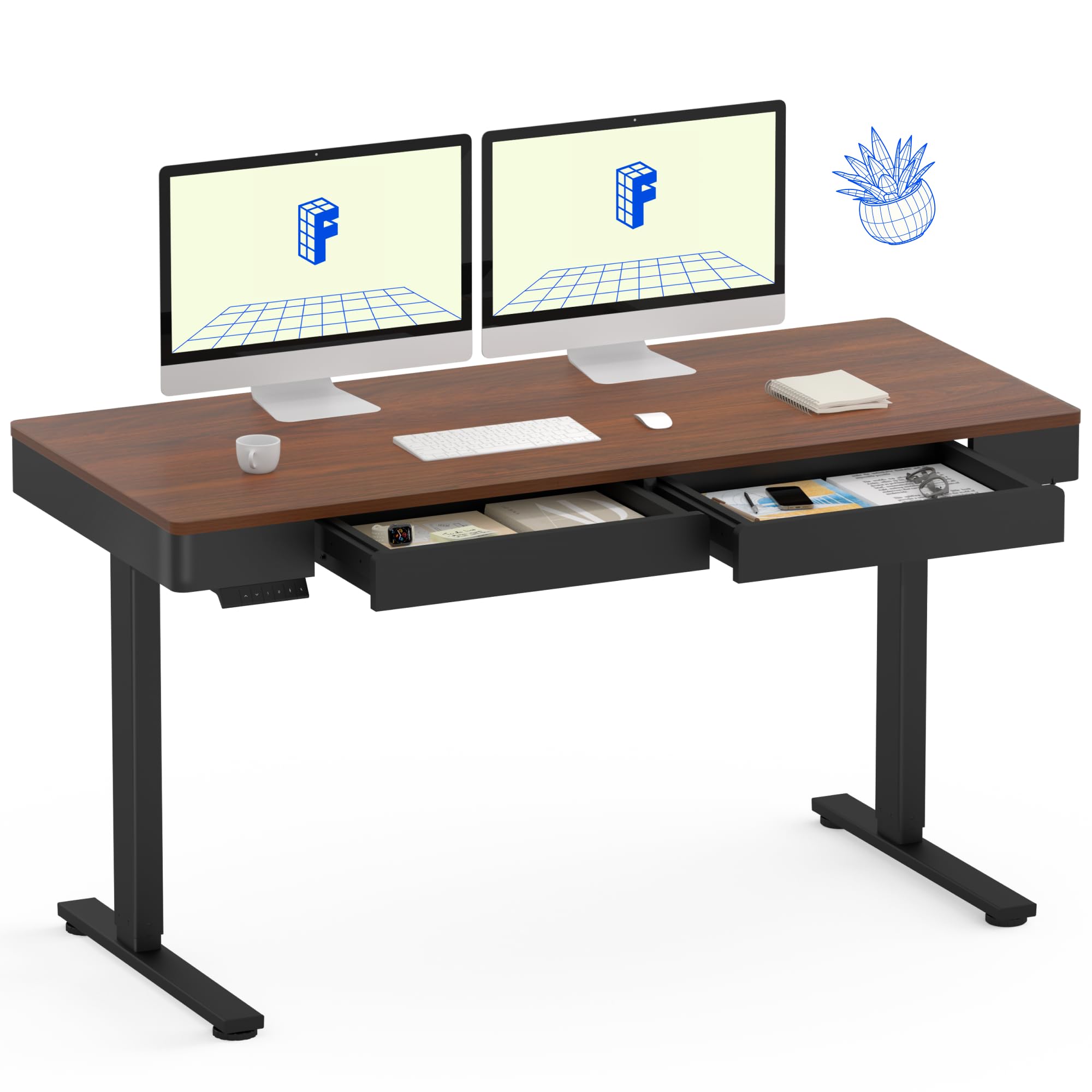
Image: The FLEXISPOT Q5 Standing Desk in Dark Walnut, featuring a spacious desktop, two open storage drawers, and a control panel on the left side. Two computer monitors are placed on the desk.
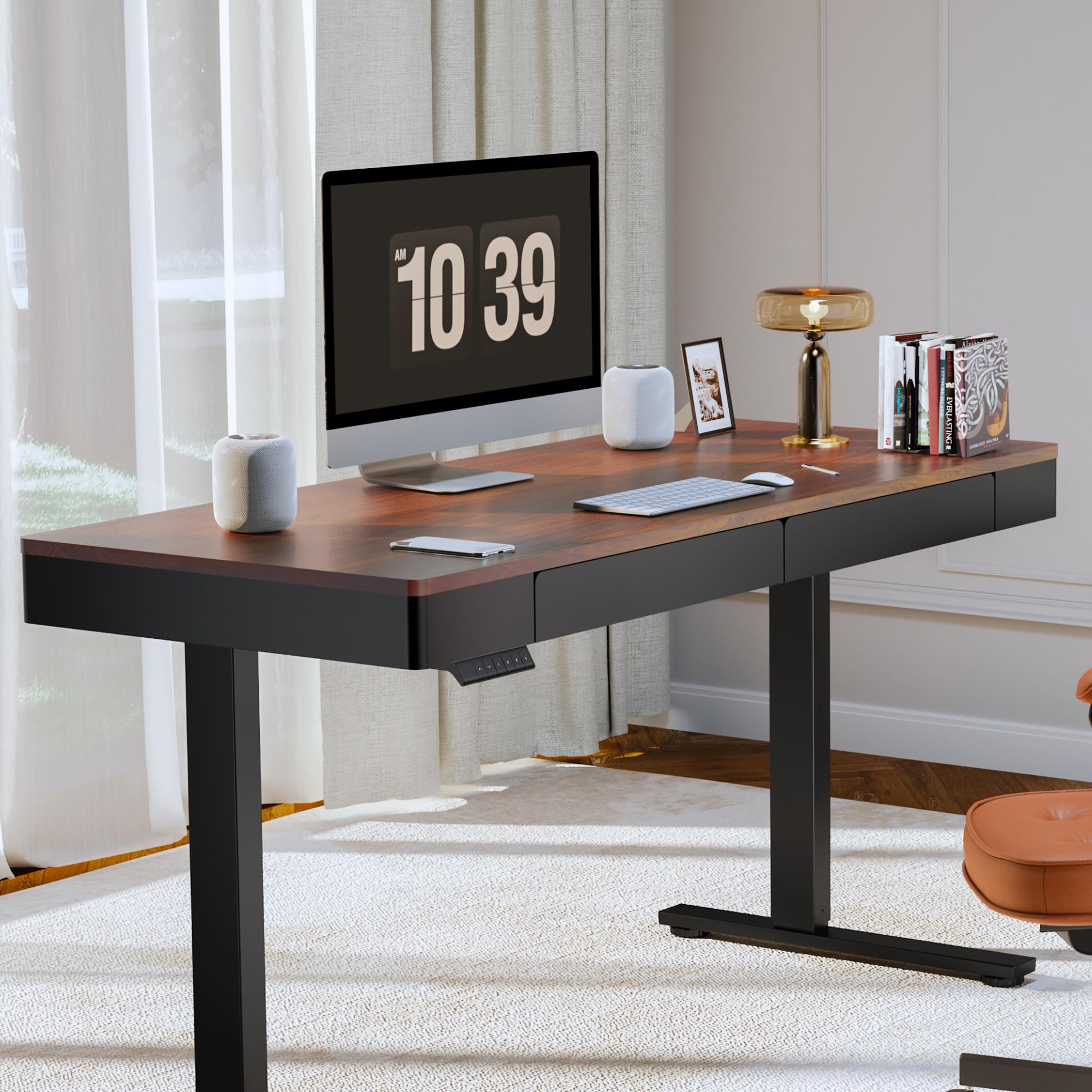
Image: The FLEXISPOT Q5 Standing Desk in a modern home office environment, showcasing its sleek design with a computer monitor, lamp, and books on the desktop.
5. Návod k obsluze
5.1. Zapnutí
Connect the power cable to the desk's control box and then to a standard electrical outlet. The control panel should illuminate, indicating the desk is ready for operation.
5.2. Nastavení výšky

Image: Close-up of the smart control panel, highlighting the up/down movement buttons and the four height memory preset buttons (1, 2, F, 4).
- Pohyb nahoru/dolů: Použijte Nahoru (^) a Dolů (v) arrow buttons on the control panel to manually adjust the desk height. The desk will move smoothly between 28.9 inches (minimum) and 46.5 inches (maximum).
- Předvolby paměti výšky: The control panel features four memory buttons (1, 2, F, 4) to save your preferred sitting and standing heights.
- Nastavte stůl do požadované výšky pomocí tlačítek Nahoru/Dolů.
- Press and hold one of the memory buttons (1, 2, F, or 4) until you hear a beep or see the display flash, indicating the height has been saved.
- To recall a saved height, simply press the corresponding memory button. The desk will automatically move to that position.
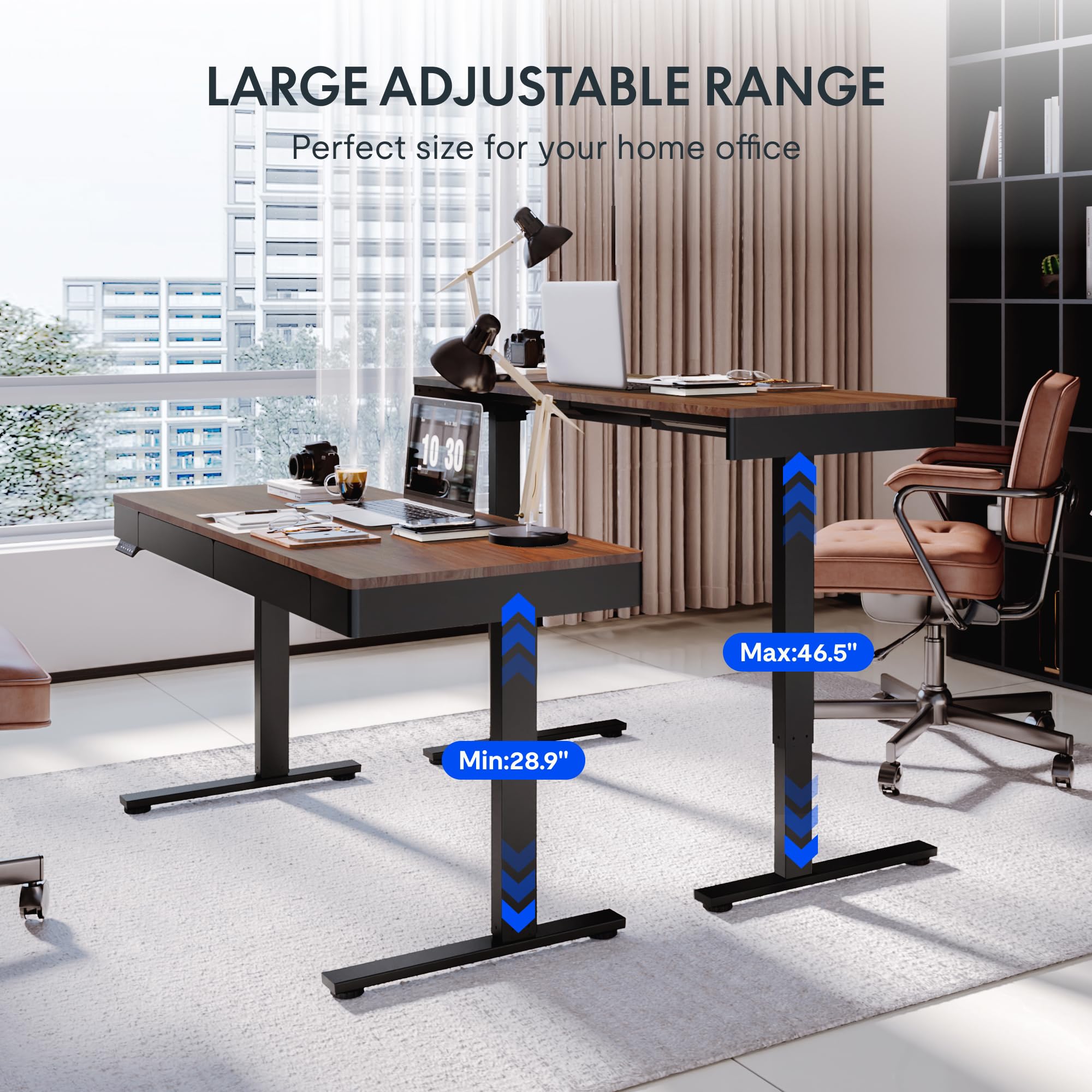
Image: Two FLEXISPOT Q5 desks side-by-side, illustrating the large adjustable height range from a minimum of 28.9 inches to a maximum of 46.5 inches.
5.3. Používání zásuvek
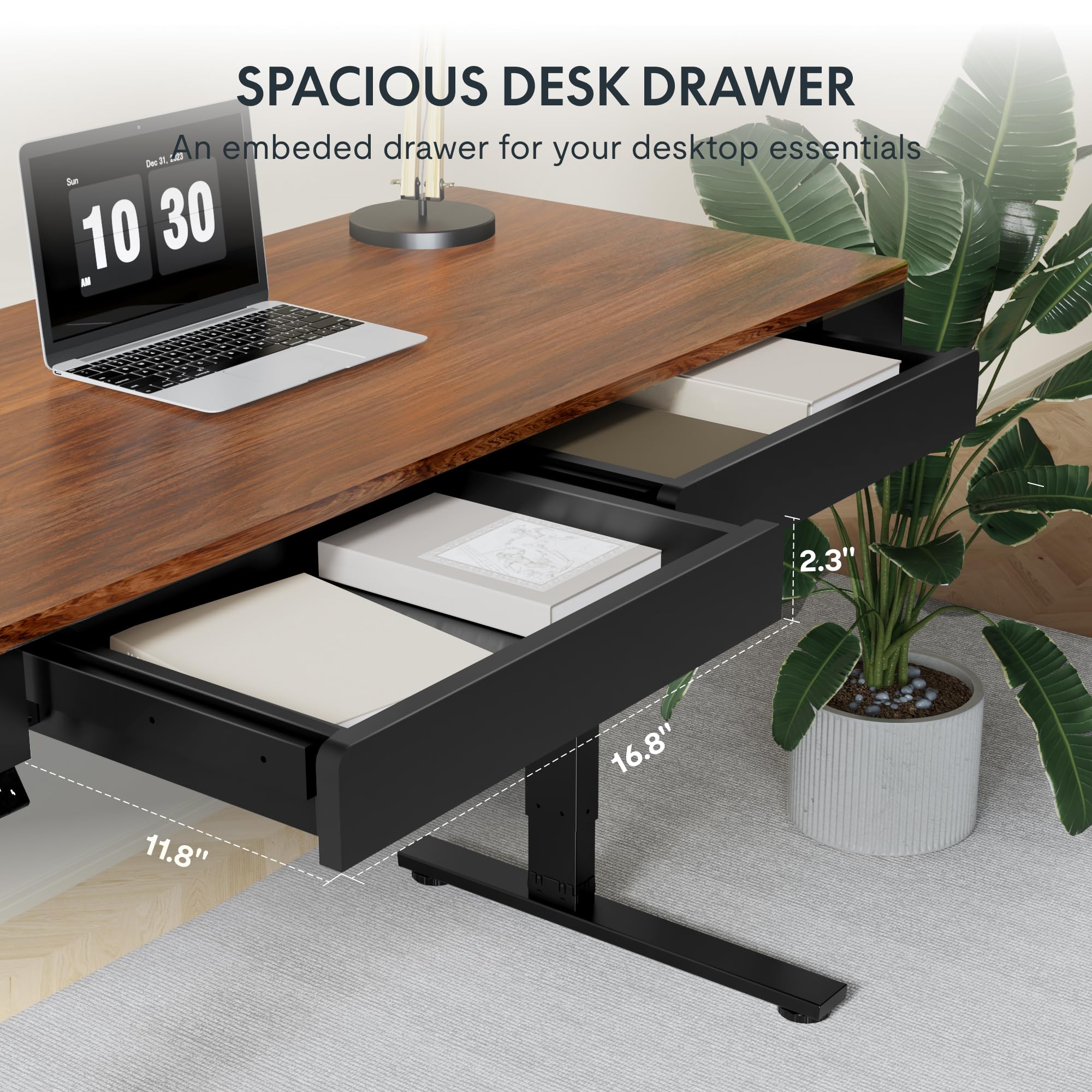
Obrázek: Detailní záběr view of one of the spacious desk drawers, showing its internal dimensions of 16.8 inches in width, 11.8 inches in depth, and 2.3 inches in height.
The desk is equipped with two spacious wooden drawers for storage. Gently pull the drawer handles to open and push to close. Avoid overloading the drawers to ensure smooth operation of the sliding rails.
6. Údržba
- Čištění: Otřete pracovní plochu a rám měkkým hadříkemamp tkanina. Vyhněte se abrazivním čisticím prostředkům nebo agresivním chemikáliím, které mohou poškodit povrch.
- Správa kabelů: Periodically check and organize cables to prevent them from getting pinched or tangled during height adjustments.
- Spojovací materiál: Občas zkontrolujte všechny šrouby a vruty, zda jsou pevně utažené. V případě potřeby je dotáhněte.
- Nosnost: Nepřekračujte maximální nosnost stolu 50 kg (110 liber).
7. Řešení problémů
If you encounter issues with your FLEXISPOT Q5 Standing Desk, refer to the following common troubleshooting steps:
- Stůl se nehýbe:
- Check if the power cable is securely connected to both the desk and the wall outlet.
- Zkontrolujte, zda zásuvka funguje, zapojením jiného zařízení.
- If the control panel display shows an error code, consult the full troubleshooting guide available on the FLEXISPOT webwebu nebo kontaktujte zákaznickou podporu.
- Nerovnoměrné nastavení výšky:
- Perform a reset procedure (refer to the detailed assembly guide for specific steps, usually involves holding down certain buttons).
- Ensure no obstructions are preventing one leg from moving freely.
- Neobvyklé zvuky:
- The motor operates quietly (under 50 dB). If loud or grinding noises occur, discontinue use and contact customer support.
- Check for loose components or obstructions under the desk.
8. Specifikace
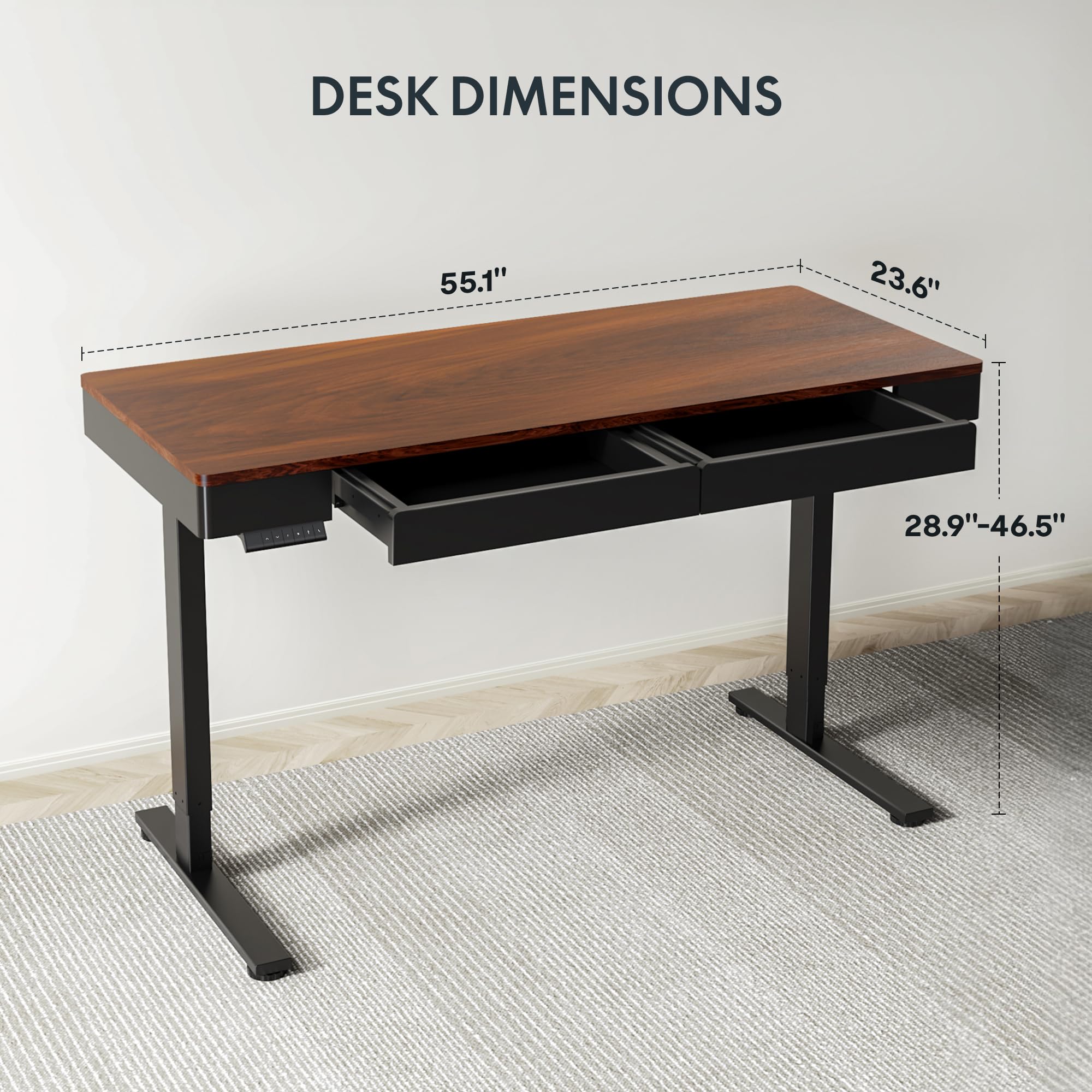
Image: Diagram illustrating the key dimensions of the FLEXISPOT Q5 Standing Desk: 55.1 inches in length, 23.6 inches in width, and an adjustable height range from 28.9 to 46.5 inches.
| Funkce | Detail |
|---|---|
| Model | Q5 |
| Rozměry pracovní plochy | 55.1 cm (Š) x 23.6 cm (H) |
| Rozsah nastavení výšky | 28.9" - 46.5" |
| Maximální nosnost | 110 lb (50 kg) |
| Úroveň hluku | Pod 50 dB |
| Materiál pro stolní počítače | Wood (Whole-piece) |
| Materiál rámu | Legovaná ocel |
| Drawer Inner Space | 16.8 cm (Š) x 11.8 cm (H) x 2.3 cm (V) |
| Barva | Tmavý ořech |
| UPC | 840460476911 |
9. Záruka a podpora
FLEXISPOT provides the following warranty coverage for the Q5 Standing Desk:
- 5letá záruka: Applies to the desk frame and motor.
- Dvouletá ochrana: Applies to the control panel and electronics.
For warranty claims, technical support, or missing parts, please contact FLEXISPOT customer service. Refer to the contact information provided in your product packaging or on the official FLEXISPOT webmísto.