
PAXA Clipbuds 7
Uživatelská příručka k otevřeným sluchátkům PAXA Clipbuds7
Model: Clipbuds 7
1. Úvod
Thank you for choosing the PAXA Clipbuds7 Open Ear Earbuds. This manual provides essential information for setting up, operating, and maintaining your new earbuds. Please read it thoroughly before use to ensure optimal performance and longevity of your device.

Image 1: PAXA Clipbuds7 Open Ear Earbuds and their charging case. The earbuds are purple and feature a unique clip-on design. The charging case has an LED display showing battery levels.
2. Obsah balení
Ověřte, zda jsou v balení přítomny všechny položky:
- PAXA Clipbuds7 Open Ear Earbuds (1 pair)
- Bezdrátové nabíjecí pouzdro (1)
- Nabíjecí kabel (1)
- Uživatelský manuál (1)
3. Nastavení
3.1 Počáteční nabíjení
Before first use, fully charge the earbuds and charging case. Connect the provided charging cable to the Type-C port on the charging case and a power source. The LED display on the case will indicate the charging status.
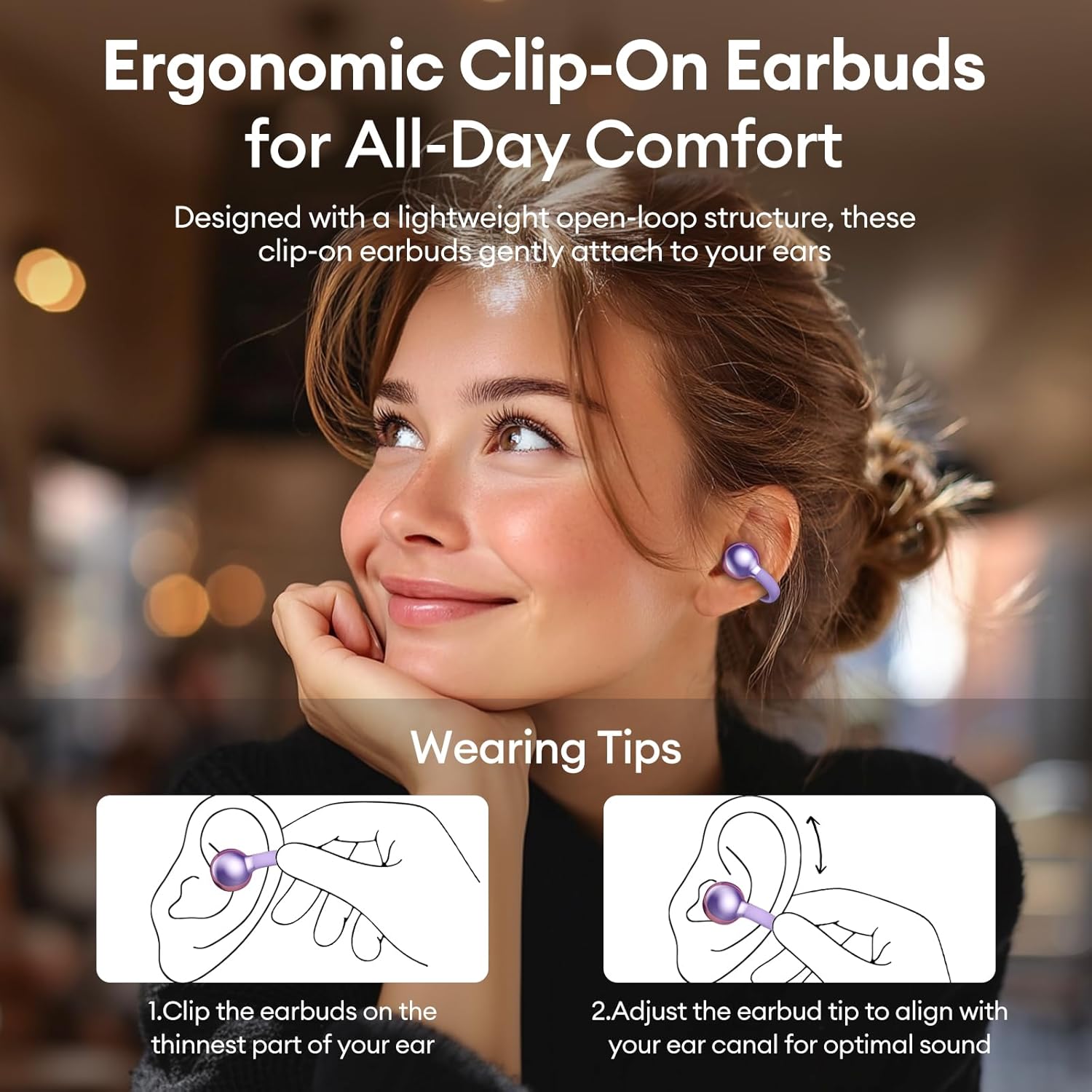
Image 2: The PAXA Clipbuds7 charging case connected to a charging cable, displaying the battery percentage na jeho LED obrazovce.
3.2 Nošení sluchátek do uší
The Clipbuds7 are designed for open-ear comfort. Follow these steps for proper fit:
- Připněte si sluchátka na nejtenčí část ucha.
- Adjust the earbud tip to align with your ear canal for optimal sound delivery.
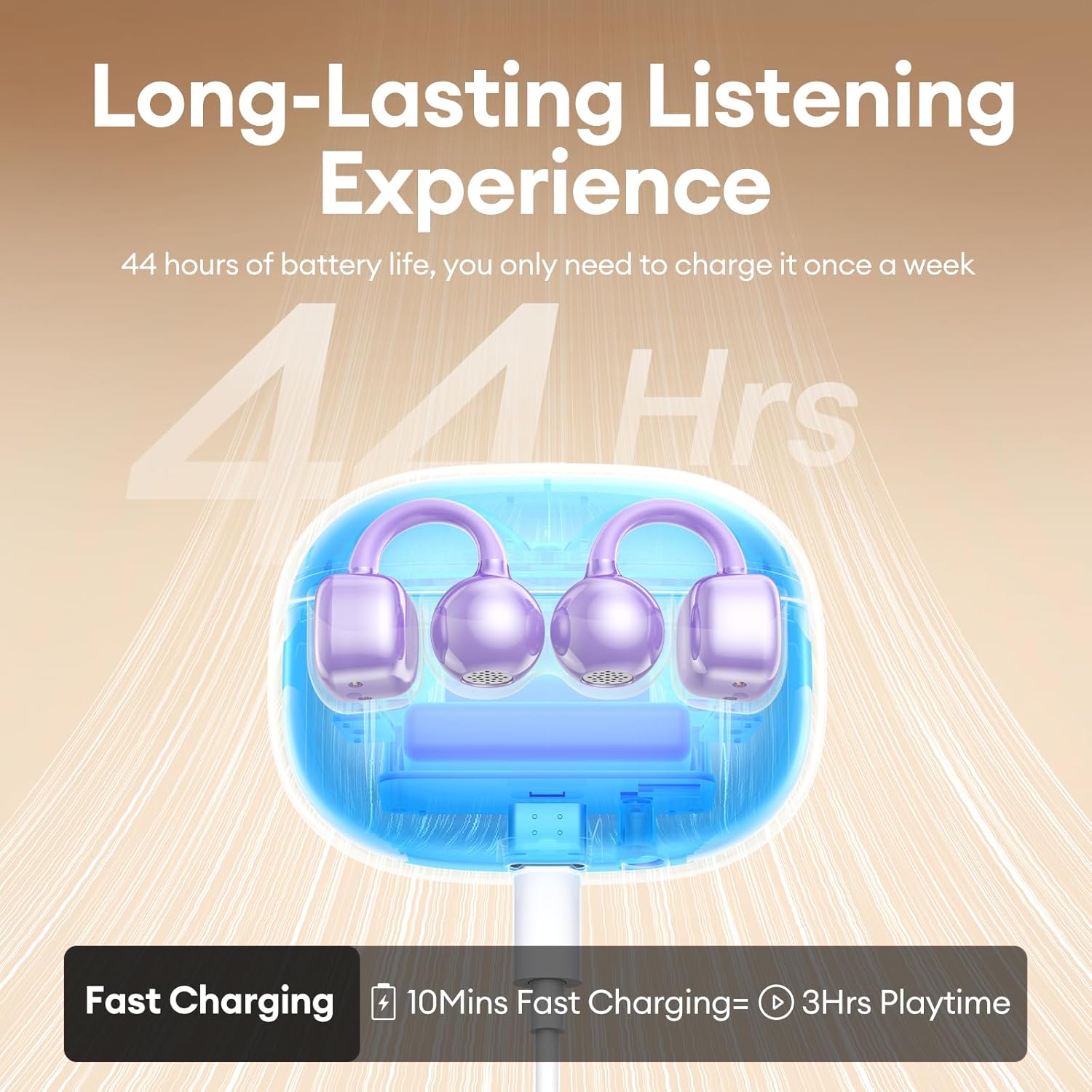
Image 3: A visual guide demonstrating the correct method for clipping the earbuds onto the ear and adjusting them for the best fit.
Video 1: This video demonstrates the unboxing and proper wearing technique for the PAXA Clipbuds7 earbuds, highlighting their comfortable and secure fit.
3.3 Párování Bluetooth
The earbuds utilize Bluetooth 5.4 for stable connections.
- Otevřete nabíjecí pouzdro. Sluchátka se automaticky přepnou do režimu párování.
- On your device (smartphone, tablet, laptop), enable Bluetooth and search for "PAXA Clipbuds7".
- Select "PAXA Clipbuds7" to connect. A voice prompt will confirm successful pairing.
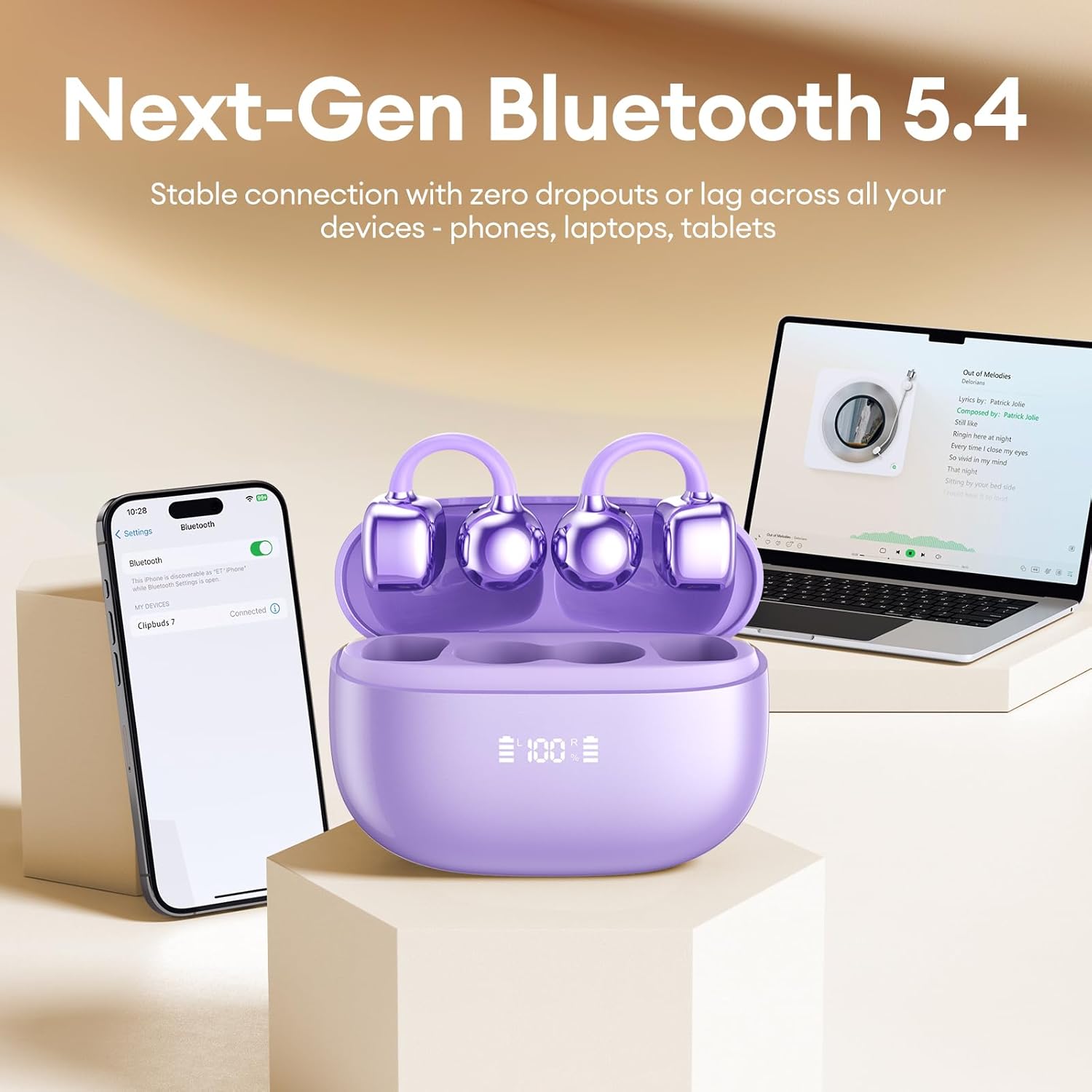
Image 4: A smartphone screen showing the PAXA Clipbuds7 successfully connected via Bluetooth, alongside the earbuds in their charging case.
4. Návod k obsluze
4.1 Dotykové ovládání
The PAXA Clipbuds7 feature intuitive touch controls:
| Akce | Funkce |
|---|---|
| Double-click either earbud | Přijmout/Ukončit hovor, Přehrát/Pozastavit hudbu |
| Stiskněte a podržte jedno ze sluchátek po dobu 2 sekund | Odmítnout hovor |
| Triple-click the left (L) earbud | Previous song, Volume - |
| Triple-click the right (R) earbud | Next song, Volume + |
| Hold both earbuds | Aktivace hlasového asistenta (Siri, Google Assistant atd.) |

Image 5: A detailed graphic illustrating the various touch control functions for the PAXA Clipbuds7 earbuds, including call management and music playback.
4.2 Zapnutí/vypnutí
- Zapnutí: Otevřete nabíjecí pouzdro a sluchátka se automaticky zapnou.
- Vypnout: Vložte sluchátka zpět do nabíjecího pouzdra a zavřete víko. Sluchátka se automaticky vypnou a začnou se nabíjet.
4.3 Správa hovorů
The earbuds feature ENC noise cancellation for clear calls. Use the touch controls as described above to manage calls.
4.4 Zvukové funkce
Experience immersive stereo sound with directional audio technology, minimizing sound leakage while maintaining environmental awareness.
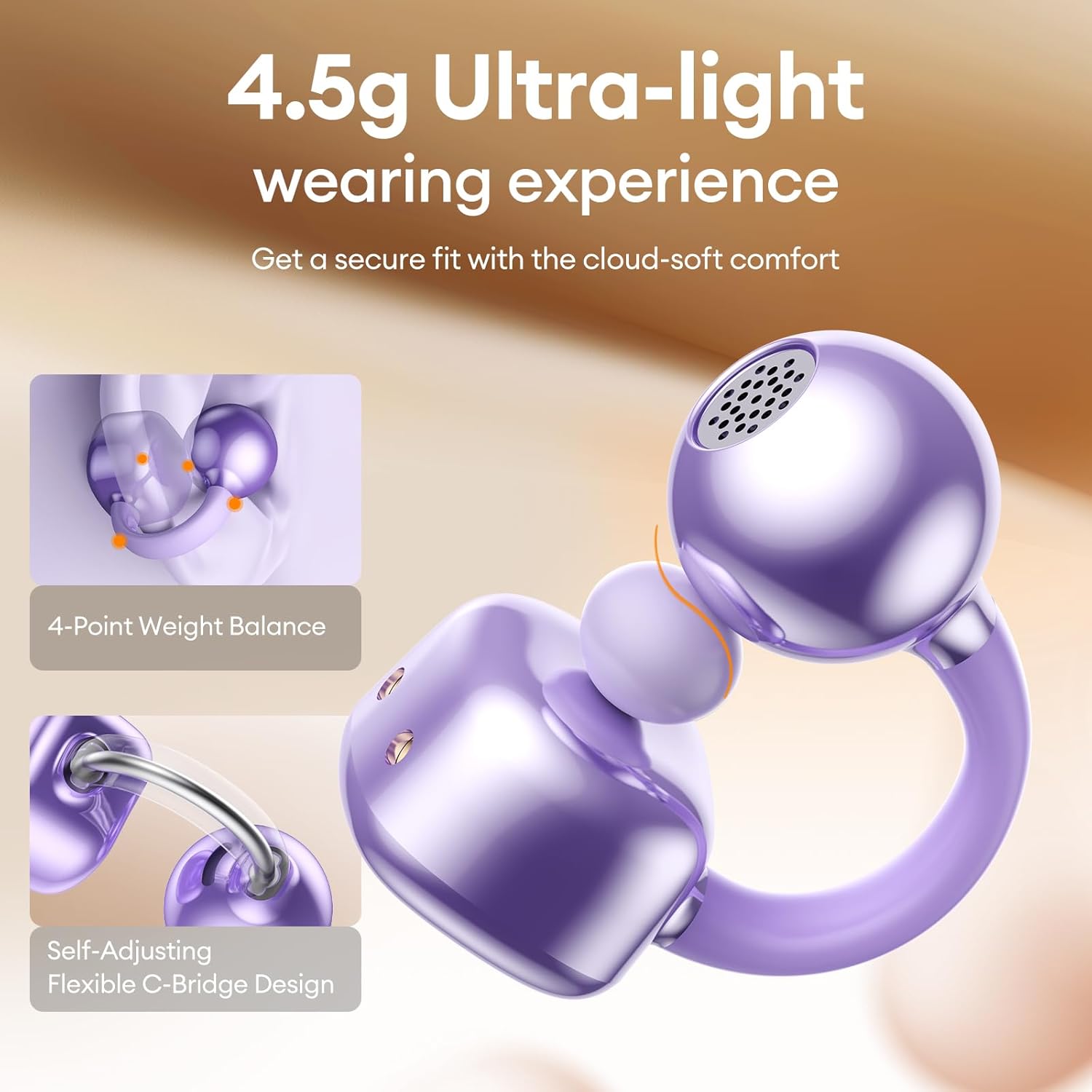
Image 6: A visual representation of the directional audio technology, showing how sound is delivered to the ear while minimizing leakage to the surroundings.
5. Údržba
5.1 Čištění
Regularly clean your earbuds and charging case with a soft, dry cloth. Avoid using abrasive materials or harsh chemicals. Ensure charging contacts are free of dust and debris.
5.2 Skladování
When not in use, store the earbuds in their charging case to protect them and maintain battery life. Store in a cool, dry place away from direct sunlight and extreme temperatures.
5.3 Odolnost proti vodě a prachu
The earbuds are IP45 rated for dust and water resistance, meaning they can withstand splashes of water and sweat. They are not designed for submersion in water.
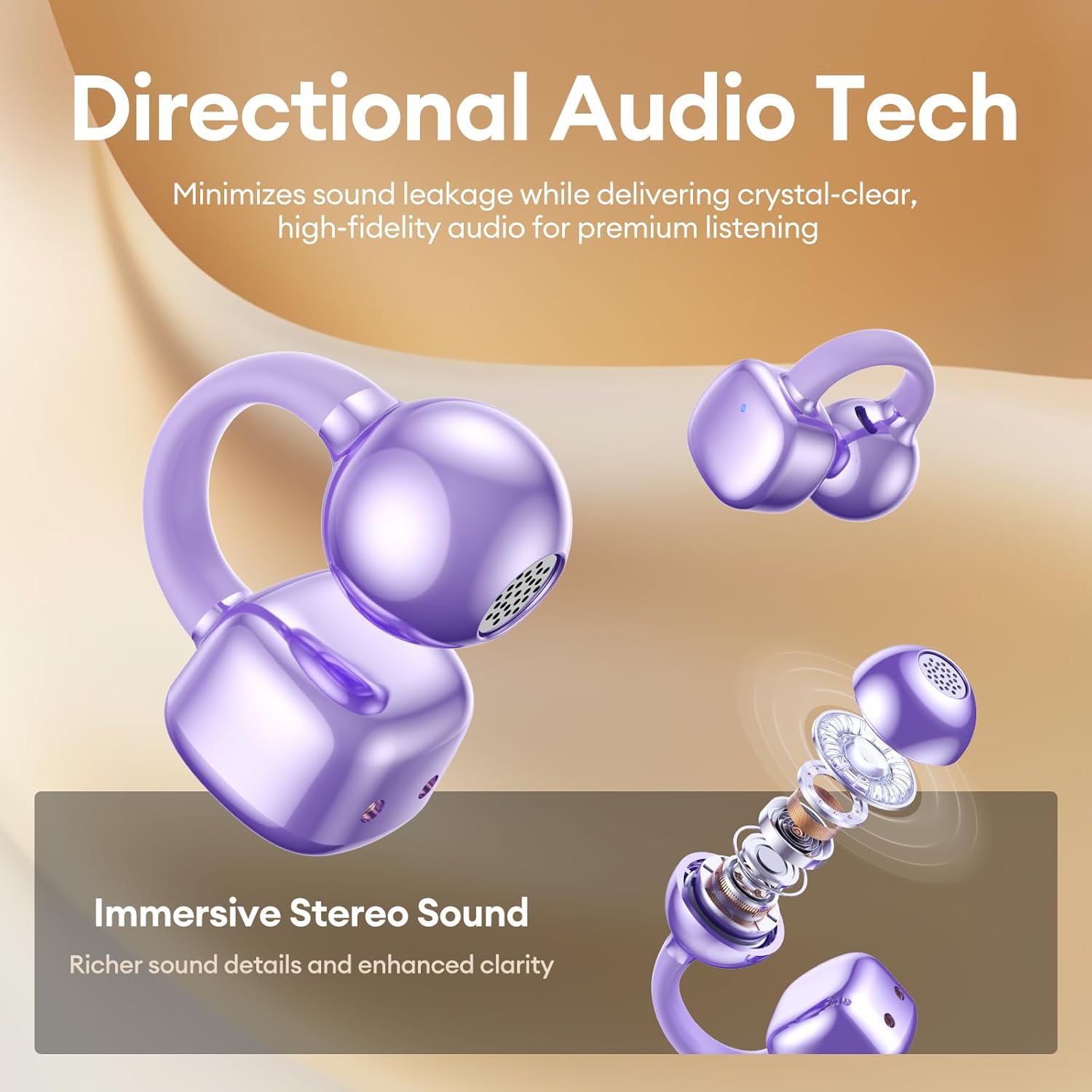
Image 7: A person wearing the PAXA Clipbuds7 earbuds while being exposed to light rain, demonstrating their IP45 water and dust resistance.
6. Řešení problémů
| Problém | Možné řešení |
|---|---|
| Sluchátka se nespárují | Ensure earbuds are charged. Place them back in the case, close, then reopen to re-enter pairing mode. Check your device's Bluetooth settings and try reconnecting. |
| Žádný zvuk z jednoho sluchátka | Zkontrolujte úroveň nabití baterií obou sluchátek. Zkuste sluchátka resetovat (viz pokyny výrobce website for specific reset instructions if not in manual). Re-pair with your device. |
| Nabíjecí pouzdro se nenabíjí | Verify the charging cable and power adapter are working. Ensure the Type-C cable is securely connected to both the case and the power source. |
| Špatná kvalita zvuku | Ensure earbuds are properly seated in your ears. Check for debris blocking the speaker grilles. Move closer to your connected device to avoid interference. |
7. Specifikace
| Funkce | Detail |
|---|---|
| Název modelu | Clipbuds 7 |
| Verze Bluetooth | 5.4 |
| Hmotnost sluchátek | 4.5 g (každý) |
| Výdrž baterie (na jedno nabití) | Až 8 hodin |
| Celková výdrž baterie (s pouzdrem) | Až 44 hodin |
| Nabíjecí port | Typ-C |
| Hodnocení odolnosti proti vodě | IP45 |
| Kontrola hluku | Hybrid Noise Cancellation (ENC for calls) |
| Typ ovládání | Dotykové ovládání |
| Materiál | Silicone Rubber + Plastic |
8. Záruka a podpora
PAXA products come with a standard manufacturer's warranty. For detailed warranty information, product support, or to contact customer service, please visit the official PAXA webwebu nebo se podívejte na záruční list, který je součástí balení.
Online podpora: Visit the PAXA Store on Amazon
Ask a question about this manual
Ask about setup, troubleshooting, compatibility, parts, safety, or missing instructions. Manuals+ will review the question and use this page’s manual context to help answer it.