
1. Úvod
This manual provides detailed instructions for the setup, operation, and maintenance of your Prechen 12.3-inch Portable Monitor, Model HD-123. Please read this manual thoroughly before using the product to ensure proper functionality and to prevent damage. Keep this manual for future reference.
2. Konec produktuview
The Prechen HD-123 is a 12.3-inch IPS stretched bar display designed for use as a secondary monitor. It features a 1920x720 resolution, 300 nits brightness, 1200:1 contrast ratio, and 178° wide viewing angles. It includes built-in speakers and supports both USB-C and HDMI connectivity.
Porty a ovládací prvky

Obrázek: Detail view of the monitor's side, highlighting the 3.5mm headphone jack, power button, menu button, return button, and shortcut keys for brightness and volume. Two USB-C ports and one HDMI port are also visible.
- Porty USB-C (x2): One port supports both video transmission and power delivery (full-featured USB 3.1). The other is for power only.
- Port HDMI: Pro video vstup.
- 3.5mm konektor pro sluchátka: Pro audio výstup.
- Vypínač: Zapíná/vypíná monitor.
- Tlačítko nabídky: Přístup k nabídce na obrazovce (OSD).
- Tlačítko návratu: Navigates back in the OSD menu.
- Klávesové zkratky: Adjust brightness and volume directly.
3. Nastavení
Připojení monitoru
The monitor supports two primary connection methods: USB-C (single cable) and HDMI (with separate power).

Image: Illustration demonstrating how to connect the monitor using a single USB-C cable for both video and power, and an alternative method using an HDMI cable for video and a USB-A to USB-C cable for power.
- USB-C Connection (Single Cable):
- Ensure your device (laptop, smartphone, etc.) has a full-featured USB-C port that supports DisplayPort Alternate Mode and power delivery.
- Připojte jeden konec dodaného kabelu USB-C na USB-C k portu USB-C vašeho zařízení.
- Connect the other end of the USB-C to USB-C cable to the monitor's full-featured USB-C port. The monitor should automatically receive video signal and power.
- HDMI Connection (with separate power):
- Connect one end of an HDMI cable to your device's HDMI output.
- Connect the other end of the HDMI cable to the monitor's HDMI port.
- Connect the provided USB-A to USB-C power cable to a power source (e.g., wall adapter, laptop USB-A port) and the monitor's power-only USB-C port.
Montáž VESA
The monitor supports 75x75mm VESA mounting for flexible positioning.

Obrázek: Zadní strana view of the monitor, indicating the 75x75mm VESA mounting pattern. A separate stand is shown next to it, demonstrating alternative placement options.
- Locate the four screw holes on the back of the monitor.
- Attach the monitor to a compatible 75x75mm VESA mount or arm using appropriate screws (not included).
4. Návod k obsluze
Zapnutí/vypnutí
- Press the Power Button to turn the monitor on.
- Press and hold the Power Button for 3 seconds to turn the monitor off.
Nabídka na obrazovce (OSD).
Press the Menu Button to access the OSD menu. Use the shortcut keys (brightness/volume) to navigate and adjust settings. Press the Return Button to exit a submenu or the OSD menu.
- Jas/kontrast: Upravte úroveň jasu a kontrastu displeje.
- Nastavení barev: Upravte teplotu barev, odstín a sytost.
- Vstupní zdroj: Manually select between USB-C and HDMI inputs if auto-detection fails.
- Nastavení zvuku: Upravte hlasitost vestavěných reproduktorů nebo připojených sluchátek.
- Poměr stran: Change the display aspect ratio if needed.
Režimy zobrazení
Po připojení k počítači můžete režim zobrazení nakonfigurovat pomocí nastavení zobrazení v operačním systému:
- Duplicitní režim: The monitor mirrors the content of your primary display.
- Rozšířený režim: The monitor acts as an extension of your primary display, providing additional screen space.
- Pouze druhá obrazovka: Only the portable monitor displays content.
5. Údržba
- Čištění obrazovky: Použijte měkký hadřík, který nepouští vlákna dampOpláchněte vodou nebo čističem obrazovek. Nestříkejte čistič přímo na obrazovku.
- Čištění Casing: Otřete monitor casinměkkým, suchým hadříkem. Nepoužívejte abrazivní čisticí prostředky.
- Skladování: Pokud monitor delší dobu nepoužíváte, skladujte jej na chladném a suchém místě, mimo dosah přímého slunečního záření a extrémních teplot.
- Zacházení: Handle the monitor with care to avoid dropping or impacting the screen.
6. Řešení problémů
- Bez signálu:
- Ujistěte se, že jsou všechny kabely pevně připojeny.
- Verify that your device's USB-C port supports video output (DisplayPort Alt Mode) if using a single USB-C cable.
- If using HDMI, ensure the monitor is receiving power via the separate USB-C power cable.
- Try selecting the input source manually through the OSD menu.
- Bez napájení:
- Check the power cable connection and the power source.
- Ensure the power adapter (if used) is functioning correctly.
- Blikající obrazovka:
- Zkontrolujte uvolnění kabelových spojů.
- Zkuste jiný kabel nebo port.
- Ujistěte se, že grafické ovladače vašeho zařízení jsou aktuální.
- Žádný zvuk:
- Adjust the volume through the monitor's OSD menu and your connected device.
- Ensure the audio output is directed to the monitor in your device's sound settings.
7. Specifikace
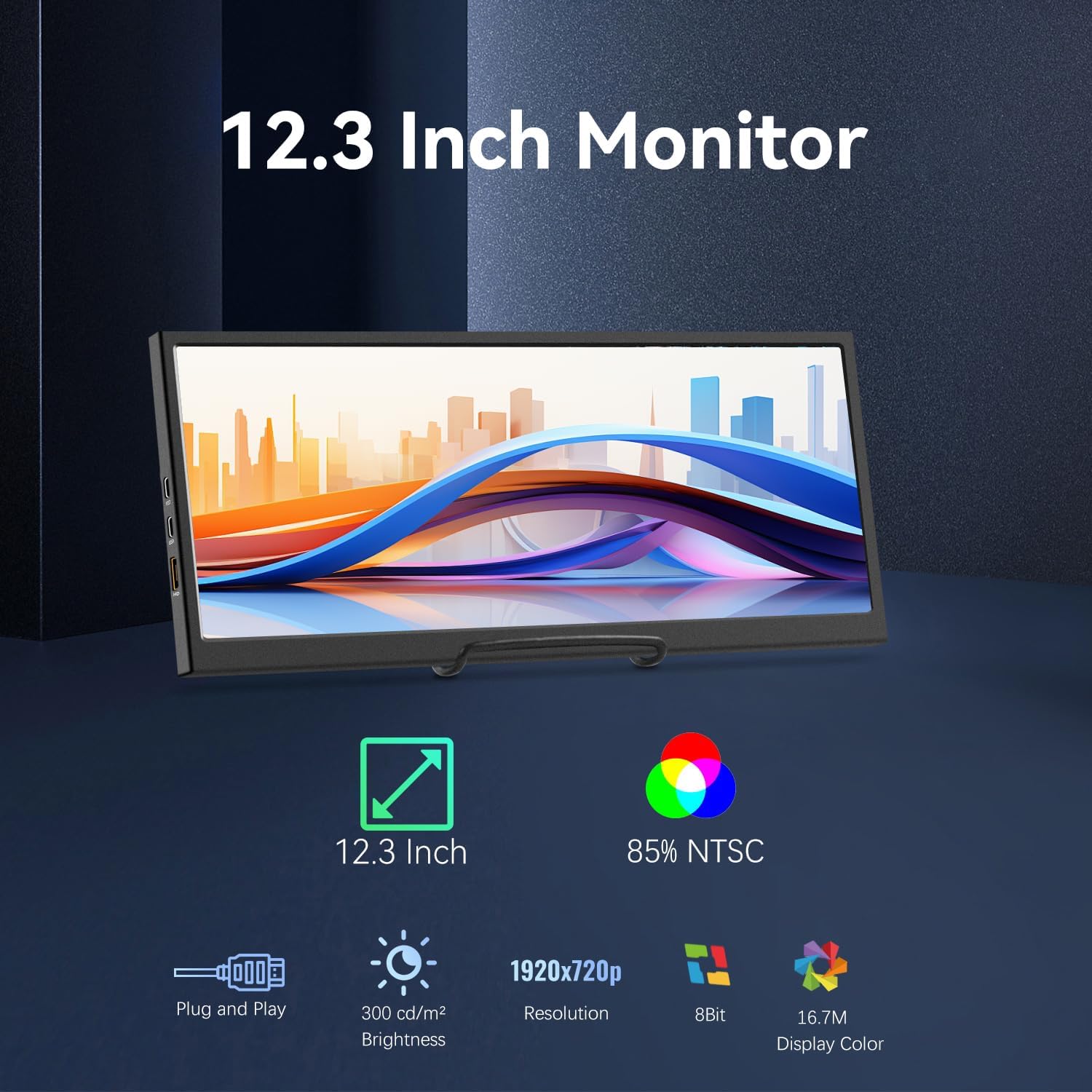
Image: Visual representation of the monitor's key features: 12.3-inch screen, 85% NTSC color gamut, Plug and Play functionality, 300 cd/m² brightness, 1920x720p resolution, 8-bit color, and 16.7M display colors.
| Funkce | Specifikace |
|---|---|
| Číslo modelu | HD-123 |
| Velikost obrazovky | 12.3 palce |
| Typ panelu | IPS LCD |
| Rezoluce | 1920 x 720 pixelů |
| Jas | 300 cd/m² (nits) |
| Kontrastní poměr | 1200:1 |
| Viewúhel | 178° |
| Barevný gamut | 85 % NTSC |
| Barevná hloubka | 8bitový (16.7 milionu barev) |
| Konektivita | 2x USB-C (1 full-featured, 1 power-only), 1x HDMI |
| Zvuk | Built-in Speakers, 3.5mm Headphone Jack |
| Montáž | 75x75mm VESA Compatible |
| Materiál | Kov |
| Rozměry produktu | 0.59 x 11.8 x 5.1 palce |
| Hmotnost položky | 2.14 libry |
8. Informace o záruce
Prechen products are covered by a limited warranty against defects in materials and workmanship. The specific warranty period may vary by region and retailer. Please retain your proof of purchase for warranty claims. For detailed warranty terms and conditions, refer to the warranty card included with your product or contact customer support.
9. Podpora
If you encounter any issues or have questions regarding your Prechen 12.3-inch Portable Monitor, please contact our customer support team. Provide your product model number (HD-123) and a detailed description of the issue for faster assistance.
- Online podpora: Visit the official Prechen webweb s nejčastějšími dotazy a zdroji podpory.
- E-mailová podpora: Kontaktní e-mailovou adresu naleznete na obalu produktu nebo v záručním listu.