
1. Úvod
The Contixo F28A Premium Drone is a high-performance quadcopter equipped with a 4K camera, 2-axis gimbal, and Electronic Image Stabilization (EIS). Designed for both beginners and experienced pilots, it offers intelligent flight modes, extended flight time, and a robust control range. This manual provides essential information for safe operation, setup, and maintenance of your drone.
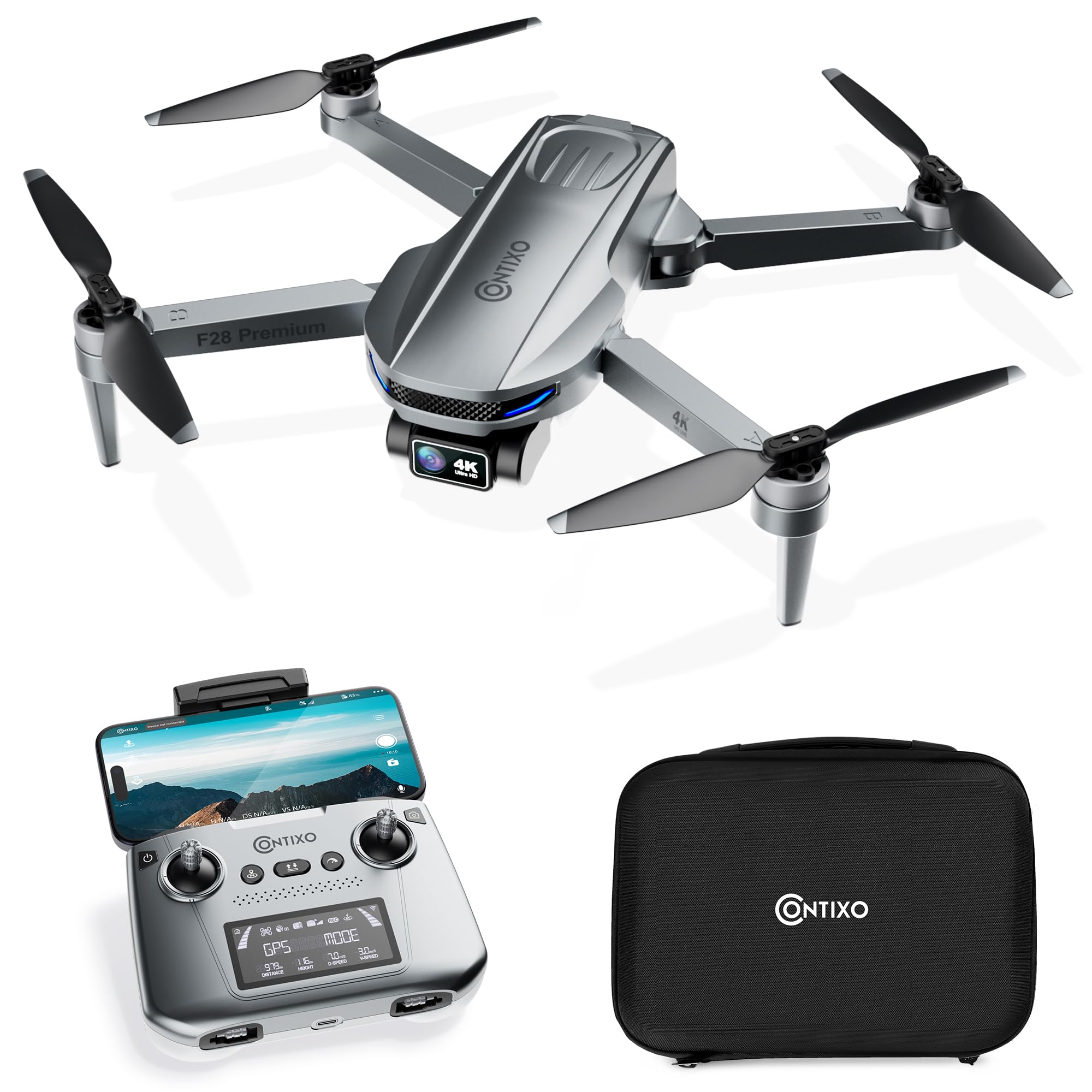
Image 1.1: The Contixo F28A Premium Drone in flight.
2. Co je v krabici
Ověřte, zda jsou v balení přítomny všechny komponenty:
- Contixo F28 Premium Drone x1
- Battery x1 (7.7V 1820mAh Li-Po)
- Transmitter (Remote Control) x1
- Blades x8 (4 installed, 4 spare)
- Landing Gear x1
- Nabíjecí kabel x1
- Waterproof Carry Case x1
- Uživatelská příručka x1

Image 2.1: All items included in the Contixo F28A Premium Drone package.
3. Konec produktuview
The Contixo F28A drone features a compact, foldable design for portability. Key components include the 4K camera with a 2-axis gimbal, brushless motors, and an intelligent flight battery.

Image 3.1: Dimensions of the Contixo F28A drone in both folded and unfolded states.

Image 3.2: Illustration of the drone's compact design, brushless motor, and intelligent flight battery.
4. Nastavení
4.1 Rozložení dronu
- Opatrně rozložte přední ramena dronu.
- Rozložte zadní ramena.
- Ensure all arms are securely locked into position.
4.2 Instalace baterie
- Vložte plně nabitou baterii do přihrádky na baterii na zadní straně dronu, dokud nezacvakne na místo.
- Press the power button on the battery once to check the charge level, then press and hold for 2 seconds to power on the drone.
4.3 Nastavení dálkového ovládání
- Install 4 AA batteries (not included) into the remote control.
- Power on the remote control by pressing and holding the power button.
- Attach your smartphone to the remote control holder.
4.4 App Connection and Linking
Download the Contixo F28 app from your smartphone's app store. Follow these steps to link the drone and remote:
- Zapněte dron a dálkové ovládání.
- On your smartphone, go to Wi-Fi settings and connect to the drone's Wi-Fi network (e.g., "Contixo-F28-Premium-XXXX").
- Open the Contixo F28 app. The app should display a live feed from the drone's camera once connected.
- Wait for the drone to acquire sufficient GPS satellites (indicated by solid green lights on the drone and GPS status on the remote).
Video 4.1: Official Contixo F28 Premium Drone Linking Guide. This video demonstrates the steps for unfolding the drone, installing the battery, powering on the remote, and connecting to the app via Wi-Fi.
5. Návod k obsluze
5.1 Předletový kontrolní seznam
- Ensure drone and remote batteries are fully charged.
- Zkontrolujte vrtule, zda nejsou poškozené, a ujistěte se, že jsou bezpečně upevněny.
- Verify GPS signal strength before takeoff.
- Ensure you are in an open area, free from obstacles and people.
5.2 Základní ovládací prvky letu
Refer to the remote control diagram in the included manual for specific button functions. Common controls include:
- Levý joystick: Ovládá nadmořskou výšku (nahoru/dolů) a stáčení (otáčení doleva/doprava).
- Pravý joystick: Ovládá pohyb vpřed/vzad a vlevo/vpravo.
- Vzlet/přistání jedním tlačítkem: Stiskněte určené tlačítko pro automatický vzlet nebo přistání.
- Nouzové zastavení: Press and hold the emergency stop button to immediately cut power to the motors (use only in emergencies).

Image 5.1: Visual representation of the one-key takeoff and landing function.
5.3 Inteligentní letové režimy
The F28A drone offers several intelligent flight modes for enhanced control and creative shots:
- Následuj mě: Dron automaticky sleduje dálkový ovladač nebo určený objekt.
- Trasový bod: Plan a custom flight path by setting multiple waypoints on the app map. The drone will fly along the specified route.
- Režim oběžné dráhy: The drone circles around a designated point of interest, maintaining a set distance and altitude.
- Automatický návrat domů (RTH): The drone automatically returns to its takeoff point in case of low battery, signal loss, or manual activation.

Image 5.2: The drone actively following a person in Follow Me mode.

Image 5.3: The drone flying a pre-programmed route using Waypoint mode.

Image 5.4: The drone performing a circular flight path in Orbit Mode.

Obrázek 5.5: Konecview of GPS Intelligent Return functions, including Signal Loss RTH, Low Battery RTH, and One-key RTH.
6. Obsluha kamery
The F28A is equipped with a 4K UHD camera featuring a 2-axis gimbal and Electronic Image Stabilization (EIS) for smooth, high-quality footage.
- Pořízení fotografie/videa: Use the dedicated buttons on the remote control or within the app interface to take photos or start/stop video recording.
- Ovládání gimbalu: Adjust the camera's tilt angle using the dedicated dial on the remote control.
- Ovládání gesty: Perform specific hand gestures for photo and video capture (refer to the app for details).

Image 6.1: Close-up of the 4K UHD camera with 2-axis gimbal and EIS, highlighting its 110° wide-angle lens and 90° adjustable angle.

Image 6.2: Comparison showing improved stability in pitch and roll with the 2-Axis Gimbal and EIS technology.

Image 6.3: Demonstrates hand gestures for initiating photo and video capture.
7. Údržba
7.1 Čištění
- Regularly clean the drone body and camera lens with a soft, dry cloth.
- Remove any dust or debris from the motors and propellers.
7.2 Výměna vrtule
If a propeller is damaged, replace it immediately using the spare blades provided. Ensure you match the correct 'A' and 'B' propellers to their respective motor arms.
7.3 Péče o baterii
- Nabijte baterii pomocí dodaného nabíjecího kabelu.
- Nepřebíjejte ani úplně nevybíjejte baterii.
- Baterie skladujte na chladném a suchém místě mimo dosah přímého slunečního záření.
8. Řešení problémů
- Dron se nezapne: Ensure the battery is fully charged and correctly installed. Press and hold the power button for 2 seconds.
- No live video feed in app: Verify that your smartphone is connected to the drone's Wi-Fi network. Restart the app and drone if necessary.
- Dron se během letu unáší: Ensure GPS mode is active and the drone has acquired enough satellites before takeoff. Calibrate the gyroscope if drifting persists.
- Dálkové ovládání se nepřipojuje: Ensure both the drone and remote are powered on. Re-link the remote control following the instructions in the full manual.
- Krátká doba letu: Ujistěte se, že je baterie plně nabitá. Doba letu může být ovlivněna větrnými podmínkami a agresivním létáním.
9. Specifikace
| Značka | Contixo |
| Název modelu | F28 Premium |
| Rozlišení záznamu videa | 4K |
| Efektivní rozlišení | 8 MP |
| Technologie připojení | Wi-Fi |
| Kapacita baterie | 1820 miliamp Hodiny (7.7 V) |
| Maximální dosah | 3280 Feet (Control), 2600 Feet (Video Transmission) |
| Doba letu | Až 23 minut |
| Hmotnost | Less than 249g (0.55 lbs) |
| Materiál | ABS, Plast |
| Rozměry (D x Š x V) | 11.8 cm D x 12.6 cm Š x 2.2 cm V (rozložené) |
10. Bezpečnostní pokyny
Always prioritize safety when operating your drone:
- Létejte v otevřeném prostoru, daleko od lidí, zvířat a překážek.
- Udržujte s dronem neustále vizuální kontakt.
- Nelétejte v blízkosti letišť nebo omezeného vzdušného prostoru.
- Vyhněte se létání za silného větru nebo nepříznivých povětrnostních podmínek.
- Ensure propellers are clear before starting motors.
- Seznamte se s místními předpisy týkajícími se dronů.
11. Záruka a podpora
For warranty information, technical support, or service inquiries, please refer to the official Contixo webnebo se obraťte na jejich zákaznický servis. Uschovejte si účtenku jako doklad o koupi pro případ reklamace.
Contixo is committed to customer satisfaction and provides support for their products. For further assistance, please visit the Contixo Store on Amazon.