
1. Úvod
This manual provides essential information for the safe and efficient installation, operation, and maintenance of your OSRAM ENDURA PRO Outdoor Wall Projector with Sensor. This high-efficiency outdoor wall luminaire features an extensive angle and innovative optical design, providing reliable and secure lighting for various outdoor applications.

Image 1.1: Highly Efficient Lighting. The OSRAM ENDURA PRO LED projector provides uniform and efficient lighting, enhancing security around your property with optimal brightness.
2. Bezpečnostní pokyny
Please read and understand all safety instructions before installing or operating the product. Failure to follow these instructions may result in electric shock, fire, or other hazards.
- Kvalifikovaný personál: Všechna elektrická připojení musí provést kvalifikovaný elektrikář.
- Riziko úrazu elektrickým proudem: Always disconnect power before installation, maintenance, or repair. Caution, risk of electric shock.
- Nebezpečí uškrcení: To reduce the risk of strangulation, ensure that any flexible wiring connected to this luminaire is effectively secured to the wall if the wiring is within reach.
- Integrita produktu: Do not modify or alter the product in any way. Use only original OSRAM accessories and spare parts.
- Provozní prostředí: This product is designed for outdoor use with an IP55 rating. Do not submerge in water.
3. Vlastnosti produktu
The OSRAM ENDURA PRO projector is engineered for optimal outdoor lighting performance and durability.
- Vysoký výkon: Provides bright and uniform illumination, enhancing safety in all outdoor areas.
- Nastavitelná hlava: The luminaire head is adjustable, allowing for precise light orientation to illuminate specific areas and dark corners.
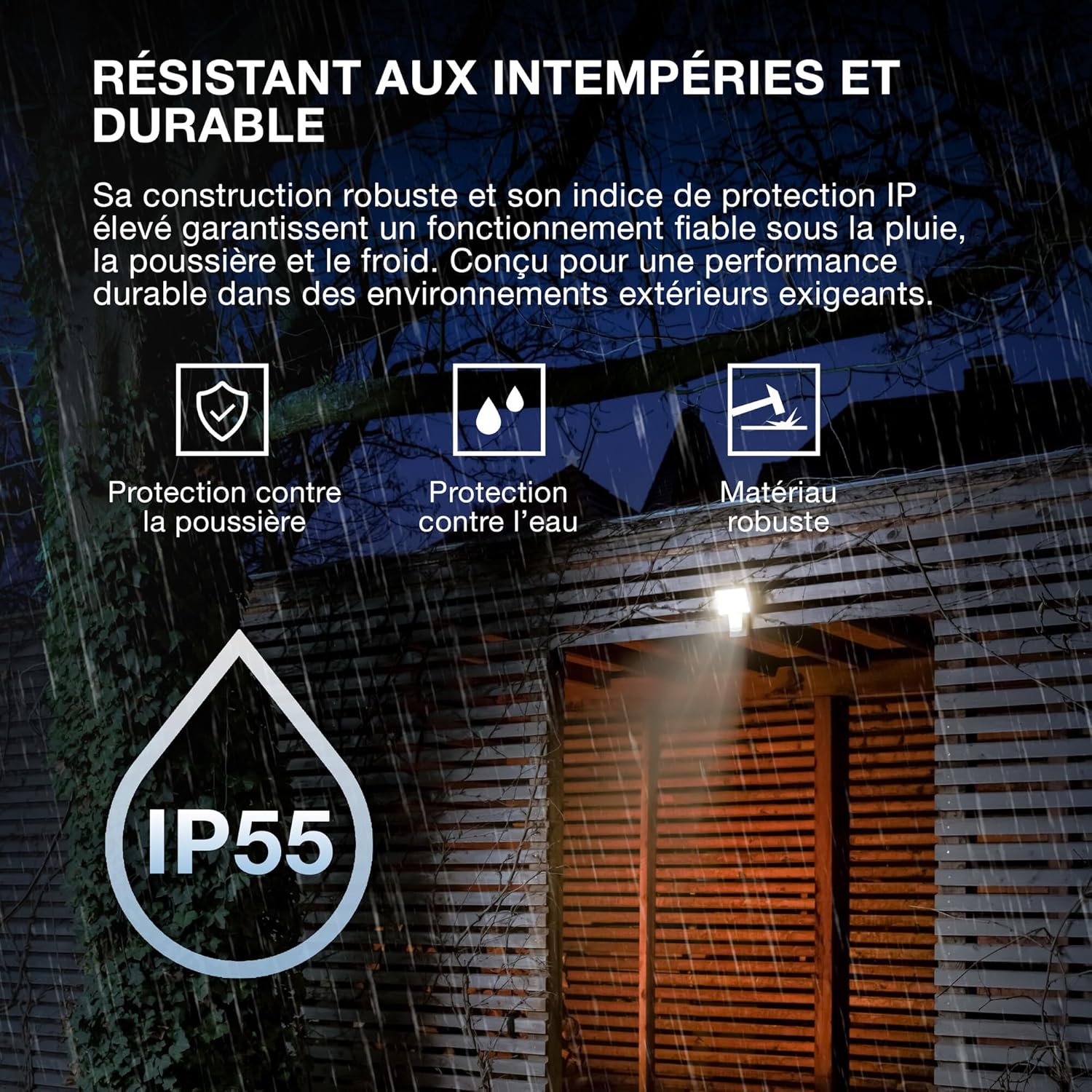
- Robustní konstrukce: Features IP55 protection against dust and water jets, and IK05 impact resistance, ensuring reliable operation in various weather conditions.
- Integrovaný senzor: Equipped with a motion and brightness detection sensor for automated operation.
- Provozní režimy: Offers 4 selectable operating modes, including 6-hour continuous illumination or activation by motion and ambient light.
- Energeticky účinný: Navrženo pro energeticky úsporný provoz.

Image 3.1: Weather Resistant and Durable. The robust construction with IP55 and IK05 ratings ensures reliable performance in demanding outdoor environments, protecting against dust, water, and impacts.

Image 3.2: Precisely Adjustable. The pivoting lamp head allows for precise light orientation, directing illumination exactly where needed for efficient and glare-free lighting.
4. Nastavení a instalace
The OSRAM ENDURA PRO projector is designed for easy and quick installation on walls or ceilings.
4.1. Před instalací
- Ensure the power supply is disconnected at the main circuit breaker before starting any electrical work.
- Verify that the mounting surface is suitable and can support the weight of the luminaire.
- Consult a qualified electrician for all electrical connections.
4.2. Montážní kroky
- Příprava místa montáže: Choose a suitable location for wall or ceiling mounting.
- Označte vrtné body: Use the mounting bracket as a template to mark the drilling points on the surface.
- Vrtací otvory: Vyvrtejte otvory v označených bodech a v případě potřeby do nich vložte vhodné hmoždinky.
- Bezpečná montážní konzola: Attach the mounting bracket securely to the wall or ceiling using screws.
- Elektrické připojení: Connect the electrical wiring to the luminaire terminals according to local electrical codes. Ensure proper grounding.
- Připojit svítidlo: Mount the luminaire onto the secured bracket.
- Bezpečné zapojení: If the flexible wiring is within reach, secure it effectively to the wall to prevent strangulation hazards.
- Obnovit napájení: Jakmile je instalace dokončena a všechna připojení jsou bezpečná, obnovte napájení obvodu.

Image 4.1: Quick Assembly and Easy Installation. The diagram illustrates both wall and ceiling installation methods, highlighting the 180° detection angle and coverage area for enhanced security.
Obrázek 4.2: Rozměry produktu. Detailed dimensions of the luminaire for accurate installation planning.
5. Návod k obsluze
The OSRAM ENDURA PRO projector offers flexible operating modes and an adjustable head for customized lighting.
5.1. Výběr provozních režimů
The luminaire features 4 selectable operating modes, typically controlled via a push button or internal switch (refer to the detailed wiring diagram in the packaging for exact control method):
- Motion and Brightness Detection: The light turns on automatically when motion is detected in low ambient light conditions.
- Continuous Illumination (e.g., 6 hours): The light remains on for a set duration, regardless of motion or ambient light.
- Other modes may include variations of detection sensitivity, time-on duration, or ambient light threshold.
5.2. Adjusting the Luminaire Head
The luminaire head can be manually adjusted to direct the light beam as required. Gently pivot the head to the desired angle (up to 60 degrees as indicated in product images) to optimize illumination for your specific area.
6. Údržba
Regular maintenance ensures the longevity and optimal performance of your OSRAM ENDURA PRO projector.
- Čištění: Clean the luminaire regularly with a soft, damp hadříkem. Nepoužívejte abrazivní čisticí prostředky ani rozpouštědla, protože by mohly poškodit povrch.
- Inspekce: Periodically inspect the luminaire for any signs of damage, such as cracks in the housing or frayed wiring. If damage is found, disconnect power immediately and contact a qualified electrician for repair or replacement.
- Elektrické připojení: Ensure all electrical connections remain secure. If any looseness is detected, have it checked by a qualified electrician.
7. Řešení problémů
If you encounter issues with your OSRAM ENDURA PRO projector, refer to the following common troubleshooting steps:
| Problém | Možná příčina | Řešení |
|---|---|---|
| Světlo se nerozsvítí | Žádné napájení Sensor not triggered Nesprávný provozní režim | Zkontrolujte jistič a elektrické připojení. Ensure motion is within sensor range and ambient light is low enough. Verify selected operating mode. |
| Světlo svítí nepřetržitě | Continuous illumination mode selected Constant motion in sensor range Porucha snímače | Switch to motion detection mode. Adjust sensor position or sensitivity. Kontaktujte zákaznickou podporu. |
| Světlo bliká | Nestabilní napájení Uvolněné spojení | Pro kontrolu napájení se obraťte na kvalifikovaného elektrikáře. Ujistěte se, že všechna elektrická připojení jsou bezpečná. |
If the problem persists after attempting these solutions, please contact OSRAM customer support or a qualified electrician.
8. Specifikace
Key technical specifications for the OSRAM ENDURA PRO Flood Sensor 27W 4000K IP55.
| Funkce | Specifikace |
|---|---|
| Číslo modelu | 4099854451744 |
| Značka | OSRAM |
| Spotřeba energie | 27 wattů |
| Světelný tok | 3000 lm (Lumen) |
| Teplota barev | 4000K (studená bílá) |
| svtage | 220 voltů (AC) |
| Hodnocení ochrany | IP55 (Dust protected, protected against water jets) |
| Odolnost proti nárazu | IK05 |
| Materiál | Polykarbonát (PC) |
| Rozměry (D x Š x V) | 20.1 x 5.6 x 22.5 cm |
| Hmotnost | 480 gramů |
| Typ přepínače | Detektor pohybu |
| Typ montáže | Držák na zeď |
| Oblasti použití | Outdoor, Parking lots, Squares, Parks, Arcades |
Image 8.1: Performance Options. The OSRAM ENDURA PRO is available in various wattages and luminous fluxes. This model is the 27W version, providing 3000 lumens.

Image 8.2: Product Packaging. The packaging provides an overview of the product, including key specifications and features.
9. Záruka a podpora
For warranty information and customer support, please refer to the documentation included with your product or visit the official OSRAM webwebu. Uschovejte si účtenku jako doklad o koupi.
OSRAM Webmísto: www.osram.com