
Zavedení
This manual provides detailed instructions for the setup, operation, maintenance, and troubleshooting of your Azeyou 12 Inch Android 15 Tablet, model T12. Please read this manual thoroughly to ensure proper use and to maximize your device's performance and longevity.
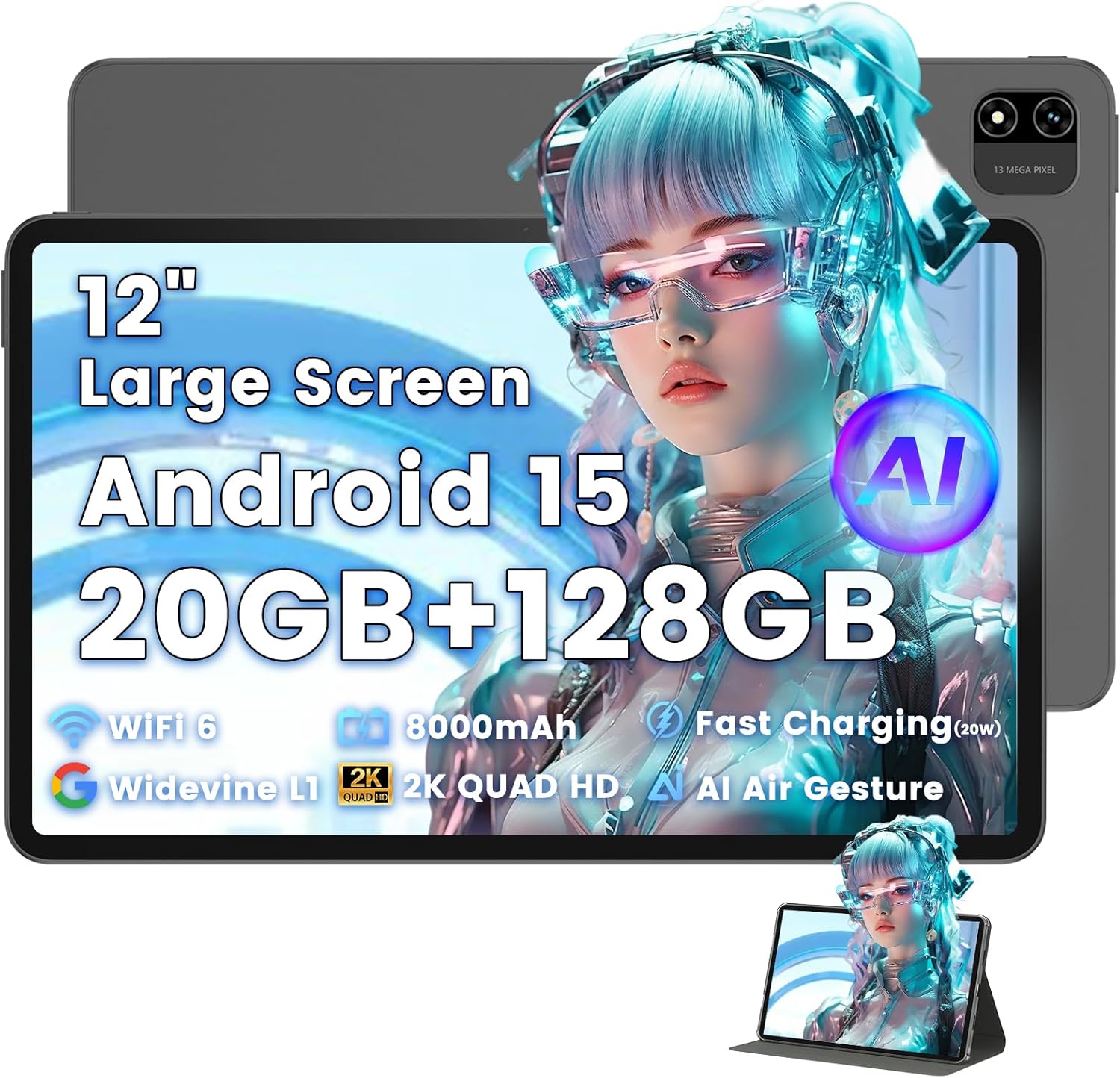
Image: The Azeyou T12 tablet, shown with its protective case, highlighting its large display and sleek design.
Co je v krabici
Ověřte, zda jsou v balení přítomny všechny položky:
- 1x Azeyou Tablet (T12)
- 1x nabíjecí kabel (typu C)
- 1x Uživatelská příručka
- 1x Pouzdro na tablet
Nastavení
1. Počáteční nabíjení
Before first use, fully charge the tablet. Connect the provided Type-C charging cable to the tablet's charging port and the other end to a compatible 20W Power Delivery (PD) charger. The battery indicator on the screen will show charging status.

Image: An infographic detailing key features of the Azeyou T12 tablet, including its Android 15 operating system, AI octa-core processor, Wi-Fi 6, Bluetooth 5.0, dual cameras, storage capacity, Widevine L1 support, parental control, split-screen function, and 8000mAh battery.
2. Zapnutí a vypnutí
- Zapnutí: Press and hold the Power button located on the side of the tablet until the Azeyou logo appears.
- Vypnutí: Press and hold the Power button until the power options appear on the screen, then select "Power Off".
- Restartovat: Stiskněte a podržte tlačítko Napájení, dokud se nezobrazí možnosti napájení, a poté vyberte „Restartovat“.
3. Průvodce počátečním nastavením
Po prvním zapnutí vás tablet provede procesem počátečního nastavení:
- Výběr jazyka: Vyberte preferovaný jazyk.
- Wi-Fi připojení: Vyberte svou síť Wi-Fi a zadejte heslo pro připojení k internetu.
- Účet Google: Přihlaste se pomocí svého účtu Google nebo si vytvořte nový. To je nezbytné pro stahování aplikací z Obchodu Google Play a synchronizaci dat.
- Datum a čas: Nastavte správné datum a čas nebo nechte síť, aby je nastavila automaticky.
- Zabezpečení: Set up a screen lock (PIN, pattern, password, or face unlock).
4. Vložení TF karty (volitelné)
The tablet supports storage expansion up to 1TB via a TF (microSD) card. Locate the TF card slot, gently insert the card until it clicks into place. Ensure the tablet is powered off before inserting or removing the TF card.

Image: A visual representation of the tablet's memory and storage, indicating 20GB RAM (6GB physical + 14GB virtual), 128GB internal storage, and support for up to 1TB TF card expansion, alongside popular application icons.
Návod k obsluze
1. Základní navigace a gesta
- Klepněte na: Vyberte položku nebo otevřete aplikaci.
- Klepnutí a podržení: Přístup k kontextovým nabídkám nebo přesun ikon.
- Výpad: Procházení obrazovek nebo seznamů.
- Přiblížení/zvětšení prsty: Přiblížení nebo oddálení obrázků a web stránky.
2. Funkce displeje
The Azeyou T12 features an 11.97-inch 2K FHD (2000x1200) display with a 90Hz refresh rate for smooth visuals.
- Nastavení jasu: Swipe down from the top of the screen to access the Quick Settings panel and adjust the brightness slider.
- Filtr modrého světla: The tablet includes a built-in blue light filter that automatically adjusts brightness to reduce eye strain. This can be managed in Display Settings.
- Široká vine L1: Enjoy high-definition content from streaming services like Netflix and Prime Video due to Widevine L1 certification.

Image: A visual representation of the tablet's display specifications, emphasizing its 12-inch screen, 16:10 aspect ratio, 2000x1200 resolution, and 90Hz refresh rate, with a child watching content on the screen.

Image: An illustration demonstrating the tablet's Widevine L1 certification for HD streaming and its quad-speaker system for rich, immersive audio, surrounded by logos of popular streaming services.
3. Výkon a multitasking
The tablet is equipped with an A733 octa-core processor and 20GB RAM (6GB physical + 14GB virtual) for smooth operation.
- Režim rozdělené obrazovky: To use two apps simultaneously, open one app, then swipe up from the bottom of the screen and hold to access recent apps. Tap the app icon at the top of the window and select "Split screen". Choose a second app to open in the other half of the screen.
- Správa aplikací: Close background apps from the recent apps menu to optimize performance.
4. AI Smart Features
The A733 octa-core processor includes an AI chip that enables several intelligent functions:
- AI Posture Reminder: The tablet can monitor your sitting posture and provide gentle reminders to encourage better habits, especially useful for online learning or extended use.
- AI Gesture Control: Navigate the tablet without touching the screen. Use simple hand movements in front of the camera to flip pages, pause videos, or browse content.
- Vylepšení obrazu AI: The AI engine can enhance low-resolution photos and videos in real-time, improving clarity, detail, and overall visual quality.

Image: A collage demonstrating the tablet's AI capabilities, including an AI Posture Reminder for healthy habits, AI Gesture Control for touch-free navigation, and AI Image Enhancement for improved photo and video quality.
5. Fotoaparáty
The tablet features a 5MP front camera and a 13MP rear camera with autofocus and flash.
- Přední kamera: Ideal for video calls, online classes, and selfies.
- Zadní kamera: Suitable for capturing photos and videos. Features autofocus and flash for improved image quality.
- Odemknutí obličejem: Využijte přední kameru pro rychlý a bezpečný přístup k vašemu zařízení.

Image: A graphic highlighting the tablet's 5MP front camera and 13MP AI rear camera, showcasing features like AI-enhanced photos and Face Unlock for secure access.
6. Konektivita
- Wi-Fi 6: Connect to high-speed Wi-Fi networks for stable streaming and low-latency online activities. Access Wi-Fi settings via the Quick Settings panel or the Settings app.
- Bluetooth 5.0: Pair with wireless keyboards, headphones, and other Bluetooth accessories. Enable Bluetooth in Quick Settings or the Settings app.
- Port typu C: Used for charging, fast data transfer, and audio output with compatible Type-C headphones.

Image: A visual representation of the tablet's connectivity features, including Wi-Fi 6, Bluetooth 5.0, and support for Type-C headsets, illustrating seamless integration with various devices and networks.
7. Správa baterií
Baterie s kapacitou 8000 mAh umožňuje delší používání. Optimalizace výdrže baterie:
- Snižte jas obrazovky.
- Vypněte Wi-Fi a Bluetooth, když je nepoužíváte.
- Zavřete nepotřebné aplikace na pozadí.
- Use power-saving modes available in Battery Settings.
8. Rodičovská kontrola
The tablet includes a parental control mode to manage screen time, restrict content, and control app access for children. This feature can be configured in the tablet's settings under 'Digital Wellbeing & parental controls'.

Image: A screenshot of the Android 15 interface on the tablet, highlighting features such as HD streaming, parental control, and split-screen functionality, with various app icons visible.
Údržba
1. Čištění tabletu
- K čištění obrazovky a těla tabletu použijte měkký hadřík, který nepouští vlákna.
- Na odolné šmouhy lehce otřeteampOtřete hadřík vodou nebo čističem obrazovek určeným pro elektroniku.
- Vyhněte se používání agresivních chemikálií, abrazivních materiálů nebo nadměrné vlhkosti.
2. Aktualizace softwaru
Pravidelně kontrolujte a instalujte aktualizace softwaru, abyste zajistili optimální výkon, zabezpečení a přístup k novým funkcím. Přejděte na Nastavení > Systém > Aktualizace systému.
3. Správa úložiště
To maintain performance, periodically manage your tablet's storage:
- Smažte nepotřebné aplikace a files.
- Vymazat data mezipaměti aplikací v Nastavení > Aplikace a oznámení > [Název aplikace] > Úložiště a mezipaměť.
- Využijte cloudové úložiště nebo přeneste velké files to an external TF card or computer.
Odstraňování problémů
If you encounter issues with your Azeyou T12 tablet, refer to the following common solutions:
- Tablet se nezapíná:
- Ujistěte se, že je baterie nabitá. Připojte nabíječku a před zapnutím počkejte několik minut.
- Proveďte nucený restart podržením tlačítka napájení po dobu 10-15 sekund.
- Slow Performance or Freezing:
- Zavřete nepotřebné aplikace na pozadí.
- Clear app cache and data.
- Restartujte tablet.
- Check for available system updates.
- Problémy s připojením Wi-Fi:
- Ujistěte se, že je na tabletu povoleno Wi-Fi.
- Restartujte Wi-Fi router.
- Zapomeňte na síť v nastavení Wi-Fi a znovu se připojte.
- Aplikace padá nebo nereaguje:
- Force close the app (Settings > Apps & notifications > [App Name] > Force stop).
- Vymažte mezipaměť a data aplikace.
- Odinstalujte a znovu nainstalujte aplikaci.
- Ujistěte se, že je aplikace aktualizována na nejnovější verzi.
- Obrazovka nereaguje:
- Perform a forced restart.
- Ujistěte se, že je obrazovka čistá a bez nečistot.
Specifikace
- Název modelu:
- Tablet T12
- Operační systém:
- Android 15
- Procesor:
- A733 Octa-Core Processor (Unisoc)
- BERAN:
- 20 GB (6 GB fyzické + 14 GB virtuální)
- Interní paměť (ROM):
- 128 GB
- Rozšiřitelné úložiště:
- Až 1 TB přes TF kartu
- Velikost obrazovky:
- 11.97 palce
- Rozlišení obrazovky:
- 2000x1200 Full HD
- Obnovovací frekvence:
- 90 Hz
- Grafický koprocesor:
- Imagination Technologies BXM-4-64 MC1
- Zadní kamera:
- 13MP s automatickým ostřením a bleskem
- Přední kamera:
- 5 MP
- Kapacita baterie:
- 8000 XNUMX mAh
- Nabíjení:
- 20W Power Delivery (PD) Fast Charging via Type-C
- Bezdrátové připojení:
- Wi-Fi 6 (802.11a/b/g/n/ac), Bluetooth 5.0
- Zvuk:
- Quad-Speakers, Type-C Audio Output
- Rozměry (DxŠxV):
- 11 x 7 x 0.3 palce
- Hmotnost položky:
- 3.1 libry
- Barva:
- Šedá
- Speciální vlastnosti:
- AI Posture Reminder, AI Gesture Control, AI Image Enhancement, Widevine L1, Parental Control, Split-Screen Mode, Face Unlock
Záruka a podpora
Informace o záruce
Azeyou products typically come with a standard manufacturer's warranty. Please refer to the warranty card included in your product packaging or visit the official Azeyou website for specific warranty terms and conditions. The warranty generally covers manufacturing defects but does not cover damage caused by misuse, accidents, or unauthorized modifications.
Zákaznická podpora
For technical assistance, troubleshooting beyond this manual, or warranty claims, please contact Azeyou customer support. Contact details can usually be found on the official Azeyou website or on the product packaging. When contacting support, please have your tablet's model number (T12) and purchase information ready.
Můžete navštívit Azeyou Store on Amazon pro více informací o produktu a zdroje podpory.