
Zavedení
This manual provides essential information for the safe and effective use of your Tyseoome Kids HD Digital Video Toddler Camera, Model x2. Designed for children aged 3-10, this camera allows for capturing 8MP HD photos and 1080P videos, fostering creativity and documenting moments. Please read these instructions thoroughly before operating the device.
Co je v krabici
- Tyseoome Kids HD Digital Video Toddler Camera (Model x2)
- 32GB Micro SD karta
- USB nabíjecí kabel
- Nositelné lanyard
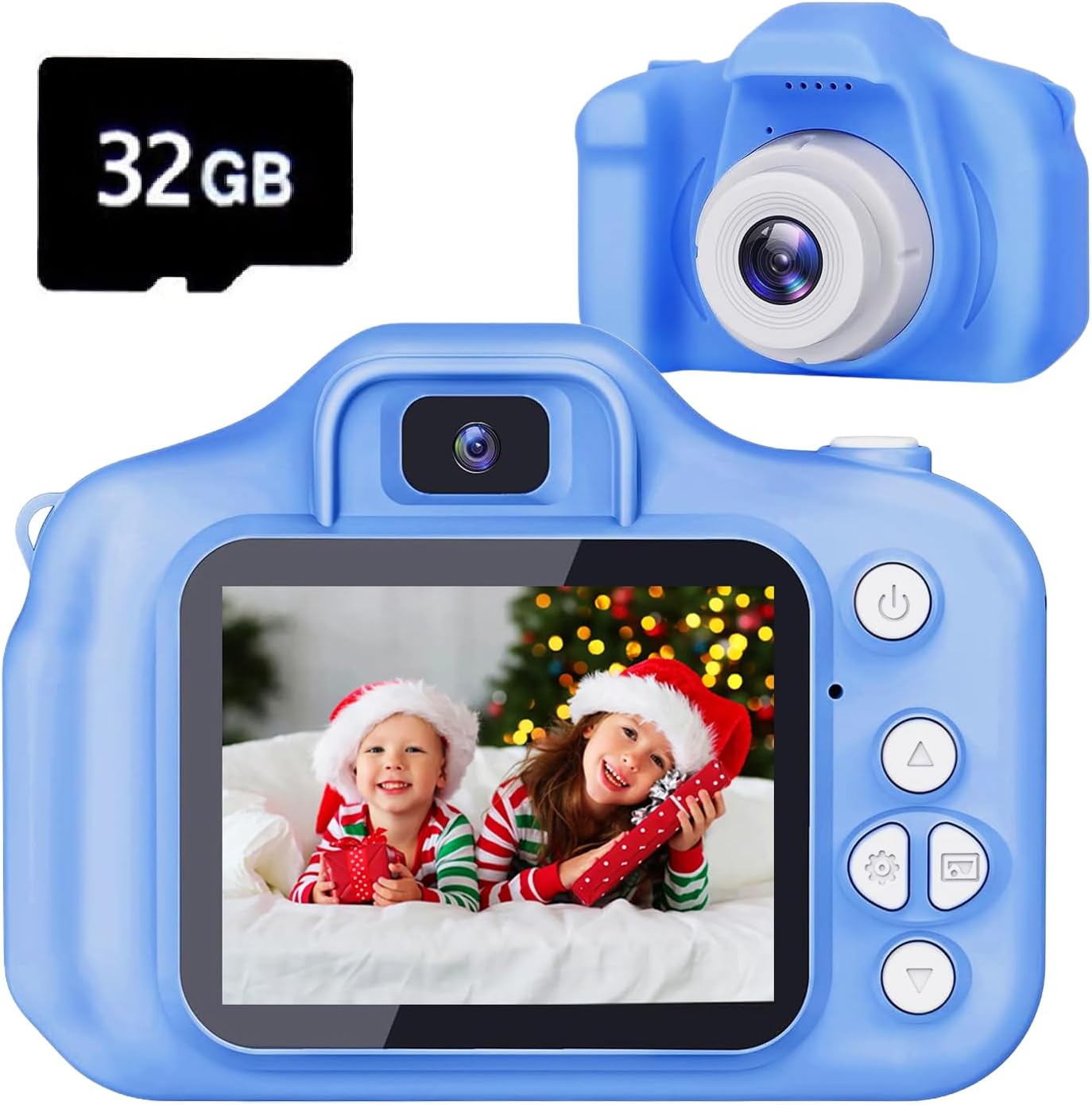
Image: The Tyseoome Kids Camera in blue, shown alongside a 32GB Micro SD card.
Konec produktuview
Seznamte se s komponenty a ovládacími prvky fotoaparátu:

Image: A detailed diagram illustrating the camera's various buttons, ports (USB, SD card slot), loudspeaker, microphone, and display.
- Tlačítko napájení/zpět: Turns the camera on/off and navigates back in menus.
- Video/Photo/Confirm Button: Initiates video recording, takes photos, and confirms selections.
- Up/Delete/Zoom Out Button: Navigates up in menus, deletes files, or zooms out.
- Down/Zoom In Button: Navigates down in menus or zooms in.
- Tlačítka vlevo/vpravo: Navigates left/right in menus or cycles through options.
- Zobrazit: 2palcový barevný displej pro viewa navigace.
- USB port: Pro nabíjení a přenos dat.
- Slot pro SD kartu: Pro vložení karty Micro SD.
- Resetovací tlačítko: Malá dírka pro reset do továrního nastavení.
Nastavení
- Nabijte kameru: Connect the camera to a USB power source using the provided USB cable. The charging time is approximately 1-1.5 hours.
- Vložte SD kartu: Locate the SD card slot on the side of the camera. Gently insert the provided 32GB Micro SD card until it clicks into place. Ensure the camera is off before inserting or removing the card.
- Připevnění šňůrky: Secure the wearable lanyard to the designated attachment points on the camera for easy carrying and to prevent accidental drops.
Návod k obsluze
Zapnutí/vypnutí
Stiskněte a podržte Napájení/Zpět tlačítko pro zapnutí nebo vypnutí fotoaparátu.
Navigace v nabídce
Použijte Nahoru/dolů/vlevo/vpravo arrow buttons to navigate through the menu options displayed on the 2-inch screen. Press the Video/Foto/Potvrdit tlačítko pro výběr možnosti.
Režim fotografie
From the main menu, select the camera icon to enter photo mode. Frame your shot using the display and press the Video/Foto/Potvrdit button to capture an 8MP HD photo. The camera supports up to 48MP image resolution.

Image: A family taking a selfie using the camera, demonstrating its ease of use for capturing moments.
Filtry a rámečky
The camera includes various fun filters and frames to enhance your photos. Navigate through these options using the arrow buttons while in photo mode.

Image: A collage showing various creative frames and filters that can be applied to photos taken with the camera.
Režim videa
Select the video camera icon from the main menu to enter video recording mode. Press the Video/Foto/Potvrdit button to start and stop recording 1080P HD videos.
Selfie móda
The camera features a selfie mode for easy self-portraits. Refer to the on-screen prompts or specific button combinations to activate this feature.
Digitální zoom
Využijte Down/Zoom In a Up/Zoom Out buttons to apply up to 8x digital zoom while in photo or video mode.

Image: A demonstration of the camera's 8x digital zoom capability, showing a wide shot and then zoomed-in details of children.
Hry a hudba
The camera includes several pre-installed puzzle games for entertainment. It also functions as a music player; MP3 files can be loaded onto the SD card for playback.
Údržba
- Čištění: Use a soft, dry cloth to clean the camera body and screen. Avoid abrasive cleaners or solvents.
- Skladování: Fotoaparát skladujte na chladném a suchém místě mimo dosah přímého slunečního záření a extrémních teplot.
- Péče o baterie: Chcete-li prodloužit životnost baterie, vyhněte se častému úplnému vybíjení fotoaparátu. Pravidelně jej nabíjejte, i když jej delší dobu nepoužíváte.
Odstraňování problémů
- Kamera se nezapíná: Ensure the battery is charged. If the issue persists, locate the small reset pinhole and gently press it with a thin object (like a paperclip) to reset the device.
- Špatná kvalita obrazu/videa: Ensure adequate lighting. The camera performs best in well-lit conditions.
- Chyba paměťové karty: Reinsert the SD card. If the error continues, try formatting the card (this will erase all data) or using a different compatible Micro SD card.
- Tlačítka nereagují: Try resetting the camera using the reset pinhole.
Specifikace
| Značka | Tyseome |
| Název modelu | x2 |
| Technologie fotosenzoru | CMOS |
| Efektivní rozlišení | 48 MP (max.) |
| Rozlišení videa | 1080p |
| Optický zoom | 8 XNUMX x |
| Velikost obrazovky | 2 palce |
| Kapacita paměti | 32 GB (Micro SD Card Included) |
| Kapacita záznamu | 2 hodiny |
| Technologie připojení | USB |
| Má samospoušť | Ano |
| Úroveň odolnosti proti vodě | Není odolný vůči vodě |
Záruka a podpora
This Tyseoome Kids HD Digital Video Toddler Camera (Model x2) comes with a 2 roky záruka výrobce. For any support inquiries or warranty claims, please contact Shenzhen Honghao Electronics Co., Ltd. directly.