
1. Úvod
Thank you for choosing BUGANI Buds True Wireless Earbuds. This manual provides detailed instructions on how to set up, operate, and maintain your earbuds to ensure optimal performance and longevity. Please read this manual thoroughly before using the product.
2. Obsah balení
- 1 pair of BUGANI B09 True Wireless Earbuds
- 1 Nabíjecí kabel USB-C
- 3 pairs of Eartips (S, M, L)
- 3 pairs of Silicone Ear Hooks (S, M, L)
- 1 Uživatelská příručka
3. Konec produktuview
Familiarize yourself with the components of your BUGANI Buds.
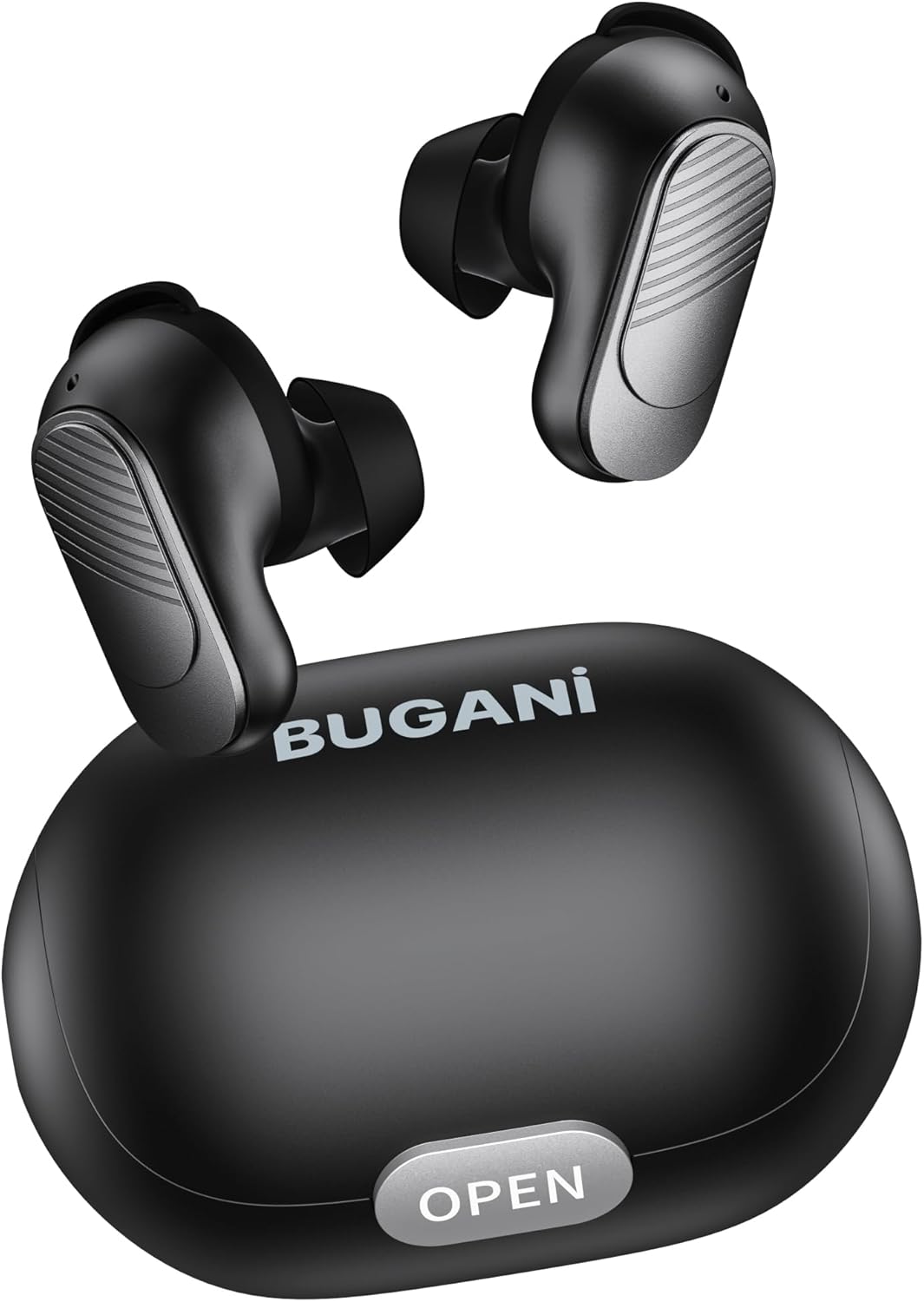
Image: BUGANI Buds True Wireless Earbuds with their charging case. The earbuds are black with silver accents, and the case is a sleek black oval shape with an "OPEN" button.

Image: An exploded diagram showing the internal components of a BUGANI Bud earbud, highlighting the driver and circuit board for enhanced sound quality.

Image: Illustration demonstrating the battery life of BUGANI Buds. It shows 6 hours of playback on a single charge and an additional 24 hours with the charging case, totaling 30 hours.

Image: A woman using BUGANI Buds during a phone call, with an inset showing the earbud and the "MIC" label, indicating the dual microphone for clear calls.

Image: A woman exercising while wearing BUGANI Buds, with an overlay showing the IPX6 water resistance icon, signifying protection against sweat and splashes.

Image: A woman wearing BUGANI Buds, with insets highlighting the lightweight design (3.9g) and the ergonomic fit with proper ear wingtips for comfort.
4. Nastavení
4.1 Počáteční nabíjení
Before first use, fully charge the earbuds and the charging case. Connect the USB-C charging cable to the charging port on the case and a power source. The indicator lights on the case will show charging status.
4.2 Výběr správných náušníků
Select the eartips (S, M, L) and silicone ear hooks that provide the most comfortable and secure fit for your ears. A proper seal is crucial for optimal sound quality and noise isolation.
5. Návod k obsluze
5.1 Zapnutí/vypnutí
- Zapnutí: Otevřete nabíjecí pouzdro a sluchátka se automaticky zapnou.
- Vypnout: Vložte sluchátka zpět do nabíjecího pouzdra a zavřete víko. Sluchátka se automaticky vypnou a začnou se nabíjet.
5.2 Párování Bluetooth
- Ujistěte se, že jsou sluchátka v nabíjecím pouzdře a že je otevřené víko.
- Na svém zařízení (chytrém telefonu, tabletu atd.) povolte Bluetooth.
- Hledat "BUGANI Buds" in the list of available Bluetooth devices.
- Select "BUGANI Buds" to connect. Once connected, you will hear a confirmation tone.
- Sluchátka se po vyjmutí z pouzdra automaticky znovu připojí k poslednímu spárovanému zařízení, pokud je na zařízení povoleno Bluetooth.
5.3 Dotykové ovládání
The BUGANI Buds feature intuitive touch controls on each earbud:
| Akce | Levé sluchátko | Pravé sluchátko |
|---|---|---|
| Přehrát/Pozastavit | Jedno klepnutí | Jedno klepnutí |
| Další stopa | Dvojité klepnutí | |
| Předchozí stopa | Dvojité klepnutí | |
| Přijmout/ukončit hovor | Jedno klepnutí | Jedno klepnutí |
| Odmítnout hovor | Dlouhý stisk (2 s) | Dlouhý stisk (2 s) |
| Aktivujte hlasového asistenta | Trojité klepnutí | Trojité klepnutí |
5.4 Nabíjení sluchátek a pouzdra
- Sluchátka: Vložte sluchátka do nabíjecího pouzdra. Budou se automaticky nabíjet.
- Nabíjecí pouzdro: Connect the USB-C cable to the charging port on the case and a USB power adapter (not included). The indicator lights will show the charging status.
6. Údržba
- Sluchátka a nabíjecí pouzdro pravidelně čistěte měkkým, suchým hadříkem.
- Nepoužívejte abrazivní čisticí prostředky nebo rozpouštědla.
- Udržujte nabíjecí kontakty na sluchátkách i pouzdře čisté, aby se zajistilo správné nabíjení.
- Když sluchátka nepoužíváte, uložte je do jejich nabíjecího pouzdra, abyste je ochránili a udrželi nabitá.
- Nevystavujte sluchátka extrémním teplotám, vlhkosti nebo přímému slunečnímu záření.
- While IPX6 water-resistant, do not immerse the earbuds in water.
7. Řešení problémů
| Problém | Možné řešení |
|---|---|
| Sluchátka se nespárují |
|
| Funkční pouze jedno sluchátko |
|
| Špatná kvalita zvuku |
|
| Sluchátka se nenabíjejí |
|
8. Specifikace
| Funkce | Detail |
|---|---|
| Název modelu | B09 |
| Značka | BUGANI |
| Technologie připojení | Bezdrátové připojení (Bluetooth 5.3) |
| Technologie bezdrátové komunikace | Bluetooth |
| Typ ovládání | Dotykové ovládání |
| Úroveň odolnosti proti vodě | IPX6 (vodotěsný) |
| Frekvenční rozsah | 20 Hz - 20,000 XNUMX Hz |
| Složení baterie | Lithium-iontová |
| Nabíjecí baterie | Ano |
| Umístění uší | In-Ear |
| Form Factor | In-Ear |
| Materiál | Plast |
| Barva | Černý |
| ASIN | B0FBRKTKTS |
9. Záruka a podpora
For warranty information and technical support, please refer to the official BUGANI webnebo se obraťte na jejich zákaznický servis. Uschovejte si doklad o koupi pro případ reklamace.
Return Policy: This product typically has a 30-day refund/replacement return policy.
Manufacturer: BUGANI