
1. Úvod
This manual provides essential information for the safe and efficient use of your Azeyou A733 Android 15 Tablet. Please read this manual thoroughly before operating the device to ensure proper functionality and to prevent damage. Keep this manual for future reference.

Image: The Azeyou A733 Android 15 Tablet, showcasing its 12-inch display and core specifications.
2. Bezpečnostní informace
- Nevystavujte tablet extrémním teplotám, přímému slunečnímu záření ani vysoké vlhkosti.
- Zabraňte pádu tabletu na zem nebo jeho vystavení silným nárazům.
- Používejte pouze nabíječky a příslušenství schválené výrobcem.
- Do not attempt to disassemble or repair the tablet yourself. Refer to authorized service personnel.
- Keep the tablet away from children and pets to prevent accidental damage or injury.
3. Obsah balení
Ověřte, zda jsou v balení produktu přítomny všechny položky:
- Azeyou A733 Android 15 Tablet
- Nabíjecí kabel USB typu C.
- Napájecí adaptér (rychlonabíječka 20 W)
- Uživatelská příručka (tento dokument)
- SIM Ejector Tool (if applicable for models with cellular support)
4. Zařízení skončiloview
Seznamte se s fyzickými součástmi tabletu.

Obrázek: Boční view of the Azeyou A733 tablet, illustrating the placement of buttons and ports.
- Vypínač: Nachází se na boku, slouží k zapnutí/vypnutí tabletu nebo k probuzení/uspání obrazovky.
- Tlačítka hlasitosti: Upravte hlasitost zvuku.
- Port USB Type-C: Pro nabíjení a přenos dat.
- Mřížky reproduktorů: Umístěny po stranách pro zvukový výstup.
- Přední kamera: Pro videohovory a selfie (5MP).
- Zadní kamera: Pro pořizování fotografií a videí (13MP).
- Mikrofon: Pro hlasový vstup.
- Slot na kartu TF: Pro rozšiřitelné úložiště až do 1 TB.
5. Nastavení
5.1 Počáteční nabíjení
Before first use, fully charge your tablet. Connect the provided USB Type-C cable to the tablet's Type-C port and the power adapter, then plug the adapter into a wall outlet. The tablet supports 20W fast charging.
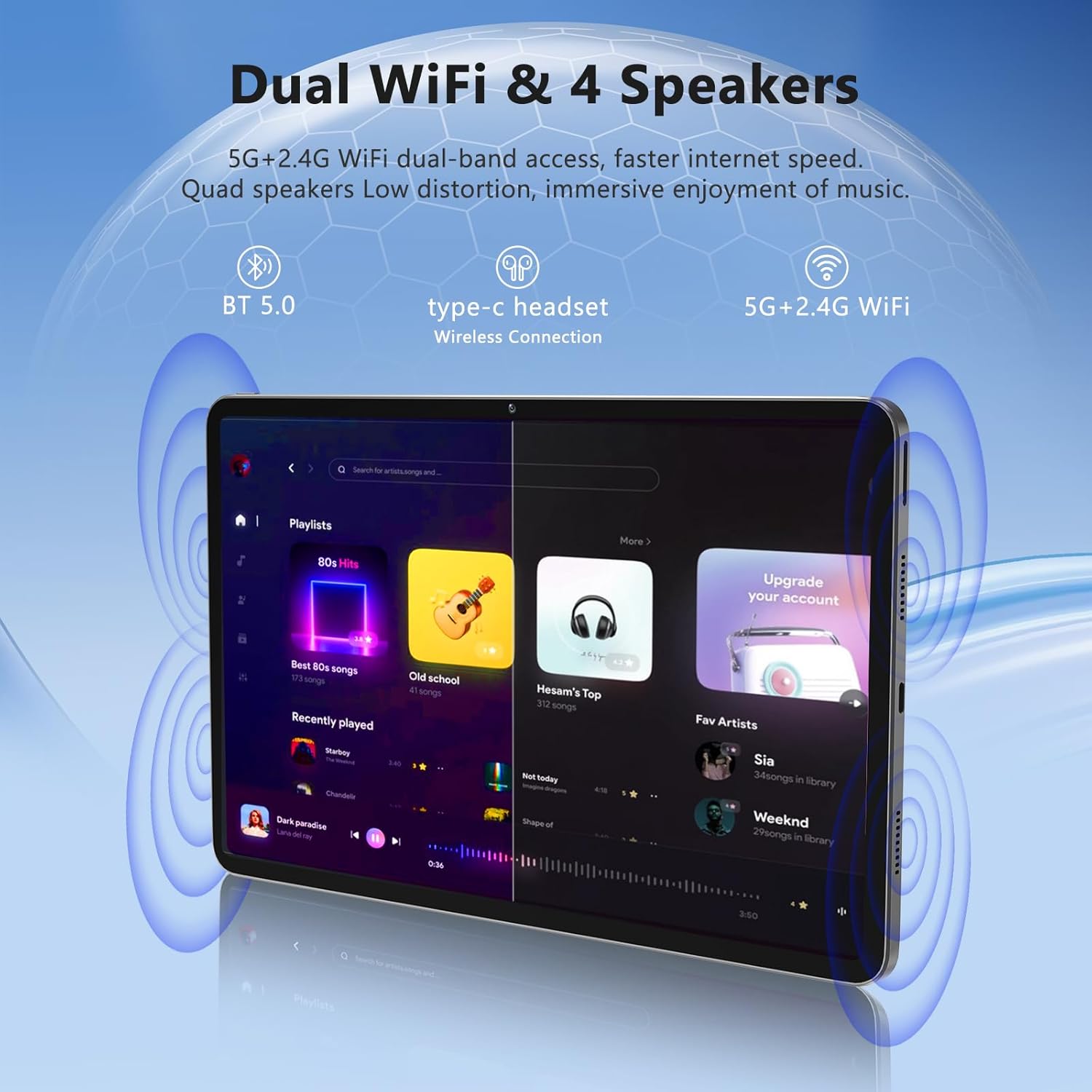
Image: The Azeyou A733 tablet connected to a charger, illustrating its fast charging feature.
5.2 Zapnutí/vypnutí
- Zapnutí: Press and hold the Power button until the Azeyou logo appears.
- Vypnutí: Press and hold the Power button until the power options appear on screen, then select "Power off."
- Restartovat: Press and hold the Power button until the power options appear, then select "Restart."
5.3 Průvodce počátečním nastavením
Po prvním zapnutí vás tablet provede procesem počátečního nastavení:
- Vyberte preferovaný jazyk.
- Připojte se k síti Wi-Fi.
- Přihlaste se pomocí svého účtu Google nebo si vytvořte nový.
- Review a přijměte obchodní podmínky.
- Nastavte zámek obrazovky (PIN, vzorec nebo heslo).
5.4 Rozšiřitelné úložiště
To expand storage, insert a TF (microSD) card into the designated slot. The tablet supports up to 1TB expansion.

Image: Visual representation of the tablet's memory configuration, including 20GB RAM, 128GB ROM, and 1TB expandable storage.
6. Ovládání tabletu
6.1 Základní navigace
The Azeyou A733 tablet uses touch gestures for navigation:
- Klepněte na: Vyberte položku nebo otevřete aplikaci.
- Výpad: Procházení obrazovek nebo seznamů.
- Štípání: Přiblížení nebo oddálení obrázků a web stránky.
- Dlouhé stisknutí: Přístup k kontextovým nabídkám nebo přesun ikon.
6.2 Wi-Fi připojení
Připojení k síti Wi-Fi:
- Přejít na Nastavení > Síť a internet > Wi-Fi.
- Přepnout Wi-Fi On.
- Vyberte požadovanou síť ze seznamu.
- Pokud se zobrazí výzva, zadejte heslo a poté klepněte na Připojit.
The tablet supports Wi-Fi 6 for faster and more stable connections.

Obrázek: Výstava tabletůasing its dual Wi-Fi capabilities and quad speakers for enhanced audio experience.
6.3 Připojení Bluetooth
To pair with a Bluetooth device (e.g., headphones, keyboard, mouse):
- Přejít na Nastavení > Připojená zařízení > Bluetooth.
- Přepnout Bluetooth On.
- Ujistěte se, že je vaše zařízení Bluetooth v režimu párování.
- Vyberte zařízení ze seznamu a dokončete párování podle pokynů na obrazovce.
6.4 Správa aplikací
Your Azeyou A733 tablet is GMS certified, allowing full access to the Google Play Store for downloading and managing applications.
- Instalace aplikací: Open the Play Store app, search for your desired app, and tap Instalovat.
- Odinstalovat aplikace: Long-press an app icon on the home screen or app drawer, then drag it to "Uninstall" or select "App info" and choose "Uninstall."
6.5 Použití kamery
Tablet je vybaven 5MP předním fotoaparátem a 13MP zadním fotoaparátem.
- Otevřete Fotoaparát aplikace
- Klepnutím na ikonu přepínače fotoaparátu přepínáte mezi předním a zadním fotoaparátem.
- Klepnutím na tlačítko spouště pořídíte fotografii nebo spustíte/zastavíte nahrávání videa.
Obrázek: Podrobný view of the tablet's 13MP rear camera and 5MP front camera, illustrating their positions and use.
6.6 Funkce rozdělené obrazovky
To use two apps simultaneously:
- Otevřete první aplikaci.
- Tap the recent apps button (usually a square icon).
- Long-press the icon of the first app at the top of its card.
- Select "Split screen."
- Vyberte druhou aplikaci ze seznamu nedávných aplikací nebo ze zásuvky aplikací.
6.7 AI Air Gesture
The tablet supports AI Air Gesture for hands-free control. Specific gestures and their functions can be configured in Nastavení > Chytré ovládání (or similar menu name).
6.8 Sitting Posture Detection
This feature helps users maintain a healthy sitting posture by providing alerts or guidance. Access and configure this feature in Nastavení > Digitální rovnováha a rodičovská kontrola or a dedicated health/posture app.

Image: Demonstrations of AI air gesture for tablet control and the sitting posture detection system.
6.9 Přehrávání médií (Widevine L1)
The tablet is Widevine L1 certified, enabling high-definition (HD) content streaming on platforms such as Netflix, Amazon Prime Video, Hulu, and HBO.

Image: The tablet displaying logos of popular streaming services, signifying its Widevine L1 certification for HD playback.
7. Údržba
7.1 Čištění
Use a soft, lint-free cloth to clean the tablet screen and body. Avoid using harsh chemicals or abrasive materials.
7.2 Péče o baterii
Baterie s kapacitou 8000 mAh umožňuje delší používání. Pro prodloužení výdrže baterie:
- Vyhněte se častému úplnému vybíjení baterie.
- Nenechávejte tablet nabíjet příliš dlouho po úplném nabití.
- Keep the tablet within a moderate temperature range.

Image: An infographic detailing the 8000mAh battery and its estimated performance across various activities.
7.3 Aktualizace softwaru
Pravidelně kontrolujte a instalujte aktualizace softwaru, abyste zajistili optimální výkon a zabezpečení. Přejděte na Nastavení > Systém > Aktualizace systému.
7.4 Správa úložiště
To manage your 128GB internal storage (expandable to 1TB):
- Přejít na Nastavení > Skladování na view využití a uvolnění místa.
- Pravidelně mazejte data mezipaměti aplikací.
- Přesunout velké filena vloženou TF kartu.
8. Řešení problémů
8.1 Běžné problémy
- Tablet se nezapíná: Ujistěte se, že je baterie nabitá. Před zapnutím připojte zařízení k nabíječce alespoň na 30 minut.
- Aplikace padá nebo zamrzá: Close and reopen the app. If the issue persists, clear the app's cache (Settings > Apps > [App Name] > Storage & cache > Clear cache). Restart the tablet.
- Problémy s připojením Wi-Fi: Restartujte Wi-Fi router a tablet. V nastavení tabletu zapomeňte na síť a znovu se připojte.
- Pomalý výkon: Zavřete nepotřebné aplikace na pozadí. Vymažte mezipaměť a dočasné files. Consider performing a factory reset if performance issues persist after other troubleshooting steps.
8.2 Obnovení továrního nastavení
Obnovení továrního nastavení vymaže všechna data z tabletu a obnoví jeho původní tovární nastavení. Před pokračováním si zálohujte důležitá data.
- Přejít na Nastavení > Systém > Obnovit možnosti.
- Vybrat Vymazat všechna data (obnovení továrního nastavení).
- Potvrďte své rozhodnutí a postupujte podle pokynů na obrazovce.
9. Specifikace

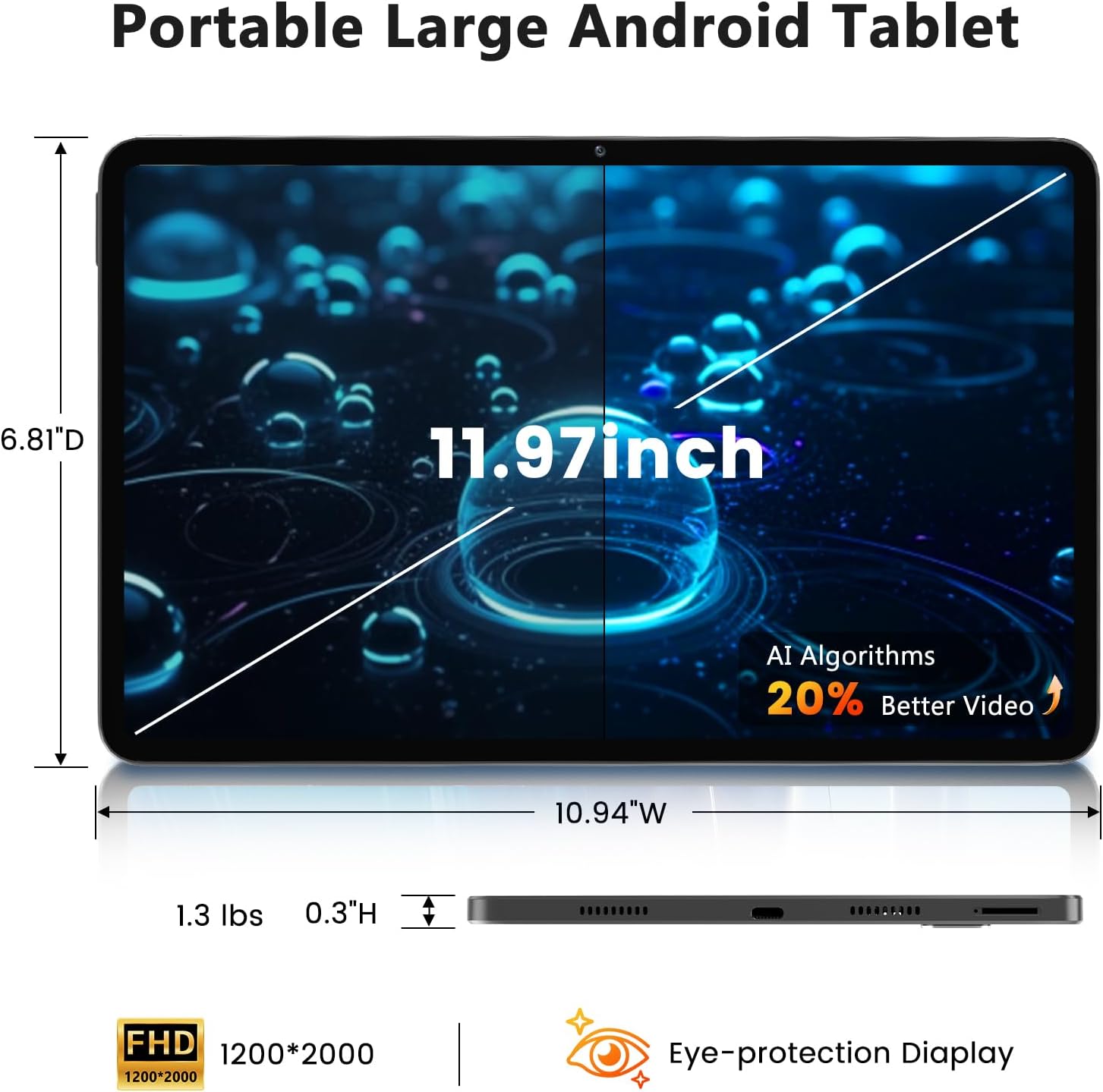
Image: A visual representation of the tablet's physical dimensions and weight.
| Funkce | Specifikace |
|---|---|
| Značka | Azeyou |
| Model | A733 |
| Operační systém | Android 15 |
| Procesor | Osmijádrový A733 |
| BERAN | 20 GB (6 GB fyzické + 14 GB virtuální) |
| Interní úložiště (ROM) | 128 GB |
| Rozšiřitelné úložiště | Až 1 TB přes TF kartu (není součástí balení) |
| Velikost obrazovky | 11.97 palce |
| Rozlišení obrazovky | 1200 x 2000 Pixels (2K Display) |
| Zadní kamera | 13 MP |
| Přední kamera | 5 MP |
| Kapacita baterie | 8000 XNUMX mAh |
| Nabíjení | 20W Fast Charge, Type-C Port |
| Bezdrátové připojení | Wi-Fi 6 (802.11ax), Bluetooth 5.0 |
| Rozměry (DxŠxV) | 11.97 x 6.81 x 0.3 palce |
| Hmotnost položky | 3.15 libry |
| Speciální funkce | GMS Certified, Widevine L1, Dual Speakers, AI Air Gesture, Sitting Posture Detection, Split-screen function |
10. Záruka a podpora
Your Azeyou A733 Tablet comes with a standard manufacturer's warranty. Please refer to the warranty card included in your package for specific terms and conditions, including warranty duration and coverage details.
For technical support, troubleshooting assistance, or warranty claims, please contact Azeyou customer service through the retailer where the product was purchased or visit the official Azeyou support webstránky (je -li k dispozici).
Než budete kontaktovat podporu, mějte prosím připravené číslo modelu produktu (A733) a informace o nákupu.