
1. Konec produktuview
The Crelander W30PRO is a 10.1-inch Android 15 tablet designed for versatile use, featuring a high-definition IPS touchscreen, robust processing capabilities, and ample storage. This manual provides essential information for setting up, operating, maintaining, and troubleshooting your device.
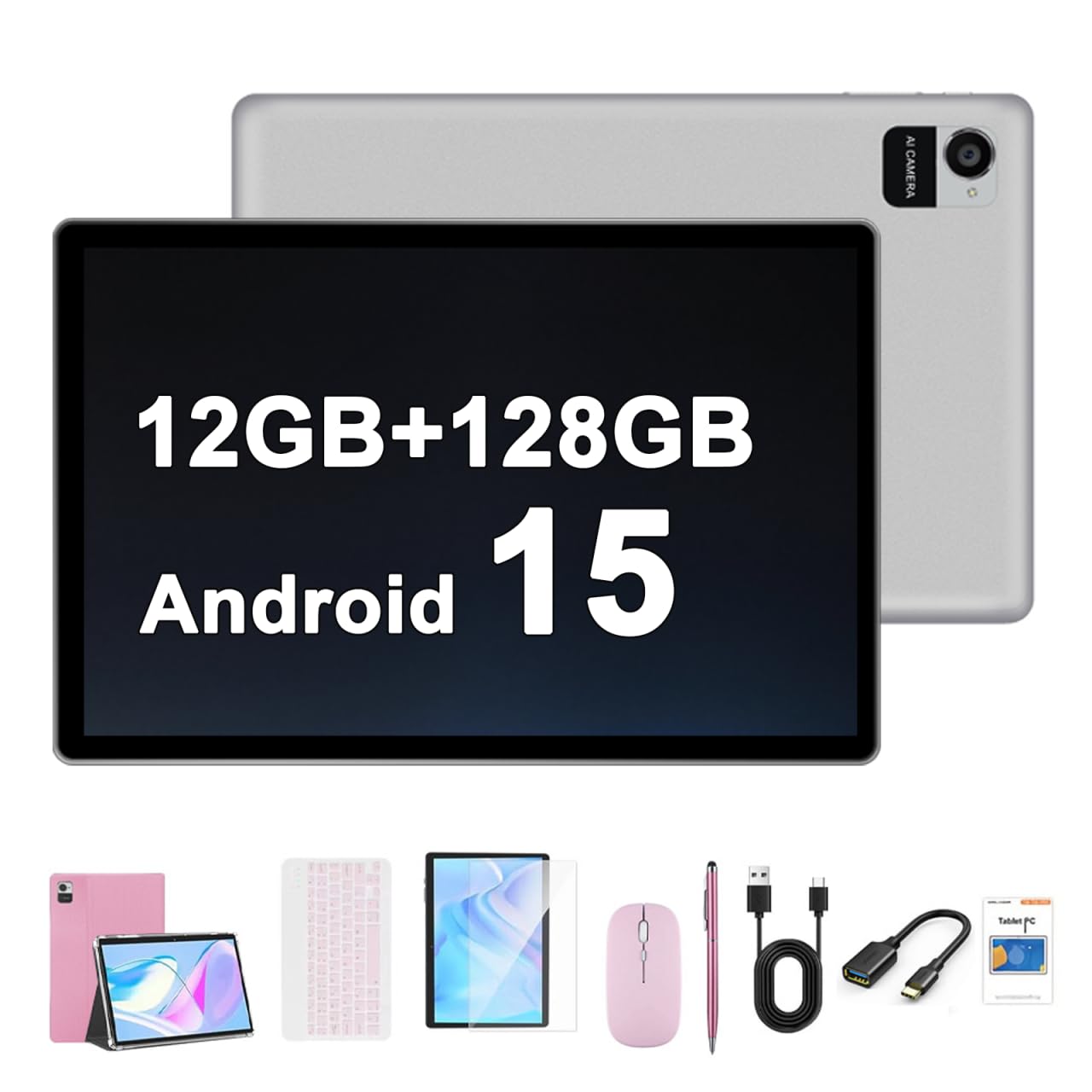
Image 1.1: Crelander 10.1 Inch Android 15 Tablet (Pink variant shown).
2. Obsah balení
Ověřte, zda jsou v balení přítomny všechny položky:
- Crelander 10.1 Inch Android 15 Tablet
- Ochranné pouzdro
- Klávesnice
- Myš
- Stylus
- USB Charging Cable (Power adapter not included)

Image 2.1: The tablet and its bundled accessories, including a protective case, keyboard, mouse, and stylus.
3. Nastavení
3.1 Počáteční zapnutí
- Press and hold the Power button located on the side of the tablet until the Crelander logo appears.
- Postupujte podle pokynů na obrazovce a vyberte jazyk, připojte se k síti Wi-Fi a nastavte si účet Google.
3.2 Nabíjení tabletu
Connect the provided USB charging cable to the tablet's charging port and plug the other end into a compatible USB power adapter (not included). The battery indicator will show charging status.
3.3 Připojení periferií (klávesnice, myš, stylus)
The tablet supports Bluetooth connectivity for the included keyboard, mouse, and stylus.
- Ensure the peripheral (keyboard or mouse) is powered on and in pairing mode. Refer to the peripheral's individual instructions for specific pairing steps.
- Na tabletu přejděte na Nastavení > Připojená zařízení > Bluetooth.
- Přepnout Bluetooth On.
- Select the peripheral from the list of available devices to pair.
Video 3.1: Demonstration of the tablet's physical features and the pairing process for the keyboard and mouse.
4. Návod k obsluze
Operační systém 4.1 Android 15
The tablet runs on Android 15, offering a smooth and responsive user experience. Key features include enhanced privacy controls, personalized themes, and a triple-button navigation layout for simple and efficient operation.
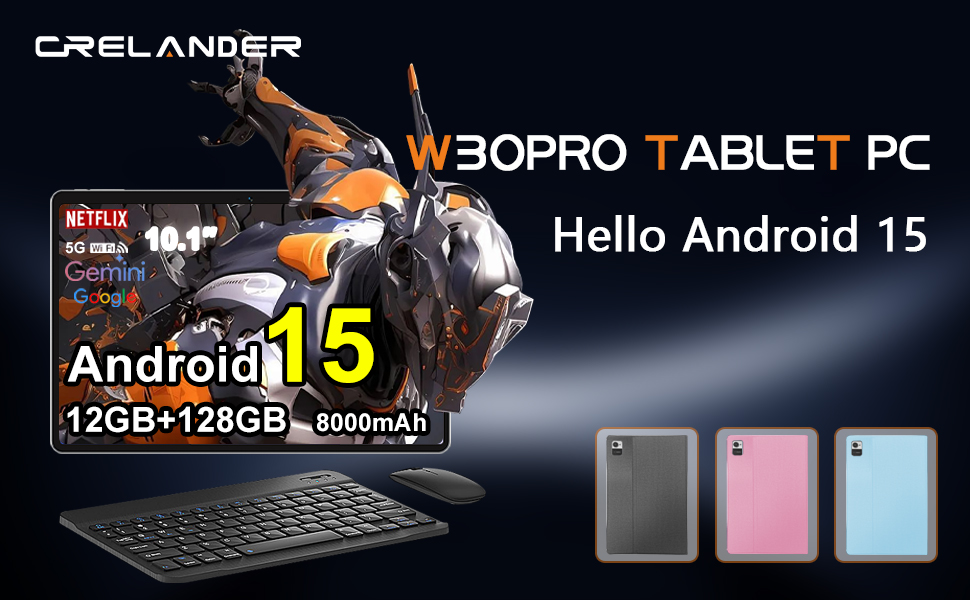
Image 4.1: The tablet displaying the Android 15 operating system interface.
4.2 Zobrazení a vizuální prvky
The 10.1-inch IPS HD touchscreen features a 1280x800 resolution, providing clear and vibrant visuals for various applications, including streaming and web procházení.

Image 4.2: Close-up of the tablet's 10.1-inch IPS HD screen displaying a high-resolution image.
4.3 Úložiště a výkon
Equipped with 12GB RAM and 128GB ROM, the tablet offers efficient multitasking and ample space for applications and media. Storage can be expanded further if needed.

Image 4.3: Visual representation of the tablet's 12GB RAM and 128GB internal storage.
Funkce 4.4 fotoaparátu
The tablet features a 13MP rear camera and a 5MP front camera, suitable for capturing photos and video calls.
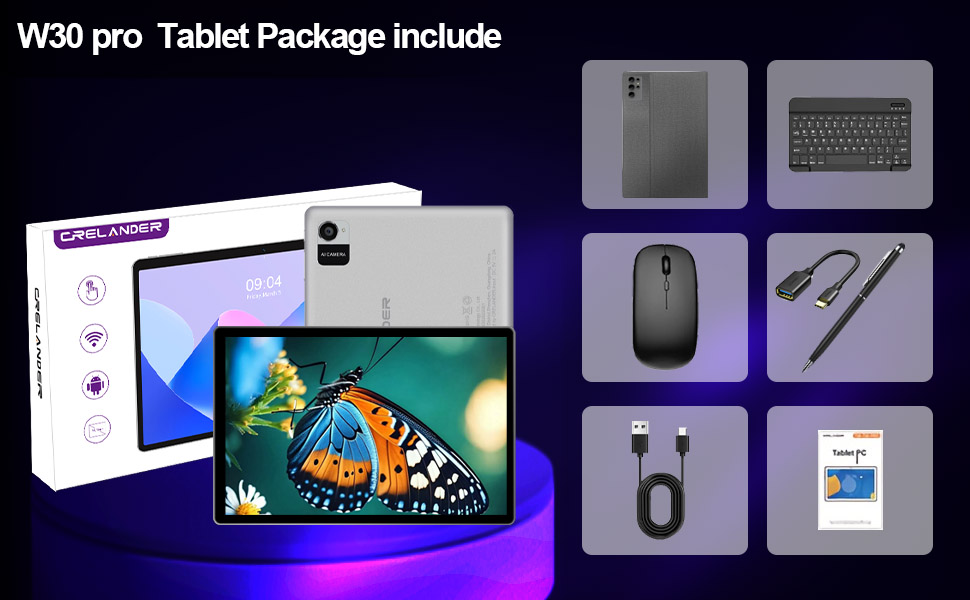
Image 4.4: Depiction of the tablet's rear and front camera specifications.
4.5 Multimédia a konektivita
With Widevine L1 support, the tablet can stream high-definition content from various platforms. It also includes 5G Wi-Fi and Bluetooth for reliable wireless connections.

Image 4.5: The tablet screen showing a high-definition video, illustrating Widevine L1 support.
5. Údržba
5.1 Čištění tabletu
K čištění obrazovky a těla tabletu používejte měkký hadřík, který nepouští vlákna. Nepoužívejte agresivní chemikálie ani abrazivní materiály, které by mohly poškodit povrch.
5.2 Péče o baterii
The 8000mAh battery provides extended usage. To prolong battery life, avoid extreme temperatures and fully discharging the battery frequently. Charge the tablet using a compatible charger.
5.3 Aktualizace softwaru
Regularly check for and install system updates to ensure optimal performance and security. Navigate to Nastavení > Systém > Aktualizace systému.
6. Řešení problémů
6.1 Zařízení se nezapíná
- Ensure the battery is charged. Connect the tablet to a power source for at least 30 minutes.
- Stiskněte a podržte tlačítko napájení po dobu 10–15 sekund pro provedení vynuceného restartu.
6.2 Problémy s připojením k Wi-Fi
- Ověřte, zda je v Nastavení povolena Wi-Fi.
- Restartujte Wi-Fi router a tablet.
- Zapomeňte na síť a znovu se připojte.
6.3 Pomalý výkon
- Zavřete nepotřebné aplikace na pozadí.
- Vymažte mezipaměť často používaných aplikací.
- Zajistěte dostatek úložného prostoru.
- Restartujte tablet.
7. Specifikace
| Funkce | Specifikace |
|---|---|
| Značka | Crelander |
| Název modelu | W30 PRO |
| Operační systém | Android 15 |
| Velikost obrazovky | 10.1 palce |
| Rozlišení displeje | 1280x800 Pixels (IPS HD) |
| Paměť RAM | 12 GB |
| Kapacita úložiště | 128 GB |
| Procesor | T310 |
| Kapacita baterie | 8000 XNUMX mAh |
| Konektivita | 5G Wi-Fi, Bluetooth |
| Zadní kamera | 13 MP |
| Přední kamera | 5 MP |
| Vstup lidského rozhraní | Dotyková obrazovka |
| Rozměry položky (D x Š x Tloušťka) | 10"D x 0.3"Š x 7"V |
8. Záruka a podpora
8.1 Záruka na produkt
This Crelander tablet comes with a 3-month limited warranty. Please retain your proof of purchase for warranty claims.
8.2 Zákaznická podpora
For any inquiries or technical assistance, please contact Crelander customer support. Refer to the product packaging or the official Crelander webstránky pro kontaktní údaje.