
1. Úvod
Welcome to the GOBOULT Pyro Smartwatch user manual. This guide provides essential information for setting up, operating, and maintaining your new smartwatch. The GOBOULT Pyro combines advanced technology with a sleek design, offering features such as a vibrant AMOLED display, Bluetooth calling, comprehensive health monitoring, and various sports modes.
Please read this manual thoroughly to ensure proper use and to maximize your experience with the device.

Image 1.1: The GOBOULT Pyro Smartwatch in Charcoal Black. This image displays the watch face and strap, highlighting its overall design.
2. Klíčové vlastnosti
The GOBOULT Pyro Smartwatch is equipped with a range of features designed to enhance your daily life and fitness routine:
- 1.43" AMOLED displej: Enjoy an ultra-clear and vibrant display with 600 nits brightness and Always-On Display functionality.
- Rotating Dial Navigation: Effortlessly browse menus and switch between applications.
- Bluetooth Calling 5.3: Make and receive calls directly from your wrist with enhanced audio quality.
- Odolnost proti vodě a prachu IP68: Designed to withstand dust, sweat, and water immersion.
- 150+ Cloud-Based Watch Faces: Přizpůsobte si chytré hodinky svému stylu.
- Více než 120 sportovních režimů: Track various fitness activities with real-time insights.
- Hlasový asistent AI: Control tasks hands-free using voice commands.
- Monitorování zdraví: Includes SpO2, heart rate, blood pressure, stress, sleep, and menstrual cycle tracking.
- Smart Productivity Features: Remote camera control, flashlight, world clock, weather updates, and 'Find My Phone' functionality.

Obrázek 2.1: Overview showcasing key features of the GOBOULT Pyro Smartwatch, including the working dial, Always-On Display, 600 nits brightness, 120+ sports modes, Bluetooth calling, health monitoring, and IP68 water resistance.
3. Nastavení
3.1. Rozbalení a počáteční kontrola
Po otevření balení se ujistěte, že jsou všechny součásti přítomny a nepoškozené. Krabice by měla obsahovat:
- GOBOULT Pyro Smartwatch
- Nabíjecí kabel
- Uživatelská příručka (tento dokument)
- Záruční list
3.2. Nabíjení chytrých hodinek
Before first use, fully charge your GOBOULT Pyro Smartwatch. Connect the provided charging cable to the charging port on the back of the smartwatch and to a standard USB power adapter (not included). A full charge typically takes approximately 150 minutes.
Poznámka: Use a compatible charger to avoid damage. The smartwatch requires 1 AAA battery (included) for internal functions, but the main power is supplied via the charging cable.
3.3. Párování s vaším smartphonem
Chcete-li odemknout všechny funkce chytrých hodinek, spárujte je s chytrým telefonem přes Bluetooth:
- Download the official GOBOULT companion app from your smartphone's app store (available for Android and iOS).
- Ujistěte se, že je na vašem smartphonu povoleno Bluetooth.
- Open the GOBOULT app and follow the on-screen instructions to add a new device.
- Select 'GOBOULT Pyro' from the list of available devices.
- Potvrďte požadavek na párování na smartphonu i chytrých hodinkách.
Once paired, the smartwatch will synchronize data and notifications with your phone.
4. Provoz
4.1. Zobrazení a navigace
The GOBOULT Pyro features a 1.43-inch AMOLED display with 600 nits brightness, ensuring clear visibility even in bright sunlight. The Always-On Display (AOD) feature allows you to see essential information without fully activating the screen.

Image 4.1: The 1.43-inch AMOLED display of the GOBOULT Pyro Smartwatch, showcasing its vibrant colors and clarity, along with the Always-On Display feature and 600 nits brightness.
Navigate through menus and apps using the touchscreen and the intuitive rotating dial. Rotate the dial to scroll through lists or zoom, and press it to select items or return to the home screen.

Image 4.2: Close-up of the GOBOULT Pyro Smartwatch demonstrating the rotating action bezel for navigation through menus and options.
4.2. Přizpůsobení ciferníků
Personalize your smartwatch with over 150 cloud-based watch faces. You can change watch faces directly from the smartwatch settings or through the companion app. The app also allows for custom watch face options.

Image 4.3: A visual representation of the 150+ cloud-based watch faces available for the GOBOULT Pyro Smartwatch, including options for custom watch faces.
4.3. Volání přes Bluetooth
With Bluetooth 5.3, you can make and receive calls directly from your smartwatch. The device features a dedicated microphone and speaker for clear, hands-free communication. Ensure your smartwatch is connected to your phone via Bluetooth for this feature to work.

Image 4.4: The GOBOULT Pyro Smartwatch displaying an incoming call, illustrating the Bluetooth calling feature with its dedicated microphone and speaker.
4.4. Sportovní režimy a sledování aktivity
The smartwatch supports over 120 sports modes, allowing you to track a wide range of physical activities. Select your desired sport from the menu to monitor real-time data such as duration, calories burned, and heart rate.

Image 4.5: The GOBOULT Pyro Smartwatch displaying a running activity summary, highlighting the availability of 120+ sports modes for tracking various physical activities.
4.5. Monitorování zdraví
The GOBOULT Pyro provides 24/7 health monitoring capabilities:
- Monitor srdečního tepu: Neustále sleduje váš tepový tep.
- Monitorování SpO2: Měří hladinu kyslíku v krvi.
- Monitorování krevního tlaku: Poskytuje odhady vašeho krevního tlaku.
- Sleep & Stress Monitoring: Analyzes sleep patterns and stress levels.
- Sledování menstruačního cyklu u žen: Pomáhá sledovat a předpovídat menstruační cykly.
For accurate readings, ensure the smartwatch is worn snugly on your wrist. Consult a medical professional for any health concerns; the smartwatch is not a medical device.

Obrázek 4.6: Zadní část view of the GOBOULT Pyro Smartwatch, showing the optical PPG tech sensors used for health monitoring features like heart rate, SpO2, and blood pressure tracking.
4.6. AI Voice Assistant and Smart Features
Access your AI voice assistant (Siri or Google Assistant) for hands-free commands. The smartwatch also offers additional smart features:
- SMS & Push Notifications: Dostávejte upozornění na zprávy a oznámení aplikací.
- Dálkové ovládání kamery: Používejte hodinky jako dálkové ovládání fotoaparátu telefonu.
- Svítilna: Activate a simple flashlight function.
- Světové hodiny: View časy v různých časových pásmech.
- Weather Details: Získejte aktuální informace o počasí.
- Najít můj telefon: Vyhledejte spárovaný smartphone.
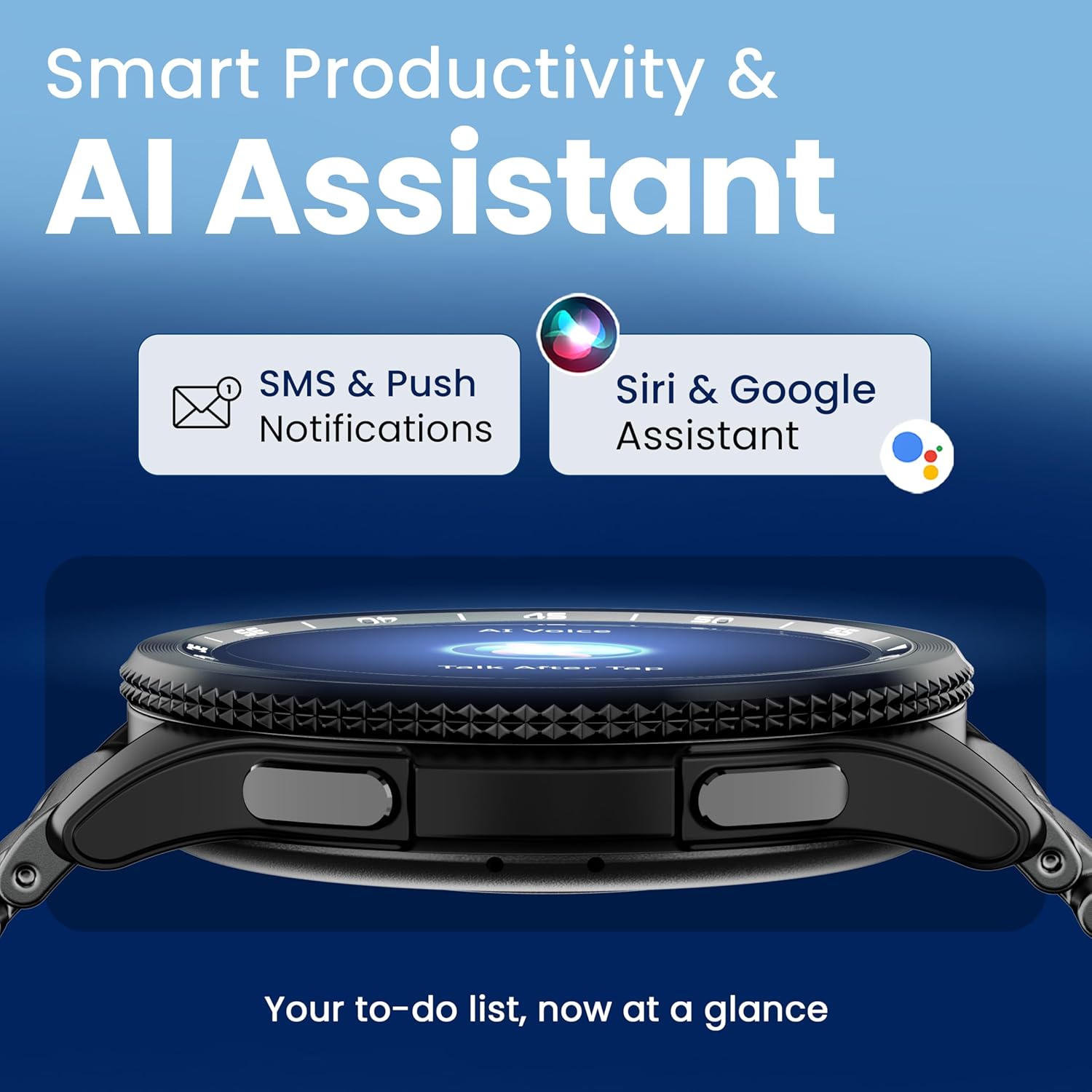
Image 4.7: The GOBOULT Pyro Smartwatch displaying the AI Voice Assistant interface, alongside icons for SMS and push notifications, indicating smart productivity features.

Image 4.8: The GOBOULT Pyro Smartwatch displaying the 'Find Phone' feature, with additional icons for remote camera control, flashlight, world clock, and weather details.
5. Údržba
5.1. Odolnost proti vodě a prachu (IP68)
The GOBOULT Pyro Smartwatch is IP68 rated, meaning it is resistant to dust and can withstand immersion in water up to 1.5 meters for 30 minutes. This makes it suitable for daily wear, including during workouts and in rainy conditions. However, it is not recommended for diving, high-pressure water activities, or prolonged submersion.
Důležité: Water resistance is not a permanent condition and may decrease over time with normal wear. Avoid exposing the watch to hot water, steam, or detergents, as these can compromise the seals.
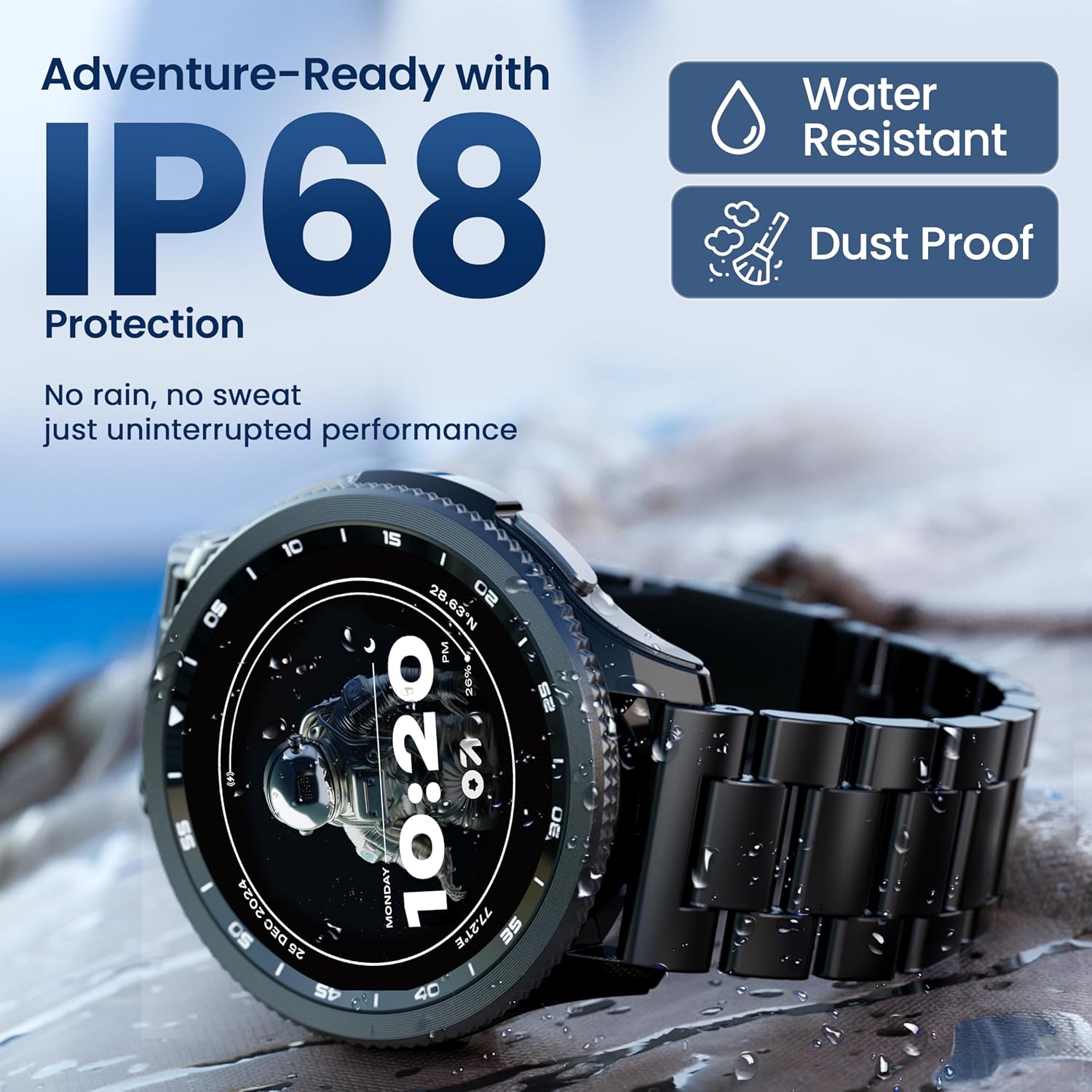
Image 5.1: The GOBOULT Pyro Smartwatch shown with water droplets, illustrating its IP68 water and dust resistance for uninterrupted performance in various conditions.
5.2. Čištění chytrých hodinek
To keep your smartwatch clean and functioning optimally:
- Otřete obrazovku a tělo měkkým hadříkem, který nepouští vlákna.
- V případě potřeby damphadřík lehce navlhčete vodou. Nepoužívejte agresivní chemikálie ani abrazivní materiály.
- Pravidelně čistěte nabíjecí kontakty, aby bylo zajištěno efektivní nabíjení.
- Pokud je popruh odnímatelný, čistěte jej odděleně podle typu materiálu.
5.3. Péče o baterie
Chcete -li prodloužit životnost baterie:
- Vyhněte se extrémním teplotám.
- Před častým nabíjením nenechte baterii zcela vybít.
- If storing the watch for an extended period, charge it to about 50% and power it off.
6. Řešení problémů
If you encounter issues with your GOBOULT Pyro Smartwatch, refer to the following common solutions:
| Problém | Možné řešení |
|---|---|
| Chytré hodinky se nezapínají | Ujistěte se, že jsou hodinky plně nabité. Připojte je k nabíječce alespoň na 30 minut. |
| Nelze spárovat se smartphonem | Check if Bluetooth is enabled on your phone. Ensure the smartwatch is in pairing mode. Restart both devices and try again. Make sure the companion app is installed and updated. |
| Nepřesné údaje o zdraví | Ensure the watch is worn snugly on your wrist, not too tight or too loose. Clean the sensors on the back of the watch. Avoid excessive movement during readings. |
| Oznámení se nezobrazují | Verify that notification permissions are granted to the GOBOULT app on your smartphone. Check the app's settings to ensure notifications are enabled for desired applications. Ensure Bluetooth connection is stable. |
| Baterie se rychle vybíjí | Reduce screen brightness. Disable Always-On Display if not needed. Limit background app refresh. Ensure no apps are constantly running in the background. Frequent Bluetooth calling can also consume more power. |
| Charging issues (e.g., not connecting to charger) | Ensure the charging cable is correctly aligned with the magnetic contacts on the watch. Clean the charging contacts on both the cable and the watch. Try a different USB power source. |
| Rotating dial not working | Check for any physical obstruction or debris around the dial. Gently clean the area. If the issue persists, a software glitch might be present; try restarting the watch. |
7. Specifikace
Below are the technical specifications for the GOBOULT Pyro Smartwatch:
| Funkce | Detail |
|---|---|
| Značka | GOBOULT |
| Modelová řada | Pyro |
| Velikost displeje | 1.43 palce |
| Typ zobrazení | AMOLED |
| Jas | 600 nitů |
| Konektivita | Bluetooth 5.3 |
| Kompatibilita operačního systému | Android, iOS |
| Voděodolnost | IP68 |
| Kapacita baterie | 300 miliamp hodiny |
| Průměrná životnost baterie | Až 7 dny |
| Doba nabíjení baterie | Přibližně 150 minut |
| Hmotnost položky | 68 g |
| Zahrnuté komponenty | Smartwatch, Charging Cable, User Manual, Warranty Card |
8. Záruka a podpora
8.1. Informace o záruce
Your GOBOULT Pyro Smartwatch comes with a manufacturer's warranty. Please refer to the included Warranty Card for detailed information regarding warranty terms, conditions, and duration. Keep your proof of purchase for warranty claims.
8.2. Zákaznická podpora
For technical assistance, troubleshooting beyond this manual, or warranty service, please contact GOBOULT customer support. Contact details can typically be found on the Warranty Card or the official GOBOULT website. When contacting support, please have your product model (Pyro) and purchase details ready.