
Zavedení
Thank you for choosing the SABLUTE Multi-Device Wireless Keyboard and Mouse Combo. This manual provides detailed instructions for setting up, operating, maintaining, and troubleshooting your new device. Please read this manual carefully before use to ensure optimal performance and longevity of your product.

Image: The SABLUTE Wireless Keyboard and Mouse Combo displayed on a desk, connected to a laptop, tablet, and smartphone, highlighting its multi-device compatibility.
Obsah balení
- Bezdrátová klávesnice SABLUTE
- SABLUTE Wireless Mouse
- USB přijímač (pro připojení 2.4 GHz)
- USB nabíjecí kabel
- Uživatelská příručka
Nastavení a připojení
Nabíjení zařízení
Before initial use, ensure both the keyboard and mouse are fully charged. Use the provided USB charging cable to connect them to a power source (e.g., computer USB port, USB wall adapter).
- Charging time: Approximately 4.5 hours for full charge.
- Battery life: Keyboard up to 460 hours (no backlight), Mouse up to 50 hours (no backlight).
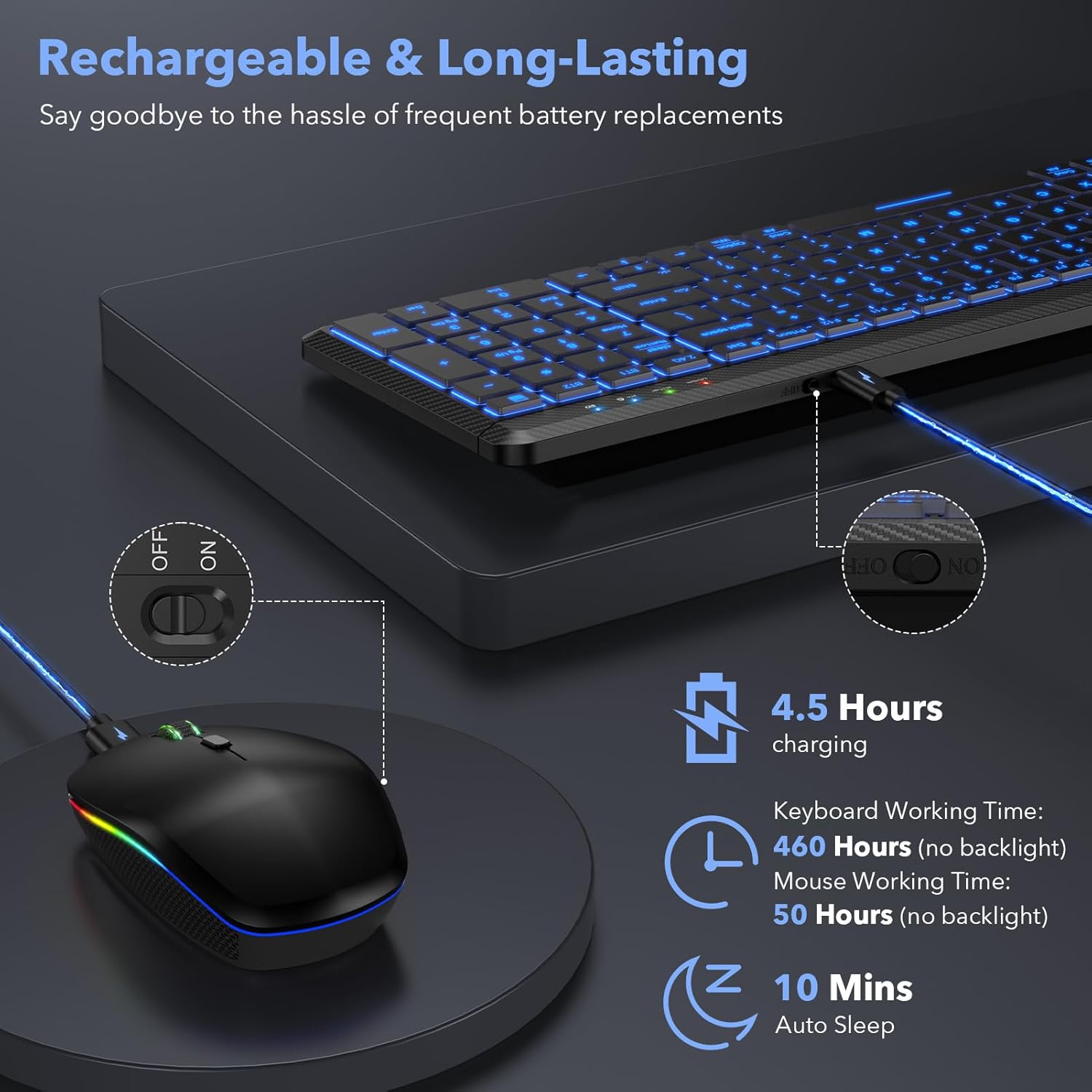
Image: The keyboard and mouse connected to a charging cable, illustrating the rechargeable feature.
Connecting to Devices (Multi-Mode)
The combo supports three connection methods: 2.4GHz USB receiver, Bluetooth 3.0 (BT1), and Bluetooth 5.0 (BT2). You can connect up to three devices simultaneously and switch between them.
- 2.4GHz USB Connection:
a. Insert the USB receiver into an available USB port on your computer.
b. Turn on the keyboard and mouse. They should automatically connect to the 2.4GHz channel. - Připojení Bluetooth (BT1/BT2):
a. Turn on the keyboard and mouse.
b. On the keyboard, press Fn + BT1 or Fn + BT2 to select the desired Bluetooth channel. The indicator light will flash.
c. On your device (Mac, iOS, Android, iPad, etc.), go to Bluetooth settings and search for 'SABLUTE Keyboard' or 'SABLUTE Mouse'.
d. Select the device to pair. Once paired, the indicator light will stop flashing.
e. Repeat for the other Bluetooth channel if connecting a third device.

Image: A visual representation of the keyboard and mouse connected to a laptop, tablet, and smartphone, demonstrating the 2.4GHz, BT1, and BT2 connection options.
Přepínání mezi připojenými zařízeními
To switch between connected devices on the keyboard, simply press Fn + 2.4G, Fn + BT1nebo Fn + BT2.
Video: Demonstrates the multi-device switching functionality of the SABLUTE Wireless Keyboard, showing how to seamlessly transition between different connected devices.
Návod k obsluze
Keyboard Backlight Control
The keyboard features 7-color backlighting with 3 brightness levels.
- Nastavení jasu: Stiskněte Fn+Shift to cycle through 3 brightness levels.
- Změna barvy podsvícení: Stiskněte Fn + Enter to switch between the 7 available backlight colors.
- Vypnutí podsvícení: Pokračujte v stisknutí Fn+Shift until the backlight turns off, or simply turn off the keyboard when not in use to conserve battery.

Image: The keyboard displaying various backlight colors and illustrating the key combinations for adjusting brightness and changing colors.
Tichý provoz
Both the keyboard and mouse are designed for quiet operation, reducing noise by over 95% compared to traditional peripherals. This allows for a more focused working environment.

Image: A visual representation emphasizing the quiet operation of the keyboard and mouse, suitable for undisturbed work or rest.
Comfortable Typing Experience
The keyboard features slightly concave, ultra-thin keycaps designed to conform to your fingertips, reducing strain during extended typing sessions. The ergonomic design provides a comfortable 6-degree tilt.
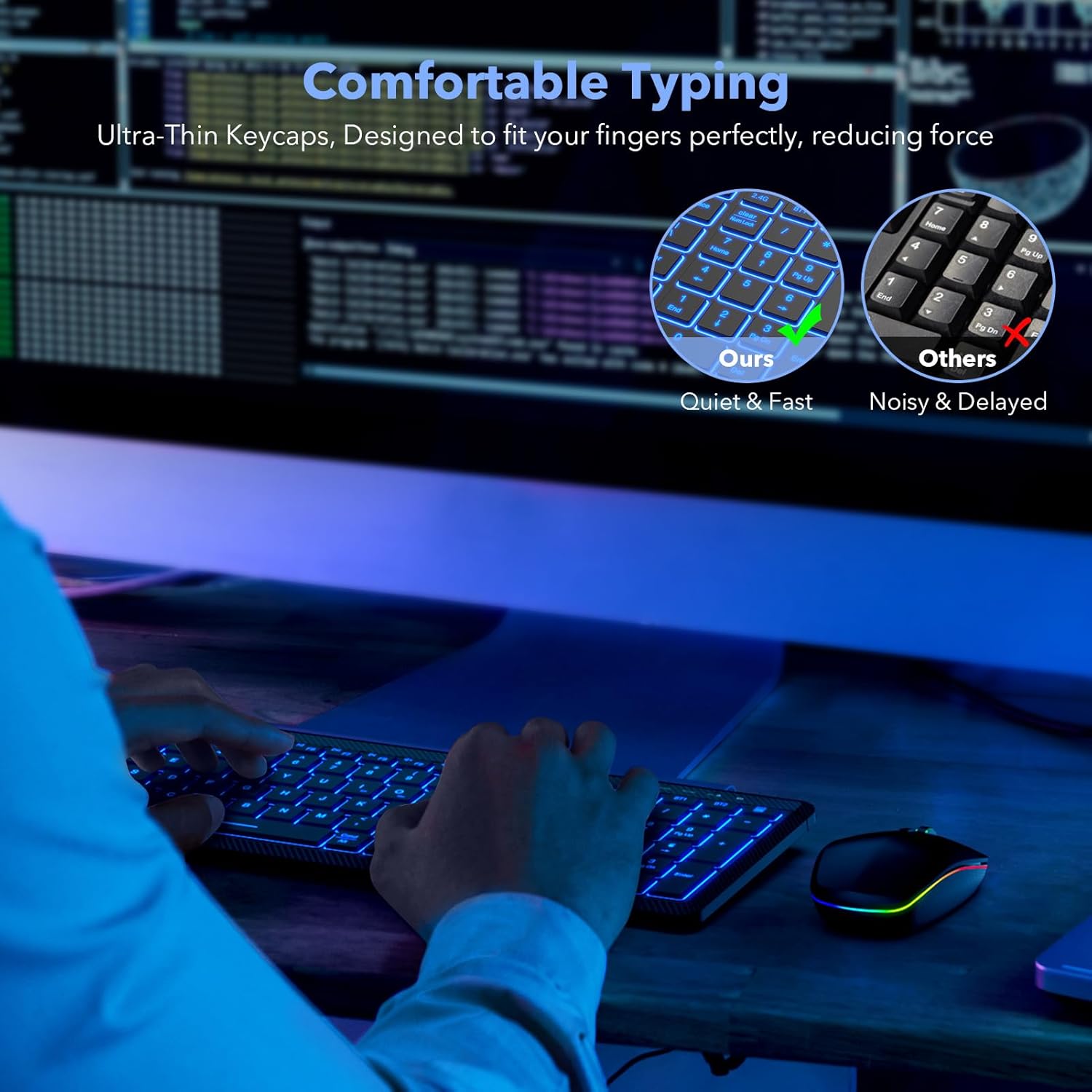
Obrázek: Detailní záběr view of the keyboard's keycaps and its ergonomic profile, highlighting the comfortable typing experience.
Funkce myši
The RGB silent mouse offers:
- 3 Tracking Speeds: Adjustable DPI settings for precise control.
- 3 režimy připojení: 2.4GHz, Bluetooth 3.0, and Bluetooth 5.0.
- 15 režimy osvětlení: Přizpůsobitelné RGB světelné efekty.
- Dobíjecí design: Vestavěná baterie 650mAh.

Image: The SABLUTE RGB rechargeable mouse with its key features such as tracking speed, connection modes, and lighting modes visually indicated.
Údržba
Čištění
The keyboard is designed to be waterproof and dustproof, as well as spill-resistant. To clean, gently wipe the surfaces with a soft, damp tkanina. Vyhněte se používání agresivních chemikálií nebo abrazivních materiálů.
Správa baterie
The devices feature an energy-saving management system:
- Automatický spánek: After 10 minutes of inactivity, the keyboard and mouse will enter auto-sleep mode to conserve power.
- Vzbudit: Press any key or click the mouse to wake the devices.

Image: The keyboard and mouse illustrating their power-saving features, including auto-sleep and long battery life.
Odstraňování problémů
- Zařízení se nepřipojuje:
a. Ensure the keyboard and mouse are charged.
b. Verify the correct connection mode (2.4G, BT1, BT2) is selected on the keyboard.
c. For Bluetooth, ensure your device's Bluetooth is enabled and the devices are in pairing mode.
d. Try restarting your device and the keyboard/mouse. - Backlight not working or dim:
a. Ensure the keyboard is charged.
b. lis Fn+Shift pro úpravu úrovní jasu.
c. The backlight may automatically turn off in low battery situations. - Keys sticking or unresponsive:
a. Ensure the keyboard is clean and free from debris.
b. If the issue persists, contact customer support. - Kurzor myši je nepravidelný nebo nereaguje:
a. Ensure the mouse is charged.
b. Check the mouse's optical sensor for any obstructions.
c. Try adjusting the tracking speed.
Specifikace
| Funkce | Detail |
|---|---|
| Značka | SABLUTE |
| Model | B0FB39YF43 |
| Barva | Černý |
| Technologie připojení | Bluetooth (3.0, 5.0), 2.4GHz USB |
| Speciální funkce | Lightweight, Backlit (7 colors, 3 brightness), Waterproof & Dustproof, Spill Resistant, Silent Click Mouse |
| Kompatibilní zařízení | Laptop, Smartphone, Tablet (MacBook Pro/Air, iPad, iMac, iOS, Android, Ipad, Windows) |
| Kapacita baterie klávesnice | 1500 XNUMX mAh |
| Kapacita baterie myši | 650 XNUMX mAh |
| Keyboard Working Time (no backlight) | Až 460 hodin |
| Mouse Working Time (no backlight) | Až 50 hodin |
| Funkce Auto-Sleep | 10 minut nečinnosti |
| Hmotnost položky | 1.9 libry |
| Rozměry balení | 15.24 x 6.34 x 2.48 palce |
Záruka a podpora
SABLUTE is committed to providing quality products and customer satisfaction. Your product is covered by the following:
- 90denní výměna: For any manufacturing defects.
- 360 Days Manufacturer Warranty: Kryje vady materiálu a zpracování.
- Brand Care: Specializovaný zákaznický servis.
V případě technické podpory nebo reklamace nás prosím kontaktujte:
- Telefon (USA): 1-888-905-9607
- Provozní doba: Monday - Friday, 9:00 AM - 1:00 PM PST and 2:00 PM - 6:00 PM PST
- E-mail: (Viz obal produktu nebo oficiální website for email contact)

Image: SABLUTE customer support details, including response time, replacement policy, manufacturer warranty, and contact number.