
Zavedení
This user manual provides detailed instructions for the C idea CM817 Pro Max 8-inch Tablet. Please read this manual thoroughly before using your device to ensure proper operation and to maximize its features. Keep this manual for future reference.
Obsah balení
Ověřte, zda jsou v balení přítomny všechny položky:
- C idea CM817 Pro Max 8-inch Tablet
- Nabíjecí adaptér
- USB-C kabel
- Uživatelská příručka (tento dokument)
- Stylus Pen (if included in your specific package)
- Keyboard (if included in your specific package)
- Mouse (if included in your specific package)

Image: The C idea CM817 Pro Max tablet shown with its common accessories, which may include a keyboard, mouse, charging adapter, USB-C cable, and stylus pen.
Konec produktuview
Familiarize yourself with the physical components of your C idea CM817 Pro Max tablet.

Image: A diagram illustrating the various ports and buttons on the C idea CM817 Pro Max tablet, including the front camera, rear camera, power button, volume controls, speakers, TF/SIM card slot, USB-C port, and headphone jack.
- Přední kamera: Pro videohovory a selfie.
- Zadní kamera: Pro pořizování fotografií a videí.
- Tlačítko zapnutí / vypnutí: Press and hold to power on/off or restart. Press briefly to wake/sleep the screen.
- Tlačítka hlasitosti: Adjust the tablet's audio volume.
- Řečníci: Output audio.
- TF/SIM Slot: Insert a TF (MicroSD) card for expandable storage or a SIM card for cellular connectivity.
- Port USB-C: For charging the tablet and connecting to a computer for data transfer.
- Sluchátkový jack: Připojte 3.5 mm sluchátka.
Nastavení
1. Nabíjení tabletu
Before first use, fully charge the tablet. Connect the USB-C cable to the tablet's USB-C port and the other end to the charging adapter. Plug the adapter into a power outlet. The battery indicator on the screen will show charging status.
2. Zapnutí/vypnutí
- Zapnutí: Press and hold the Power On/Off button until the C idea logo appears.
- Vypnout: Press and hold the Power On/Off button until the power options menu appears, then select "Power off".
- Restartovat: V nabídce možností napájení vyberte „Restartovat“.
3. Počáteční nastavení
Po prvním zapnutí postupujte podle pokynů na obrazovce a nakonfigurujte tablet:
- Vyberte preferovaný jazyk.
- Připojte se k síti Wi-Fi.
- Přihlaste se pomocí svého účtu Google nebo si vytvořte nový. To je nutné pro stahování aplikací z Obchodu Google Play.
- Nastavte zámek obrazovky (PIN, vzorec nebo heslo).
- Review a přijměte obchodní podmínky.
4. Vložení SIM a MicroSD karet
Locate the TF/SIM slot on the side of the tablet. Use the provided SIM ejector tool (if applicable) to open the tray. Carefully place your SIM card and/or MicroSD card into the designated slots, ensuring correct orientation. Close the tray securely.
Návod k obsluze
1. Základní navigace
- Dotek: Klepnutím na ikonu otevřete aplikaci nebo vyberete položku.
- Výpad: Tažením prstu po obrazovce můžete procházet stránky nebo obsah.
- Štípání: Pro přiblížení nebo oddálení obrázků použijte dva prsty a web stránky.
- Domovská obrazovka: Hlavní obrazovka, kde máte přístup k aplikacím a widgetům.
- Panel oznámení: Přejetím prstem dolů od horního okraje obrazovky získáte přístup k oznámením a rychlému nastavení.

Image: The C idea CM817 Pro Max tablet showcasing its Android home screen, featuring various application icons and a clean user interface.
2. Wi-Fi and Cellular Connectivity
Chcete-li se připojit k Wi-Fi, přejděte na Nastavení > Síť a internet > Wi-Fi. Turn Wi-Fi on and select your desired network. Enter the password if prompted. For cellular data, ensure a SIM card is inserted and go to Nastavení > Síť a internet > Mobilní síť pro konfiguraci nastavení dat.
3. Použití fotoaparátu
Open the Camera app from the home screen or app drawer. Tap the shutter button to take a photo. Switch between the 5MP front camera and 8MP rear camera using the camera switch icon. You can also record videos.
4. Správa úložiště
Your tablet comes with 512GB of internal storage and supports up to 512GB expandable storage via a MicroSD card. To view využití úložiště, přejděte na Nastavení > Úložiště. Regularly clear unnecessary filea odinstalujte nepoužívané aplikace, abyste zachovali výkon.

Image: Multiple C idea tablets demonstrating the ample storage capacity, highlighting 8GB RAM, 512GB internal ROM, and support for an additional 512GB via TF (MicroSD) card.
5. Životnost baterie
The 8000mAh battery provides extended usage. To optimize battery life, reduce screen brightness, disable Wi-Fi/Bluetooth when not in use, and close background apps. You can monitor battery usage in Nastavení > Baterie.
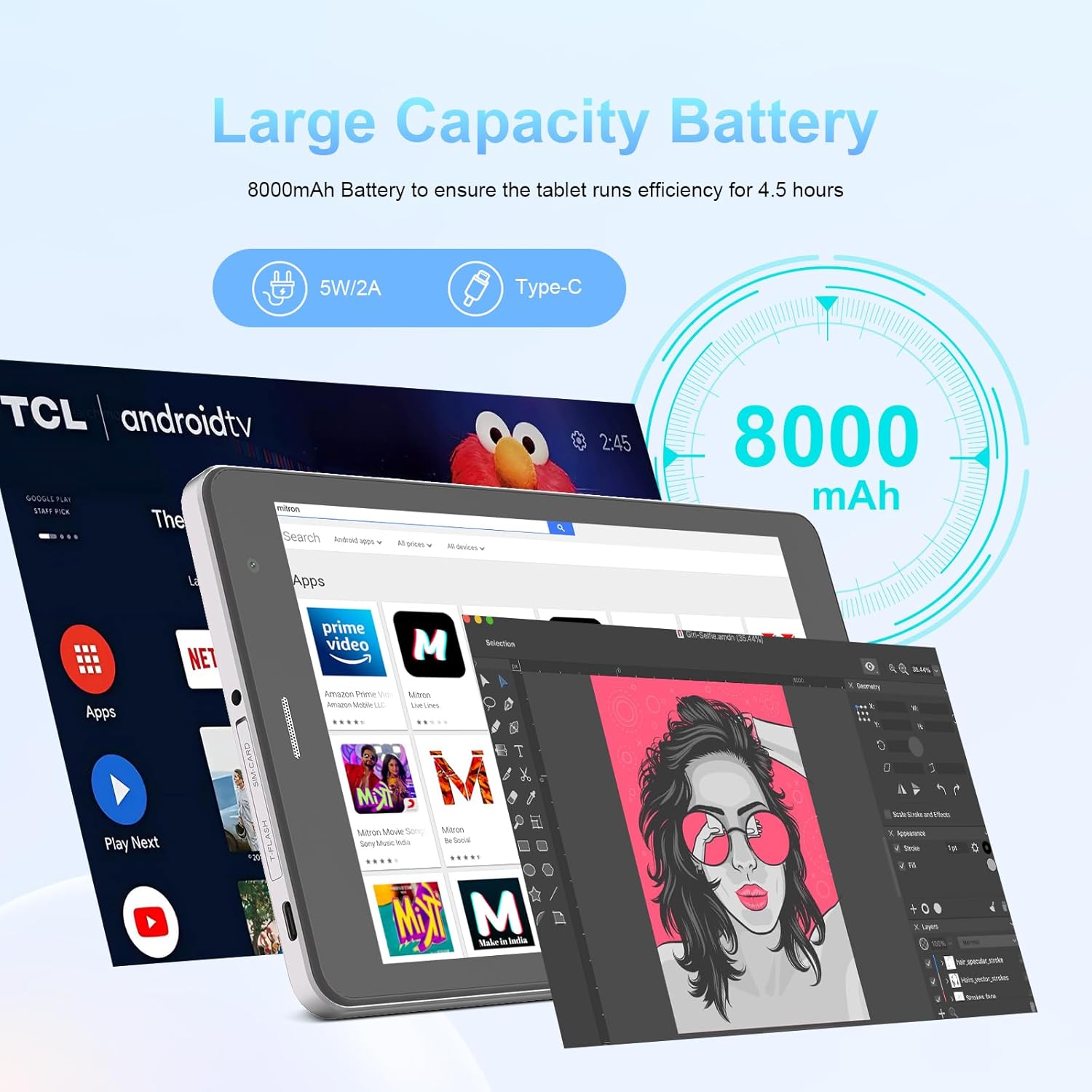
Image: The C idea CM817 Pro Max tablet, emphasizing its 8000mAh large capacity battery, designed for extended operational hours.
6. Nastavení displeje
The tablet features an 8-inch 1280x800 IPS HD display. Adjust brightness, font size, and display timeout in Nastavení > Displej pro pohodlné viewzkušenosti.

Image: The C idea CM817 Pro Max tablet showcasing its 8-inch IPS HD screen with a resolution of 800x1280 pixels, providing clear visuals.
Údržba
1. Čištění
Use a soft, lint-free cloth to clean the screen and body of the tablet. Do not use abrasive cleaners or solvents, as they may damage the surface. Avoid getting moisture into ports.
2. Aktualizace softwaru
Regularly check for system updates to ensure your tablet has the latest features and security patches. Go to Nastavení > Systém > Aktualizace systému pro kontrolu a instalaci aktualizací.
3. Péče o baterie
To prolong battery lifespan, avoid exposing the tablet to extreme temperatures. Do not let the battery completely drain frequently. Use the original charger or a certified compatible charger.
Odstraňování problémů
- Tablet se nezapíná: Ensure the tablet is charged. Press and hold the Power On/Off button for at least 10-15 seconds to force a restart.
- Problémy s připojením Wi-Fi: Restartujte Wi-Fi router a tablet. V nastavení Wi-Fi zapomeňte na síť a znovu se připojte.
- Pomalý výkon: Close unused apps, clear cache (Settings > Storage), and restart the tablet. Consider uninstalling large or unnecessary applications.
- Fotoaparát nefunguje: Ensure the Camera app has necessary permissions (Settings > Apps > Camera > Permissions). Restart the tablet.
- Úložiště plné: Smažte staré fotografie/videa, odinstalujte nepoužívané aplikace nebo je přesuňte files to an inserted MicroSD card.
- Pády aplikací: Vymažte mezipaměť a data aplikace (Nastavení > Aplikace > [Název aplikace] > Úložiště > Vymazat mezipaměť/Vymazat data). Pokud problém přetrvává, odinstalujte a znovu nainstalujte aplikaci.
Specifikace
| Funkce | Detail |
|---|---|
| Značka | C nápad |
| Název modelu | CM817 Pro Max |
| Operační systém | Android 15 |
| Procesor | Octa-core (MediaTek) |
| BERAN | 8 GB |
| Interní úložiště (ROM) | 512 GB |
| Rozšiřitelné úložiště | Up to 512GB (via TF/MicroSD card) |
| Velikost obrazovky | 8 palce |
| Rozlišení obrazovky | 1280 x 800 pixelů (IPS HD) |
| Přední kamera | 5 MP |
| Zadní kamera | 8 MP |
| Kapacita baterie | 10 000 mAh (lithium-polymerová) |
| Konektivita | Wi-Fi, 5G SIM, Bluetooth |
| Porty | USB-C, 3.5mm konektor pro sluchátka |
| Hmotnost položky | 1 kg 80 g |
| Rozměry balení | 29.8 x 18 x 6.4 cm |
Záruka a podpora
For warranty information and technical support, please refer to the warranty card included in your package or contact C idea customer service. Keep your purchase receipt as proof of purchase.