
eKids 115
eKids Dora Karaoke Microphone with Boombox Instruction Manual
Model: 115 | Brand: eKids
1. Úvod
Welcome to the eKids Dora Karaoke Microphone with Boombox. This device is designed to provide an interactive and engaging musical experience. It features a wired microphone, built-in music, and Bluetooth connectivity for streaming audio from compatible devices. This manual provides essential information for setup, operation, maintenance, and troubleshooting to ensure optimal performance and enjoyment.
2. Konec produktuview
The eKids Dora Karaoke Microphone with Boombox is a portable audio device shaped like Dora's backpack, designed for children aged 3 and up. It combines a speaker with a wired microphone, allowing users to sing along to pre-loaded songs or music streamed via Bluetooth.
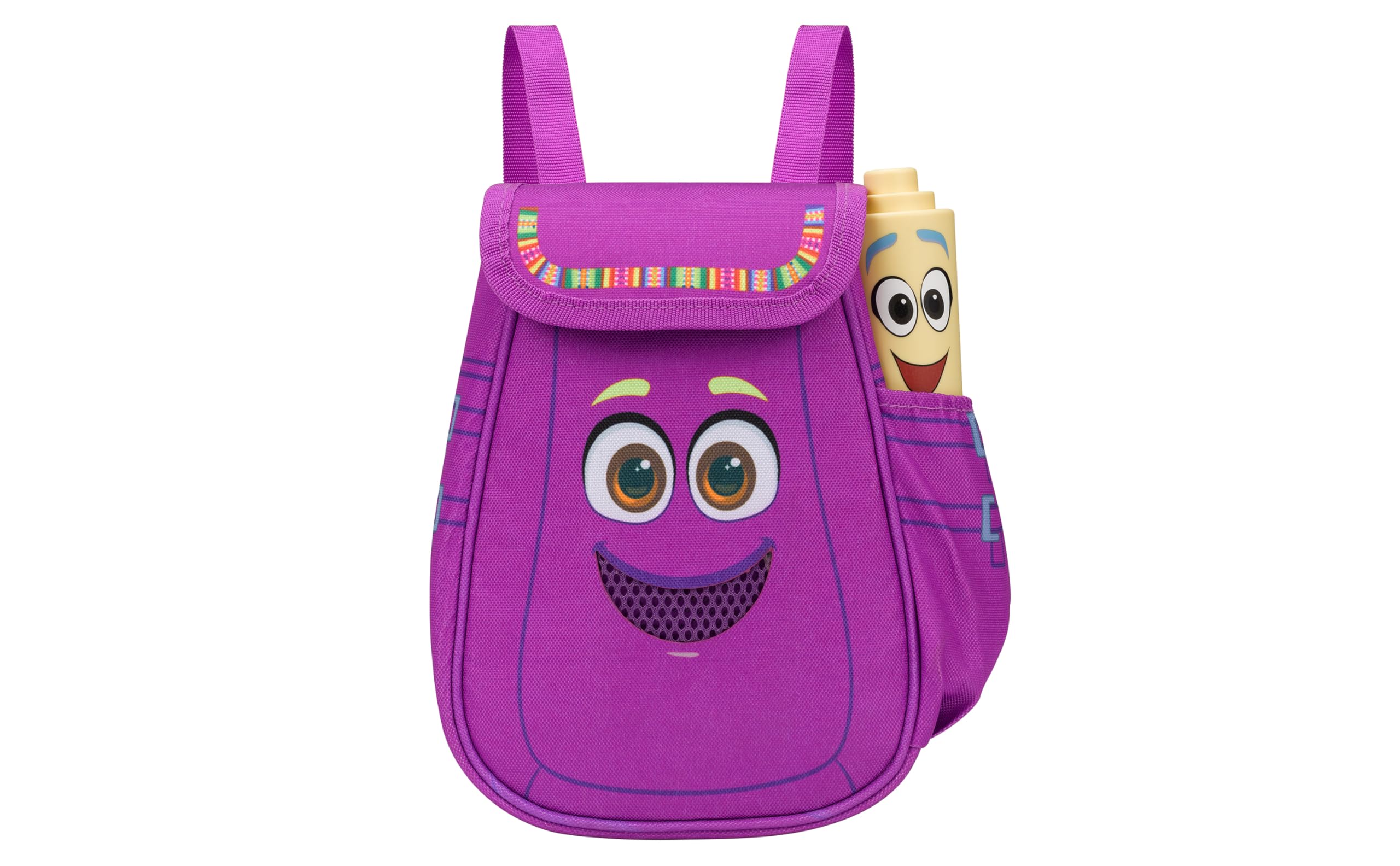
Figure 1: eKids Dora Karaoke Microphone with Boombox.
Klíčové vlastnosti:
- Bluetooth reproduktor: Connects to any music device via Bluetooth to stream popular karaoke playlists and more. Lightweight and portable, this karaoke boombox is designed for kids aged 3 and up.
- Karaoke mikrofon: Includes a wired microphone to amplify your voice for singing.
- Dora Backpack Design: Features cute and colorful graphics inspired by the popular Nickelodeon series.
- Vestavěná hudba: Contains extended clips of the songs ‘Rainforest Ritmo’, ‘Cake’, and ‘Empanada’.
- Přenosnost: Lightweight design with a built-in handle for easy transport.
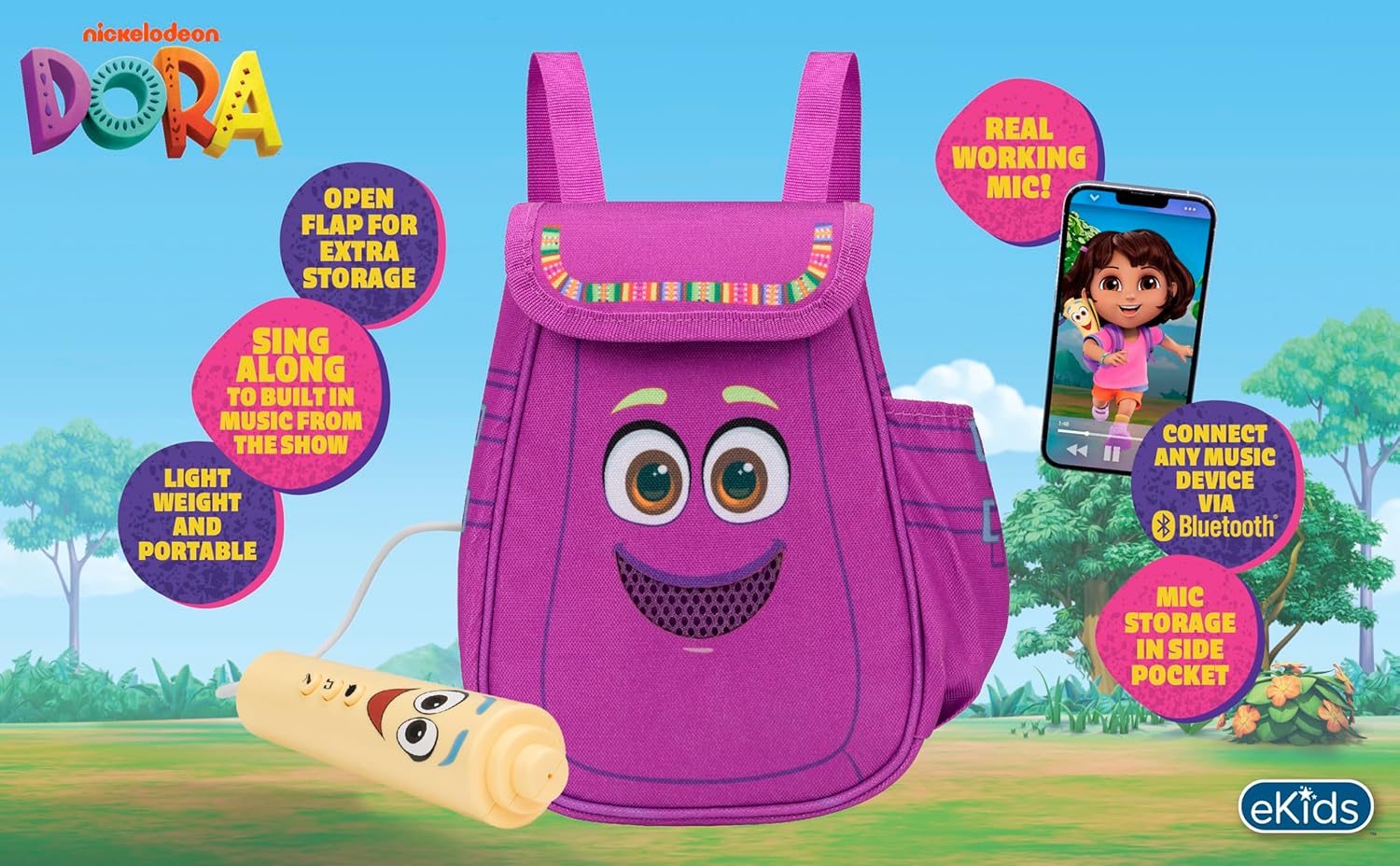
Obrázek 2: Vizuální efektview of the product's key features.
3. Obsah balení
Po vybalení se ujistěte, že jsou všechny položky přítomny:
- Dora Karaoke Microphone with Boombox (main unit)
- Kabelový mikrofon
- Návod k použití (tento dokument)
- 3 x 'AA' Batteries (included)

Figure 3: Product as packaged, showing the boombox and microphone.
4. Nastavení
4.1 Instalace baterie
- Locate the battery compartment on the back or bottom of the boombox unit.
- Pomocí křížového šroubováku (není součástí balení) otevřete kryt přihrádky na baterie.
- Insert 3 'AA' batteries, ensuring correct polarity (+/-).
- Nasaďte kryt prostoru pro baterie a zajistěte jej šroubem.
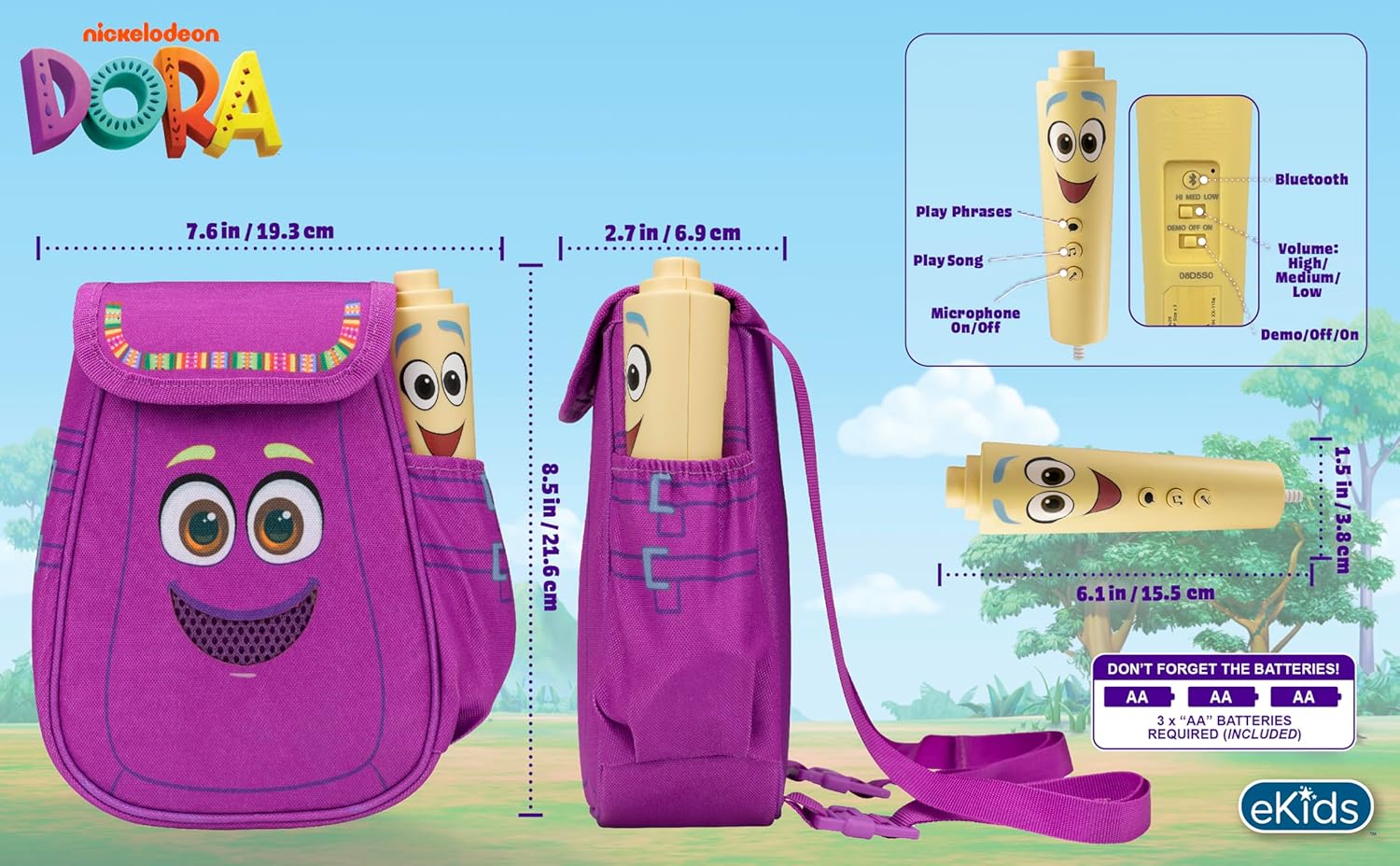
Obrázek 4: Zadní view of the boombox, indicating battery compartment and control buttons.
4.2 Připojení mikrofonu
The wired microphone is typically pre-connected or plugs into a dedicated port on the boombox. Ensure the microphone cable is securely plugged in.
5. Návod k obsluze
5.1 Zapnutí/vypnutí
Locate the Power switch (often labeled ON/OFF or with a power symbol) on the unit. Slide it to the 'ON' position to power on the device. Slide it to 'OFF' to power off.
5.2 Playing Built-in Music
Press the designated 'Play Song' button (refer to Figure 4 for button layout) to cycle through the pre-loaded songs. The unit includes extended clips of 'Rainforest Ritmo', 'Cake', and 'Empanada'.
5.3 Používání mikrofonu
To use the microphone, ensure the 'Microphone On/Off' switch (refer to Figure 4) is in the 'On' position. Speak or sing into the microphone to amplify your voice through the boombox speaker.
5.4 Připojení Bluetooth
To stream music from an external device:
- Ujistěte se, že je boombox zapnutý.
- Activate Bluetooth on your external music device (e.g., smartphone, tablet, computer).
- Hledat available Bluetooth devices and select "eKids Dora" or a similar name.
- Po spárování můžete streamovat zvuk ze zařízení do boomboxu.

Figure 5: Bluetooth connectivity allows streaming from various compatible devices.
5.5 Ovládání hlasitosti
Adjust the volume using the 'Volume: High/Medium/Low' switch on the unit (refer to Figure 4).
5.6 Demo režim
The unit may include a 'Demo/Off/On' switch (refer to Figure 4). Set it to 'Demo' for a brief demonstration of features, or 'On' for full functionality.
6. Údržba
- Čištění: Přístroj otřete měkkým, suchým hadříkem. Nepoužívejte abrazivní čisticí prostředky ani jej neponořujte do vody.
- Péče o baterie: Pokud nebudete přístroj delší dobu používat, vyjměte baterie, abyste zabránili jejich vytečení.
- Skladování: Přístroj skladujte na chladném a suchém místě mimo dosah přímého slunečního záření a extrémních teplot.
7. Řešení problémů
| Problém | Řešení |
|---|---|
| Žádná síla | Check battery installation and ensure batteries are fresh. Confirm the power switch is in the 'ON' position. |
| Žádný zvuk z reproduktoru | Increase the volume. Ensure the microphone is switched 'ON' if using it. If using Bluetooth, check device volume and connection. |
| Mikrofon nefunguje | Ensure the microphone is securely plugged in and its 'On/Off' switch is in the 'On' position. |
| Bluetooth se nepřipojuje | Ensure the boombox is in Bluetooth pairing mode (if applicable, check manual for specific instructions). Turn off and on Bluetooth on your external device. Move devices closer together. |
8. Specifikace
- Značka: eKids
- Název modelu: 115
- Barva: Dora
- Zdroj napájení: Battery Powered (3 x 'AA' batteries)
- Počet řečníků: 1
- Technologie připojení: Bluetooth, 3.5mm audio jack (for wired microphone)
- Hmotnost položky: 0.52 kg
- Rozměry položky (D x Š x V): 10.63"H x 2.24"Š x 8.17"V
- UPC: 092298961934
- Výrobce: KIDdesigns
9. Záruka a podpora
Tento produkt je dodáván s a 1letá omezená záruka from the manufacturer, KIDdesigns. For warranty claims or technical support, please refer to the contact information provided with your purchase documentation or visit the eKids official webmísto.
For additional product information or to explore other eKids products, visit the eKids Brand Store.
Ask a question about this manual
Ask about setup, troubleshooting, compatibility, parts, safety, or missing instructions. Manuals+ will review the question and use this page’s manual context to help answer it.