
Důležité bezpečnostní informace
Před použitím tohoto výrobku si pečlivě přečtěte všechny bezpečnostní pokyny. Nedodržení těchto pokynů může vést k úrazu elektrickým proudem, požáru nebo jiným nebezpečím.
- Do not expose the power bank to extreme temperatures (above 45°C or below -10°C).
- Nevystavujte powerbanku vodě ani jiným tekutinám.
- Do not disassemble, modify, or attempt to repair the power bank yourself. Contact qualified service personnel.
- Uchovávejte mimo dosah dětí.
- Pro nabíjení powerbanky a vašich zařízení používejte pouze originální nebo certifikované kabely.
- Vyvarujte se pádu nebo vystavení powerbanky silným nárazům.
- Powerbanku zlikvidujte zodpovědně v souladu s místními předpisy. Nevyhazujte ji do domovního odpadu.
Konec produktuview
The Grundig Power Bank 20000 mAh is a portable external battery designed to charge your electronic devices on the go. It features a high capacity of 20,000 mAh, allowing multiple charges for smartphones, tablets, and other gadgets. The power bank is equipped with multiple input and output ports for versatile compatibility.
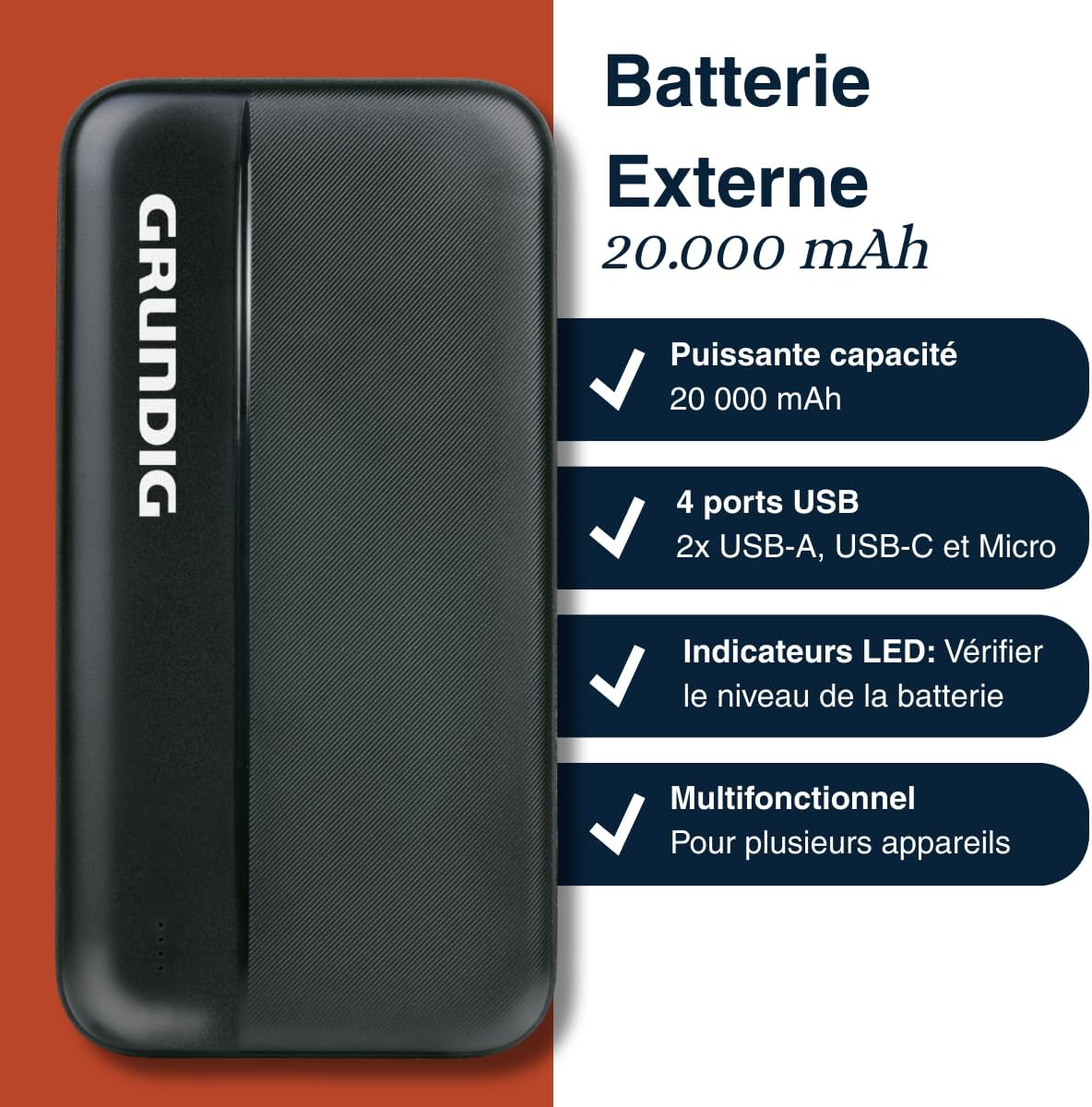
Image 1: Grundig Power Bank highlighting its 20,000 mAh capacity, four USB ports (including USB-A, USB-C, and Micro-USB), LED battery indicators, and multi-device compatibility.
Obsah balení
Zkontrolujte prosím balení, zda neobsahuje následující položky:
- Grundig Power Bank 20000 mAh
- USB Charging Cable (Micro USB or USB-C, depending on model variant)
- Návod k použití (tento dokument)
Specifikace
| Značka | PŘÍZEMNÍ |
| Číslo modelu | 8711252572383 |
| Kapacita | 20000 XNUMX mAh |
| Vstupní porty | Micro USB, USB-C |
| Výstupní porty | 2x USB-A, 1x USB-C |
| Barva | Černý |
| Rozměry (přibližně) | 14 cm x 7 cm (based on product image) |
| Zdroj napájení | Ruční pohon |

Image 2: The Grundig Power Bank displayed with approximate dimensions of 14 cm by 7 cm, shown alongside a smartphone for scale.
Nastavení
Nabíjení powerbanky
Before initial use, fully charge your Grundig Power Bank. This ensures optimal performance and battery longevity.
- Locate the Micro USB or USB-C input port on the power bank.
- Connect one end of the provided USB charging cable to the power bank's input port.
- Connect the other end of the USB cable to a USB wall adapter (not included) or a computer's USB port.
- The LED indicators on the power bank will illuminate to show the charging status. They will typically blink while charging and become solid when fully charged.
- Po úplném nabití odpojte powerbanku od zdroje napájení.

Obrázek 3: Podrobný view of the power bank's various ports, including USB-A, USB-C, and Micro-USB, used for both charging the power bank and charging external devices.
Kontrola úrovně baterie
To check the remaining battery level of your power bank, briefly press the power button (if available, otherwise the LEDs will light up automatically when a device is connected or charging starts). The LED indicators will light up, showing the current charge level. Typically, each LED represents a percentage celkové kapacity.
Návod k obsluze
Nabíjení externích zařízení
The Grundig Power Bank can charge a wide range of USB-powered devices.
- Use your device's original charging cable or a certified compatible cable.
- Připojte jeden konec nabíjecího kabelu k zařízení.
- Connect the other end of the charging cable to one of the USB-A or USB-C output ports on the power bank.
- The power bank should automatically begin charging your device. If not, press the power button on the power bank to initiate charging.
- Monitor your device's screen to confirm it is charging.
- Jakmile je vaše zařízení plně nabité, odpojte jej od powerbanky.

Image 4: The Grundig Power Bank actively charging a smartphone, demonstrating its use for portable device charging.
Nabíjení více zařízení
The power bank features multiple output ports (2x USB-A, 1x USB-C), allowing you to charge up to three devices simultaneously. Note that charging multiple devices at once may affect the charging speed for each device and will deplete the power bank's battery faster.
Údržba
- Čištění: K čištění povrchu powerbanky používejte měkký, suchý hadřík. Nepoužívejte tekuté čisticí prostředky ani aerosoly.
- Skladování: Store the power bank in a cool, dry place away from direct sunlight and extreme temperatures. For long-term storage, it is recommended to charge the power bank to about 50-75% every three months to maintain battery health.
- Péče o kabely: Always handle charging cables by the plug, not the cable itself, to prevent damage.
Odstraňování problémů
| Problém | Možná příčina | Řešení |
|---|---|---|
| Powerbanka se nenabíjí | Cable is faulty; power adapter is not working; power bank is fully charged. | Try a different charging cable and/or power adapter. Ensure the power bank is not already full. |
| Zařízení se nenabíjí z powerbanky | Power bank battery is empty; cable is faulty; device is incompatible; power bank is off. | Charge the power bank. Try a different charging cable. Ensure the power bank is turned on (press power button). Check device compatibility. |
| Pomalé nabíjení | Cable is low quality; multiple devices charging; device requires higher input. | Use a high-quality cable. Try charging one device at a time. Ensure the device's charging requirements match the power bank's output. |
| LED indikátory nefungují | Power bank is completely discharged; internal fault. | Attempt to charge the power bank for an extended period. If problem persists, contact customer support. |
Záruka a podpora
This Grundig Power Bank is covered by a standard manufacturer's warranty. Please refer to the warranty card included in your original packaging for specific terms and conditions, including the warranty period and coverage details.
For technical support, service, or warranty claims, please contact your retailer or visit the official Grundig website for customer service contact information. Please have your model number (8711252572383) and proof of purchase ready when contacting support.
Online zdroje: Pro další informace a časté dotazy můžete navštívit Grundigův oficiální webmísto.