
1. Úvod
Thank you for choosing the TOKQI M02 AI Kit Handheld 3-Axis Gimbal Stabilizer. This device is designed to provide stable and smooth video recording and photography with your smartphone, featuring advanced AI tracking, gesture control, and a detachable remote control. Please read this manual thoroughly before use to ensure proper operation and to maximize the potential of your new gimbal.
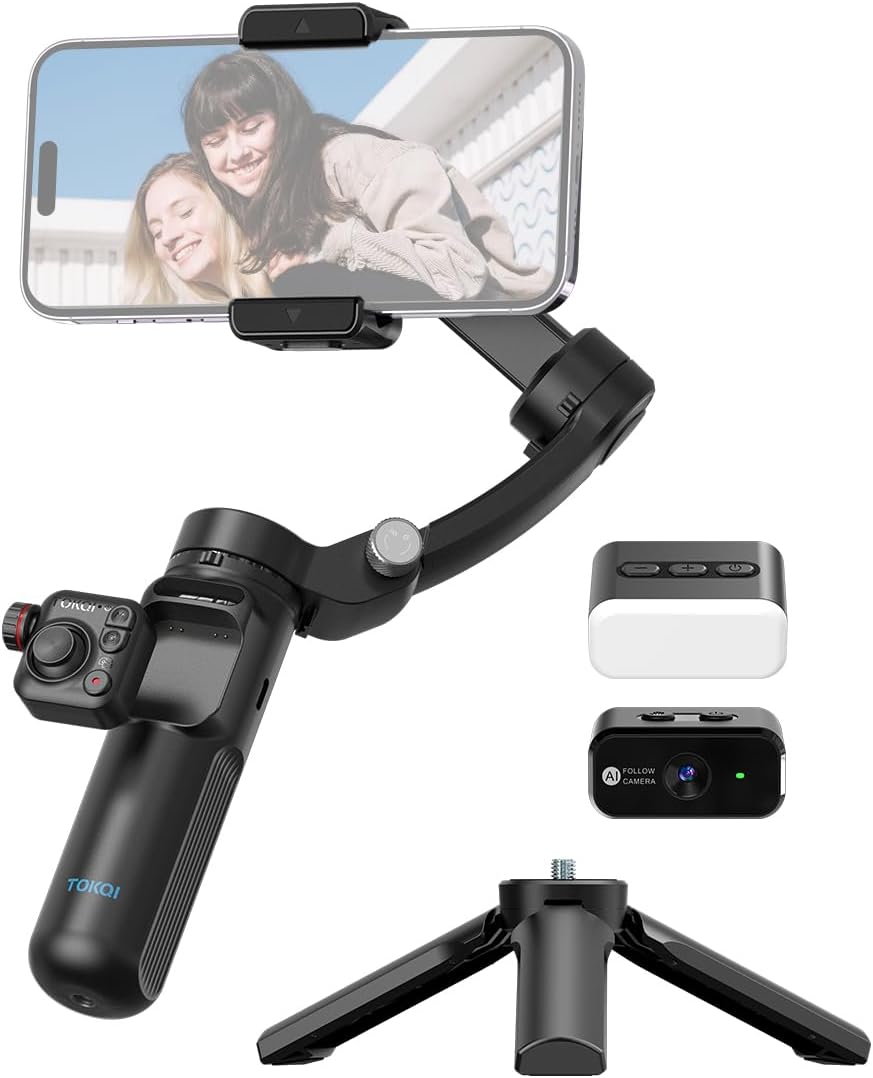
Image: The TOKQI M02 AI Kit, showcasing the gimbal with a smartphone mounted, along with the AI module, magnetic fill light, and mini tripod.
2. Bezpečnostní informace
- Do not expose the gimbal to water or moisture.
- Zabraňte pádu zařízení nebo jeho vystavení silným nárazům.
- Uchovávejte mimo dosah dětí.
- Use only the provided charging cable and a compatible power adapter (5V 2A recommended).
- Do not disassemble or attempt to repair the gimbal yourself. Contact customer support for assistance.
- Před zapnutím gimbalu se ujistěte, že je váš smartphone bezpečně upevněn.
3. Obsah balení
Zkontrolujte prosím, zda jsou v balení přítomny všechny položky:
- 1 x Gimbal Stabilizer
- 1 x AI Module
- 1 x magnetické výplňové světlo
- 1x stativ
- 1 x USB nabíjecí kabel typu C
- 1 x Users Manual (English)
- 1 x úložný sáček
4. Konec produktuview
4.1 Součásti závěsu
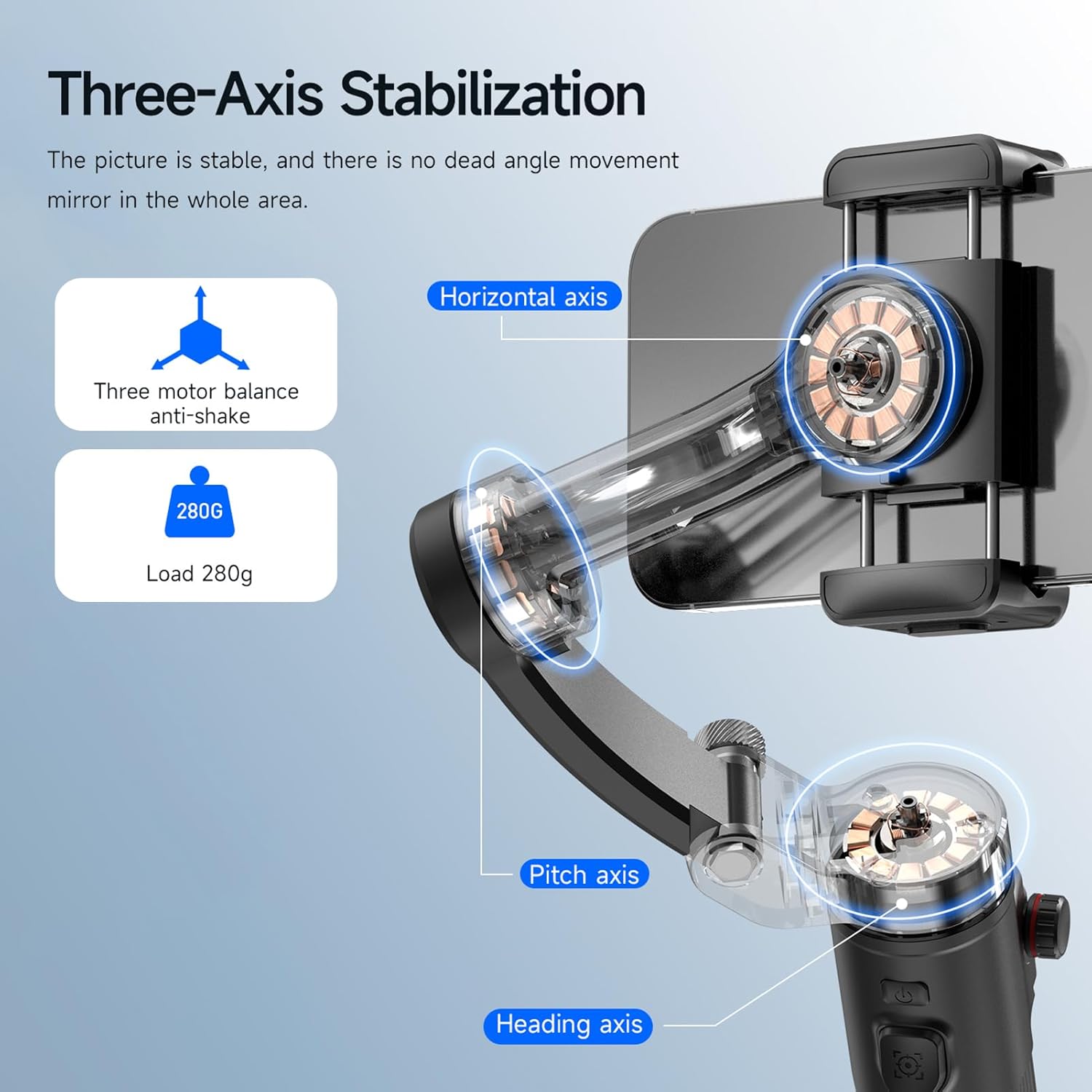
Image: Illustration of the 3-axis stabilization system, highlighting the horizontal, pitch, and heading axes for stable video capture.
The TOKQI M02 features a 3-axis stabilization system, ensuring smooth and stable footage by compensating for unwanted movements across the horizontal, pitch, and heading axes. It supports a maximum payload of 280g and accommodates smartphones with a mounting clamp range of 50mm-90mm width and less than 11mm thickness.
4.2 Ovládací rozhraní
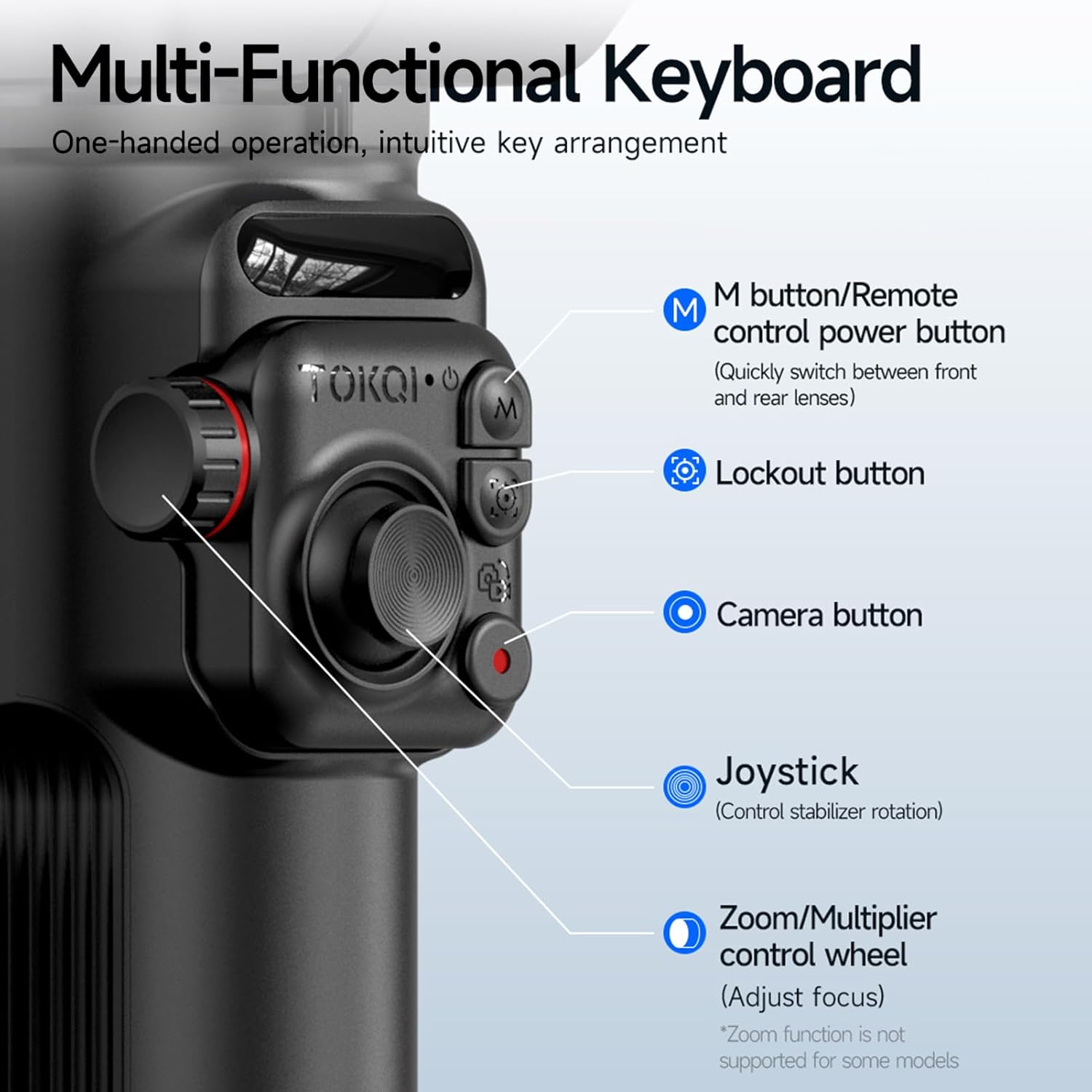
Obrázek: Podrobný view of the gimbal's control panel, indicating the M button (remote control power/lens switch), lockout button, camera button, joystick, and zoom/multiplier control wheel.
- M button / Remote control power button: Quickly switch between front and rear lenses; powers the remote control.
- Lockout button: Locks the gimbal's orientation.
- Tlačítko fotoaparátu: Spouští pořizování fotografií nebo nahrávání videa.
- joystick: Controls the stabilizer's rotation (pan and tilt).
- Zoom/Multiplier control wheel: Adjusts focus or zoom (functionality may vary by phone model).
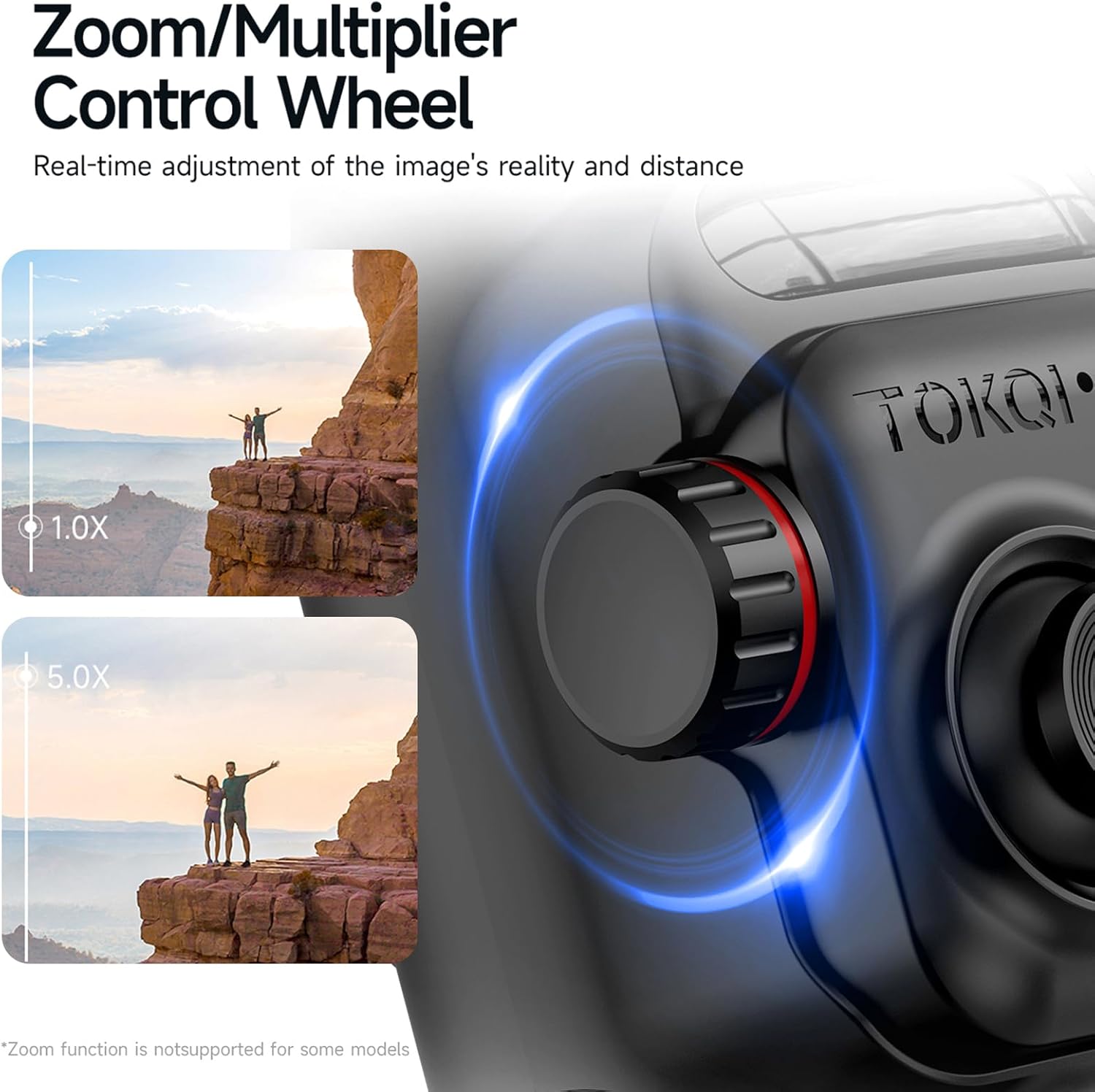
Image: The Zoom/Multiplier Control Wheel, demonstrating its capability to adjust zoom levels for real-time image adjustment.
5. Nastavení
5.1 Nabíjení závěsu
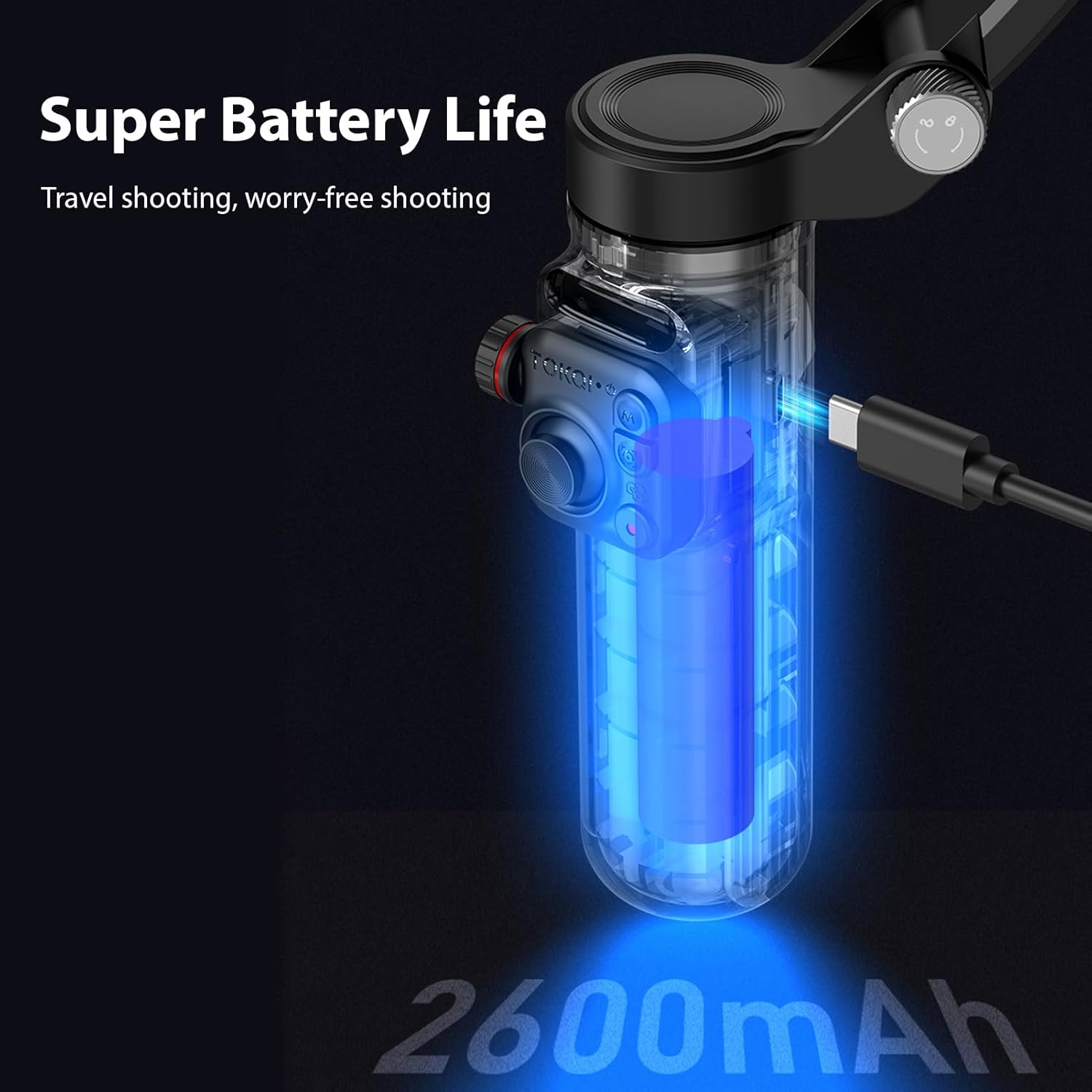
Image: The gimbal connected to a USB-C charging cable, illustrating its internal 2600mAh battery and charging process.
The gimbal has a built-in 2600mAh battery. Before first use, fully charge the gimbal using the included USB Type-C charging cable. Connect the cable to the charging port on the gimbal and a 5V 2A power adapter (not included). The charging indicator light will show the charging status. A full charge provides approximately 6 hours of runtime.
5.2 Připojení smartphonu
Prodloužení délky telefonuamp and carefully insert your smartphone, ensuring it is centered and securely held. The phone holder supports 360° rotation, allowing easy switching between horizontal and vertical modes without manual adjustment.
5.3 Attaching AI Module and Fill Light
The AI module and magnetic fill light attach magnetically to designated points on the gimbal. Ensure they are firmly seated before use. The fill light offers 3 lighting modes and 9 levels of adjustable brightness.
5.4 Upevnění stativu
Screw the mini tripod onto the 1/4-inch screw mount at the bottom of the gimbal handle. This allows for stable tabletop use or extended shooting.
6. Provoz
6.1 Zapnutí/vypnutí
Press and hold the power button (usually integrated with the M button) for a few seconds to power on or off the gimbal.
6.2 Režimy gimbalu
The gimbal supports seven distinct modes. Cycle through modes by pressing the mode button (refer to the control interface diagram for location):
- Semi Follow Mode: Follows pan and tilt movements, roll axis is locked.
- Full Follow Mode: Follows all three axes (pan, tilt, roll).
- Fully Locked Mode: All axes are locked, keeping the camera pointing in a fixed direction.
- Režim POV: Provides a first-person view, following all movements of the operator.
- Inception Space Mode: Otočí telefon o 360 stupňů podél osy otáčení.
- Semi-Follow Go Mode: Faster response in semi-follow mode.
- Full Follow Go Mode: Faster response in full follow mode.
6.3 AI Tracking & Gesture Control
The included AI module enables accurate real-time subject identification and tracking without needing a dedicated app. Simply activate the AI module, and it will lock onto and follow the target precisely. Gesture control allows you to initiate photo or video recording with simple hand gestures (refer to AI module instructions for specific gestures).
6.4 Using the Detachable Remote Control
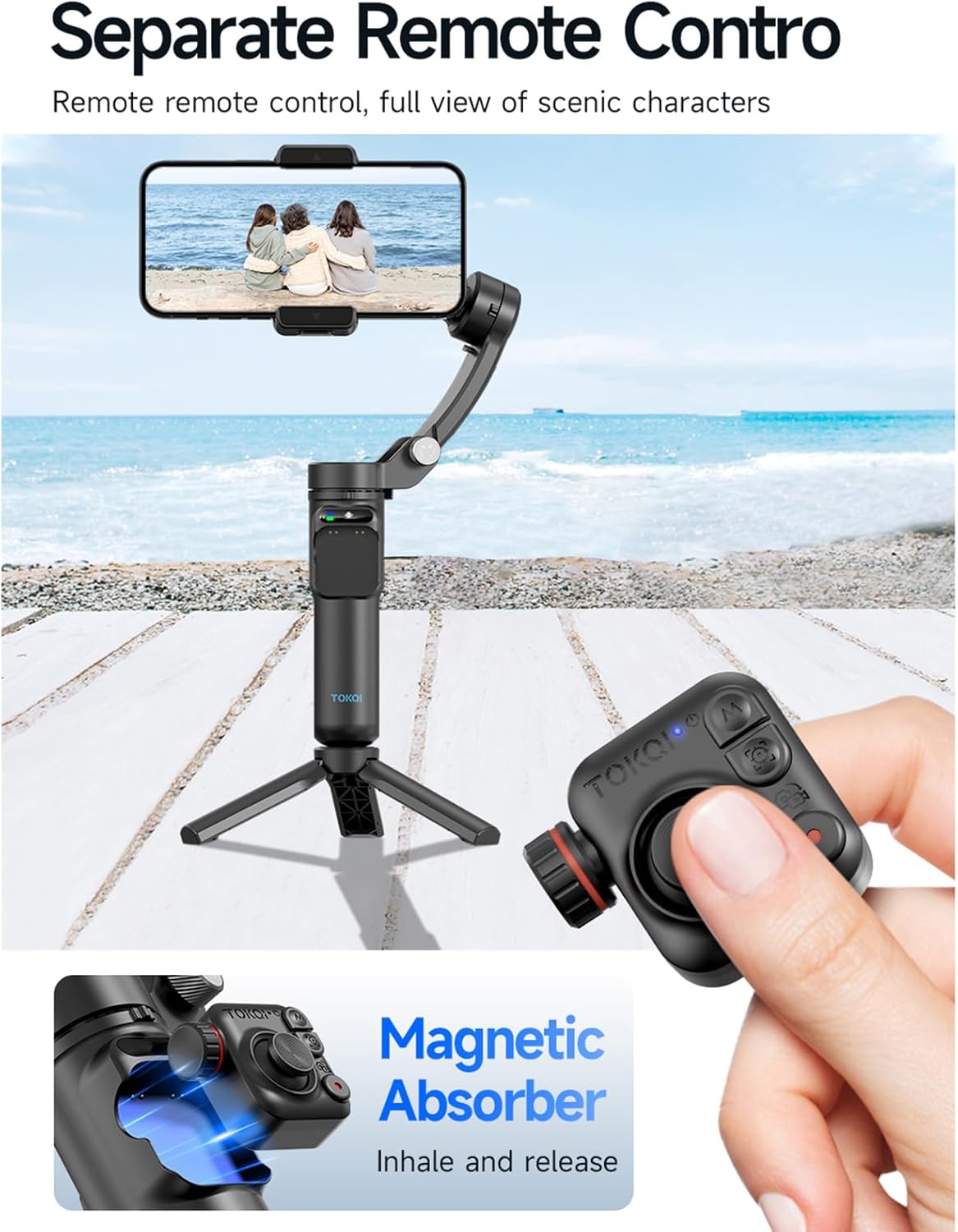
Image: The gimbal mounted on its tripod, with the remote control detached and held separately, demonstrating remote operation capability.
The remote control detaches from the gimbal handle for convenient remote operation up to 10 meters away. It allows you to control gimbal movements, switch modes, and trigger recording. Ensure the remote control is charged and paired (if necessary, refer to the remote control's specific pairing instructions).
6.5 Skládání a přenosnost
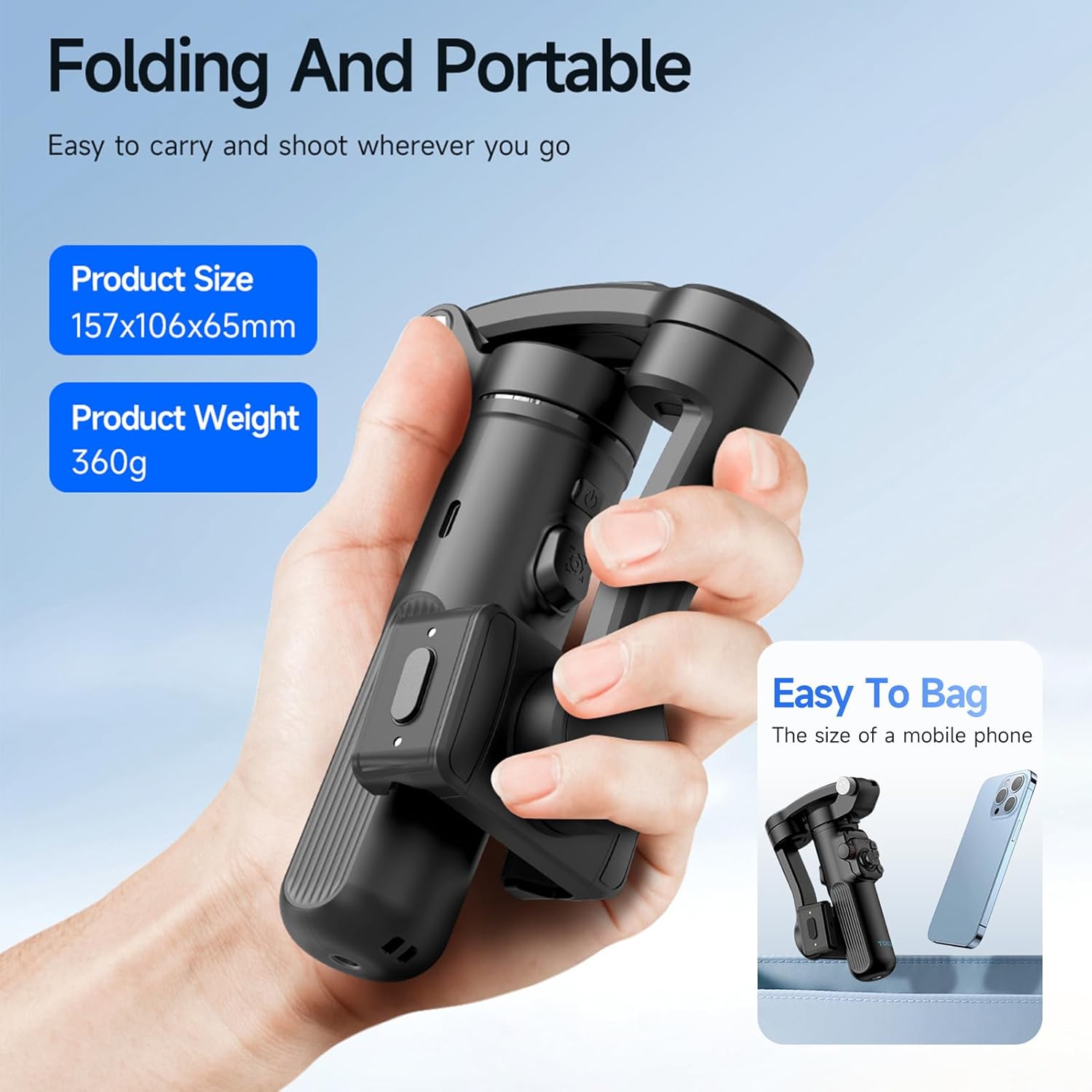
Image: The TOKQI M02 gimbal in its folded state, demonstrating its compact size (157x106x65mm) and portability, comparable to a mobile phone.
The gimbal is designed to be foldable for easy storage and transport. When folded, its dimensions are 157x106x65mm, and it weighs 360g, making it highly portable and easy to carry in the included storage bag.
6.6 Using the TOKQI App (Optional)
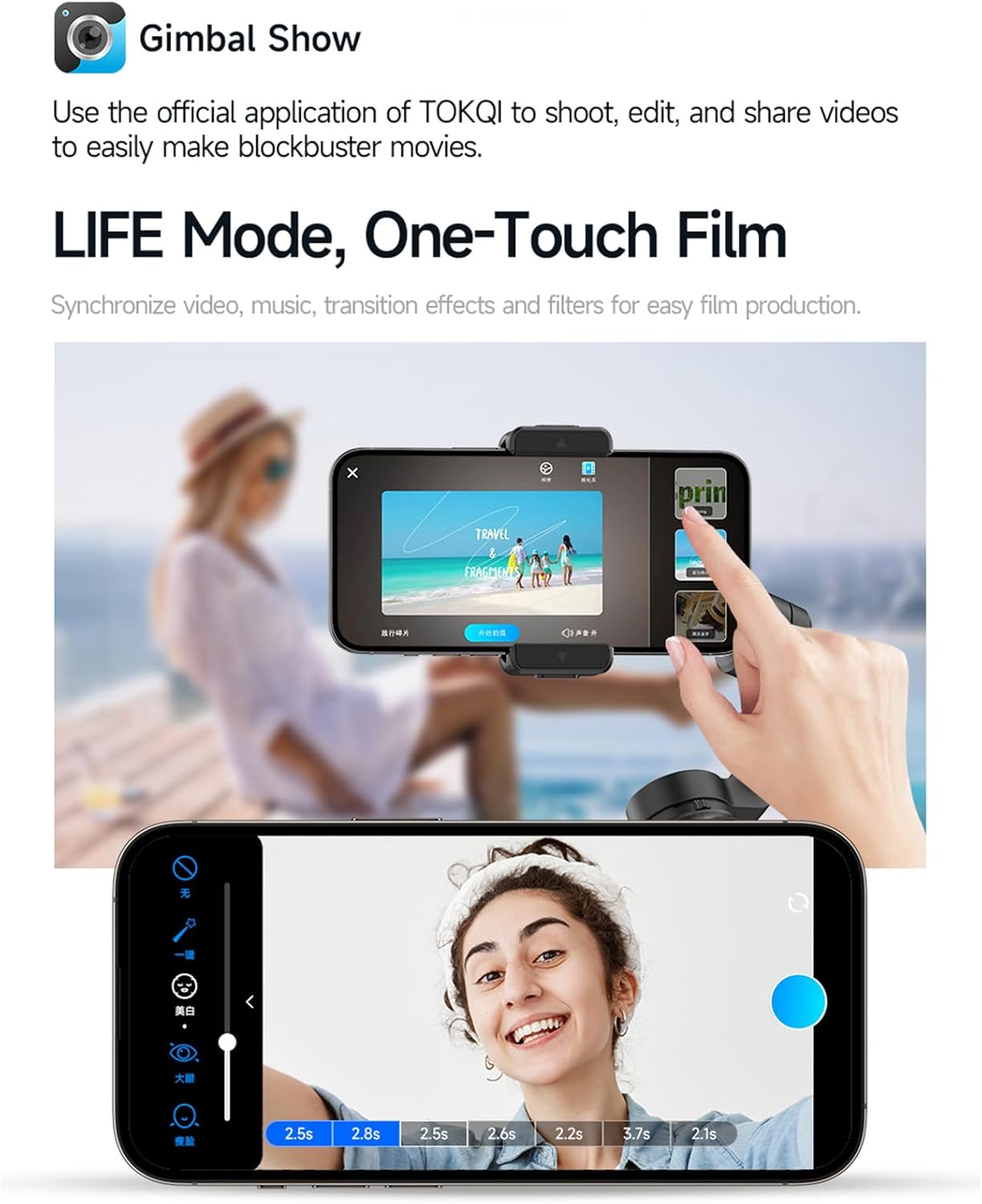
Image: A smartphone displaying the TOKQI app interface, illustrating its features for shooting, editing, and sharing videos, including 'LIFE Mode, One-Touch Film' for easy production.
While the AI module provides app-free tracking, you can enhance your experience by using the official TOKQI application. The app allows for advanced shooting modes, editing features, and easy sharing of your videos. Download the app from your smartphone's app store.
7. Údržba
- Čištění: K čištění závěsu používejte měkký, suchý hadřík. Nepoužívejte tekuté čisticí prostředky ani rozpouštědla.
- Skladování: Store the gimbal in a cool, dry place, away from direct sunlight and extreme temperatures. Use the provided storage bag for protection.
- Péče o baterie: Pro dlouhodobé skladování nabíjejte baterii přibližně na 50–60 % každé tři měsíce, aby se zachovala její životnost.
8. Řešení problémů
- Gimbal se nezapíná: Ujistěte se, že je baterie nabitá. Připojte nabíječku a zkuste to znovu.
- Gimbal shaking/unstable: Ensure the smartphone is properly balanced and securely mounted in the clamp. Recalibrate the gimbal if necessary (refer to app or advanced settings).
- Dálkové ovládání nereaguje: Check remote control battery. Ensure it is paired correctly with the gimbal.
- Sledování pomocí umělé inteligence nefunguje: Ensure the AI module is correctly attached and powered on. Check for clear line of sight to the subject.
- Phone not connecting to app: Ensure Bluetooth is enabled on your phone and the gimbal. Restart both devices and try connecting again.
9. Specifikace
| Parametr | Hodnota |
|---|---|
| Rotatable Angle (Tilt) | 320° |
| Rotatable Angle (Roll) | 345° |
| Rotatable Angle (Pan) | 320° |
| Kapacita baterie | 3.7V 2600mAh |
| Výdrž baterie | Přibl. 6 hodin |
| Nabíjecí vstup | 5V 2A (USB typu C) |
| Vzdálenost dálkového ovládání | 10 metrů |
| Maximální užitečné zatížení | 280 g |
| Montáž Clamp Podpora | 50mm-90mm (width) |
| Tloušťka smartphonu | <11 mm |
| Mobile Phone System Compatibility | Android 9.0 nebo vyšší; iOS 11 nebo vyšší |
| Velikost produktu (složený) | Rozměr 157 x 106 x 65 mm |
| Čistá hmotnost | 360 g |
| Číslo modelu | NWZCA255220662 |
10. Záruka a podpora
This product comes with a standard manufacturer's warranty. For detailed warranty information, technical support, or service inquiries, please refer to the warranty card included in your package or contact the retailer where you purchased the product. Keep your proof of purchase for warranty claims.


