
1. Konec produktuview
The BUGANI Luster Bluetooth Speaker is a portable wireless stereo speaker designed for high-quality audio output with dynamic colorful lighting. It features Bluetooth 5.3 connectivity, IPX6 waterproofing, and extended playtime, making it suitable for various indoor and outdoor environments.

Image: The BUGANI Luster Bluetooth Speaker, showcasing its design and the vibrant light effects, surrounded by water splashes to highlight its waterproof capabilities.
2. Co je v krabici
- BUGANI Luster Bluetooth Speaker
- Nabíjecí kabel USB-C
- Kabel AUX-in
- Rychlý průvodce
- Odnímatelná šňůrka
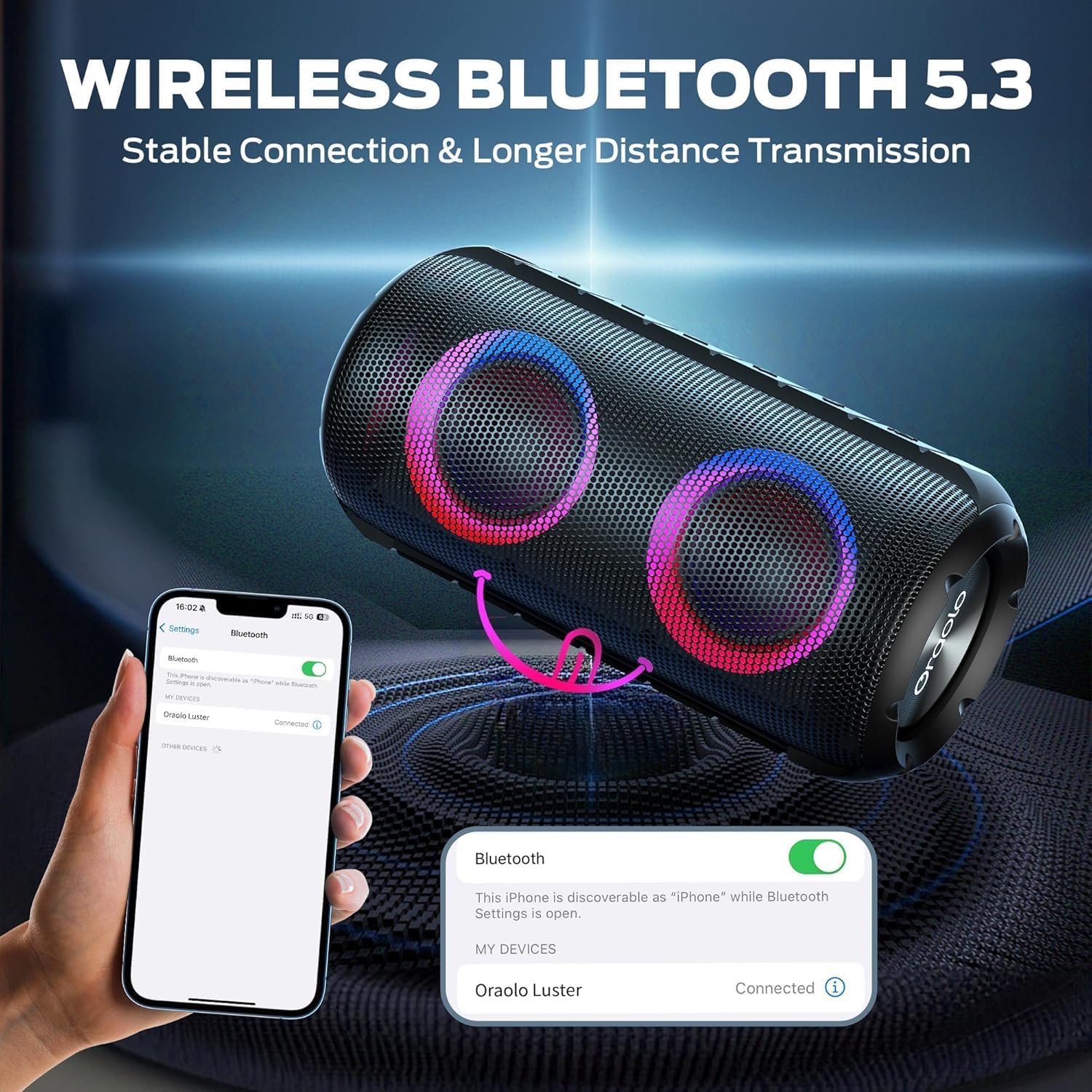
Image: The BUGANI Luster Bluetooth Speaker with its detachable lanyard, illustrating its portability and ease of carrying.
3. Nastavení
3.1 Počáteční nabíjení
Before first use, fully charge the speaker. Connect the provided USB-C cable to the speaker's charging port and the other end to a USB power adapter (not included) or a computer's USB port. The charging indicator light will show the charging status.
3.2 Zapnutí/vypnutí
- Zapnutí: Stiskněte a podržte tlačítko napájení (⏻) for 2-3 seconds until you hear an audible prompt and the lights illuminate.
- Vypnout: Stiskněte a podržte tlačítko napájení (⏻) for 2-3 seconds until you hear an audible prompt and the lights turn off.
3.3 Párování Bluetooth
- Ujistěte se, že je reproduktor zapnutý a v režimu párování Bluetooth (což je indikováno blikajícím modrým světlem).
- Na svém zařízení (chytrém telefonu, tabletu atd.) povolte Bluetooth a vyhledejte dostupná zařízení.
- Select "BUGANI Luster" from the list of devices.
- Once connected, you will hear a confirmation sound, and the Bluetooth indicator light will become solid blue.
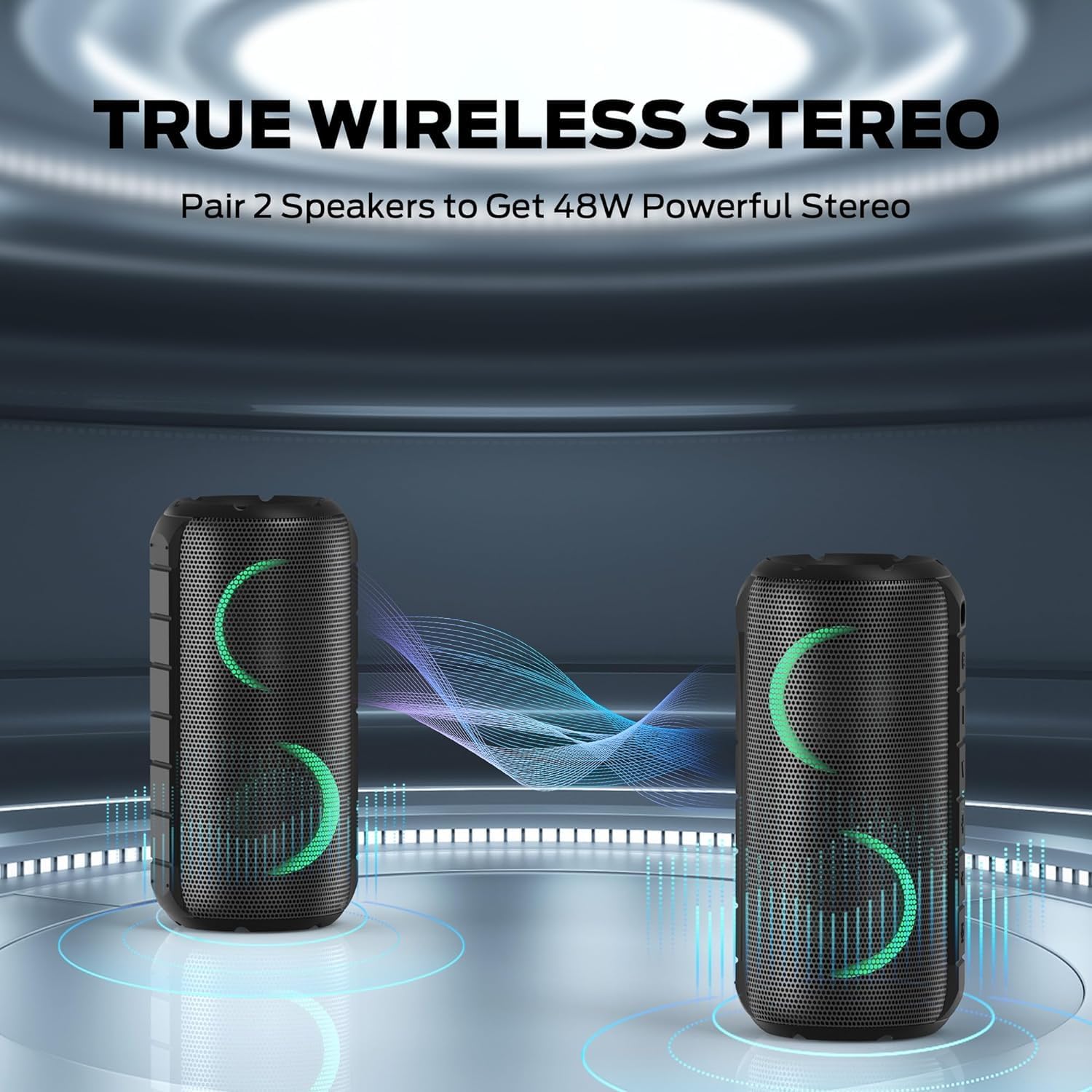
Image: A smartphone displaying its Bluetooth settings, showing a successful connection to the "Oraolo Luster" (BUGANI Luster) speaker, demonstrating the ease of Bluetooth 5.3 pairing.
3.4 Párování s pravým bezdrátovým stereo (TWS) systémem
To achieve a more immersive stereo sound, you can pair two BUGANI Luster speakers together.
- Ujistěte se, že jsou oba reproduktory zapnuté a nejsou připojeny k žádnému zařízení Bluetooth.
- On one speaker (this will be the primary speaker), press the TWS button (often indicated by two interlocking circles or a dedicated TWS icon). The speaker will enter TWS pairing mode.
- The primary speaker will automatically search for the secondary speaker. Once connected, you will hear a confirmation sound, and the lights on both speakers will synchronize.
- Nyní připojte zařízení k primárnímu reproduktoru přes Bluetooth, jak je popsáno v části 3.3. Zvuk bude přehráván stereofonně z obou reproduktorů.

Image: Two BUGANI Luster speakers positioned to illustrate their True Wireless Stereo (TWS) pairing capability, creating a wider soundstage.
3.5 Připojení AUX-in
For non-Bluetooth devices, use the provided 3.5mm AUX-in cable.
- Connect one end of the 3.5mm AUX-in cable to the speaker's AUX-in port.
- Druhý konec připojte k audio výstupnímu konektoru vašeho zařízení.
- Reproduktor se automaticky přepne do režimu AUX-in.
4. Návod k obsluze
4.1 Funkce tlačítek

Obrázek: Detailní záběr view of the BUGANI Luster speaker's top panel, clearly showing the control buttons for various functions.
| Tlačítko | Funkce (krátké stisknutí) | Funkce (dlouhý stisk) |
|---|---|---|
| ⏻ (Moc) | N/A | Zapnutí/vypnutí |
| + (Zvýšit hlasitost) | Zvýšení hlasitosti | Další stopa |
| - (Snížit hlasitost) | Snížit hlasitost | Předchozí stopa |
| ▶‖ (Přehrát/Pozastavit) | Přehrát/Pozastavit; Přijmout/ukončit hovor | Reject Call; Activate Voice Assistant |
| 💡 (Light Mode) | Cycle through Light Modes | Zapnout/vypnout světla |
| TWS (TWS Pairing) | N/A | Vstupte do režimu párování TWS |
4.2 Colorful Light Show
The speaker features a dynamic RGB light system with 7 colors and 5 light modes. Press the Light Mode button (💡) to cycle through the available modes. Long press the button to turn the lights on or off.

Image: The BUGANI Luster speaker showcasing its vibrant and dynamic colorful light patterns, which enhance the listening experience.
4.3 Volání bez použití rukou
Při připojení přes Bluetooth umožňuje vestavěný mikrofon reproduktoru handsfree hovory.
- Přijmout/ukončit hovor: Krátce stiskněte tlačítko Přehrát/Pozastavit (▶‖).
- Odmítnout hovor: Dlouze stiskněte tlačítko Přehrát/Pozastavit (▶‖).
4.4 Aktivace hlasového asistenta
Dlouze stiskněte tlačítko Přehrát/Pozastavit (▶‖) to activate your phone's voice assistant (e.g., Siri, Google Assistant).
5. Údržba
5.1 Čištění
Reproduktor otřete měkkým, damp hadříkem. Nepoužívejte abrazivní čisticí prostředky, alkohol ani chemická rozpouštědla, protože by mohly poškodit povrch nebo vnitřní součásti.
5.2 Voděodolnost (IPX6)
The speaker has an IPX6 waterproof rating, meaning it is protected against powerful water jets. It is suitable for use in rainy conditions or near water bodies like pools and beaches. However, it is ne designed for submersion in water. Ensure the charging port cover is securely closed before exposing the speaker to water.
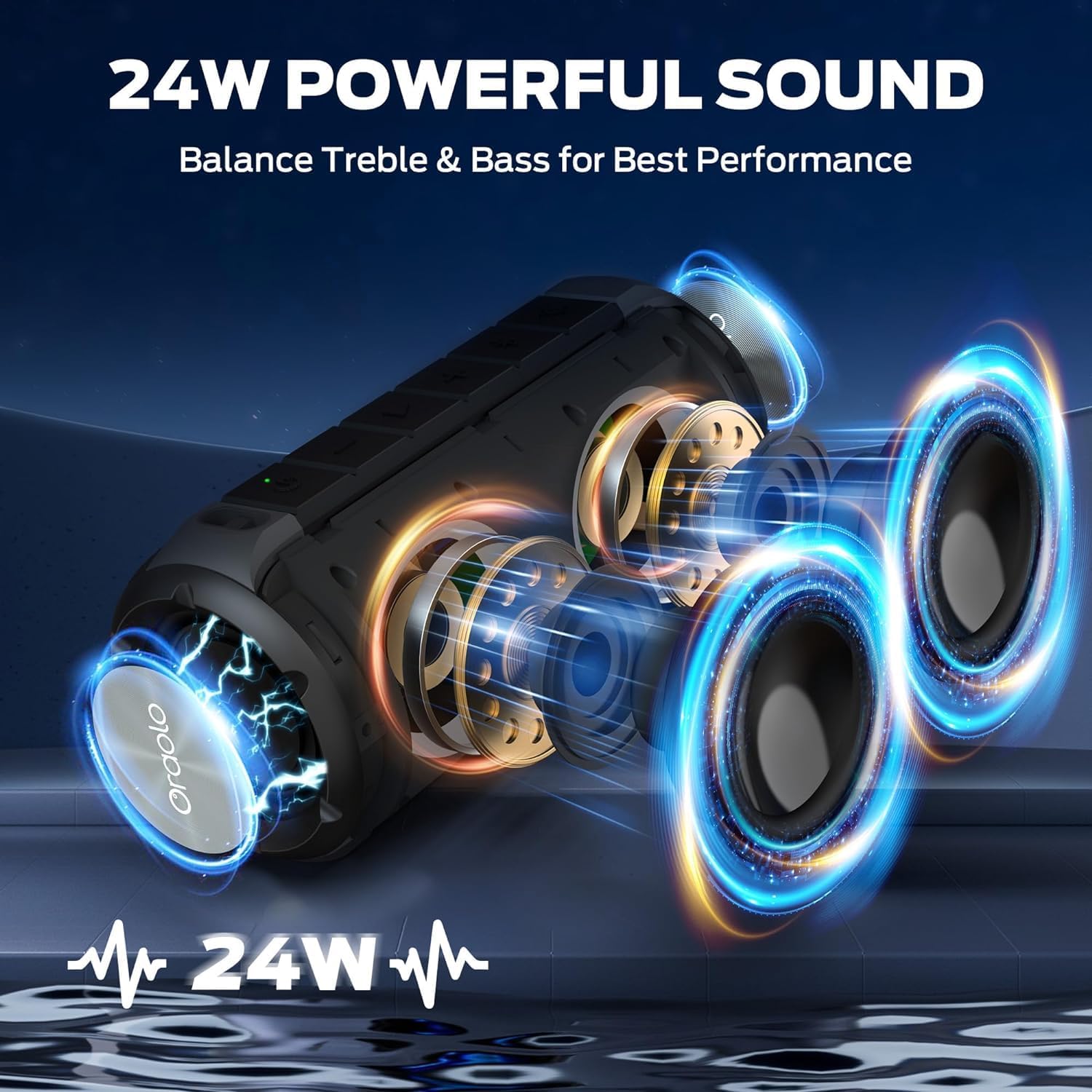
Image: The BUGANI Luster speaker resting on a wet rock with water droplets, visually confirming its IPX6 waterproof rating for outdoor use.
5.3 Skladování
Reproduktor skladujte na chladném a suchém místě mimo dosah přímého slunečního záření a extrémních teplot. Pokud jej skladujete delší dobu, nabijte baterii přibližně na 50 % každé několik měsíců, aby se zachovala její životnost.
6. Řešení problémů
6.1 Bez napájení
- Ujistěte se, že je reproduktor plně nabitý.
- Stiskněte a podržte tlačítko napájení po dobu 2–3 sekund.
6.2 Žádný zvuk
- Zkontrolujte úroveň hlasitosti na reproduktoru i na připojeném zařízení.
- Ensure the speaker is correctly paired via Bluetooth or the AUX-in cable is securely connected.
- Pokud používáte Bluetooth, zkuste zařízení odpojit a znovu spárovat.
6.3 Problémy s párováním Bluetooth
- Ensure the speaker is within the effective range (up to 33 feet/10 meters) of your device.
- Vymažte historii párování Bluetooth v zařízení a zkuste spárování zopakovat.
- Vypněte a zapněte reproduktor i zařízení.
- Ujistěte se, že žádná jiná zařízení Bluetooth neruší.
6.4 TWS Pairing Fails
- Ujistěte se, že oba reproduktory jsou plně nabité a nejsou připojeny k žádnému jinému zařízení Bluetooth.
- Place the speakers close to each other during the TWS pairing process.
- Follow the TWS pairing steps precisely as described in section 3.4.
7. Specifikace
| Funkce | Detail |
|---|---|
| Značka | BUGANI |
| Název modelu | M166 |
| Typ reproduktoru | Přenosný stereo reproduktor |
| Maximální výstupní výkon reproduktoru | 24 wattů |
| Technologie připojení | Bluetooth 5.3, Auxiliary (3.5mm AUX-in) |
| Hodnocení voděodolnosti | IPX6 |
| Prázdno | Up to 24 hours (at 50% volume, lights off) |
| Rozměry produktu | 4"H x 8"Š x 4"V |
| Hmotnost položky | 1.34 liber (0.61 kilogramů) |
| Baterie | Vyžaduje 1 AA baterii (součástí balení) |
8. Záruka a podpora
BUGANI products are manufactured to high-quality standards. For specific warranty information and support, please refer to the warranty card included with your product or visit the official BUGANI webUschovejte si účtenku jako doklad o koupi pro případ reklamace.
For technical assistance or customer service inquiries, please contact BUGANI customer support through their official channels.