
ClokoWe HY300PRO+
Uživatelská příručka k mini projektoru CLOKOWE
Model: HY300PRO+
Zavedení
This manual provides detailed instructions for the safe and efficient operation of your CLOKOWE Mini Projector. Please read this manual thoroughly before using the product and retain it for future reference. The CLOKOWE Mini Projector is a portable device designed for versatile projection, featuring built-in streaming apps, Wi-Fi 6, Bluetooth 5.2, 180° rotation, and automatic keystone correction.

Image: The CLOKOWE Mini Projector, a compact white cylindrical device with a lens, shown projecting content onto a curved screen displaying various streaming app logos and a movie scene.
Co je v krabici
Při vybalení ověřte, zda jsou všechny položky přítomny:
- CLOKOWE Mini Projector (Model: HY300PRO+)
- Napájecí kabel
- HDMI kabel
- Dálkové ovládání
- Uživatelská příručka (tento dokument)
Vlastnosti produktu
The CLOKOWE Mini Projector offers a range of features for enhanced viewzkušenosti:
- Vestavěné aplikace pro streamování: Access platforms like YouTube, Disney+, and more directly via Wi-Fi.
- Všestranná konektivita: Supports wireless mirroring (iPhone, Android, tablet, laptop) and wired connections (HDMI, USB).
- Otočný projekční úhel 180°: The projector body can rotate 180° for flexible projection angles, including ceiling projection.
- Automatická korekce lichoběžníkového zkreslení: Ensures aligned visuals automatically.
- Manuální ostření: Allows for fine-tuning image clarity.
- Wi-Fi 6 a Bluetooth 5.2: Provides fast, stable wireless streaming and audio pairing with external speakers.
- Ultra přenosný design: Compact size (3.73 × 3.73 × 6.17 inches) and lightweight (0.77 lb).
- High Clarity Display: 8000 Lux brightness, supports 1080P display, with a 0.9:1 short throw ratio.
- Přizpůsobitelné tapety: Upload personal background images via USB.
- Časovač automatického vypnutí: Set a timer for controlled usage.

Image: A visual representation of the projector's built-in app store, showing various streaming service icons like Netflix, YouTube, Spotify, and Prime Video on a projected screen.

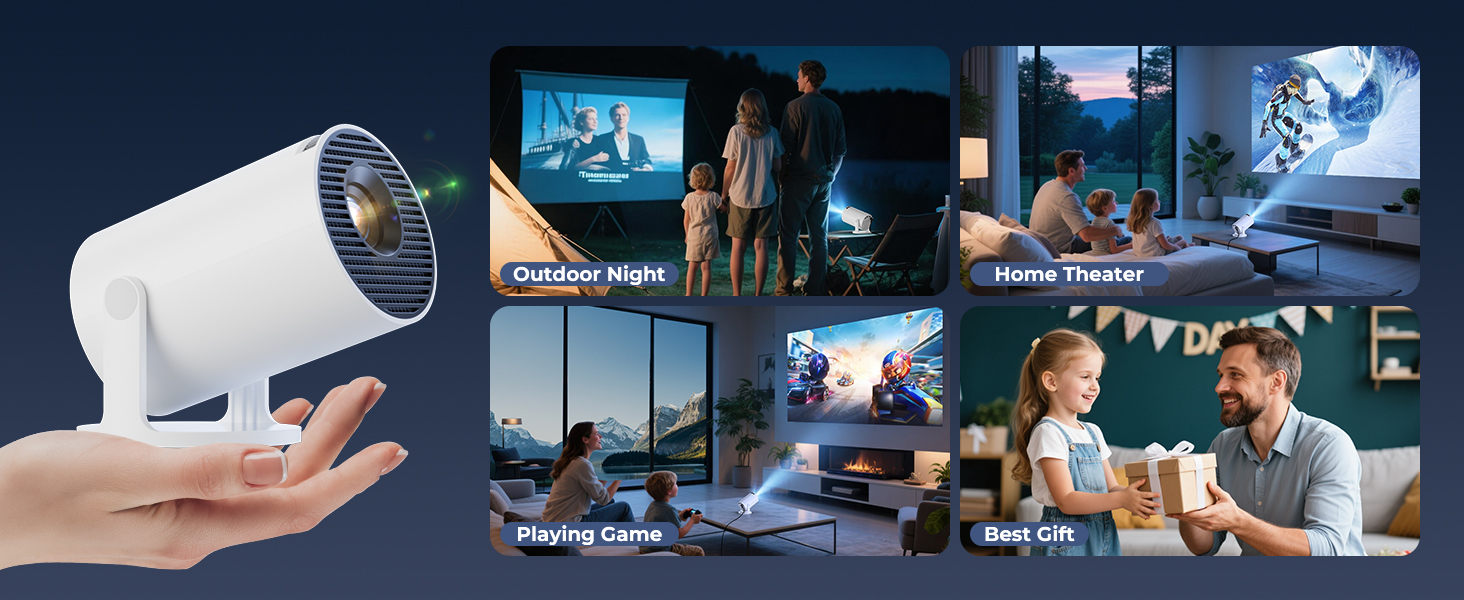
Image: A family watching a movie projected onto the ceiling of a bedroom, demonstrating the 180° rotation feature for ceiling projection.
Průvodce nastavením
1. Initial Placement and Power
- Umístěte projektor na stabilní, rovný povrch.
- Připojte napájecí kabel k projektoru a poté do elektrické zásuvky.
- Stisknutím tlačítka napájení na projektoru nebo dálkovém ovladači jej zapněte.
2. Adjusting Projection Angle (180° Rotation)
The projector features a 180° rotatable body, allowing projection onto walls, screens, or ceilings without needing a tripod.
- Gently rotate the projector body to achieve the desired projection angle.
- Ensure the lens is facing the intended projection surface.
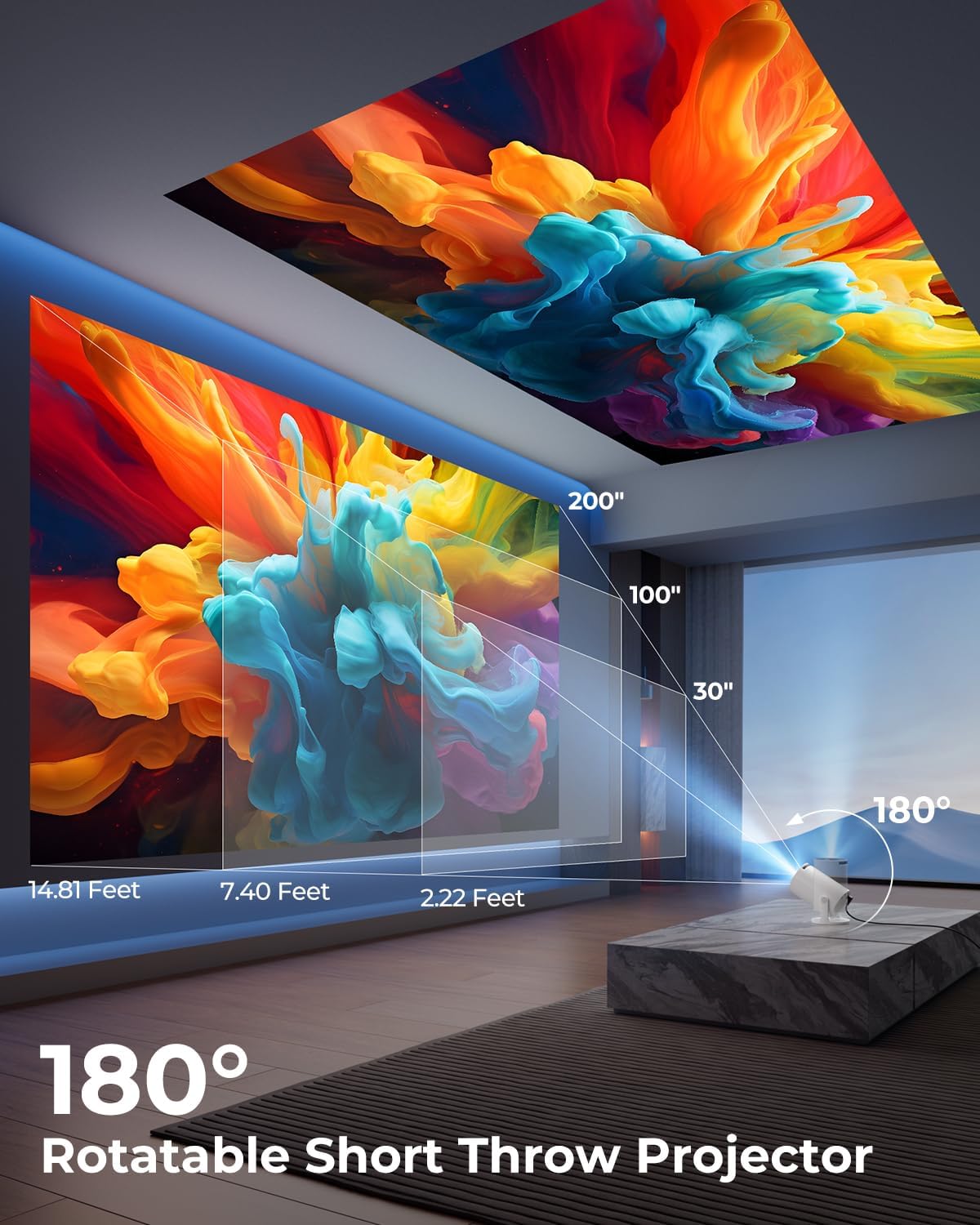
Image: A diagram illustrating the 180° rotation capability of the projector and various projection distances (30", 100", 200") with corresponding throw distances in feet.
3. Zaostření a korekce lichoběžníkového zkreslení
- Automatická korekce lichoběžníkového zkreslení: The projector will automatically adjust the image to be rectangular. If further adjustment is needed, navigate to the settings menu.
- Manuální ostření: Rotate the focus ring around the lens until the image appears sharp and clear.

Image: A projected image on a wall demonstrating automatic keystone correction and manual focus adjustments, with icons for ±45° Auto Keystone, Manual Focus, and 50%-100% Zoom.
4. Network and Bluetooth Connection
- Wi-Fi připojení:
- Přejděte do nabídky „Nastavení“ na projektoru.
- Vyberte „Síť“ nebo „Nastavení Wi-Fi“.
- Choose your Wi-Fi network from the list and enter the password. The projector supports Wi-Fi 6 (2.4G and 5G).
- Připojení Bluetooth:
- Přejděte do „Nastavení“ a vyberte „Bluetooth“.
- Povolte Bluetooth a vyhledejte dostupná zařízení.
- Vyberte ze seznamu Bluetooth reproduktor nebo sluchátka, která chcete spárovat.

Image: A projected image showing Wi-Fi 6 and Bluetooth 5.2 connectivity, with a smartphone mirroring content to the projector and a soundbar connected via Bluetooth.
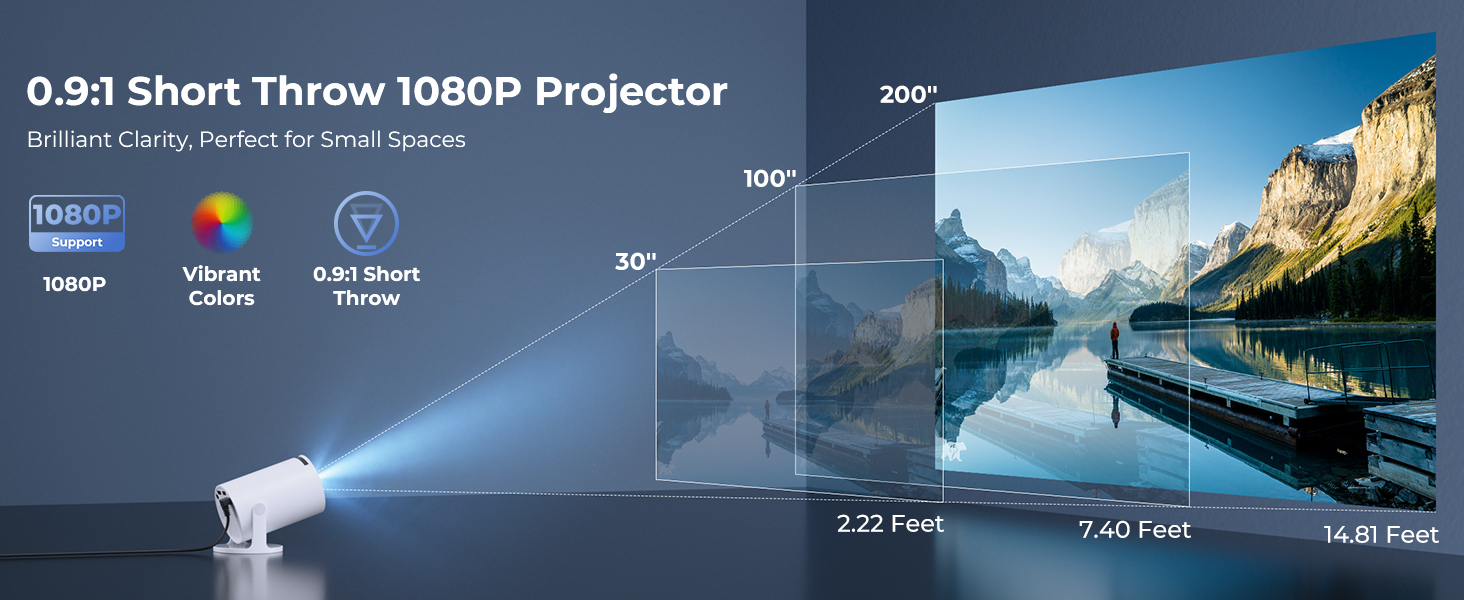
Image: A visual demonstrating Bluetooth 5.2 audio connection, showing the projector wirelessly paired with headphones and a portable speaker.
Návod k obsluze
1. Navigace v rozhraní
- Use the provided remote control to navigate through menus and select options.
- Basic navigation buttons are also available on the projector unit.
2. Používání vestavěných aplikací
- Once connected to Wi-Fi, access the main interface to find pre-installed streaming applications.
- Select an app (e.g., YouTube, Disney+) and log in with your credentials to start streaming.
3. Screen Mirroring
The projector supports wireless mirroring from compatible smartphones, tablets, and laptops.
- Ujistěte se, že vaše zařízení a projektor jsou připojeny ke stejné síti Wi-Fi.
- Select the "Screen Mirroring" or "Wireless Display" option on the projector's menu.
- On your mobile device, activate its screen mirroring feature (e.g., AirPlay for iOS, Smart View for Android) and select the projector from the list of available devices.
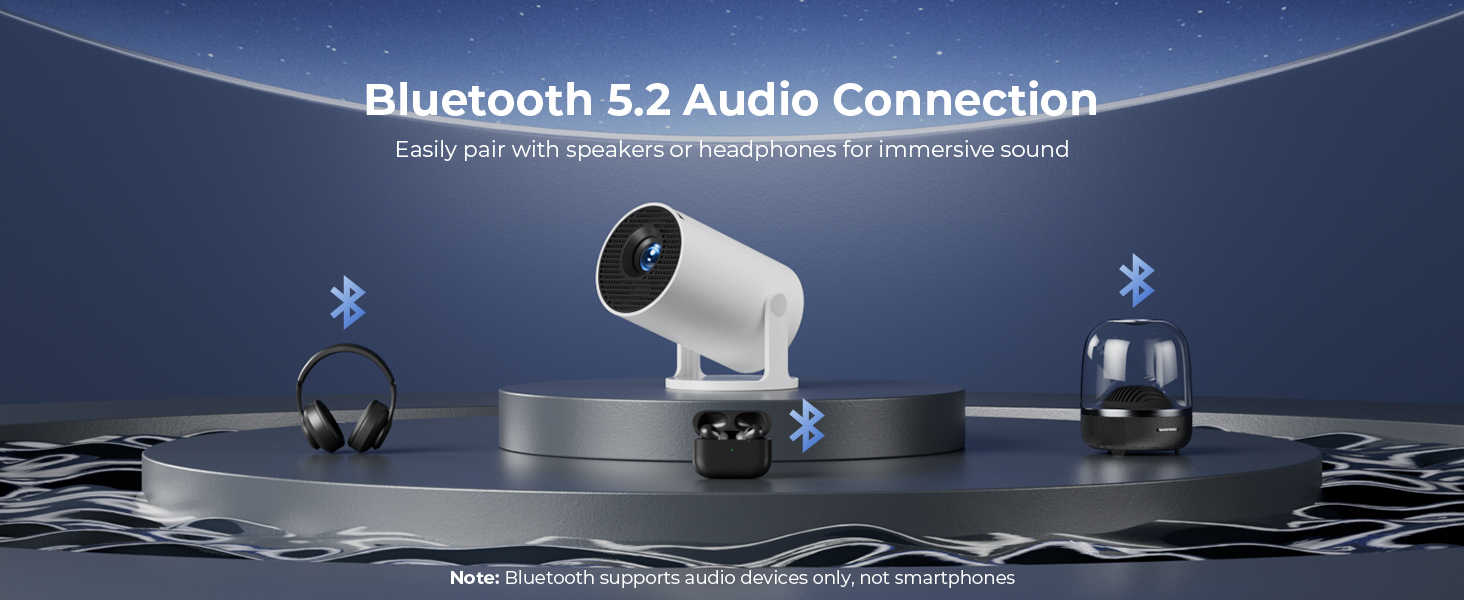
Image: A diagram illustrating Dual-Band Wi-Fi 6 connection for faster, smoother screen mirroring from various devices like smartphones, tablets, and laptops to the projector.
4. Wired Connections (HDMI/USB)
- Connect devices like game consoles, TV sticks, or computers using the HDMI port.
- Použijte port USB k přehrávání médií files directly from a USB drive or to upload custom wallpapers.
- To select the input source, press the "Source" button on the remote control and choose HDMI or USB.
Obrázek: Detailní záběr view of the projector's rear panel, highlighting the HDMI, USB, and power ports, along with an ON/OFF switch and manual focus ring.
5. Custom Wallpapers and Timer
- Custom Wallpapers: Insert a USB drive containing your desired background images. Navigate to the settings to select and apply them.
- Časovač automatického vypnutí: Access the system settings to set a timer for the projector to automatically power off after a specified duration.
Údržba
- Čištění objektivu: Používejte měkký hadřík bez žmolků, speciálně určený pro optické čočky. Nepoužívejte abrazivní čisticí prostředky ani rozpouštědla.
- Čištění exteriéru: Otřete vnější povrch projektoru měkkým, suchým hadříkem. V případě odolných skvrn lehceampa hadřík s vodou.
- Větrání: Ujistěte se, že ventilační otvory projektoru nejsou zablokované, aby nedošlo k jeho přehřátí.
- Skladování: Pokud projektor delší dobu nepoužíváte, skladujte jej na chladném a suchém místě, mimo dosah přímého slunečního záření a extrémních teplot.
Odstraňování problémů
| Problém | Možná příčina | Řešení |
|---|---|---|
| Žádný obraz nebo rozmazaný obraz | Incorrect focus; lens cap on; input source not selected; projector too far/close. | Adjust manual focus; remove lens cap; select correct input source; adjust projection distance. |
| Image is trapezoidal or distorted | Projektor není kolmý k promítací ploše. | Utilize automatic keystone correction or manually adjust in settings. Ensure projector is on a level surface. |
| Žádný zvuk nebo nízká hlasitost | Volume too low; external audio device not connected/paired; projector's internal speaker off. | Increase volume on projector/source device; ensure Bluetooth speaker is paired; check audio settings. |
| Dálkové ovládání nereaguje | Batteries low/dead; obstruction between remote and projector; remote sensor blocked. | Replace batteries; ensure clear line of sight to projector's IR sensor. |
| Problémy s připojením Wi-Fi | Nesprávné heslo; mimo dosah; rušení sítě. | Re-enter password; move projector closer to router; restart router and projector. |
Specifikace
| Funkce | Detail |
|---|---|
| Číslo modelu | HY300PRO+ |
| Značka | ClokoWe |
| Rozměry produktu | 3.73 x 6.17 x 3.73 palce |
| Hmotnost položky | 1.61 libry (0.73 kg) |
| Rozlišení displeje | 1280 x 720 (podporuje 1080P) |
| Jas | 8000 Lux |
| Technologie připojení | Bluetooth 5.2, HDMI, USB, Wi-Fi 6 (2.4G & 5G) |
| Speciální funkce | Built-in Apps, Digital Keystone Correction, Short Throw (0.9:1), 50%-100% Zoom, 180° Rotatable Projection, Mini Portable Design |
| Doporučená použití | Home Cinema, Gaming, Business, Education |
Záruka a podpora
The CLOKOWE Mini Projector includes 2-years factory support. For technical assistance, troubleshooting, or warranty claims, please contact ClokoWe customer support through the retailer where the product was purchased or visit the official ClokoWe webstránky pro kontaktní informace.
Uschovejte si prosím doklad o koupi pro ověření záruky.
Ask a question about this manual
Ask about setup, troubleshooting, compatibility, parts, safety, or missing instructions. Manuals+ will review the question and use this page’s manual context to help answer it.