
Zavedení
The Sofirn HS22 is a high-performance rechargeable headlamp designed for various outdoor and professional activities. It features a powerful 2500-lumen output, adjustable color temperature (2700K-6500K), and multiple beam modes including spotlight, floodlight, and a combined beam. Built with an all-metal casing, it offers IP66 waterproof rating and impact resistance, ensuring durability in challenging environments. This manual provides detailed instructions for the proper setup, operation, and maintenance of your HS22 headlamp.
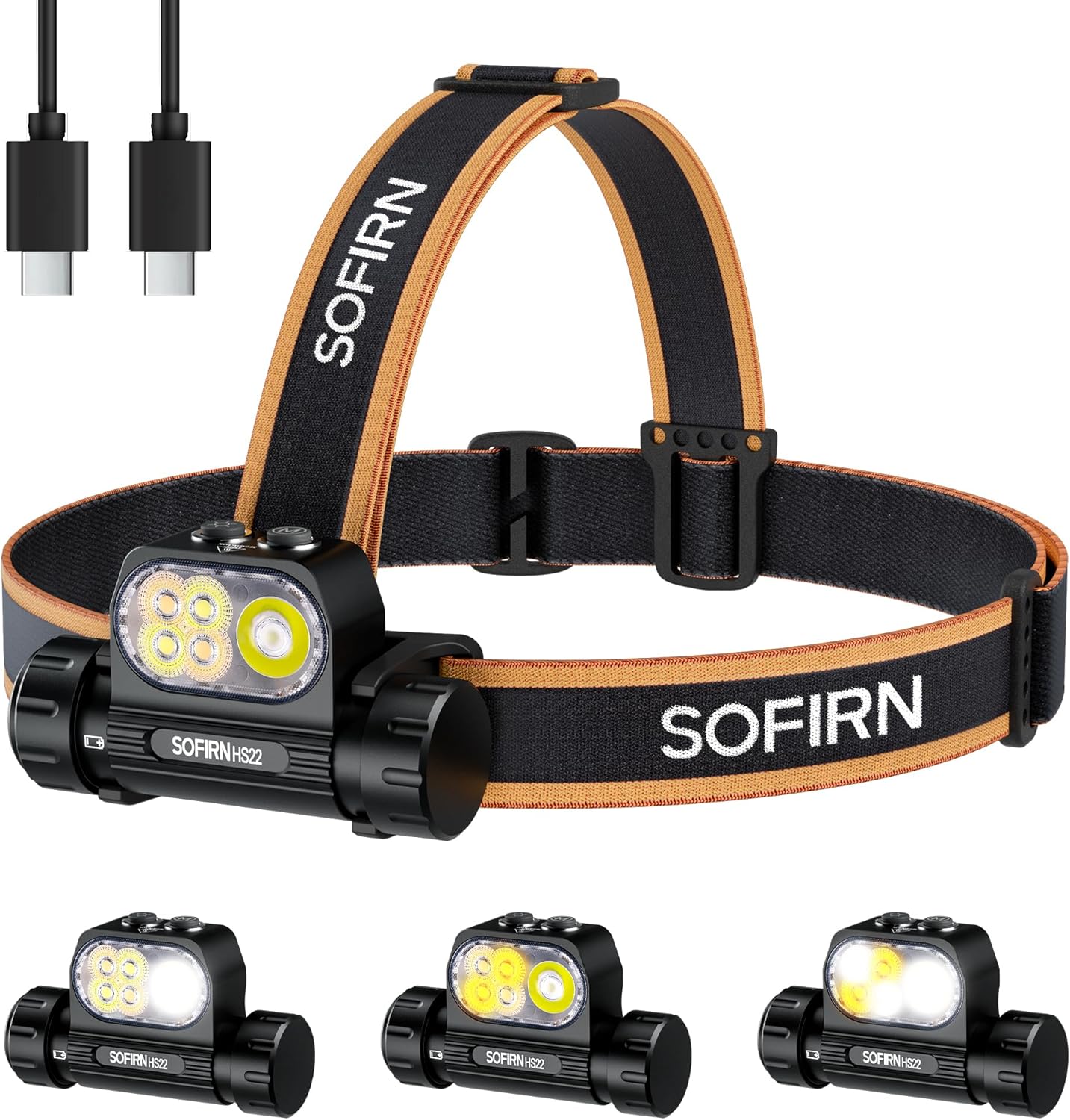
Figure 1: Sofirn HS22 Headlamp with included accessories.
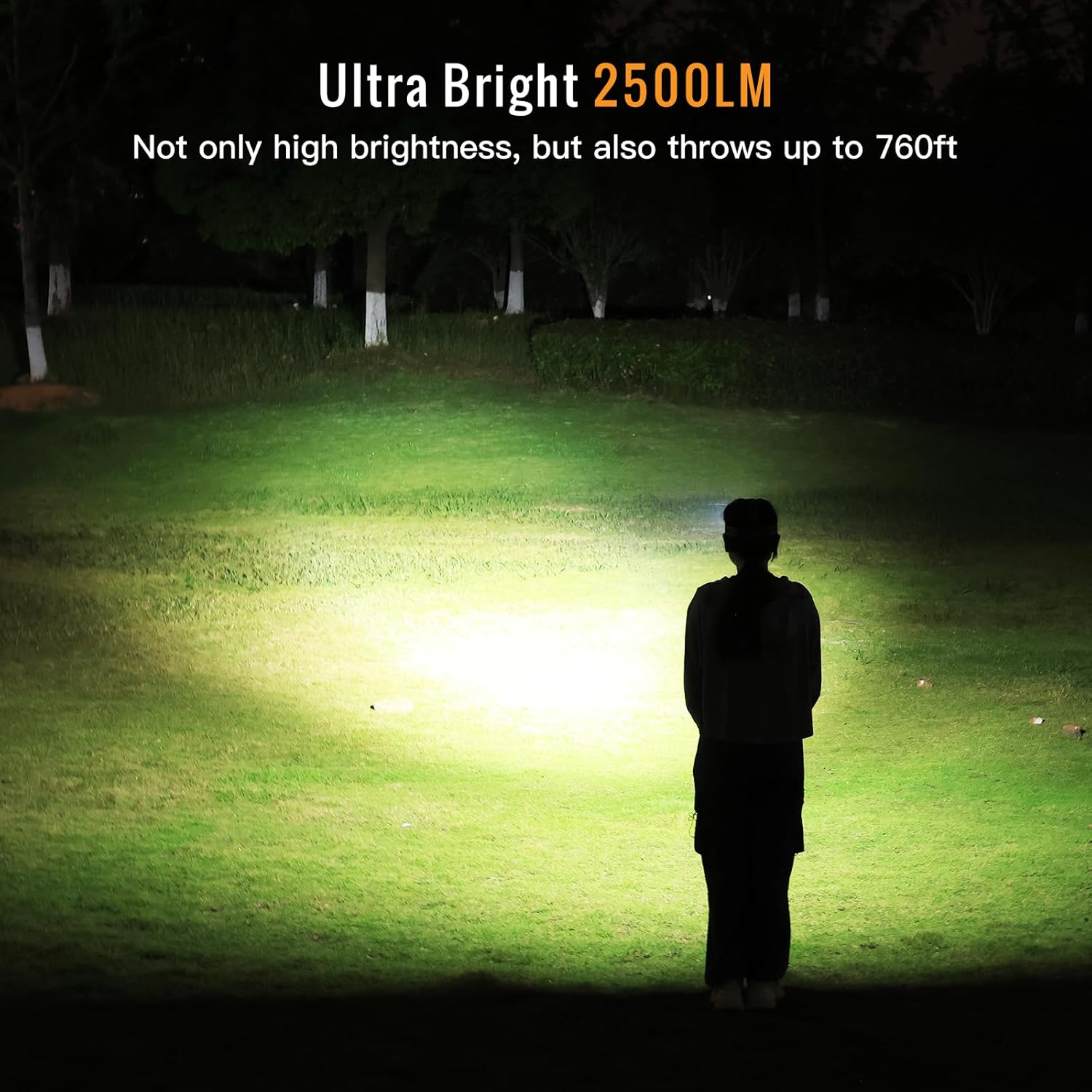
Figure 2: The HS22 headlamp provides ultra-bright illumination up to 2500 lumens.
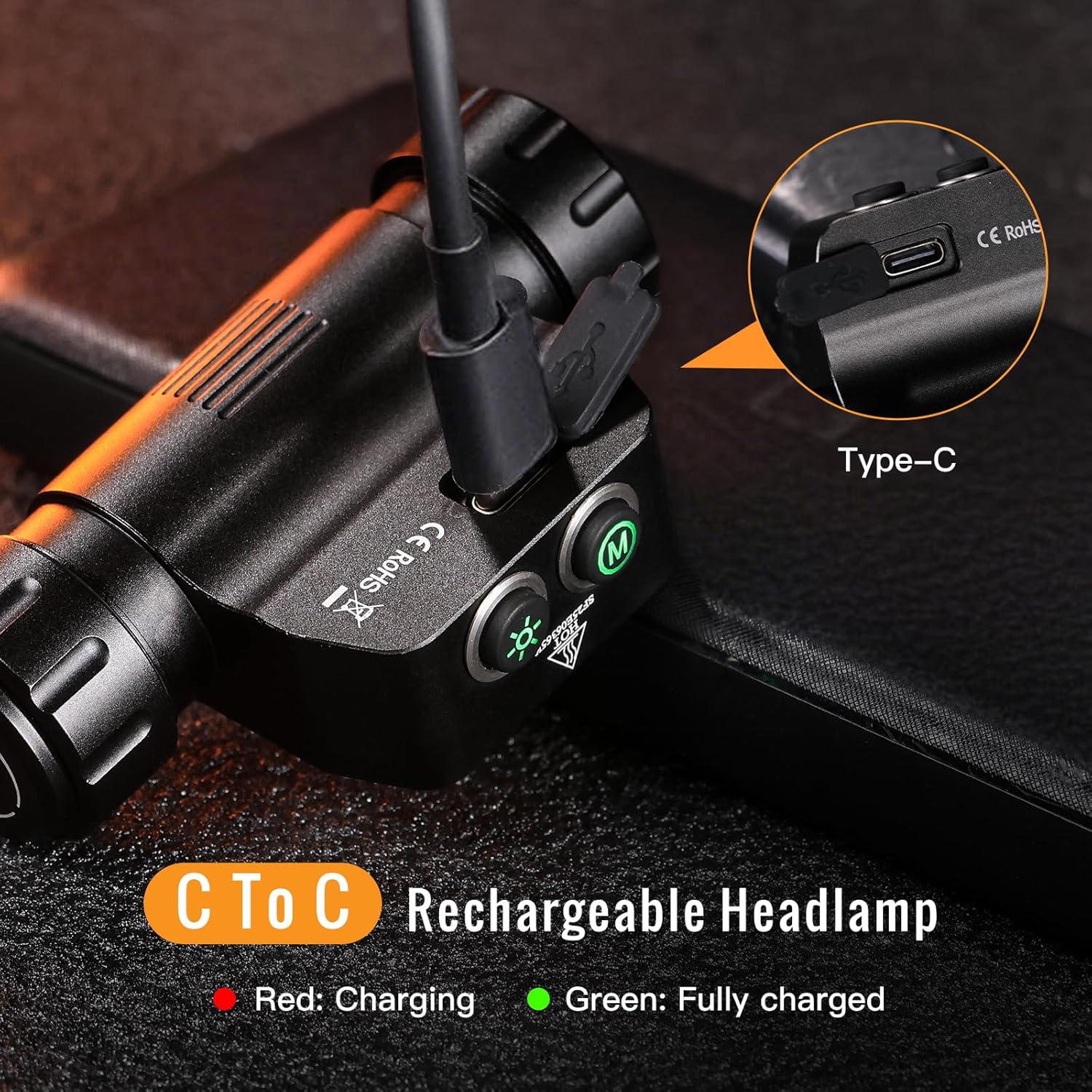
Figure 3: Durable all-metal casing with IP66 waterproof and 1-meter impact resistance.

Figure 4: Versatile use for various outdoor activities.
Obsah balení
Prosím, ověřte, zda jsou v balení přítomny všechny položky:
- 1x Sofirn HS22 Headlamp (with pre-installed rechargeable battery)
- 1x Adjustable Headband
- 1x nabíjecí kabel USB-C
- 2x Náhradní O-kroužky
- 1x Uživatelská příručka

Figure 5: Included items in the Sofirn HS22 package.
Nastavení
1. Attaching the Headband
- Thread the elastic headband through the slots on the headlamp Závorka.
- Adjust the straps to ensure a comfortable and secure fit on your head. The top strap can be removed if not desired.
2. Počáteční nabíjení
Před prvním použitím plně nabijte hlavuamp.
- Vyhledejte nabíjecí port USB-C na boku hlavového sloupkuamp. It is protected by a rubber cover.
- Gently lift the rubber cover to expose the USB-C port.
- Připojte dodaný kabel USB-C k hlavěamp a ke kompatibilnímu zdroji napájení USB (např. síťový adaptér, powerbanka, USB port počítače).
- The indicator light next to the charging port will illuminate červený během nabíjení a otáčení zelený při plném nabití.
- Once charging is complete, securely close the rubber cover to maintain the headlamp's waterproof rating.

Figure 6: USB-C charging port and indicator lights.
Návod k obsluze
The Sofirn HS22 features two distinct buttons for control: a Tlačítko režimu (M) a a Brightness Button (Sun icon).

Figure 7: Control buttons on the Sofirn HS22 headlamp.
Obecný provoz
- Zapnout/vypnout: Single click either the Mode or Brightness button to turn the headlamp ON (to the last used mode/brightness) or OFF.
- Eco Mode (from OFF): Long press either button from OFF to activate Eco mode.
- Turbo Mode (anytime except Lock Mode): Double click either button to activate Turbo mode. Single click to return to the previous mode/brightness or Eco mode.
Mode Selection (Mode Button)
The Mode button controls the beam type.
- Switch Modes (from ON): Dlouze stiskněte Tlačítko režimu to cycle through: Spotlight → Floodlight → Combined Beam. Release the button to select the desired mode.
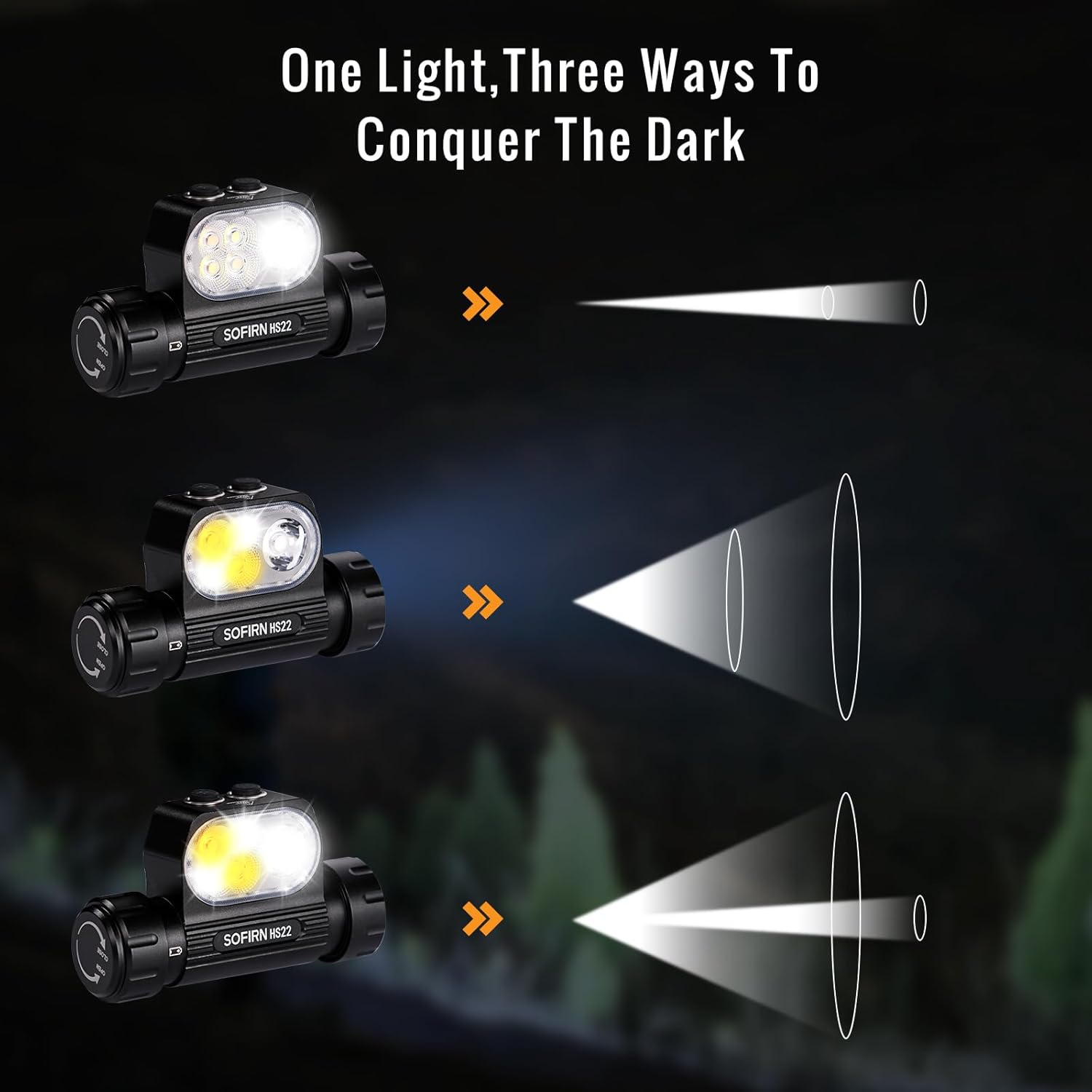
Figure 8: Three ways to light your path: Spotlight, Floodlight, and Combined Beam.
Brightness Adjustment (Brightness Button)
The Brightness button controls the light intensity.
- Adjust Brightness (from ON): Dlouze stiskněte Tlačítko jasu to cycle through brightness levels: Eco → Low → Medium → High. Release the button to select the desired brightness.
Color Temperature Control (Floodlight & Combined Beam Modes)
The HS22 allows adjustment of color temperature in Floodlight and Combined Beam modes.
- Úprava teploty barev: While in Floodlight or Combined Beam mode, double-click and then long-press the Tlačítko jasu. The color temperature will steplessly adjust between 2700K (warm white) and 6500K (cool white). Release the button when the desired tint is reached.

Figure 9: Customizable light temperature from 2700K to 6500K.

Figure 10: Rich color temperature options and adjustment method.
Zámek módy
To prevent accidental activation, the headlamp features a lock mode.
- Activate Lock Mode (from OFF): Triple click either button. The headlamp will flash once to indicate it is locked.
- Deactivate Lock Mode (from OFF): Triple click either button. The headlamp will flash once and turn on to the last used mode/brightness.

Figure 11: Comprehensive control diagram for Sofirn HS22.
Údržba
Čištění
- Otřete hlavuamp tělo s měkkým, damp tkanina. Vyhněte se používání agresivních chemikálií nebo abrazivních materiálů.
- Pro optimální světelný výkon udržujte čočku čistou.
Péče o baterie
- Pravidelně nabíjejte baterii, i když ji nepoužíváte často, abyste ji udrželi v dobrém stavu.
- Vyhněte se delšímu úplnému vybíjení baterie.
- Pokud hlavaamp will not be used for a long time, charge it to approximately 50% and store it in a cool, dry place.
O-kroužky
- Periodically inspect the O-rings for wear and tear. Replace them with the provided spare O-rings if necessary to maintain the waterproof seal.
- Apply a thin layer of silicone grease to the O-rings to ensure proper sealing and prevent drying.
Odstraňování problémů
If you encounter issues with your Sofirn HS22 headlamp, please refer to the following common solutions:
| Problém | Možná příčina | Řešení |
|---|---|---|
| Vedoucíamp nezapne. | Low battery or headlamp is in Lock Mode. | Charge the battery. Triple click either button to unlock the headlamp. |
| Světelný výstup je slabý nebo bliká. | Slabá baterie nebo špinavý objektiv. | Charge the battery. Clean the lens with a soft cloth. |
| Vedoucíamp nenabíjí. | Faulty cable, power source, or charging port obstruction. | Zkuste jiný kabel USB-C a zdroj napájení. Ujistěte se, že nabíjecí port je čistý a bez nečistot. |
| Nelze změnit režimy ani jas. | Incorrect button press or headlamp is in an unresponsive state. | Refer to the "Operating Instructions" section for correct button usage. Try turning the headlamp vypnout a znovu zapnout. |
Specifikace
| Funkce | Detail |
|---|---|
| Model | HS22 |
| Jas | Až 2500 lumenů (max.) |
| Teplota barev | 2700K - 6500K (Adjustable in Floodlight/Combined modes) |
| Režimy paprsku | Spotlight, Floodlight, Combined Beam |
| Materiál | Hliníková slitina |
| Voděodolnost | IP66 (Withstands heavy rain and brief submersion) |
| Odolnost proti nárazu | 1 metrů |
| Typ baterie | Rechargeable 18650 Lithium-ion (included) |
| Nabíjecí port | USB Type-C |
| Rozměry produktu | Přibližně 3.14" (šířka) x 1.8" (výška) |
| Hmotnost položky | Approximately 2.7 oz (without battery) / 8.8 oz (with battery) |
Runtime and Throw Distances
Performance data is approximate and may vary based on environmental conditions and battery state.
Combined Beam (Spotlight & Floodlight)

Figure 12: Combined Beam mode performance.
Režim reflektoru

Figure 13: Spotlight mode performance.
Režim Floodlight

Figure 14: Floodlight mode performance.
Záruka a podpora
Informace o záruce
Please refer to the product packaging or the official Sofirn webPodrobné záruční podmínky naleznete na webových stránkách. Uschovejte si doklad o koupi pro případ reklamace.
Zákaznická podpora
For further assistance, technical support, or inquiries regarding your Sofirn HS22 headlamp, please contact Sofirn customer support through their official webnebo kontaktní informace poskytnuté při nákupu.