
realme GT7
realme GT7 5G Smartphone User Manual
Model: GT7
1. Úvod
This manual provides essential information for the safe and efficient use of your realme GT7 5G Smartphone. Please read it thoroughly before operating the device.
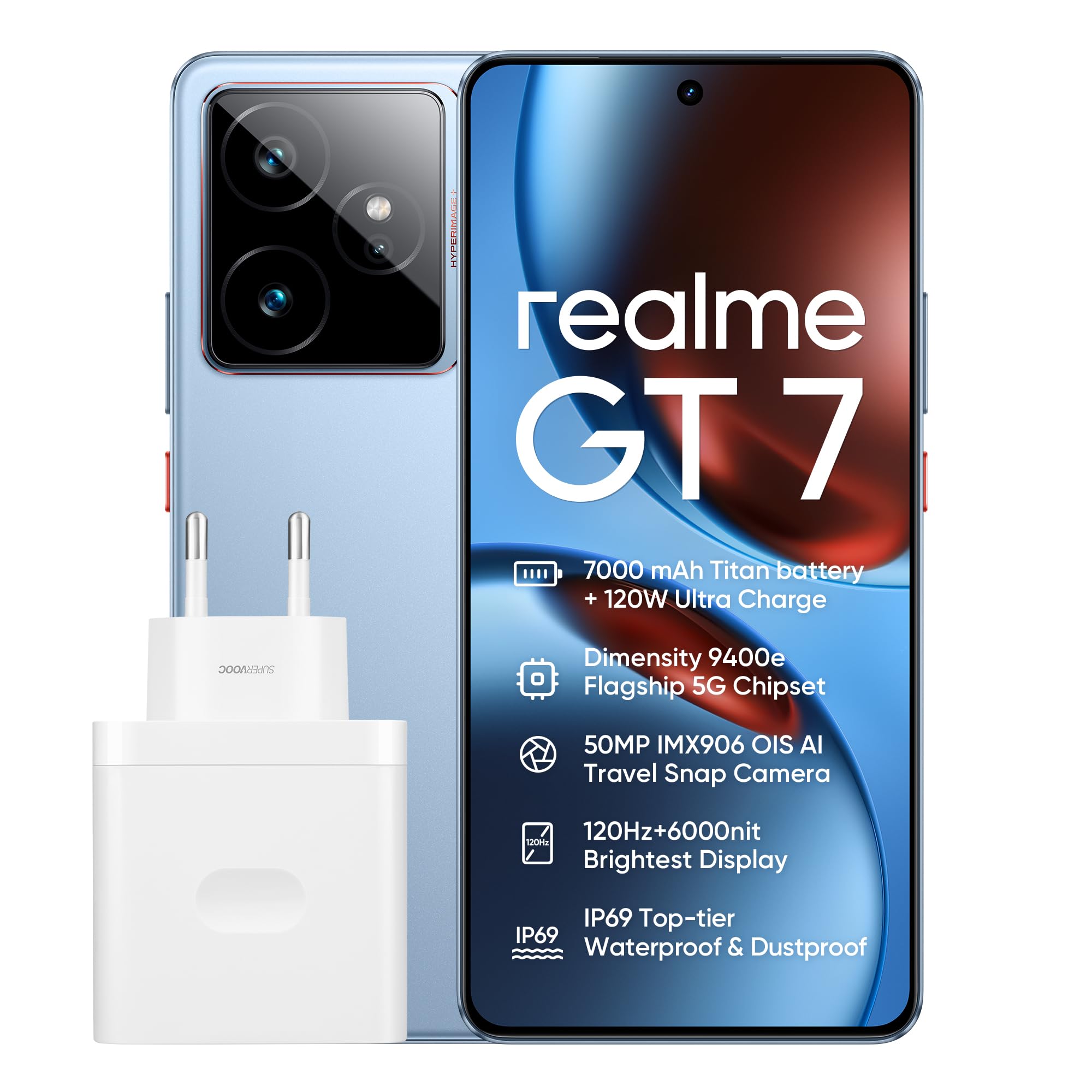
Obrázek 1.1: Přední strana view of the realme GT7 5G Smartphone, highlighting its display and front camera.
2. Nastavení
2.1 Obsah balení
Ověřte, zda váš balíček obsahuje následující položky:
- realme GT7 5G Smartphone
- Kabel USB typu C
- Pouzdro na telefon
- SIM Card Removal Tool
- 1 C Battery (pre-installed)
2.2 Vložení SIM karty (kart)
The realme GT7 supports dual Nano SIM cards.
- Vyhledejte držák SIM karty na boku zařízení.
- Insert the SIM card removal tool into the small hole next to the tray to eject it.
- Vložte kartu (karty) Nano SIM do slotu zlatými kontakty dolů.
- Opatrně vložte zásobník zpět do telefonu.

Image 2.1: Illustration of inserting SIM cards into the realme GT7 using the provided tool.
2.3 Počáteční nabíjení
Before first use, fully charge your device. The realme GT7 features 120W ultra-charging.
- Připojte kabel USB typu C k nabíjecímu portu telefonu a druhý konec k napájecímu adaptéru.
- Zapojte napájecí adaptér do elektrické zásuvky.
- A full charge from 0% takes approximately 40 minutes.
3. Operating Your realme GT7
3.1 Zapnutí/vypnutí
- To power on: Press and hold the Power button until the realme logo appears.
- Vypnutí: Stiskněte a podržte tlačítko Napájení a poté z možností vyberte možnost „Vypnout“.
- Restartování: Stiskněte a podržte tlačítko Napájení a poté z možností vyberte „Restartovat“.
3.2 Zobrazení a navigace
The device features a 6.78-inch OLED display with a 120 Hz refresh rate and 1440 x 3120 resolution.
- Dotyková gesta: Klepnutím, přejetím prstem nebo přiblížením můžete navigovat a interagovat.
- Rozpoznávání otisků prstů: Use the in-display fingerprint sensor for secure unlocking.
- Operační systém: Běží na Androidu 16.0.
3.3 Funkce fotoaparátu
The realme GT7 is equipped with a 50 MP IMX906 OIS main camera, a 32 MP front camera, and an 8 MP ultra-wide-angle camera.
- Fotit: Otevřete aplikaci Fotoaparát, zaměřte záběr a klepněte na tlačítko spouště.
- AI Travel Snap: This feature automatically optimizes images for landscapes and removes reflections. Tap twice on the back of the phone to activate the AI planner.
- Nahrávání videa: Supports 1080p video recording at 120 FPS.
3.4 AI Planner
The AI Planner simplifies tasks by scanning your screen and generating programs. To use:
- Double-tap the back of the phone.
- The AI Planner will scan the current screen content.
- It will then gather relevant information and suggest or generate a program based on the context.
4. Údržba
4.1 Čištění vašeho zařízení
- K čištění obrazovky a těla používejte měkký hadřík, který nepouští vlákna.
- Vyhněte se používání agresivních chemikálií nebo abrazivních materiálů.
- The device is IP69 rated for water and dust resistance, but avoid intentional submersion.
4.2 Péče o baterii
The realme GT7 features a 7000 mAh battery with advanced silicon-anode technology.
- Use only the original charger and cable for optimal charging and battery longevity.
- Nevystavujte zařízení extrémním teplotám.
- Regular software updates can optimize battery performance.
4.3 Aktualizace softwaru
Ensure your device's software is up to date for the best performance and security.
- Přejít na Nastavení > O telefonu > Aktualizace softwaru pro kontrolu a instalaci aktualizací.
5. Řešení problémů
5.1 Zařízení se nezapíná
- Ujistěte se, že je baterie nabitá. Připojte nabíječku a před zapnutím počkejte několik minut.
- Stiskněte a podržte tlačítko napájení po dobu alespoň 10–15 sekund, abyste vynutili restart.
5.2 Pády nebo zamrzání aplikací
- Zavřete a znovu otevřete aplikaci.
- Vymazání mezipaměti aplikace: Nastavení > Aplikace > Vyberte aplikaci > Skladování > Vymazat mezipaměť.
- Restartujte telefon.
- Ensure the app and phone software are updated.
5.3 Špatná výdrž baterie
- Check for background apps consuming power and close them.
- Snižte jas obrazovky nebo povolte adaptivní jas.
- Pokud nepoužíváte nepotřebné funkce, jako je GPS, Bluetooth nebo Wi-Fi, vypněte je.
- Proveďte aktualizaci softwaru.
5.4 Problémy s připojením k síti
- Zapnutí a vypnutí režimu Letadlo.
- Restartujte zařízení.
- Zkontrolujte vložení SIM karty.
- Obnovit nastavení sítě: Nastavení > Systém > Obnovit možnosti > Resetujte Wi-Fi, mobil a Bluetooth.
6. Specifikace
| Funkce | Detail |
|---|---|
| Název modelu | realme GT7 |
| Operační systém | Android 16.0 |
| Procesor | Mediatek Dimensity 9400 (3.4 GHz) |
| BERAN | 12 GB |
| Kapacita úložiště | 256 GB (Max. supported flash memory) |
| Velikost displeje | 6.78 palce |
| Typ zobrazení | OLED |
| Rozlišení displeje | 1440 x 3120 (Max. 1440 x 3200) |
| Zadní kamera | 50 MP (IMX906 OIS) + 2 x 50 MP + 8 MP Ultra-wide |
| Přední kamera | 32 MP |
| Kapacita baterie | 7000 XNUMX mAh |
| Nabíjení | 120 W Ultra Charge |
| Konektivita | 5G, USB Type-C |
| Sloty pro SIM karty | Dual SIM (Nano) |
| Biometrické zabezpečení | Rozpoznávání otisků prstů |
| Voděodolnost | Stupeň krytí IP69 |
| Rozměry | 19 x 8 x 5 cm (balení) |
| Hmotnost | 500 g (balení) |
7. Záruka a podpora
7.1 Informace o záruce
For warranty details, please refer to the warranty card included in your product packaging or visit the official realme website. The product comes with a standard manufacturer's warranty covering defects in materials and workmanship.
7.2 Zákaznická podpora
If you encounter any issues not covered in this manual, please contact realme customer support. Contact information can typically be found on the official realme webna webu nebo v záruční dokumentaci.
Online podporu a časté dotazy naleznete na adrese: Oficiální podpora Realme
Ask a question about this manual
Ask about setup, troubleshooting, compatibility, parts, safety, or missing instructions. Manuals+ will review the question and use this page’s manual context to help answer it.