
1. Úvod
This manual provides essential information for the safe and efficient use of your DOOGEE Blade 10 Pro Energy Rugged Phone. Please read this manual thoroughly before operating the device and retain it for future reference. The DOOGEE Blade 10 Pro Energy is designed for durability and performance, featuring an ultra-thin yet robust design, a powerful battery, and an advanced camera system.
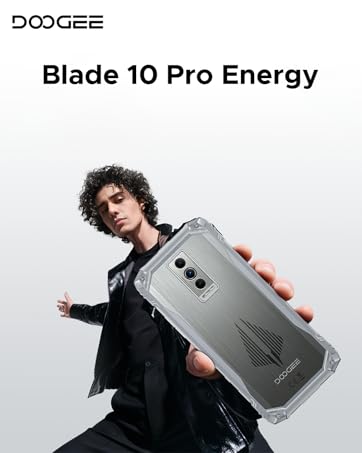
Image 1.1: DOOGEE Blade 10 Pro Energy Rugged Phone Overview
2. Co je v krabici
Ověřte, zda jsou v balení přítomny všechny položky:
- 1 x odolný telefon Blade10 Pro Energy
- 1 x kabel a nabíječka typu C USB
- 1 x Packing Box 1 x Manual
- 1 x Warranty Card 1 x Sling 1 x Protective case
- 1 x ochranná fólie z tvrzeného skla (předem nalepená)

Image 2.1: Included Accessories - Protective Case and Phone Strap
3. Zařízení skončiloview
Familiarize yourself with the physical components of your DOOGEE Blade 10 Pro Energy phone.
Obrázek 3.1: Boční strana View zařízení

Obrázek 3.2: Zadní strana View and Camera Module
4. Nastavení
4.1 Instalace SIM a TF karty
The DOOGEE Blade 10 Pro Energy supports a triple card slot design, allowing for two SIM cards and one TF (microSD) card simultaneously.
- Vyhledejte držák SIM karty na boku telefonu.
- K otevření zásuvky použijte dodaný nástroj pro vysunutí SIM karty.
- Opatrně vložte SIM karty a TF kartu do příslušných slotů a dbejte na správnou orientaci.
- Jemně zatlačte zásobník zpět do telefonu, dokud nebude v jedné rovině s tělem zařízení.

Image 4.1: Triple Card Slot and Security Features
4.2 Počáteční zapnutí
Stiskněte a podržte tlačítko napájení na boku zařízení, dokud se nezobrazí logo DOOGEE. Postupujte podle pokynů na obrazovce a dokončete počáteční nastavení, včetně výběru jazyka, připojení k Wi-Fi a nastavení účtu Google.
4.3 Kompatibilita se sítí
Před nákupemasing and using the device, ensure compatibility with your local frequency bands. The DOOGEE Blade 10 Pro Energy supports the following network bands:
- GSM: B2/3/5/8
- WCDMA: B1/2/4/5/8
- TDD: B34/38/39/40/41
- FDD: B1/2/3/4/5/7/8/18/19/20/25/26/28AB/66
5. Návod k obsluze
Operační systém 5.1 Android 15
Your device runs on the Android 15 operating system, offering enhanced performance, security, and user experience. Navigate through the interface using gestures and on-screen buttons.

Image 5.1: Android 15 System with Glove Mode
5.2 Displej
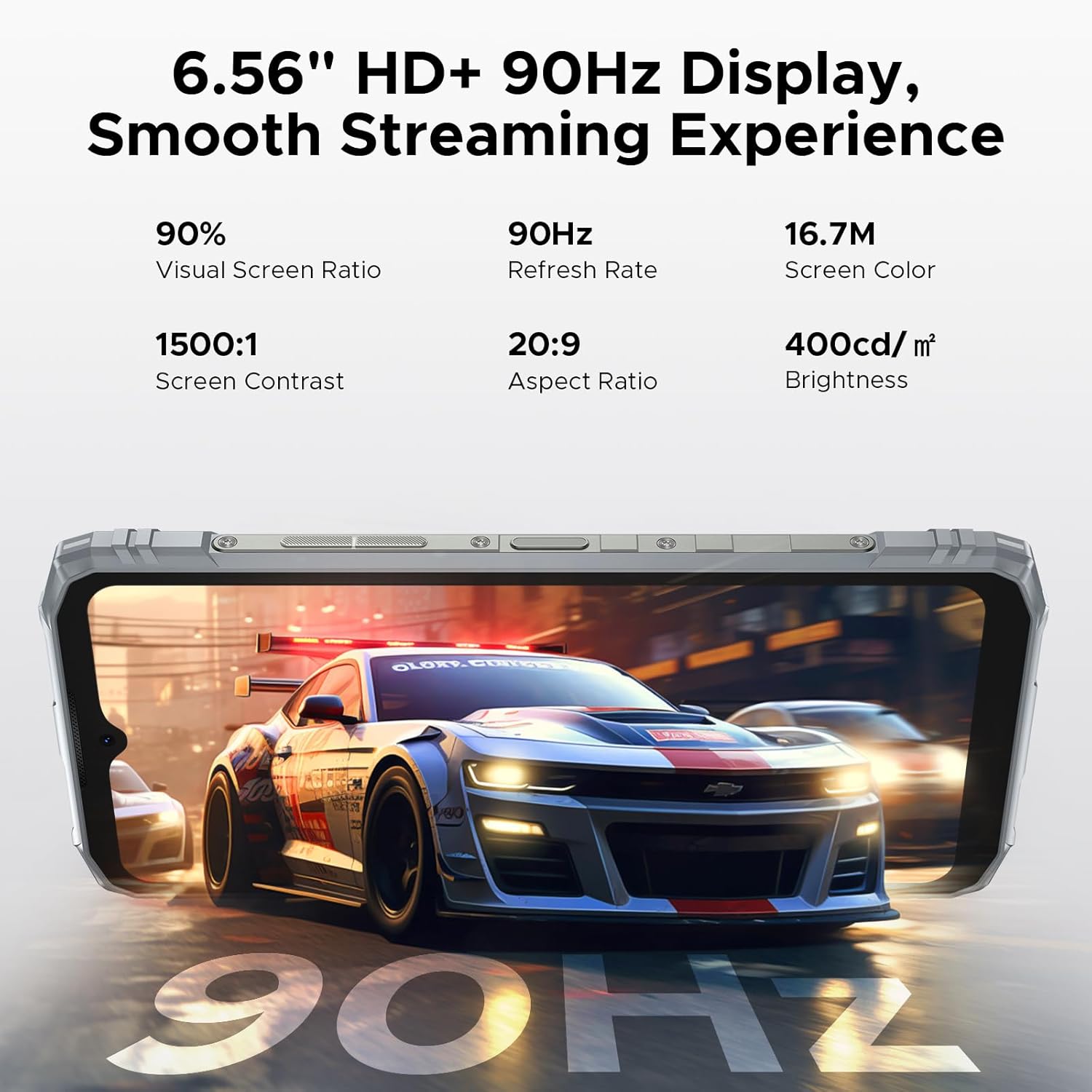
The phone features a 6.56-inch HD+ IPS waterdrop screen with a 90Hz refresh rate for smooth visuals. The IPS technology provides wide viewing angles, and the 90Hz refresh rate ensures fluid scrolling and gaming.

Image 5.2: 6.56" HD+ 90Hz Display Features
5.3 Fotoaparát
Capture high-quality photos and videos with the 50MP main camera and 8MP front camera. The camera system includes AI recognition for scene optimization and various shooting modes.
- 50MP hlavní fotoaparát: For detailed and clear images.
- 8MP přední fotoaparát: Pro selfie a videohovory.
- Underwater Camera Mode: Allows for photography in aquatic environments.
- Rozpoznávání umělé inteligence: Automatically identifies and optimizes shooting scenes.
- Různé režimy: Includes Beauty, Portrait, Panoramic, HDR, Pro, Night, and more.

Image 5.3: Camera Specifications

Obrázek 5.4: Funkce podvodní kamery
5.4 Funkce NFC
The device supports NFC (Near Field Communication) for convenient and fast operations such as mobile payments and data transfer with compatible devices.

Obrázek 5.5: NFC pro pohodlné transakce
5.5 Bezpečnostní funkce
Bezpečně odemkněte telefon pomocí Face ID nebo bočního snímače otisků prstů.
5.6 Další funkce
The DOOGEE Blade 10 Pro Energy includes various useful software features:
- Klonování aplikací: Spouštět více instancí aplikace.
- Režim rozdělené obrazovky: Používejte dvě aplikace současně.
- Super schránka: Vylepšená funkcionalita schránky.
- Duální systémový režim: Create separate user environments.
- Titulky v reálném čase: Provides live captioning.
- Inteligentní snímání/ztlumení příchozích hovorů: Inteligentní správa hovorů.
- Snímání obrazovky: Advanced screen interaction.
- Vylepšení zobrazení videa: Optimalizuje kvalitu přehrávání videa.

Image 5.6: Additional Smart Functions
6. Správa baterií
The DOOGEE Blade 10 Pro Energy is equipped with a 6150mAh Si-C battery, designed for extended usage. It supports 18W fast charging and reverse charging.
- Nabíjení: Use the provided Type-C USB cable and charger for optimal charging speed.
- Rychlé nabíjení: Supports 18W fast charging to reduce charging time.
- Zpětné nabíjení: The phone can act as a power bank to charge other devices.
- Výdrž baterie: The Si-C battery is designed for 1000 charging cycles and maintains over 80% health status for up to 3 years.

Image 6.1: 6150mAh Battery Capacity

Image 6.2: Fast and Reverse Charging
7. Vlastnosti trvanlivosti
The DOOGEE Blade 10 Pro Energy is built to withstand challenging environments, meeting IP68/IP69K and MIL-STD-810H standards.
- IP68/IP69K: Certified for water and dust resistance.
- MIL-STD-810H: Odolnost vojenské úrovně proti pádům, nárazům a extrémním teplotám.
- Konstrukce: Features an aviation-grade aluminum titanium alloy frame for enhanced compression and high-temp resistance.

Image 7.1: Durability Test Results

Image 7.2: IP68/IP69K and MIL-STD-810H Certifications
8. Údržba
To ensure the longevity and optimal performance of your DOOGEE Blade 10 Pro Energy, follow these maintenance guidelines:
- Regularly clean the screen and device body with a soft, lint-free cloth.
- Nevystavujte telefon extrémním teplotám nebo přímému slunečnímu záření po delší dobu.
- Ensure all port covers are securely closed when the phone is exposed to water or dust.
- Keep the software updated to the latest version for security and performance improvements.
- Používejte pouze autorizované příslušenství a nabíječky.
9. Řešení problémů
Pokud se se zařízením setkáte s problémy, postupujte podle následujících běžných kroků pro řešení potíží:
- Zařízení se nezapíná: Ujistěte se, že je baterie nabitá. Připojte nabíječku a před opětovným zapnutím počkejte několik minut.
- Obrazovka nereaguje: Restartujte zařízení podržením tlačítka napájení po dobu přibližně 10–15 sekund.
- Problémy s připojením k síti: Check if your SIM card is properly inserted. Verify network settings and ensure you are within network coverage.
- Pády aplikací: Clear the cache of the problematic app or reinstall it. Ensure your device software is up to date.
- Pomalý výkon: Zavřete nepotřebné aplikace na pozadí. Vymažte mezipaměť a dočasné files. Consider performing a factory reset if the issue persists (back up your data first).
V případě složitějších problémů se prosím obraťte na zákaznickou podporu DOOGEE.
10. Specifikace
Key technical specifications for the DOOGEE Blade 10 Pro Energy:
| Funkce | Specifikace |
|---|---|
| Název modelu | Blade10 Pro Energy |
| Operační systém | Android 15 |
| Procesor | Osmijádrový UNISOC T7250 (1.8 GHz) |
| BERAN | 32 GB (6 GB fyzického + 26 GB virtuálního) |
| Interní úložiště | 256 GB |
| Rozšiřitelné úložiště | Až 2 TB (TF karta, prodává se samostatně) |
| Velikost obrazovky | 6.56 palce |
| Rozlišení displeje | 720 × 1600 (HD+) |
| Obnovovací frekvence | 90 Hz |
| Hlavní fotoaparát | 50 MP |
| Přední kamera | 8 MP |
| Kapacita baterie | 6150 XNUMX mAh |
| Nabíjení | 18W rychlé nabíjení, reverzní nabíjení |
| Podpora SIM karet | Duální SIM karta (trojitý slot pro karty) |
| Konektivita | 4.5G LTE, Wi-Fi 5, Bluetooth 5.0, NFC, GPS |
| Trvanlivost | IP68/IP69K Water & Dust Resistant, MIL-STD-810H Certified |
| Rozměry | 3.15 x 0.42 x 6.8 inches (10.7mm thin) |
| Hmotnost | 1.1 libry (499 gramů) |
11. Záruka a podpora
Your DOOGEE Blade 10 Pro Energy comes with a warranty card included in the box. Please refer to the warranty card for detailed terms and conditions regarding coverage and duration.
Pro technickou podporu, servis nebo další dotazy navštivte oficiální webové stránky DOOGEE. webnebo se obraťte na jejich oddělení zákaznických služeb. Při vyhledávání podpory mějte po ruce doklad o koupi a záruční list.