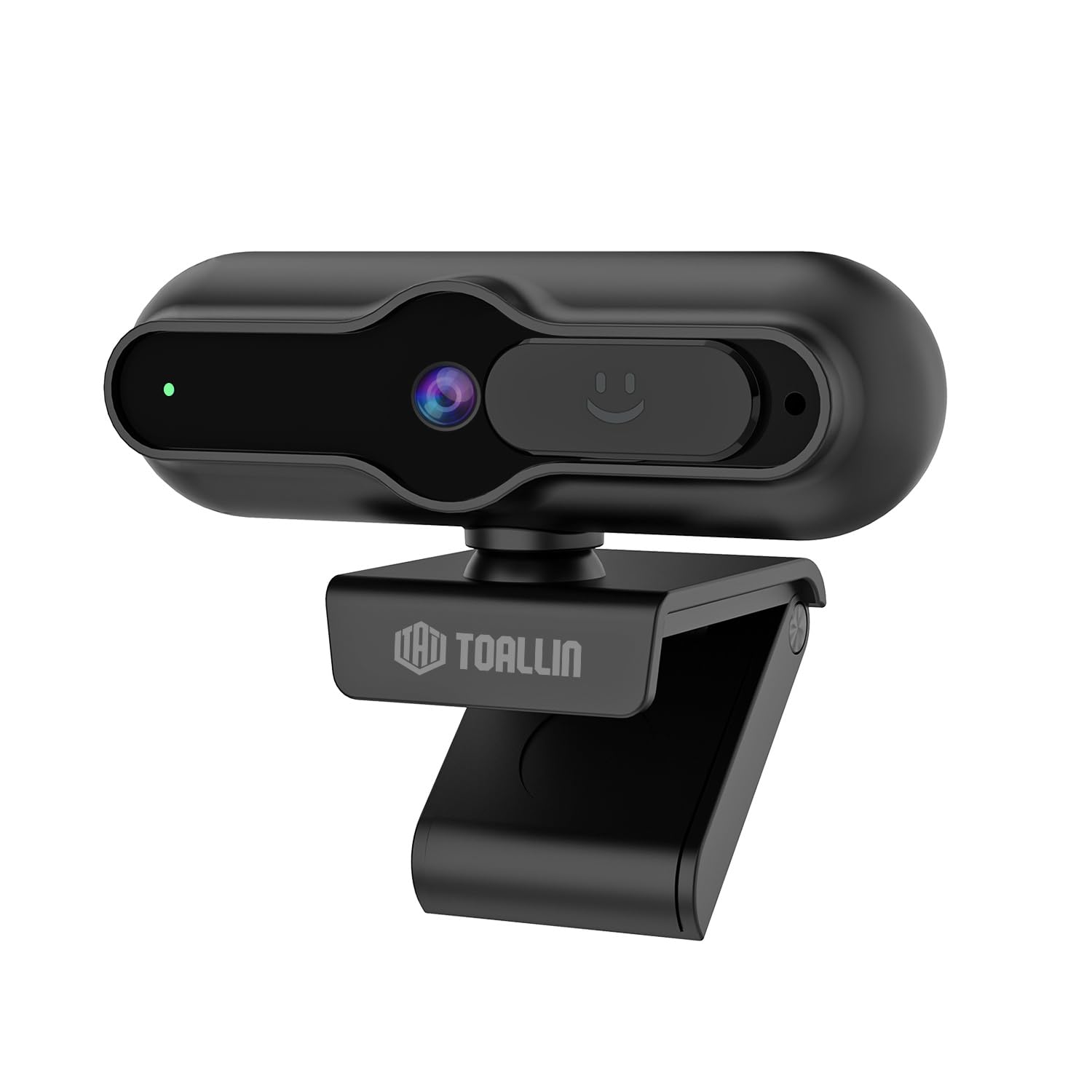
The TOALLIN SC90 4K Webcam is designed for high-quality video communication, streaming, and conferencing. It features a 4K 1/2.5" CMOS sensor, PDAF autofocus, a built-in noise-reducing microphone, and a sliding privacy cover. This manual provides instructions for setting up, operating, and maintaining your webvačka.
Obrázek: Přední strana view of the TOALLIN SC90 4K Webvačka.
Nastavení
The TOALLIN SC90 webcam offers a simple plug-and-play setup, requiring no additional drivers or software installation for most operating systems.
1. Připojení Webvačka
Rozbalte webcam, USB A-C cable, and USB adapter from the box.
Connect the USB A-C cable to the webvačka.
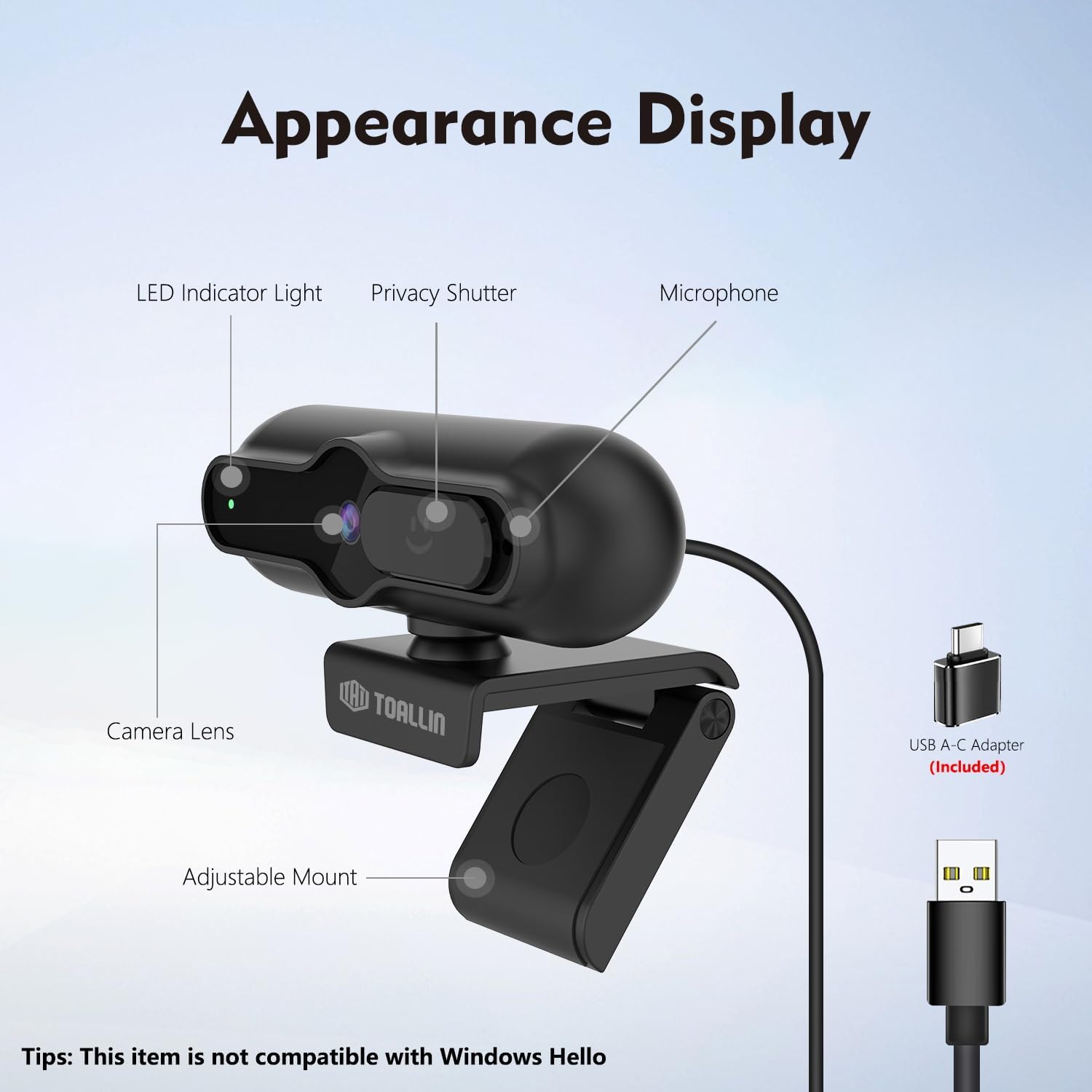
If your computer has a USB-A port, connect the USB-A end of the cable directly. If your computer has a USB-C port, use the provided USB adapter to convert the USB-A end to USB-C, then plug it into your computer.
Umístěte webcam securely on top of your monitor or laptop screen using its adjustable mount. Ensure the camera lens is facing you.
The webcam will be automatically recognized by your operating system (Windows 7 or above, macOS, Android).
Image: The TOALLIN SC90 webkamera připojená k notebooku.
2. První použití
Once connected, open any video conferencing or streaming application (e.g., Zoom, Skype, Webex, GoToMeeting, Microsoft Teams) and select the TOALLIN SC90 as your preferred camera and microphone device in the application's settings.
Nastavení Video průvodce
Video: A demonstration of connecting and using the TOALLIN SC90 4K Webvačka.
Návod k obsluze
Video Quality and Resolution
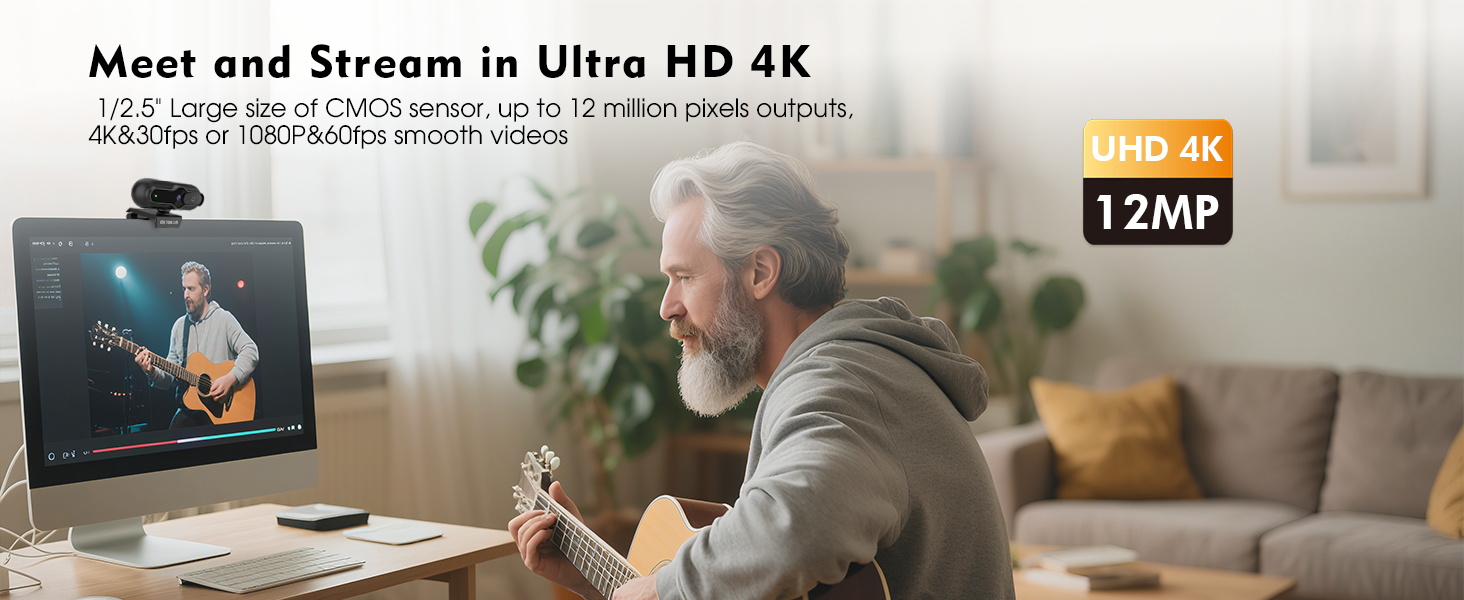
The webcam features a 1/2.5" CMOS sensor capable of capturing up to 12 million pixels. It supports Ultra HD 4K resolution at 30 frames per second (fps) and 1080p resolution at 60 fps, providing clear and smooth video output for various applications.
Image: Visual comparison of 4K@30FPS/1080P@60FPS output versus standard video.
PDAF Autofocus
The advanced Phase Detection Auto Focus (PDAF) system ensures rapid and precise focusing. This feature automatically adjusts the focus to keep you or other specific objects clear and sharp, even during movement, making it ideal for live streaming and video calls.
Image: PDAF autofocus maintaining clarity on both a person and an object.
Built-in Noise-Reducing Microphone
The integrated microphone utilizes a noise reduction algorithm to minimize background noise and automatically amplify your voice, ensuring clear conversations. It is designed for far-field voice pickup.
Obrázek: The webcam's noise-reducing microphone in action.
Sliding Privacy Cover
For enhanced privacy, the webcam includes a sliding privacy cover. Simply slide the cover over the lens when the webcam is not in use to prevent unauthorized access and protect your privacy without needing to disconnect the device or exit applications.
Image: The sliding privacy cover in both open and closed states.
Adjustable Mount and Mini Design
The webcam features a mini, lightweight design, making it portable and easy to attach to various displays. The adjustable mount allows for flexible positioning on laptops, desktop monitors, or even tripods (tripod not included).
Image: The compact design of the TOALLIN SC90 webvačka.
Údržba
Čištění objektivu: Use a soft, lint-free cloth specifically designed for camera lenses to gently wipe the lens. Avoid using harsh chemicals or abrasive materials that could scratch the lens.
Čištění těla: Otřete webtělo kamery měkkým, suchým hadříkem. V případě potřeby lehceamp Lze použít hadřík, ale dbejte na to, aby se do zařízení nedostala vlhkost.
Skladování: When not in use, especially during transport, ensure the sliding privacy cover is closed to protect the lens from dust and scratches. Store the webcam in a clean, dry environment.
Péče o kabely: Abyste předešli poškození, vyhněte se ostrým ohybům nebo nadměrnému tahání za kabel USB.
Odstraňování problémů
Webcam Not Detected / No Image
Zkontrolujte připojení: Ujistěte se, že je kabel USB bezpečně zapojený do obou webcam and your computer. Try a different USB port.
USB adaptér: If using the USB-A to USB-C adapter, ensure it is correctly connected and functioning.
Ochrana osobních údajů: Verify that the sliding privacy cover is open and not obstructing the lens.
Nastavení aplikace: In your video conferencing or streaming software, check that the TOALLIN SC90 webcam is selected as the active video device.
Restartujte počítač: Někdy může problémy s detekcí vyřešit jednoduchý restart.
Světelné podmínky: Ensure adequate lighting in your environment. Poor lighting can significantly impact video quality.
Automatické zaostření: The PDAF autofocus system is designed to keep you in focus. If the image appears blurry, try moving slightly to allow the autofocus to re-engage.
Řešení aplikace: Check the video resolution settings within your application. Ensure it is set to 4K or 1080p for optimal quality.
Žádný zvuk / Špatná kvalita zvuku
Výběr mikrofonu: In your application's audio settings, ensure the TOALLIN SC90 webJako vstupní zařízení je vybrán mikrofon kamery.
Úrovně hlasitosti: Check the microphone input volume in your operating system and application settings.
Hluk na pozadí: Zatímco webcam has noise reduction, excessive background noise can still affect clarity. Try to use the webkameru v klidnějším prostředí.
Not Compatible with Windows Hello
Please note that the TOALLIN SC90 webkamera je není kompatibilní with Windows Hello facial recognition features. This is a known limitation of the product.
Specifikace
Značka
TOALLIN
Název modelu
SC90
Typ videokamery
Webvačka
Technologie připojení
USB
Rozlišení záznamu videa
4K (3840 pixelů)
Efektivní rozlišení
12 MP
Technologie fotosenzoru
CMOS
Velikost foto senzoru
1/2.5 palce
Typ zaměření
Auto Focus (PDAF)
Typ objektivu
Široký úhel
Maximální clona
1.7 f
Operační systém
Windows (7 or above), macOS, Android
Kompatibilní zařízení
Notebook, Osobní počítač, Chytrý telefon, Tablet
Hmotnost položky
0.1 kg
Vestavěná média
Webcam, USB A-C Cable, USB Adapter, User Manual
Záruka a podpora
Informace o záruce
The TOALLIN SC90 4K Webkamera je dodávána s 1-letá záruka od data nákupu. Tato záruka se vztahuje na výrobní vady a poruchy při běžném používání. Uschovejte si prosím doklad o koupi pro případ uplatnění záruky.
Zákaznická podpora
For technical assistance, troubleshooting, or warranty inquiries, please contact TOALLIN customer support. You can typically find contact information on the TOALLIN official webwebu nebo prostřednictvím prodejce, u kterého jste produkt zakoupili.
Ask about setup, troubleshooting, compatibility, parts, safety, or missing instructions. Manuals+ will review the question and use this page’s manual context to help answer it.