
1. Úvod
This manual provides detailed instructions for the safe and efficient use of your Rfiver Mobile TV Stand with Power Outlet, Model B0F89BJFHH. Please read this manual thoroughly before assembly and operation to ensure proper setup and to prevent damage or injury. Keep this manual for future reference.
2. Vlastnosti produktu
The Rfiver Mobile TV Stand is designed for versatility and convenience, offering a range of features to enhance your viewzkušenosti.
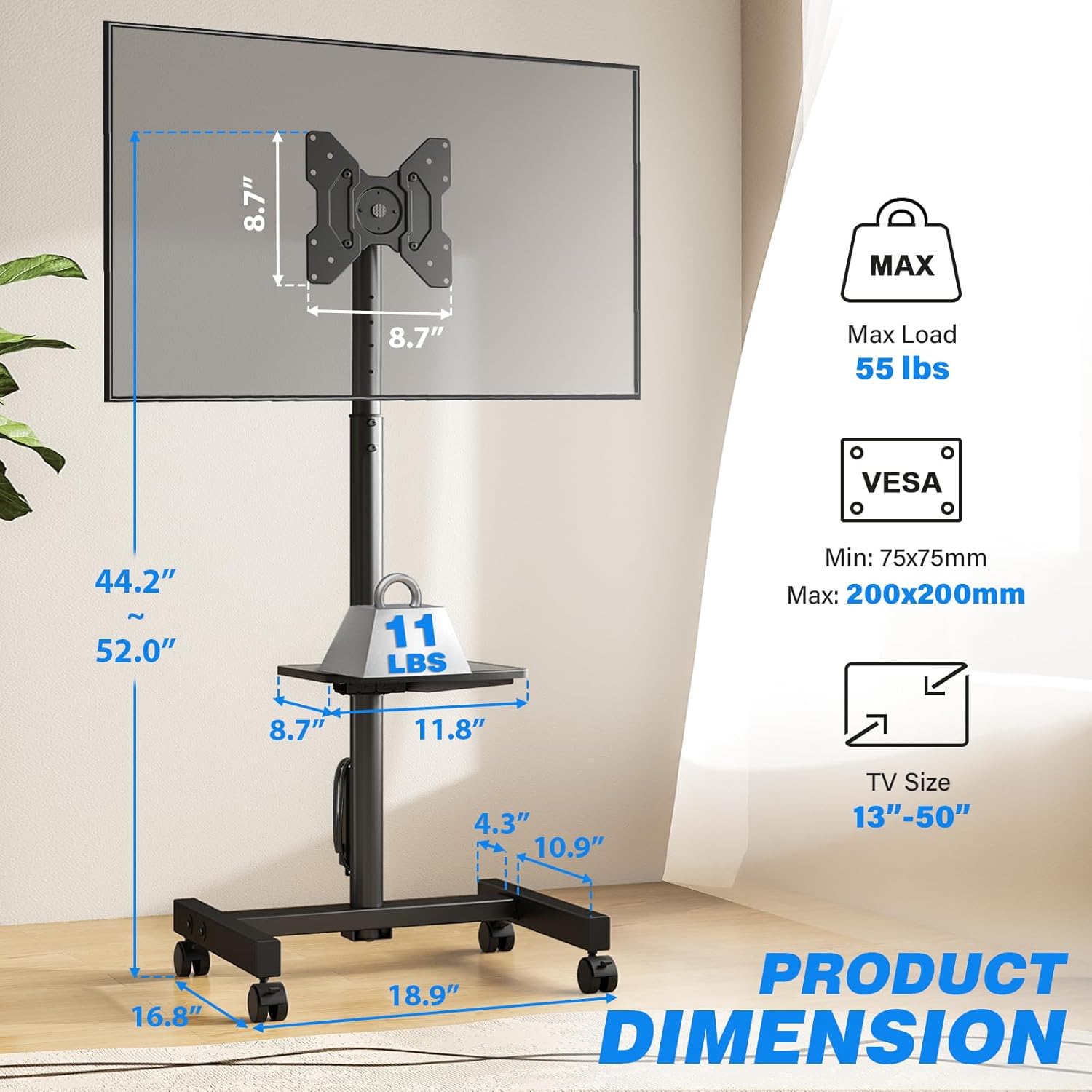
- Široká kompatibilita: Supports most 13-50 inch LCD/LED/OLED Flat/Curved screens or monitors with a maximum load capacity of 55 lbs. Compatible with VESA mounting patterns from 75x75mm to 200x200mm.
- Integrovaná zásuvka: Features a built-in power strip with 4 AC outlets (120V/12A) and a 6.5-foot heavy-duty extension cord. Includes a one-touch power switch for electrical safety.
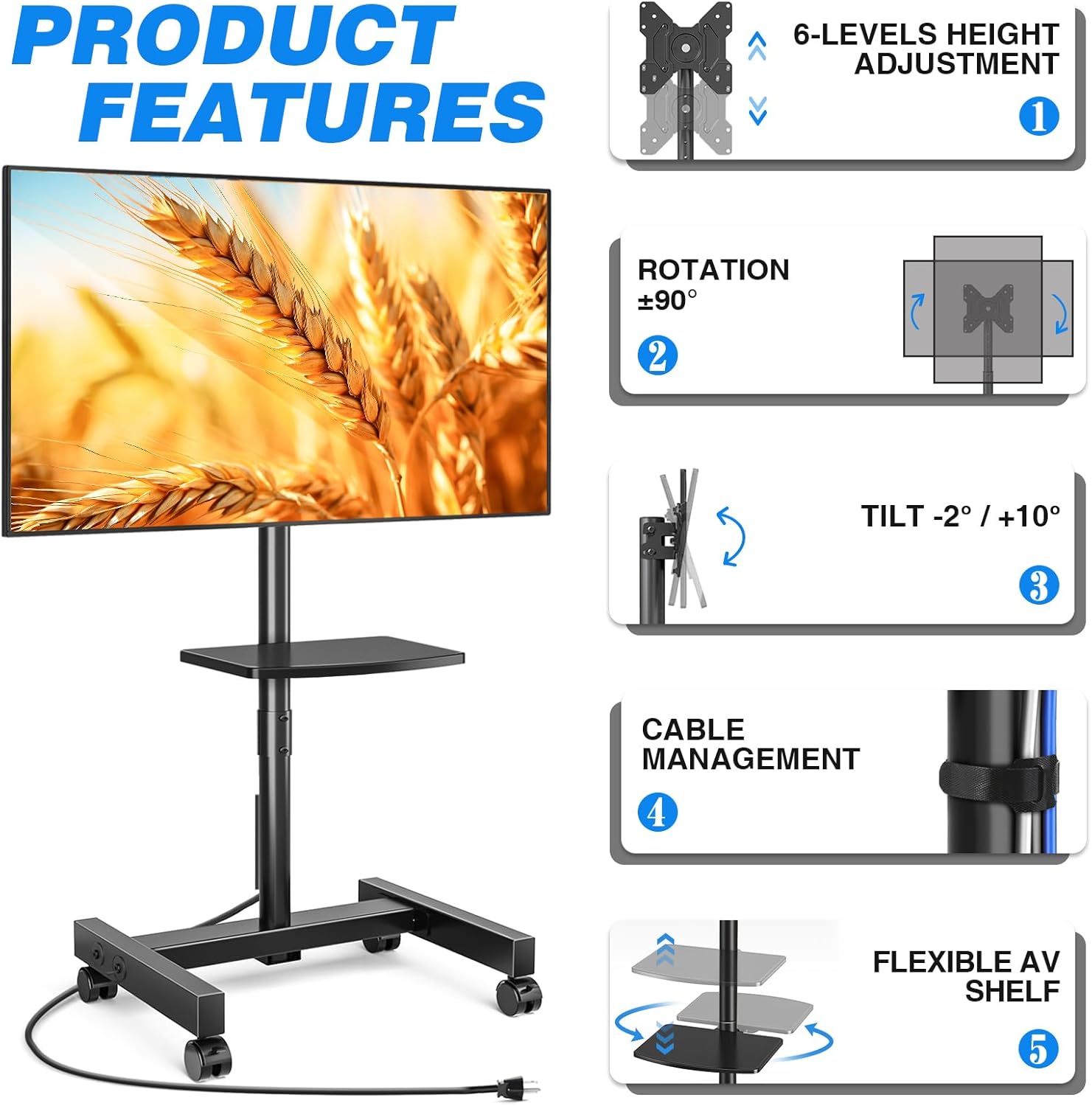
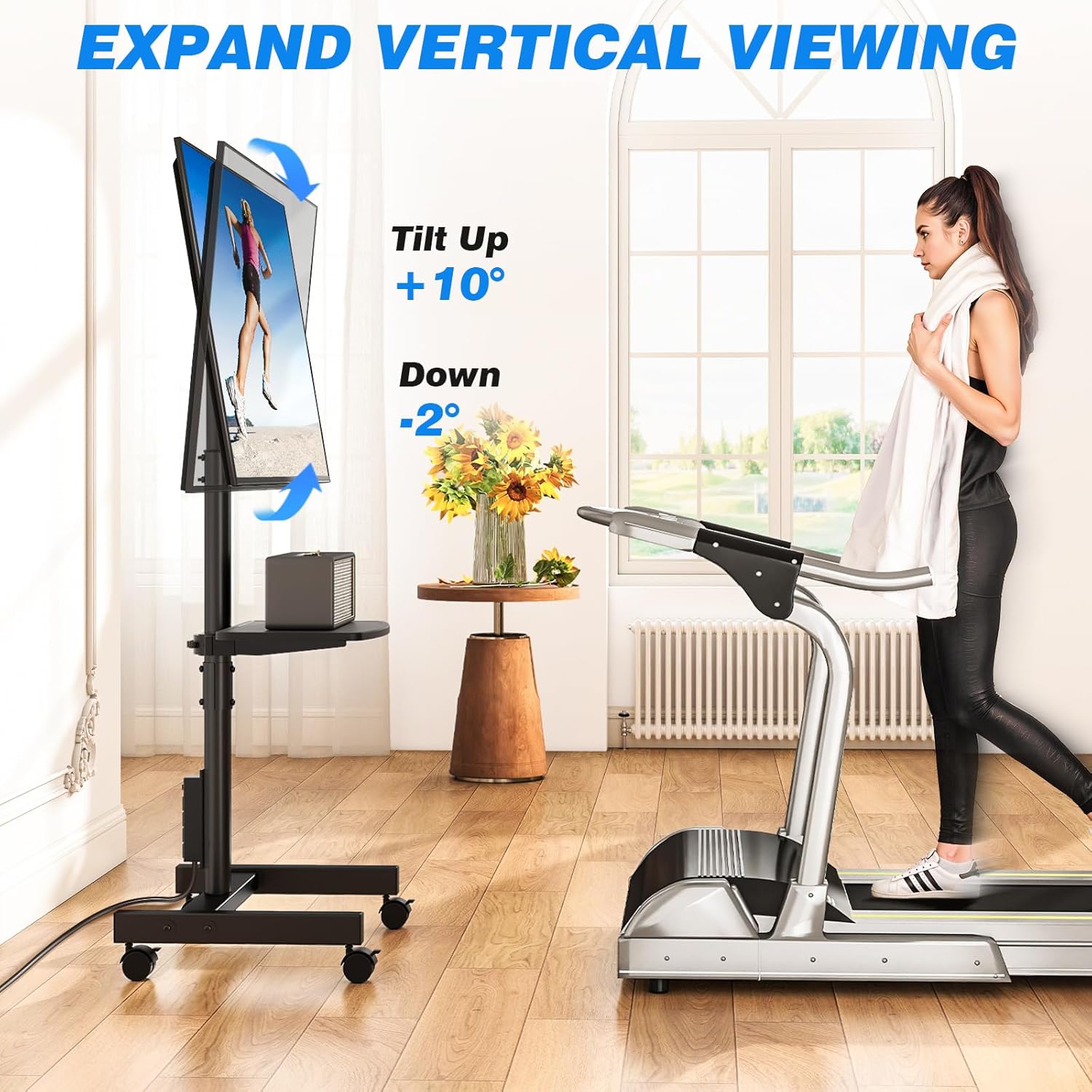
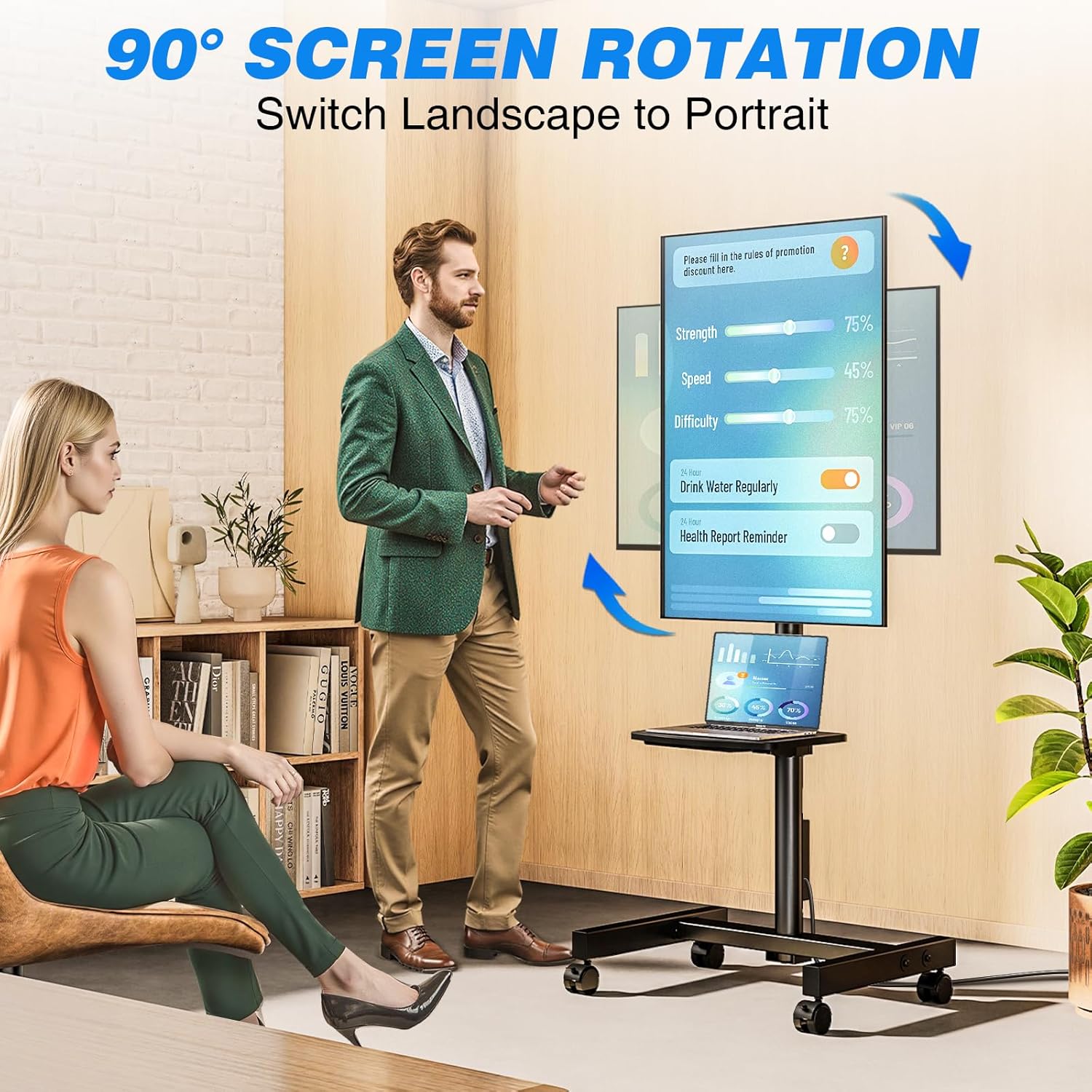
- Flexibilní nastavení úhlu: Allows TV rotation between portrait and landscape modes (90 degrees). Tilt angle adjustment from +10° to -2° for optimal viewIng.
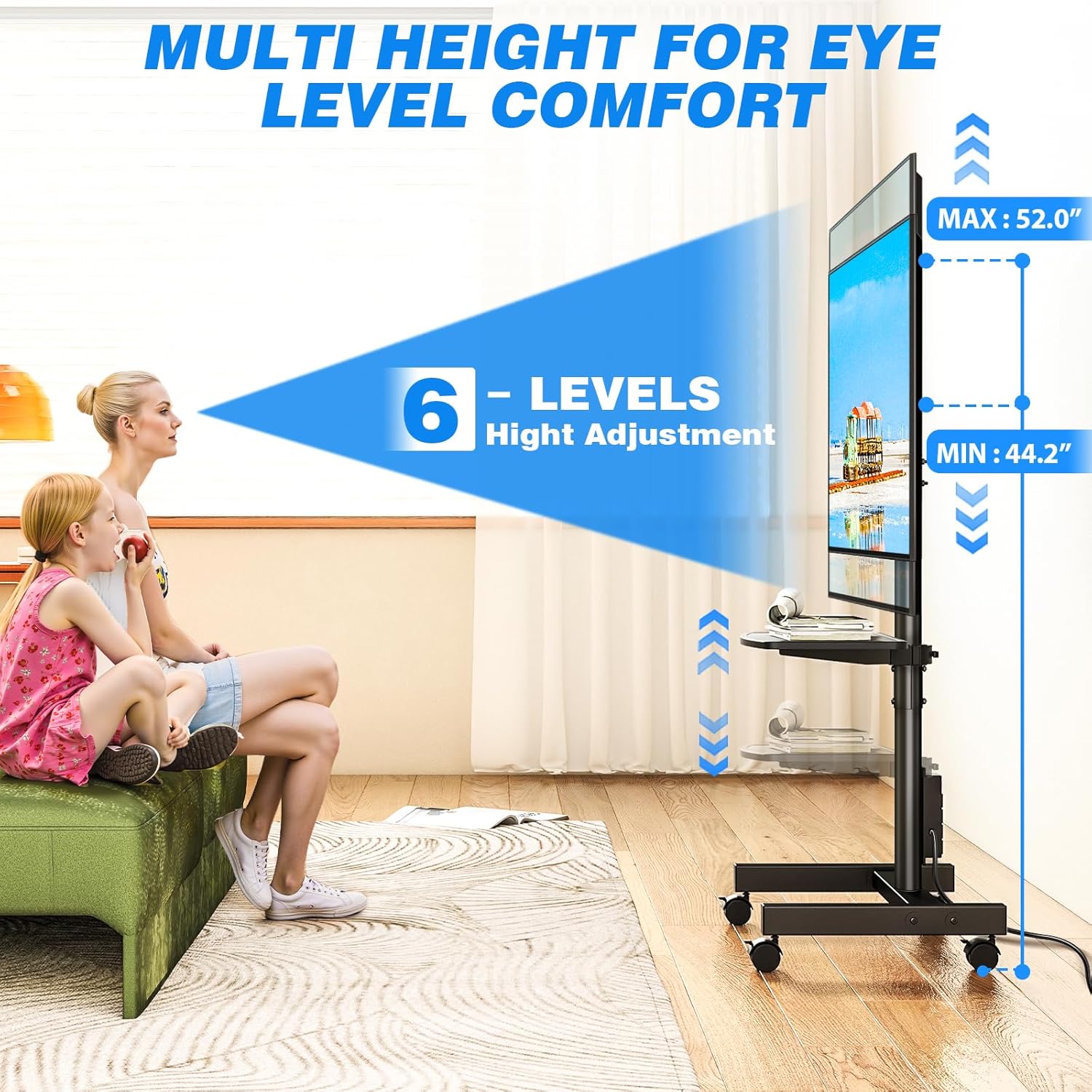
- Nastavení výšky: Offers 6 levels of height adjustment to position the screen at eye level.
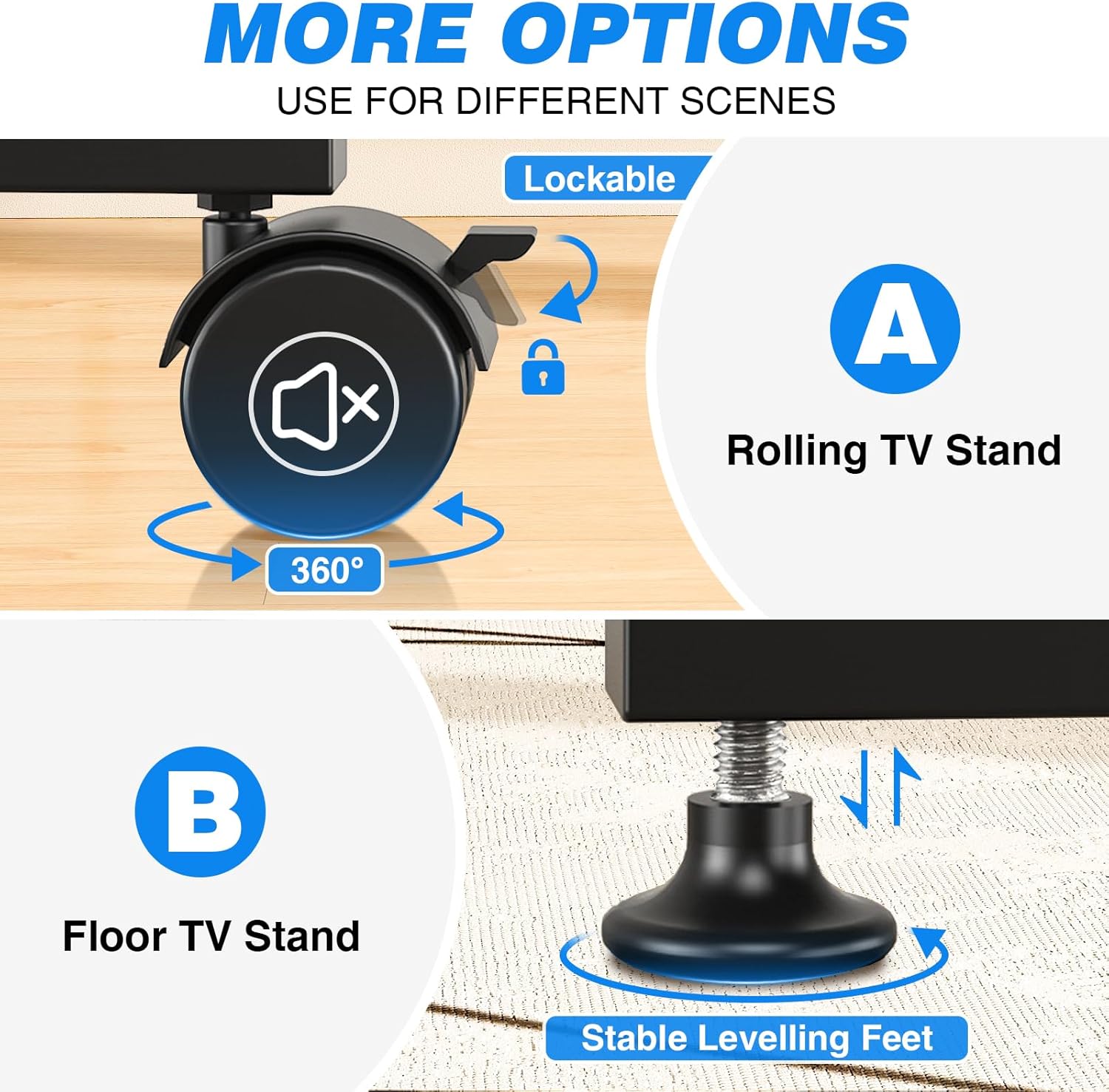
- Mobile or Fixed Use: Comes with both 360° rotating lockable castors for easy mobility and adjustable feet for stable, stationary use on various surfaces.
- Prostorově úsporný design: Compact design allows placement close to walls or behind furniture. Integrated cable management system keeps wires organized.
- Nastavitelná police pro média: Includes a shelf for media devices or accessories.
Funkce skončilaview
Integrovaná zásuvka

Nastavitelný Viewúhly
Možnosti mobility
Product Dimensions and VESA Compatibility
Rozsah nastavení výšky
Video o produktu
Toto video poskytuje vizuální ukázkuview of the Rfiver Rolling TV Stand's features, including height adjustment, adjustable storage shelf, 90-degree vertical assembly, tilt functionality, cable management, integrated power outlet, and VESA compatibility.
3. Specifikace
| Atribut | Hodnota |
|---|---|
| Značka | Rfiver |
| Číslo modelu | B0F89BJFHH |
| Hmotnost položky | 12.45 libry |
| Rozměry produktu | 18.8 x 16.8 x 52 palce |
| Barva | Černý |
| Materiál | Kov |
| Typ montáže | Montáž na podlahu |
| Typ pohybu | Střídat |
| Kompatibilní zařízení | Monitor, Televize |
| Maximální úhel náklonu | +10° / -2° |
| Kompatibilita velikosti TV | 13-50 palců |
| Maximální nosnost | 55 liber |
| Kompatibilita VESA | 75x75mm až 200x200mm |
| Zásuvka napájení | 4 AC outlets (120V/12A), 6.5ft cord |
4. Bezpečnostní informace
Dodržujte prosím následující bezpečnostní opatření, abyste předešli zranění nebo poškození produktu:
- Nepřekračujte maximální nosnost 55 kg.
- Ensure your TV's VESA mounting pattern is within the supported range (75x75mm to 200x200mm).
- Always follow assembly instructions carefully. Incorrect assembly can lead to product failure.
- Distribute weight evenly on the media shelf. Do not overload.
- When moving the stand, ensure all wheels are unlocked. Lock wheels when the stand is in its desired position to prevent accidental movement.
- Během montáže a nastavování držte děti a domácí zvířata v dostatečné vzdálenosti od stojanu.
- Do not attempt to modify the product. Any modifications may void the warranty and create safety hazards.
- Ensure the power outlet is properly grounded and rated for the connected devices. Do not exceed the power strip's electrical limits (120V/12A).
5. Obsah balení
Before beginning assembly, verify that all parts are present and undamaged. Refer to the included assembly instructions for a complete list of components and hardware.
- TV Stand Base (with pre-installed power outlet)
- Vertical Support Pole
- Držák na TV
- Adjustable Media Shelf
- Set of 360° Rotating Lockable Castors
- Sada nastavitelných nivelačních nožiček
- Hardware Kit (screws, washers, spacers for TV mounting and stand assembly)
- Montážní nářadí (např. imbusový klíč, otevřený klíč)
- Uživatelská příručka
6. Montážní návod
Assembly typically requires two people. Follow the step-by-step instructions provided in the separate assembly guide included with your product. Ensure all connections are secure before mounting your TV.
- Rozbalte a ověřte: Carefully unpack all components and compare them against the parts list in your assembly guide.
- Sestavte základnu: Attach the vertical support pole to the base. Decide whether to install the lockable castors for mobility or the adjustable leveling feet for a stationary setup.
- Instalace police pro média: Secure the adjustable media shelf to the vertical support pole at your desired height.
- Připevnění držáků televizoru: Secure the TV mounting brackets to the back of your television using the appropriate screws, washers, and spacers from the hardware kit. Ensure VESA compatibility.
- Montáž televizoru: Carefully lift and attach the TV (with brackets) to the main mounting plate on the stand. Secure it according to the assembly guide.
- Správa kabelů: Route all cables through the integrated cable management system to maintain a tidy appearance.
Note: Detailed diagrams and specific hardware identifiers are found in the dedicated assembly manual.
7. Návod k obsluze
7.1 Nastavení výšky
The TV stand offers 6 levels of height adjustment. To adjust the height:
- Loosen the locking mechanisms on the vertical support pole.
- Carefully raise or lower the TV to the desired viewing výška.
- Securely tighten all locking mechanisms to prevent the TV from slipping.
7.2 Tilting the TV
The TV mount allows for a tilt range of +10° (up) to -2° (down).
- Locate the tilt adjustment knobs or bolts on the TV mounting bracket.
- Loosen them slightly.
- Adjust the TV to your preferred tilt angle.
- Tighten the knobs/bolts firmly to secure the TV in place.
7.3 Rotating the TV (Portrait/Landscape)
The TV can be rotated 90 degrees to switch between portrait and landscape orientations.
- Ensure there is sufficient clearance around the TV to rotate it without hitting obstacles.
- Carefully rotate the TV to the desired orientation.
- The mount is designed to hold the TV securely in both positions.
7.4 Používání integrované zásuvky
The stand includes a power strip with 4 AC outlets.
- Plug the stand's 6.5-foot power cord into a wall outlet.
- Connect your TV and other media devices to the 4 AC outlets on the power strip.
- Use the one-touch power switch to turn the power strip on or off, conserving energy when devices are not in use.
7.5 Moving the Stand (with Castors)
If you have installed the lockable castors:
- Ensure all castor locks are disengaged before moving.
- Gently push the stand to its new location.
- Once in position, engage all castor locks to prevent unwanted movement.

8. Údržba
- Čištění: Otřete stojan měkkým hadříkemamp hadříkem. Nepoužívejte abrazivní čisticí prostředky ani rozpouštědla, která by mohla poškodit povrchovou úpravu.
- Kontrola hardwaru: Periodically check all bolts and screws to ensure they remain tight and secure. Retighten as necessary.
- Správa kabelů: Ensure cables are neatly routed and not pinched or stressed.
- Castors/Feet: If using castors, keep them free of debris. If using leveling feet, ensure they are stable and adjusted correctly.
9. Řešení problémů
| Problém | Možná příčina | Řešení |
|---|---|---|
| TV is not stable/wobbles | Loose bolts; uneven floor; overloaded. | Check and tighten all assembly bolts. Ensure the stand is on a level surface. If using leveling feet, adjust them. Do not exceed weight capacity. |
| TV cannot be tilted/rotated | Locking mechanisms are too tight; obstruction. | Loosen tilt/rotation bolts slightly. Check for any cables or objects obstructing movement. |
| Zásuvka nefunguje | Stand's power cord unplugged; power switch off; circuit breaker tripped. | Ensure the stand's power cord is securely plugged into a live wall outlet. Press the one-touch power switch on the power strip. Check your home's circuit breaker. |
| Stand is difficult to move (with castors) | Castor locks engaged; debris in castors. | Disengage all castor locks. Clean any hair or debris from the castor wheels. |
10. Záruka a podpora
Rfiver products are designed for durability and performance. For warranty information, technical support, or to order replacement parts, please refer to the warranty card included with your product or visit the official Rfiver website. Please have your model number (B0F89BJFHH) ready when contacting support.
Kontaktní údaje:
- Webmísto: Rfiver Official Store on Amazon
- E-mail: Viz obal produktu nebo oficiální webweb pro e-mail zákaznického servisu.