
Zavedení
Thank you for choosing the FULODE DT-4 Professional 4-Channel Audio Mixer. This device is designed to provide high-quality audio mixing, recording, and live streaming capabilities with a range of features including 99 DSP effects, a 5-band equalizer, 4 XLR/TRS combo inputs, 48V phantom power, vocal removal, USB playback, and Bluetooth connectivity. This manual will guide you through the setup, operation, and maintenance of your mixer to ensure optimal performance.
Bezpečnostní informace
Před použitím zařízení si prosím přečtěte a pochopte všechny bezpečnostní pokyny. Uschovejte si tento návod pro budoucí použití.
- Napájení: Používejte pouze určený napájecí adaptér. Ujistěte se, že hlasitosttage odpovídá požadavkům vašeho regionu.
- Voda a vlhkost: Nevystavujte mixér vodě, dešti ani nadměrné vlhkosti. Nepokládejte na něj předměty naplněné tekutinami.
- Větrání: Zajistěte dostatečné větrání kolem míchačky. Neblokujte větrací otvory.
- Zdroje tepla: Udržujte jednotku mimo dosah zdrojů tepla, jako jsou radiátory, topná tělesa, kamna nebo jiná zařízení produkující teplo.
- Čištění: Před čištěním odpojte napájení. Použijte suchý, měkký hadřík. Nepoužívejte tekuté ani aerosolové čisticí prostředky.
- Servis: Nepokoušejte se tento výrobek opravit sami. Veškerý servis svěřte kvalifikovanému servisnímu personálu.
- Fantomová síla: When using 48V phantom power, ensure condenser microphones are connected correctly before activating to prevent damage.
Obsah balení
Ověřte, zda jsou v balení přítomny všechny položky:
- FULODE DT-4 Audio Mixer
- Napájecí adaptér
- USB kabel
- Uživatelská příručka
Konec produktuview: Controls and Connectors
The FULODE DT-4 mixer features an intuitive layout for easy control over your audio. Familiarize yourself with the various components:

Obrázek: Shora dolů view of the FULODE DT-4 mixer with numbered labels indicating various controls and input/output ports.
Ovládací prvky na předním panelu
- MIC INPUT/Audio input (1-4): XLR/TRS combo jacks for connecting microphones or line-level instruments.
- GAIN (2): Upravuje vstupní citlivost pro každý kanál.
- Treble equalization (HF) (3): Upravuje vysoké frekvence pro každý kanál.
- Bass balance (LF) (4): Upravuje nízké frekvence pro každý kanál.
- Effect regulation (FX) (5): Controls the amount of effect sent from each channel.
- Left-right balance (PAN) (6): Upravuje stereo panorama pro každý kanál.
- Channel volume (7): Fader to control the output level of each individual channel.
- 99 Effects selection knobs (8): Rotary encoder to select one of the 99 built-in DSP effects.
- USB display/Bluetooth display/Effects module display/Signal light display (9): Digital screen showing current mode, effect number, and audio levels.
- 99 Effects adjustment knobs (10): Adjusts parameters of the selected DSP effect.
- Mp3 adjustment knobs (11): Controls MP3 playback functions.
- Mp3 REP (12): Repeat function for MP3 playback.
- Mp3 VC (13): Vocal Cancellation button for MP3 playback.
- Mp3 MODE (14): Switches between USB, Bluetooth, and other MP3 modes.
- Earphone volume adjustment knob (PHONES) (15): Ovládá hlasitost sluchátkového výstupu.
- Pět stages of balanced regulation (Graphic Equalizer) (16): 5-band graphic equalizer for main output.
- Effect volume (17): Controls the overall volume of the DSP effects.
- Mp3 total volume (18): Controls the overall volume of the MP3 player.
- Master output volume (19): Ovládá hlasitost hlavního výstupu.
- TYPE-C/USB conversion (20): USB port for computer connection and power.
- 48V power switch (21): Aktivuje fantomové napájení pro kondenzátorové mikrofony.
- Monitor output (22): Output for monitoring.
- Main output (23): Left and Right XLR outputs for connecting to main speakers or recording devices.
Připojení zadního panelu

Obrázek: Zadní view of the FULODE DT-4 mixer, highlighting the DC 12V power input, Type-C power port, and power switch.
- DC 12V power port (24): Connect the included 12V DC power adapter here.
- TYPE-C power port (25): Alternative power input via USB Type-C, also supports computer connection.
- Vypínač (26): Zapíná nebo vypíná mixér.
Nastavení
1. Připojení napájení
Connect the provided power adapter to the DC 12V power port (24) on the rear panel of the mixer, then plug it into a suitable power outlet. Alternatively, you can power the mixer via the TYPE-C power port (25) using a compatible USB-C power source or by connecting it to a computer.

Image: Illustration showing the FULODE DT-4 mixer being powered via a USB cable connected to a computer or a phone charger.
2. Microphone and Instrument Connection
Connect your microphones or instruments to the MIC/LINE input jacks (1-4). These are combo jacks that accept both XLR and 1/4-inch TRS/TS connectors.
- Pro kondenzátorové mikrofony: If using a condenser microphone, ensure it is connected, then activate the +48V power switch (21). Kontrolka se rozsvítí.
- For Dynamic Microphones/Instruments: Connect directly to the MIC/LINE inputs. No phantom power is needed.
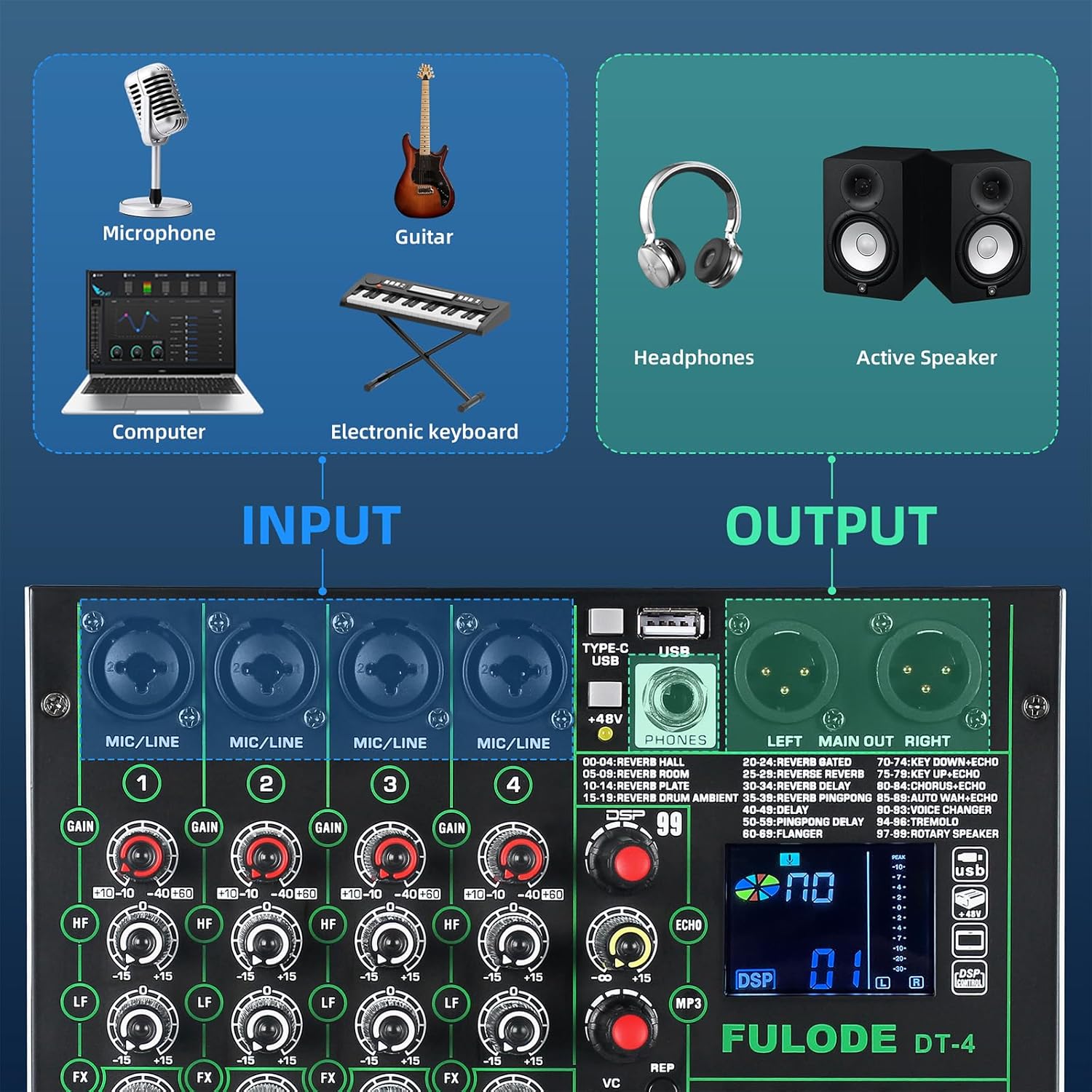
Image: Diagram illustrating various input sources (microphone, guitar, computer, electronic keyboard) connecting to the mixer, and output devices (headphones, active speakers) connected to the mixer.
3. Výstupní připojení
- Hlavní výstup: Connect your main speakers or recording interface to the LEFT MAIN OUT RIGHT XLR outputs (23).
- Sluchátka: Plug your headphones into the PHONES jack. Adjust the headphone volume using the PHONES knob (15).
4. Computer/Mobile Device Connection
- USB připojení: Connect the mixer to your computer using a USB cable via the TYPE-C/USB port (20). The mixer will be recognized as an audio interface without requiring additional drivers.
- Připojení Bluetooth: Press the MODE button (14) until 'BT' appears on the display. On your mobile device, search for 'BT_5.0' and pair.

Image: Illustration showing the FULODE DT-4 mixer connected to a laptop, tablet, and phone for audio playback via USB and Bluetooth.
Video: Overview of the FULODE DT-4 mixer's features, including input/output connections, DSP effects, vocal removal, USB playback, and Bluetooth connectivity. This video demonstrates the mixer's versatility for various audio applications.
Návod k obsluze
1. Adjusting Input Levels (Gain)
Použijte GAIN knob (2) for each channel to set the input level. Adjust it so that the PEAK indicator light for that channel flashes only occasionally during the loudest parts of your audio. Avoid constant illumination of the PEAK light, as this indicates clipping and distortion.
2. Vyrovnávání (EQ)
Each channel has HF (3) a LF (4) knobs for basic high and low frequency adjustments. The main output features a 5-band Graphic Equalizer (16) to fine-tune the overall sound. Adjust the sliders to boost or cut specific frequency ranges (70Hz, 200Hz, 1KHz, 5KHz, 12KHz) for the main mix.

Obrázek: Detail view of the 5-band graphic equalizer section on the FULODE DT-4 mixer, showing the sliders for frequency adjustment.
3. DSP efekty
Mixážní pult obsahuje 99 vestavěných DSP efektů. Použijte 99 Effects selection knob (8) to scroll through the available effects (e.g., Reverb, Delay, Chorus). The selected effect number will appear on the display (9). Adjust the effect parameters using the 99 Effects adjustment knobs (10) and the overall effect send level for each channel with the FX knob (5). The master effect volume is controlled by the Effect volume knob (17).

Image: Display showing the '99 DSP' effects feature of the FULODE DT-4 mixer, with a list of various reverb, delay, and other effects.
4. Vocal Removal
To remove vocals from a track playing via USB or Bluetooth, press the Mp3 VC button (13). This feature attempts to isolate and reduce the vocal track, leaving an instrumental version. The effectiveness may vary depending on the original audio source.

Image: A person operating the FULODE DT-4 mixer, with a highlighted 'VC' button indicating the one-tap vocal elimination feature.
5. Přehrávání z USB
Vložte USB flash disk s audio soubory ve formátu MP3 files into the USB port (20). The mixer will automatically detect and begin playing the files. Použijte Mp3 adjustment knobs (11) a Mp3 REP (12) to control playback (play/pause, skip tracks, repeat). Adjust the overall USB playback volume with the Mp3 total volume knob (18).
6. Připojení Bluetooth
After pairing your device (as described in Setup), ensure the mixer is in Bluetooth mode (display shows 'BT'). You can now stream audio wirelessly from your smartphone, tablet, or computer to the mixer. Control playback and volume from your connected device or using the mixer's MP3 controls.
7. Živé vysílání
Connect your mobile phone or computer to the mixer via USB (TYPE-C/USB port 20). The mixer acts as an audio interface, sending the mixed audio directly to your streaming software or application. This plug-and-play functionality simplifies your live broadcast setup.
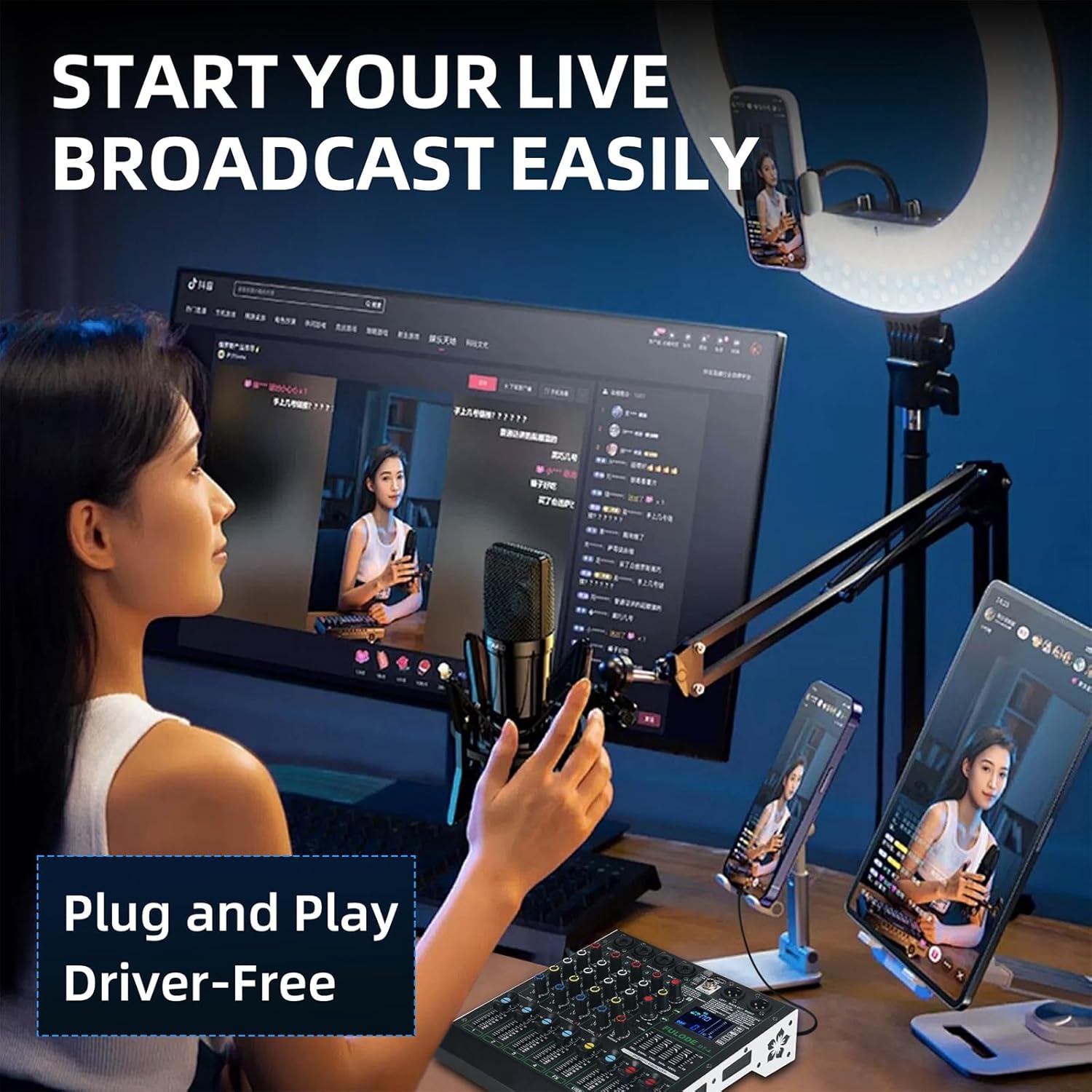
Image: A person setting up a live broadcast with the FULODE DT-4 mixer connected to a computer and smartphone, demonstrating its plug-and-play capability.
Údržba
Proper care ensures the longevity of your FULODE DT-4 mixer.
- Čištění: Regularly wipe the surface with a soft, dry cloth. For stubborn dirt, use a slightly damp cloth and immediately dry the surface. Avoid abrasive cleaners or solvents.
- Skladování: Pokud mixér nepoužíváte, skladujte jej na chladném a suchém místě, mimo dosah přímého slunečního záření a extrémních teplot.
- Ochrana proti prachu: Cover the mixer with a dust cover when not in use to prevent dust accumulation in faders and knobs.
- Správa kabelů: Avoid bending cables sharply or placing heavy objects on them to prevent damage to connectors and internal wiring.
Odstraňování problémů
Pokud narazíte na problémy, podívejte se do následující tabulky s běžnými problémy a jejich řešeními:
| Problém | Možná příčina | Řešení |
|---|---|---|
| Žádná síla | Power adapter not connected; Power switch off; Faulty power outlet. | Check power connections; Ensure power switch is ON; Try a different power outlet. |
| Žádný zvukový výstup | Volume knobs turned down; Cables incorrectly connected; Mute engaged; Speakers off. | Check all volume controls (channel, master, headphone); Verify cable connections; Ensure speakers are powered on. |
| Mikrofon nefunguje | Incorrect input selected; Gain too low; Phantom power off (for condenser mics); Faulty microphone/cable. | Check input selection; Increase GAIN; Activate +48V phantom power if using a condenser mic; Test with a different microphone/cable. |
| Zkreslený zvuk | Input gain too high (clipping); Output volume too high; Faulty cable. | Reduce GAIN until PEAK light only flashes occasionally; Lower master volume; Replace cables. |
| Bluetooth se nepřipojuje | Mixážní pult není v režimu Bluetooth; Zařízení není viditelné; Rušení. | Ensure mixer is in 'BT' mode; Make sure your device's Bluetooth is on and discoverable; Move closer to the mixer. |
| Přehrávání z USB nefunguje | USB disk není správně naformátován; Nepodporováno file formát; vadný USB disk. | Ujistěte se, že je USB disk naformátován ve formátu FAT32; použijte MP3 fileZkuste jiný USB disk. |
Specifikace
Key technical details for the FULODE DT-4 Audio Mixer:
- Model: DT-4
- Počet kanálů: 4
- DSP efekty: 99 předvoleb
- Vyrovnání: 5-Band Graphic EQ (Main Out), 2-Band EQ (HF/LF) per channel
- Fantomová síla: +48V (přepínatelné)
- Konektivita: XLR/TRS Combo Inputs, USB (Type-C for data/power), Bluetooth, Main XLR Outputs, Headphone Output
- Zdroj napájení: DC 12V (adapter included), USB Type-C
- svtage: 110 voltů (AC)
- Hmotnost položky: 3.97 pounds (1.8 KG)
- Rozměry produktu: 240 mm x 220 mm x 55 mm (hloubka x šířka x výška)

Image: Diagram illustrating the physical dimensions of the FULODE DT-4 mixer, showing its length, width, and height in both millimeters and inches, along with its weight.
Záruka a podpora
Informace o záruce
Your FULODE DT-4 Audio Mixer is covered by a manufacturer's warranty against defects in materials and workmanship. Please refer to the warranty card included in your package or contact FULODE customer support for specific terms and conditions. Keep your purchase receipt as proof of purchase.
Zákaznická podpora
For technical assistance, troubleshooting, or warranty claims, please contact FULODE customer support through the retailer where you purchased the product or visit the official FULODE webstránky pro kontaktní informace.