
1. Konec produktuview
The HP 255 Wireless Mouse is a versatile input device designed for comfortable and efficient use with various computing systems. It offers dual-mode connectivity, allowing connection via a 2.4GHz USB-A dongle or Bluetooth 5.0+.
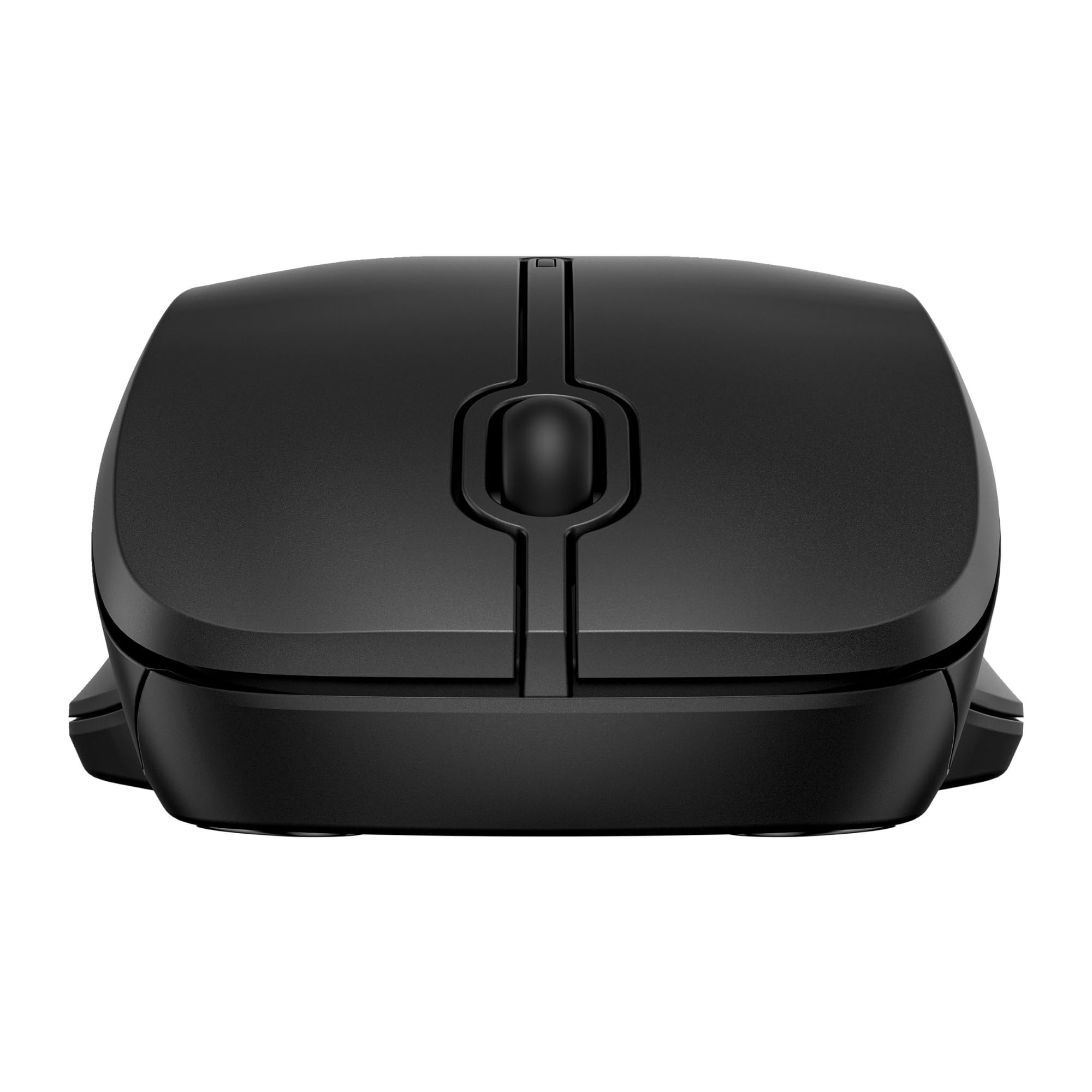
Image 1.1: Top-side view of the HP 255 Wireless Mouse, showcasing jeho ergonomický design.
2. Nastavení
2.1 Instalace baterie
- Najděte přihrádku na baterie na spodní straně myši.
- Posunutím otevřete kryt baterie.
- Insert one AA battery, ensuring correct polarity (+/-). An AA battery is included with the mouse.
- Pevně zavřete kryt baterie.
2.2 Připojení myši
The HP 255 Wireless Mouse supports two connection methods: 2.4GHz wireless via USB-A receiver and Bluetooth 5.0+.

Image 2.1: Underside of the mouse, illustrating the battery compartment, power switch, and connection button.
2.2.1 Bezdrátové připojení 2.4 GHz
- Locate the USB-A receiver, typically stored inside the battery compartment of the mouse.
- Zapojte přijímač USB-A do volného portu USB v počítači.
- Zapněte myš pomocí vypínače na její spodní straně.
- Myš by se měla automaticky připojit k počítači.

Image 2.2: The HP 255 Wireless Mouse shown with its accompanying USB receiver.
2.2.2 Připojení Bluetooth
- Ujistěte se, že je v počítači povoleno rozhraní Bluetooth.
- Zapněte myš pomocí vypínače na její spodní straně.
- Press and hold the 'Connect' button on the underside of the mouse until the indicator light begins to blink, signifying pairing mode.
- V počítači přejděte do nastavení Bluetooth a vyhledejte nová zařízení.
- Select "HP 255 Wireless Mouse" from the list of available devices to complete the pairing process.
3. Ovládání myši
3.1 Zapnutí/vypnutí
Use the ON/OFF switch located on the underside of the mouse to conserve battery life when not in use.
3.2 Základní funkce
- Levé tlačítko: Primární funkce kliknutí.
- Pravé tlačítko: Funkce sekundárního kliknutí (kontextová nabídka).
- Rolovací kolečko: Scroll up or down. Can also be pressed for a middle-click function.
3.3 Výkon
- Optický senzor: The mouse features a 1600 DPI optical sensor for precise and smooth tracking on various surfaces.
- Bezdrátový dosah: Operates reliably within a 10-meter range from your connected device.
- Životnost baterie: A single AA battery provides up to 12 months of usage, depending on usage patterns.
4. Údržba
4.1 Čištění
To clean the mouse, gently wipe its surface with a soft, dry, lint-free cloth. Avoid using harsh chemicals, solvents, or abrasive materials, as these can damage the finish or internal components.
4.2 Výměna baterie
When the mouse performance degrades or it stops responding, replace the AA battery following the instructions in Section 2.1.
5. Řešení problémů
- Myš nereaguje:
- Ujistěte se, že je myš zapnutá.
- Zkontrolujte stav baterie a v případě potřeby ji vyměňte.
- Pro připojení 2.4 GHz se ujistěte, že je USB přijímač bezpečně zapojený do funkčního USB portu. Zkuste jiný USB port.
- For Bluetooth connection, ensure Bluetooth is enabled on your computer and the mouse is properly paired. Try re-pairing the mouse.
- Nepravidelný pohyb kurzoru:
- Optický senzor na spodní straně myši očistěte měkkým, suchým hadříkem.
- Ujistěte se, že myš používáte na vhodném povrchu. Vyhněte se vysoce reflexním nebo průhledným povrchům.
- Časté výpadky spojení:
- Move the mouse closer to the USB receiver or Bluetooth-enabled device.
- Minimalizujte rušení od jiných bezdrátových zařízení.
6. Specifikace
| Značka | HP |
| Číslo modelu | 8R3U1UT#ABB |
| Technologie připojení | Bluetooth 5.0+, 2.4GHz RF Wireless (USB Type-A receiver) |
| Detekce pohybu | Optický |
| Rozlišení pohybu | 1600 DPI |
| Počet tlačítek | 3 (levý, pravý, rolovací kolečko) |
| Typ posouvání | Kolo |
| Zdroj napájení | 1 AA baterie (součástí balení) |
| Životnost baterie | Až 12 měsíců |
| Bezdrátové Dosah | 10 metrů |
| Kompatibilní operační systémy | Windows 10, Windows 11, macOS, ChromeOS |
| Form Factor | Dual handed (ambidextrous) |
| Barva | Černý |
| Rozměry (Š x H x V) | 69.3 mm x 115 mm x 38.2 mm |
| Hmotnost | 68 g |
| Materiál | 50% recycled household plastics |
| Obal | 100% recyklovatelné |
7. Informace o podpoře
For further assistance, product safety regulations, or detailed support, please visit the official HP support webmísto: