
Zavedení
This manual provides comprehensive instructions for the assembly, operation, and maintenance of your LogiLink BP0208W Speaker Stand. Designed for SONOS ERA 100 and ERA 300 speakers, this stand offers flexible height adjustment and a stable base to enhance your audio experience. Please read this manual carefully before assembly and use to ensure proper installation and safe operation.
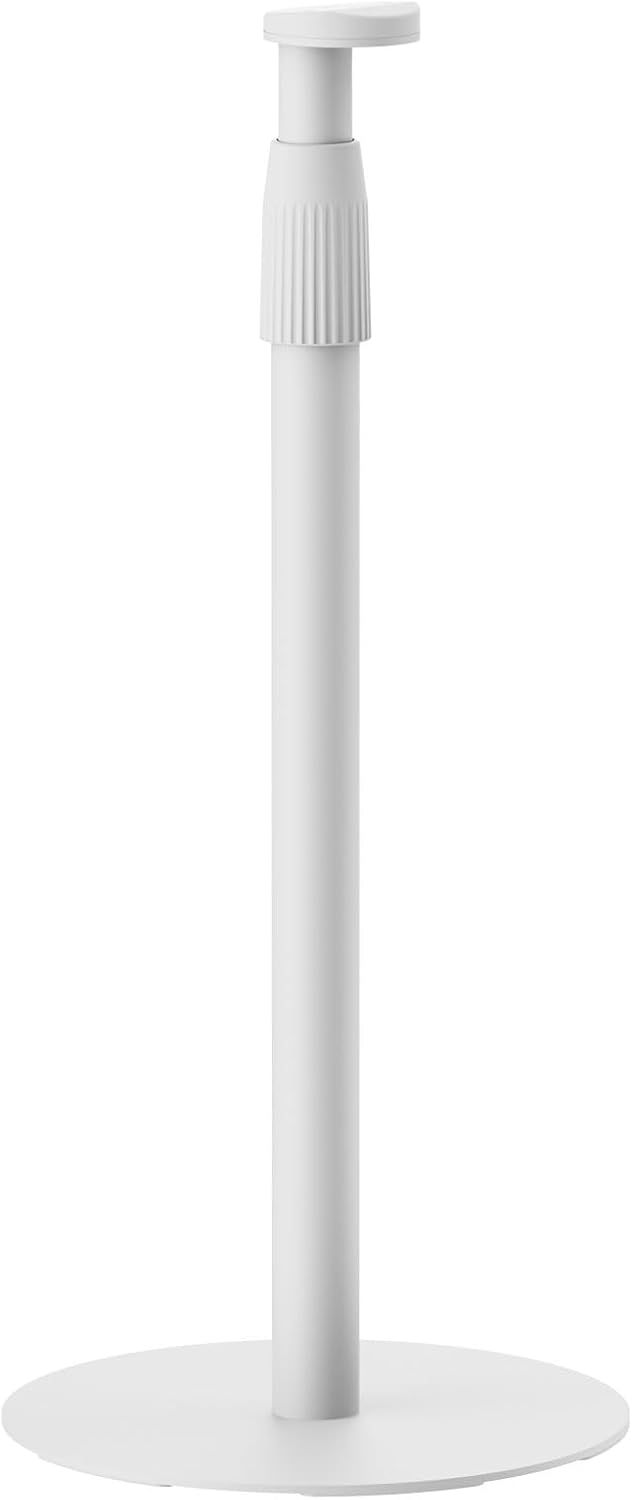
Image: The LogiLink BP0208W Speaker Stand, a white stand with a circular base and an adjustable top section for speakers.
Obsah balení
Please verify that all components are present before beginning assembly. If any parts are missing or damaged, contact LogiLink customer support.
- 1 x Speaker Stand (main components: base, pole, speaker mount)
- 1 x Set of Screws for assembly and speaker mounting
- 1 x Uživatelská příručka (tento dokument)
Nastavení a montáž
Follow these steps to assemble your speaker stand. It is recommended to assemble the stand on a soft, clean surface to prevent scratches.
- Attach the Pole to the Base: Securely fasten the main pole to the circular base using the provided screws. Ensure the connection is firm and stable.

Image: Visual representation highlighting easy assembly and the stable base design of the stand.
- Mount the Speaker Holder: Attach the speaker mounting plate to the top of the pole. This section is designed to securely hold your Sonos ERA 100 or ERA 300 speaker.
- Install Your Speaker: Carefully place your Sonos ERA 100 or ERA 300 speaker onto the mounting plate. Use the provided M5 screws to fix the speaker firmly to the stand. The stand supports both double hole slot and single hole slot speaker patterns.
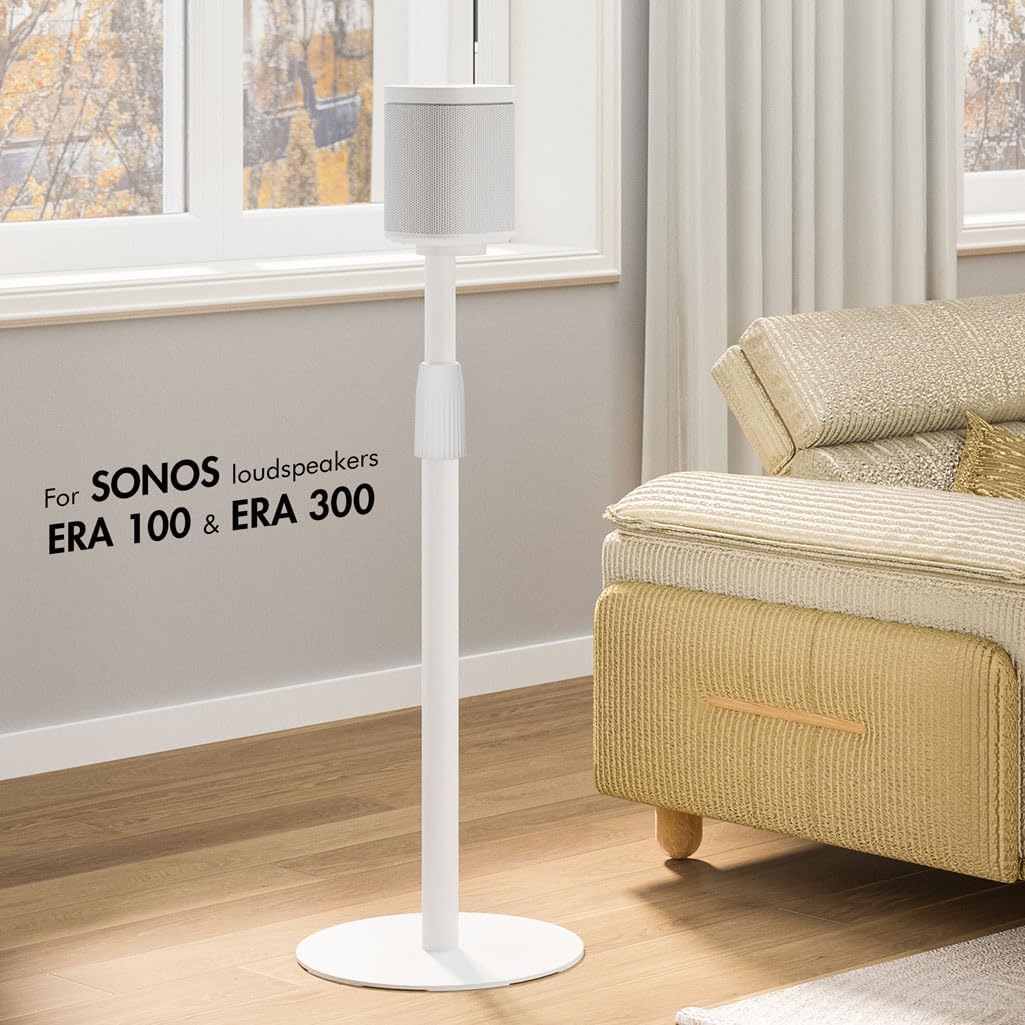
Image: A white speaker stand with a Sonos speaker positioned on top, demonstrating its use in a home environment.
- Správa kabelů: The stand features an integrated cable management system. Route your speaker's power cable through the stand tube for a clean and organized appearance. The cable exits near the base.

Obrázek: Podrobný view of the speaker stand illustrating the clever cable management system, with a cable routed through the pole.
Návod k obsluze
The LogiLink BP0208W Speaker Stand is designed for optimal speaker placement and listening experience.
- Nastavení výšky: The stand's height is adjustable from 682 mm (26.85 inches) to 1068 mm (42.05 inches). To adjust, loosen the locking mechanism on the pole, slide the upper section to the desired height, and then firmly tighten the mechanism to secure it.

Image: A visual guide indicating the adjustable height range of the speaker stand, from 68 cm to 108 cm, for optimal listening.
- Umístění: Position the speaker stand in your desired listening area. The flat base is designed to be space-saving and can be slid under furniture for discreet placement.

Image: The speaker stand positioned next to a sofa, illustrating its space-saving base that can slide under furniture.
- Optimal Listening Position: Adjust the height of the stand to ensure your speaker is at an optimal height for your listening position, typically at ear level when seated.
Údržba
To ensure the longevity and appearance of your LogiLink speaker stand, follow these simple maintenance guidelines:
- Čištění: Wipe the stand with a soft, dry cloth to remove dust. For stubborn marks, a slightly damp Lze použít hadřík s jemným mýdlem a poté důkladně osušit. Nepoužívejte abrazivní čisticí prostředky ani rozpouštědla.
- Inspekce: Pravidelně kontrolujte všechny šrouby a spoje, zda jsou pevně utažené a bezpečné. V případě potřeby je dotáhněte.
- Kapacita zatížení: Do not exceed the maximum load capacity of 5 kg (11 lbs). Overloading can compromise the stand's stability and safety.
Odstraňování problémů
If you encounter any issues with your speaker stand, refer to the following common problems and solutions:
- Stojan je vratký:
- Ujistěte se, že všechny montážní šrouby jsou zcela utažené.
- Zkontrolujte, zda je stojan umístěn na rovném a vodorovném povrchu.
- Check that the speaker is securely mounted and its weight is evenly distributed.
- Speaker Does Not Fit:
- Confirm your speaker is a Sonos ERA 100 or ERA 300 model. This stand is specifically designed for these models.
- Ensure you are using the correct mounting screws and aligning them with the speaker's mounting holes.
- Height Adjustment is Difficult:
- Ensure the locking mechanism is fully loosened before attempting to adjust the height.
- Zkontrolujte, zda se v mechanismu tyče nenacházejí nějaké překážky nebo nečistoty.
If the issue persists, please contact LogiLink customer support for further assistance.
Specifikace
| Funkce | Detail |
|---|---|
| Značka | Logilink |
| Model | BP0208W |
| Kompatibilní reproduktory | Sonos ERA 100, Sonos ERA 300 |
| Nastavení výšky | 682 mm - 1068 mm (26.85 - 42.05 palce) |
| Maximální nosnost | 5 kg (11 lb) |
| Materiál | Kov, Plast |
| Speaker Mounting Hole Diameter | M5 |
| Speaker Hole Pattern | Double hole slot, Single hole slot |
| Rozměry produktu (základna) | 300 x 300 mm (11.8 x 11.8 palců) |
| Hmotnost položky | 3.2 kg (7.05 lb) |
| Barva | Bílý |

Image: Technical diagram illustrating the dimensions of the speaker stand, including height and base diameter.
Záruka a podpora
For warranty information, technical support, or to inquire about replacement parts, please refer to the official LogiLink webnebo kontaktujte jejich zákaznický servis. Uschovejte si účtenku jako doklad o koupi.
Výrobce: 2direct GmbH