
1. Konec produktuview
The My Wall HP66L is an electric motorized TV wall mount designed for screens ranging from 17 to 32 inches (43 to 81 cm) and supporting a load of up to 45 kg. This versatile mount can be integrated into furniture, allowing your television to elegantly rise from a cabinet or descend futuristically from a ceiling installation. It offers convenient control options via a dedicated app, voice commands, and a remote control.
When not in use, your TV can be discreetly hidden, maintaining a harmonious and clutter-free living space. This system provides boundless possibilities for modern home entertainment setups.

Figure 1: The My Wall HP66L TV mount in both cabinet and ceiling configurations, highlighting its multiple control methods.
2. Bezpečnostní informace
- Před instalací a použitím si pečlivě přečtěte všechny pokyny.
- Ensure the mounting surface can support the combined weight of the mount and your TV.
- Nepřekračujte maximální nosnost 45 kg.
- Keep children and pets away from the moving parts of the mount during operation.
- Před prováděním jakékoli údržby nebo seřizování odpojte napájení.
- Používejte pouze dodaný hardware nebo náhradní díly schválené výrobcem.
- Tento výrobek je určen pouze pro vnitřní použití.
3. Obsah balení
Please check that all components are present and undamaged before beginning installation. Refer to the packing list provided in your product box for a detailed inventory. Typically, the package includes:
- Motorized TV lift mechanism
- Dálkové ovládání
- Napájecí adaptér
- Sada montážního materiálu (šrouby, hmoždinky, podložky)
- Návod k použití
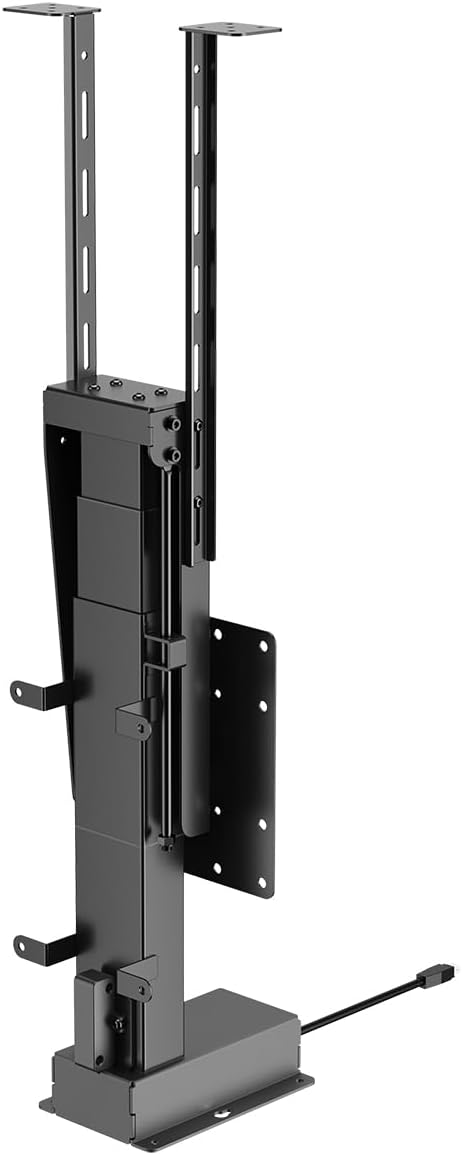
Obrázek 2: Přední strana view of the motorized TV lift mechanism.

Obrázek 3: Strana view of the motorized TV lift mechanism.
4. Nastavení a instalace
The My Wall HP66L TV mount is designed for both cabinet and ceiling integration. Professional installation is recommended due to the complexity of integrating the unit into furniture or ceiling structures.
4.1 Determine VESA Compatibility
Before installation, verify your TV's VESA mounting pattern. The VESA standard specifies the distance between the four mounting holes on the back of your TV in millimeters (horizontal x vertical).
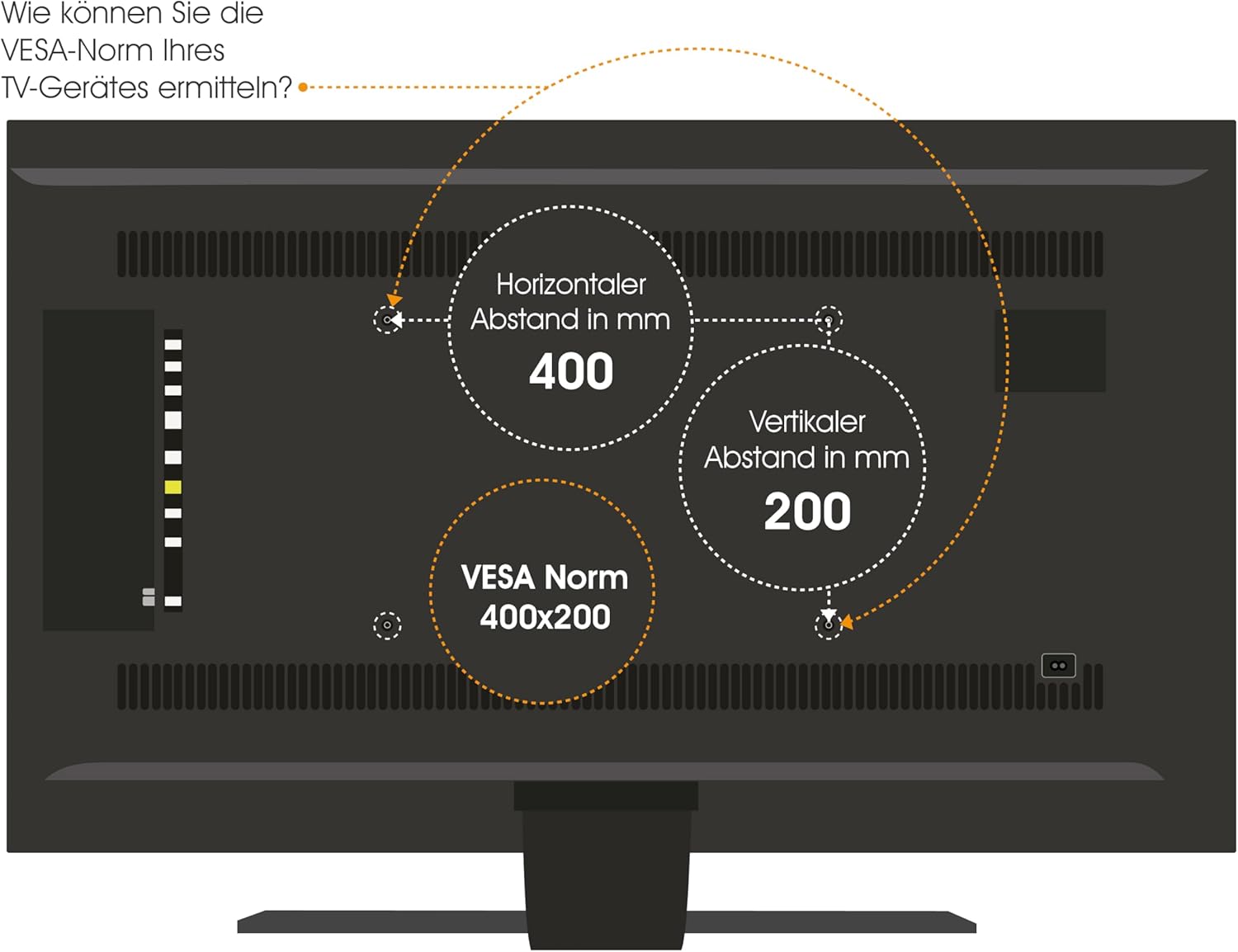
Figure 4: How to determine your TV's VESA standard.
4.2 Možnosti montáže
The mount supports two primary installation types:
- Cabinet/Furniture Integration: The lift mechanism is installed inside a cabinet, allowing the TV to rise vertically for viewIng.
- Integrace do stropu: The lift mechanism is installed in a ceiling cavity, allowing the TV to descend vertically for viewIng.

Figure 5: Lid variants for cabinet integration: fixed lid and hinged lid.
4.3 Obecné kroky instalace
- Umístění plánu: Carefully determine the exact location for your TV and the lift mechanism, considering viewing angles, power access, and structural support.
- Připravte montážní povrch: For cabinet installation, ensure the cabinet structure is robust enough. For ceiling installation, verify ceiling joists or suitable blocking are available.
- Mount the Lift Mechanism: Securely attach the lift mechanism to the chosen surface using appropriate fasteners. Refer to the detailed technical drawing for precise measurements and mounting points.
- Attach TV to Mount: Secure your TV to the VESA plate on the lift mechanism using the correct screws and spacers.
- Připojte napájení: Plug the power adapter into the lift mechanism and then into a suitable power outlet.
- Testovací provoz: Before final enclosure or finishing, test the full range of motion using the remote control or app.

Figure 6: Technical drawing with dimensions (in mm) for installation planning.
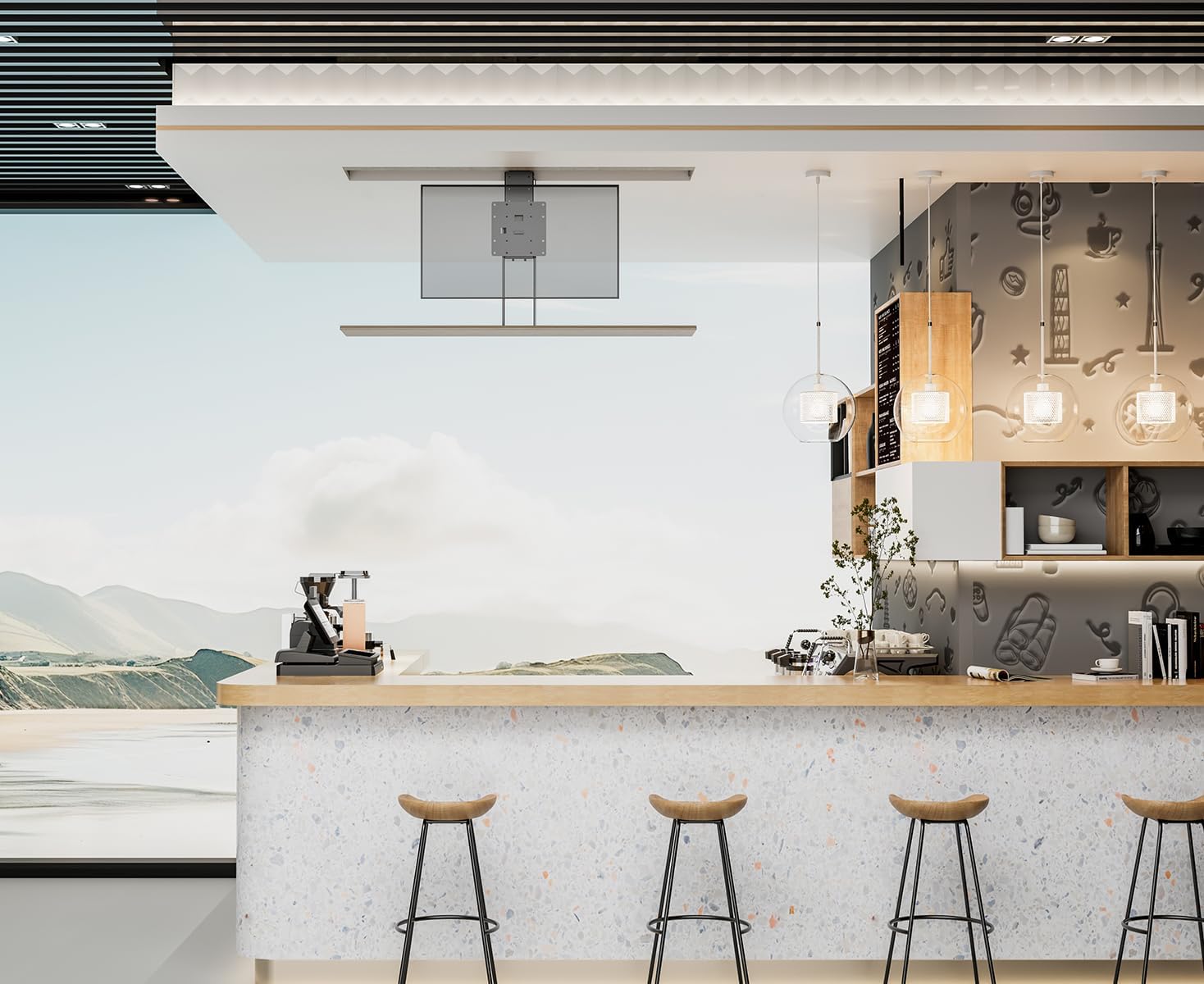
Obrázek 7: Přample of TV lift installed in a cabinet.

Obrázek 8: Přample of TV lift installed in a ceiling.
5. Návod k obsluze
The My Wall HP66L offers multiple convenient ways to control your TV lift.
5.1 Metody řízení
- Dálkové ovládání: Use the included remote control to raise or lower the TV.
- Aplikace pro chytré telefony: Download the dedicated app (e.g., Tuya APP) to control the lift from your smartphone. Follow the app's instructions for pairing.
- Hlasové ovládání: Integrate the lift with smart home systems like Alexa or Google Home for voice-activated operation. Refer to your smart home system's instructions for device integration.

Figure 9: Control options: Remote control, Tuya App, and Voice control.
5.2 Collision Avoidance System
The My Wall HP66L is equipped with a collision avoidance system to ensure safe movement. If an obstruction is detected during upward or downward motion, the lift will automatically stop to prevent damage.

Figure 10: Collision avoidance system for safe operation.
5.3 Oficiální produktová videa
There are no official product videos from the seller specifically for the My Wall HP66L model available at this time. Please refer to the images and written instructions for guidance.
6. Údržba
- Čištění: Vnější povrchy zvedáku a televizoru otřete měkkým, suchým hadříkem. Nepoužívejte abrazivní čisticí prostředky ani rozpouštědla.
- Inspekce: Periodically check all mounting screws and connections to ensure they are secure.
- Mazání: The motorized components are generally maintenance-free. Do not attempt to lubricate internal parts unless specifically instructed by the manufacturer.
7. Řešení problémů
- Lift not moving:
- Ensure the power cable is securely connected to both the lift and the power outlet.
- Zkontrolujte, zda je elektrická zásuvka funkční.
- Zkontrolujte, zda nejsou baterie v dálkovém ovladači vybité.
- Zkontrolujte, zda se v pohybu nenacházejí překážky.
- Dálkové ovládání nereaguje:
- Vyměňte baterie v dálkovém ovladači.
- Ensure there is no interference between the remote and the lift's receiver.
- Neobvyklé zvuky během provozu:
- Okamžitě zastavte provoz.
- Zkontrolujte, zda nejsou uvolněné části nebo překážky.
- Pokud hluk přetrvává, kontaktujte zákaznickou podporu.
8. Specifikace
| Funkce | Detail |
|---|---|
| Číslo modelu položky | HP66L |
| Značka | My Wall |
| Výrobce | My Wall |
| Kompatibilní zařízení | Televize |
| Minimální kompatibilní velikost | 17 palců |
| Maximální kompatibilní velikost | 32 palců |
| Typ pohybu | Výškově nastavitelné |
| Typ montáže | Cabinet/Ceiling Mount |
| Materiál | Kov |
| Barva | Černý |
| Kapacita zatížení | Až 45 kg |
| Počet položek | 1 |
| Rozměry balení | 67 x 32.5 x 22.5 cm |
| Hmotnost balení | 13.54 kg |
| Země původu | Čína |
| Spare Parts Availability (EU) | 1 rok |
| Zaručené aktualizace softwaru do | Neznámý |
9. Záruka a podpora
This product comes with a standard manufacturer's warranty. Please refer to the warranty card included in your package for specific terms and conditions. For technical support, troubleshooting assistance, or warranty claims, please contact My Wall customer service through their official webnebo kontaktní informace poskytnuté při nákupu.