Zavedení
This manual provides essential information for setting up, operating, maintaining, and troubleshooting your Thunderobot Zero 18 Pro 5070 Ti Gaming Laptop. Please read this guide thoroughly to ensure optimal performance and longevity of your device.
Co je v krabici
Po vybalení zkontrolujte, zda jsou přítomny všechny níže uvedené položky:
- THUNDEROBOT Zero Laptop
- Napájecí adaptér
- Uživatelská příručka (tento dokument)
- Záruční list
If any items are missing or damaged, contact your retailer or Thunderobot customer support immediately.
Nastavení
Počáteční zapnutí
- Připojte napájecí adaptér k napájecímu portu notebooku a poté do zásuvky ve zdi.
- Otevřete víko notebooku.
- Stisknutím tlačítka napájení zapněte notebook.
- Postupujte podle pokynů na obrazovce a dokončete nastavení systému Windows 11 Home.
Připojení periferií
Utilize the available ports to connect external devices such as a mouse, keyboard, external display, or other accessories. Refer to the "Connectivity (Ports)" section for port details.
Návod k obsluze
Zapnutí/vypnutí
- To power on: Press the power button located on the keyboard deck.
- To shut down: Click the Start button, then Power, and select "Shut down".
- To restart: Click the Start button, then Power, and select "Restart".
- To sleep: Close the laptop lid or click the Start button, then Power, and select "Sleep".
Keyboard and RGB Lighting
The laptop features a full-size keyboard with per-key customizable RGB backlighting and a dedicated numeric keypad.
- Per-Key RGB Backlight: Customize individual key lighting through the AI Intelligent Control Center software.
- Funkční klávesy: Použijte Fn key in combination with other keys for various functions (e.g., volume control, screen brightness, keyboard backlight adjustment).
- Performance Mode Switching: Dedicated keys (Fn+Space) allow for quick toggling between performance profiles.
- One-Click Cooling: A dedicated key (often near the numeric keypad) can activate maximum cooling. Ensure cooling mode is exited before using the first three keys to switch modes.
Funkce displeje
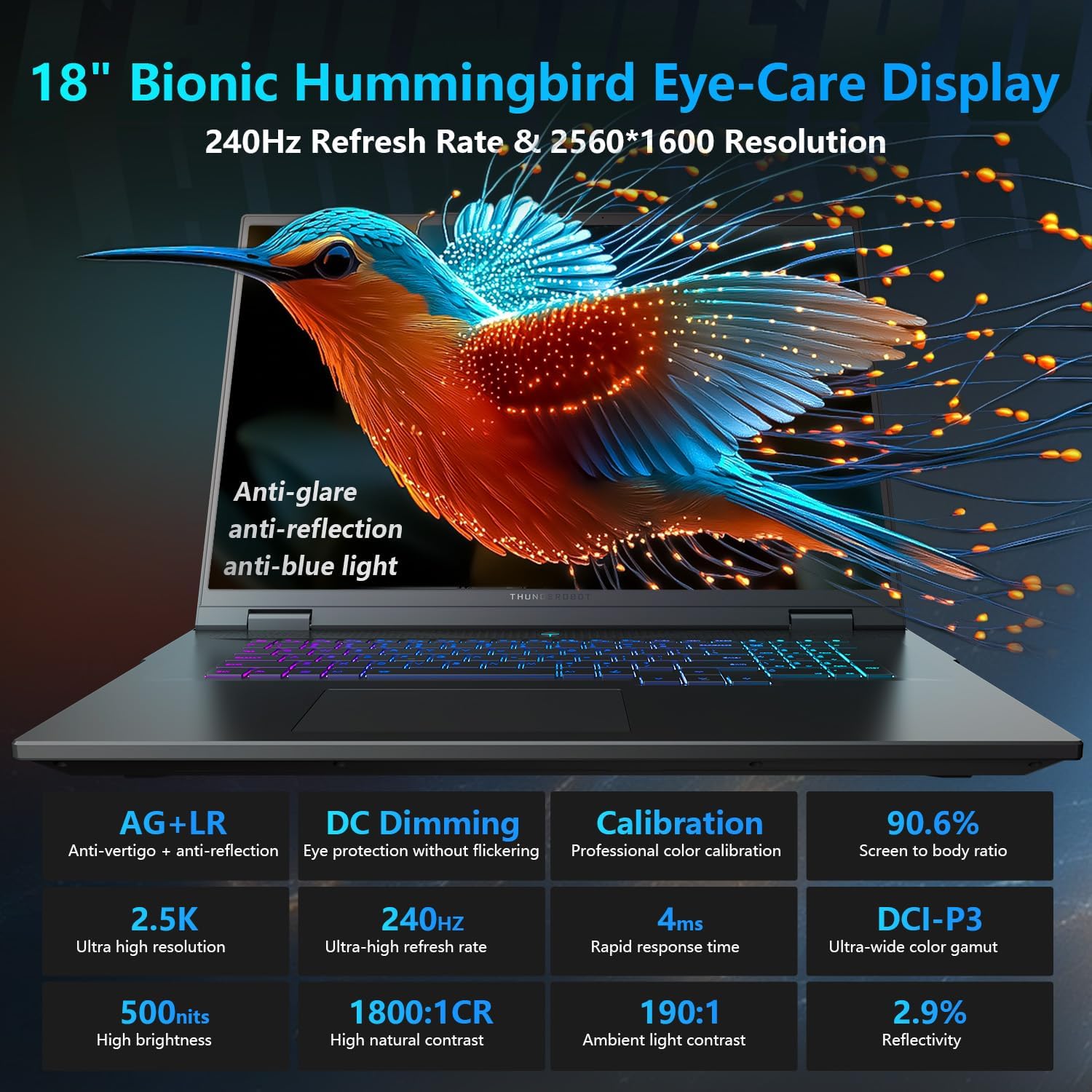
The 18-inch QHD+ (2560x1600) Bionic Hummingbird Eye-Care display offers a 240Hz refresh rate and 4ms response time for clear and fluid visuals. It includes anti-glare, anti-reflection, and anti-blue light technologies for eye comfort.

Connectivity (Ports)
The laptop is equipped with various ports for extensive connectivity:
- 3 x superrychlé porty USB typu A
- 2 x Superspeed USB Type-C ports (including Thunderbolt 5 support)
- 1 x HDMI port (HDMI 2.1)
- 1x ethernetový port RJ-45
- 1 x audio port (3.5 mm)
- Čtečka SD karet UHS-II
- Wi-Fi 6E for high-speed wireless internet
- Bluetooth for wireless peripheral connections

Chladicí systém
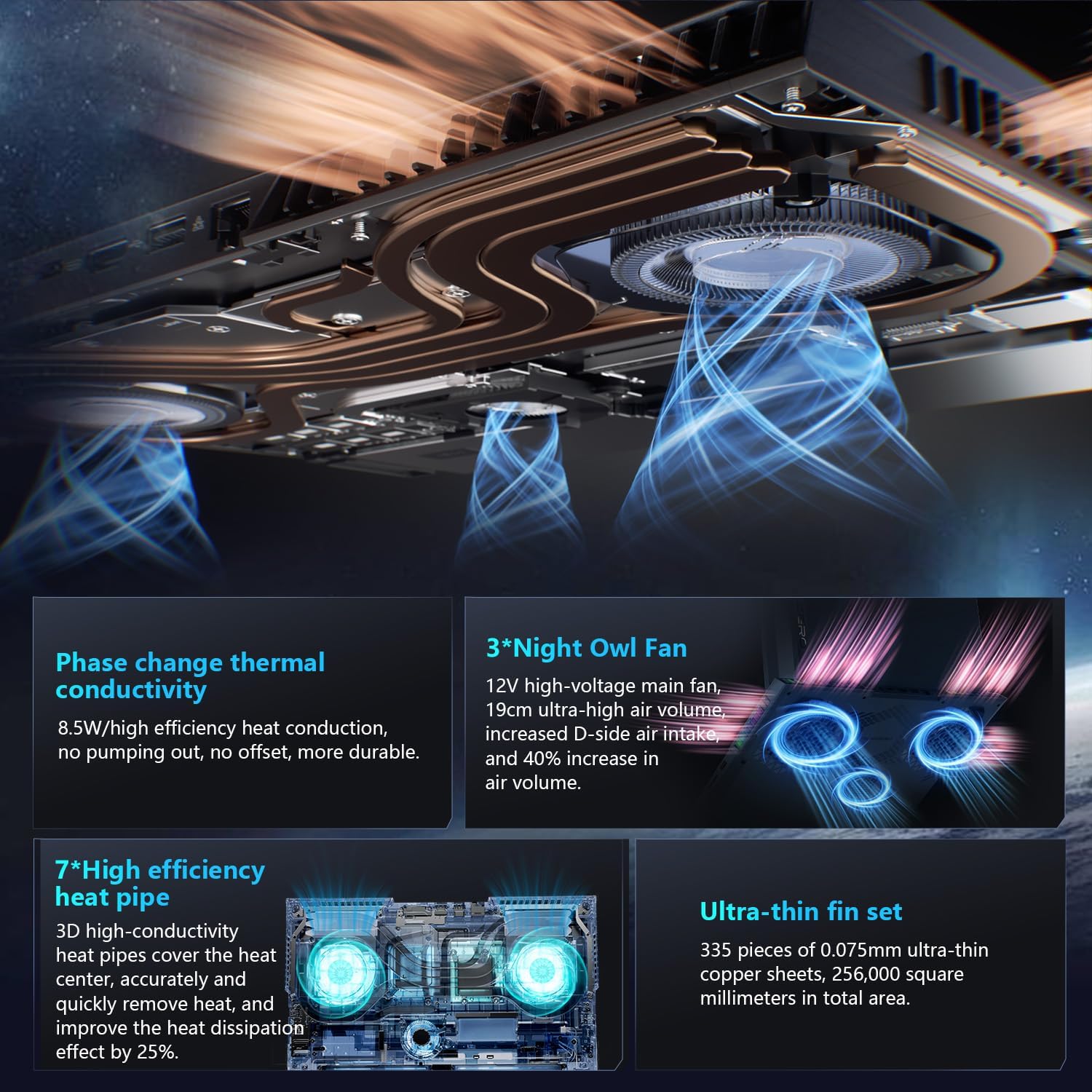
The advanced cooling system features 3 Night Owl fans, 7 high-efficiency heat pipes, and 338 ultra-thin copper fins to ensure optimal thermal management during intensive use, allowing for 270W super performance release.
AI Intelligent Control Center
The AI Intelligent Control Center software allows for comprehensive system management, including performance tuning, intelligent light adjustment, and personalized customization. This includes monitoring CPU/GPU temperatures and fan speeds.
- Performance Tuning: Adjust power settings for quiet, balanced, or turbo modes.
- Intelligent Light Adjustment: Customize keyboard, strip, and logo RGB lighting effects.
- Sledování systému: View real-time CPU and GPU status.
Note: System mode switching in Control Center requires the device to be connected to a power source.
Údržba
Čištění notebooku
- Obrazovka: Lehce používejte měkký hadřík, který nepouští vlákna dampOpláchněte vodou nebo čističem obrazovek. Vyhněte se agresivním chemikáliím.
- Klávesnice a šasi: K otření povrchů používejte měkký hadřík. Na prach ve štěrbinách použijte stlačený vzduch.
- Průduchy: Pravidelně čistěte chladicí otvory stlačeným vzduchem, abyste zabránili hromadění prachu, který může ovlivnit výkon.
Péče o baterie
- Vyhněte se častému úplnému vybíjení baterie.
- Pokud notebook delší dobu nepoužíváte, skladujte jej na chladném a suchém místě.
- Pro optimální stav baterie se vyhněte extrémním teplotám.
Aktualizace softwaru
Regularly check for and install operating system updates (Windows Update) and driver updates (via Thunderobot's official website or the AI Intelligent Control Center) to ensure system stability and performance.
Odstraňování problémů
| Problém | Možná příčina | Řešení |
|---|---|---|
| Notebook se nezapne. | Žádné napájení, vybitá baterie nebo problém s hardwarem. |
|
| Obrazovka je prázdná nebo černá. | Display settings, external monitor connected, or hardware issue. |
|
| Přehřívání během používání. | Blocked vents, high performance settings, or dust buildup. |
|
| Problémy s připojením k Wi-Fi. | Wi-Fi disabled, driver issues, or router problems. |
|
For further assistance, please contact Thunderobot customer support.
Specifikace
| Funkce | Detail |
|---|---|
| Název modelu | Zero 18 Pro |
| Procesor | Intel Core Ultra 9 275HX (24 Cores, 24 Threads, up to 5.40GHz) |
| Grafika | NVIDIA GeForce RTX 5070 Ti (8 GB GDDR6 Dedicated) |
| BERAN | 32 GB DDR5 (4800 MHz) |
| Skladování | 2 TB PCIe M.2 SSD |
| Zobrazit | 18-inch QHD+ (2560x1600) 240Hz Bionic Hummingbird Eye-Care Display |
| Operační systém | Windows 11 Home |
| Konektivita | Wi-Fi 6E, Bluetooth, 3x USB-A, 2x USB-C (Thunderbolt 5), HDMI 2.1, RJ-45, Audio Port |
| Klávesnice | Per-Key RGB Backlit, Numeric Keypad |
| Rozměry (DxŠxV) | 16.04 x 11.78 x 1.41 palce |
| Hmotnost položky | 15 libry |
| Zdroj napájení | AC a baterie |
Záruka a podpora
Every Thunderobot laptop includes a Záruka 12 měsíců, offering expert support, thorough diagnostics, and genuine parts if a repair is needed. Additionally, a 90denní záruka is provided on all warranty replacement parts, ensuring hassle-free repairs. Your complete satisfaction is our commitment.
For technical support, warranty claims, or service inquiries, please visit the official Thunderobot website or contact their customer service department. Keep your purchase receipt and serial number handy for faster service.