
1. Úvod
This manual provides detailed instructions for the assembly, operation, and maintenance of your Devoko 120x120cm L-Shaped Gaming Desk. Please read this manual carefully before assembly and use to ensure proper setup and safe operation. Keep this manual for future reference.
The Devoko L-shaped desk is designed to optimize space, offering a large surface area for gaming, studying, or working. It features a sturdy Z-shaped frame and includes an ergonomic monitor stand to improve posture and workspace organization.
2. Bezpečnostní informace
- Stůl vždy sestavujte na měkkém a čistém povrchu, abyste zabránili poškrábání.
- Před použitím se ujistěte, že jsou všechny šrouby a spojovací prvky bezpečně utažené. Pravidelně kontrolujte a v případě potřeby dotahujte.
- Do not overload the desk. Refer to the specifications for weight capacity.
- Udržujte malé části a obalové materiály mimo dosah dětí, abyste předešli nebezpečí udušení.
- Nepokládejte horké předměty přímo na povrch stolu bez ochrany.
- Nestůjte ani nesedejte na stůl.
3. Obsah balení
Před zahájením montáže ověřte, zda jsou všechny níže uvedené komponenty přítomny a nepoškozené. Pokud některé díly chybí nebo jsou poškozené, kontaktujte zákaznickou podporu.
- Panely stolu (profily ve tvaru L)
- Monitor Stand Panel
- Z-shaped Leg Frames
- Nosníky a konzoly
- Nastavitelné podložky na nohy
- Montážní materiál (šrouby, vruty, imbusový klíč)
- Návod k použití

Image 3.1: Product dimensions and included instruction manual graphic.
4. Montážní návod
Assembly typically requires two people for ease and efficiency, though it can be completed by one person. A Phillips head screwdriver (not included) may be required in addition to the provided Allen wrench.
- Rozbalení a identifikace součástí: Carefully unpack all components and lay them out on a soft surface. Refer to the parts list in the included instruction manual to identify each piece.
- Sestavte rámy nohou: Attach the Z-shaped leg frames to the support beams using the provided screws. Ensure all connections are firm.
- Připevnění panelů stolu: Secure the L-shaped desk panels to the assembled leg frames. Pay attention to the orientation of the panels to form the desired L-shape.
- Instalace stojanu na monitor: Attach the monitor stand panel to the designated area on the desk surface using the appropriate hardware.
- Nastavení opěrek nohou: Once the desk is fully assembled, place it in its desired location. Adjust the foot pads at the bottom of the legs to ensure the desk is stable and level on uneven floors.
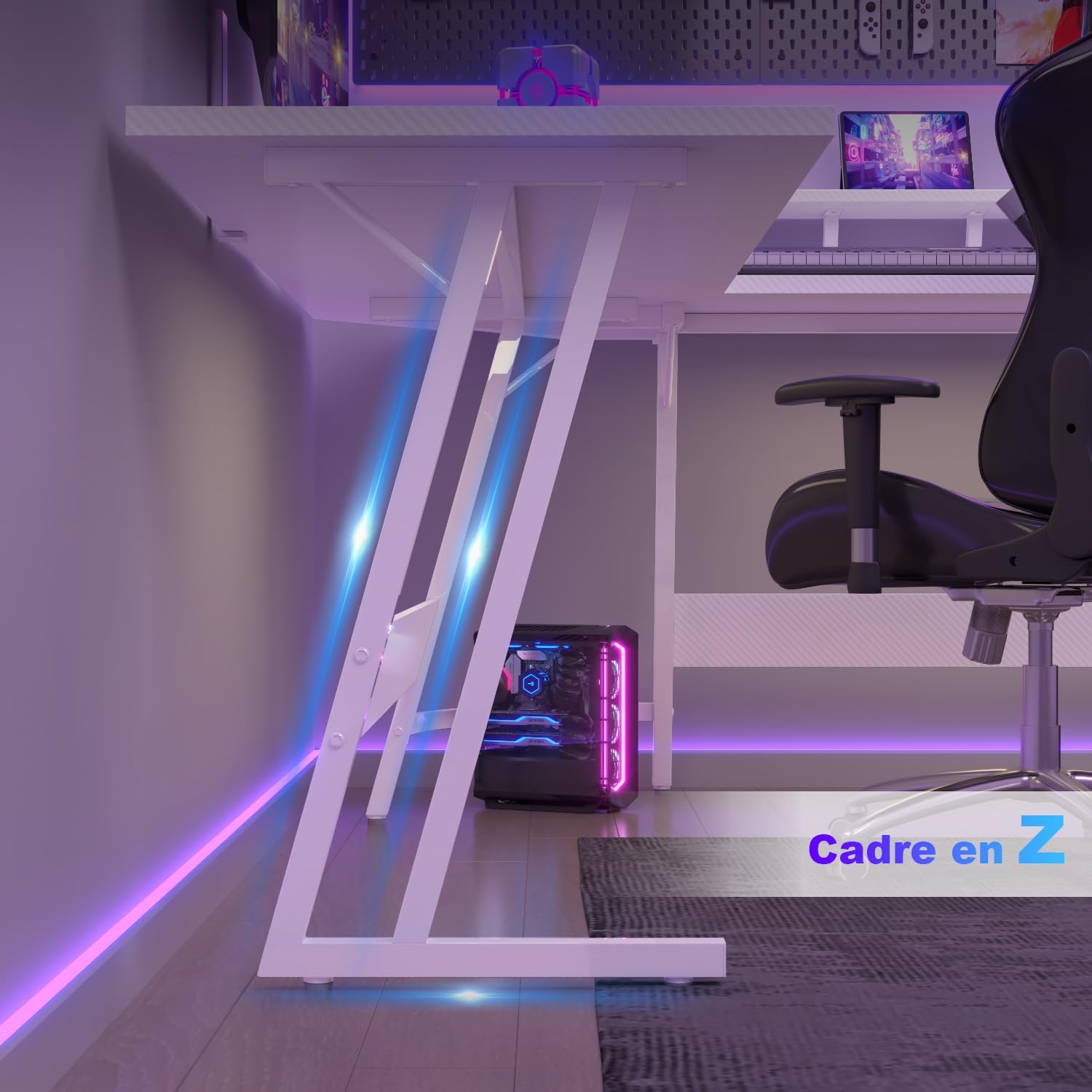
Image 4.1: Detail of the Z-shaped leg frame for stability.

Image 4.2: Fully assembled Devoko L-shaped gaming desk.
5. Návod k obsluze
Your Devoko L-shaped desk is designed for versatile use in various environments.
- Konfigurace ve tvaru L: The L-shape design allows for flexible placement in corners or as a large workspace. Utilize the two main sections for different tasks, such as a gaming area and a work area.
- Použití stojanu na monitor: Umístěte monitor(y) na vyvýšený stojan, abyste dosáhli ergonomického viewing height, reducing strain on your neck and back. This also frees up valuable desk space below for other items.
- Správa kabelů: While not explicitly included, consider using adhesive cable clips or ties (not included) to manage cables neatly under the desk surface, maintaining a clean and organized workspace.

Image 5.1: Ergonomic monitor stand promoting correct posture.
6. Údržba
To ensure the longevity and appearance of your Devoko desk, follow these simple maintenance guidelines:
- Čištění: Otřete povrch stolu měkkým, damp hadříkem. Na odolné skvrny použijte jemný, neabrazivní čisticí prostředek. Vyhněte se agresivním chemikáliím, které by mohly poškodit povrchovou úpravu.
- Rozlití: Clean up spills immediately to prevent staining or damage to the laminated surface.
- Kontrola hardwaru: Pravidelně kontrolujte všechny šrouby a vruty, abyste se ujistili, že jsou pevně utažené. V případě potřeby je dotáhněte pro zachování stability.
- Vyhněte se přímému slunečnímu záření: Dlouhodobé vystavení přímému slunečnímu záření může způsobit vyblednutí nebo změnu barvy povrchu stolu.
7. Řešení problémů
- Stůl je vratký:
a. Ensure all assembly screws are fully tightened.
b. Adjust the leveling foot pads at the bottom of the legs to compensate for uneven floor surfaces. - Chybějící díly nebo poškozené komponenty:
a. Double-check the packaging and compare with the parts list in the manual.
b. Contact Devoko customer support with your purchase details for assistance. - Obtížnost při montáži:
A. Review Pečlivě si přečtěte montážní návod a věnujte pozornost schématům.
b. Ensure components are oriented correctly before tightening screws.
8. Specifikace
| Funkce | Detail |
|---|---|
| Značka | Devoko |
| Model | Herní stůl ve tvaru L |
| Barva | Uhlíková bílá |
| Rozměry (D x Š x V) | 120 x 120 x 75 cm |
| Hmotnost položky | 14.6 kg |
| Materiál | Wood (Top), Metal (Base) |
| Typ horního materiálu | Dřevo |
| Typ dokončení | Laminované |
| Speciální funkce | Multipurpose, Ergonomic Monitor Stand |
9. Záruka a podpora
Devoko products are manufactured with quality and customer satisfaction in mind. For any issues, missing parts, or warranty claims, please contact Devoko customer support through your retailer or the official Devoko webweb. Před kontaktováním podpory si prosím připravte doklad o koupi a informace o modelu produktu.