
Zavedení
This manual provides detailed instructions for the setup, operation, maintenance, and troubleshooting of your Bietrun WXM28A Wireless In-Ear Monitor System. Please read this manual thoroughly before using the product to ensure proper functionality and to maximize its performance.
Obsah krabice
Carefully unpack your Bietrun WXM28A system and verify that all items listed below are included:
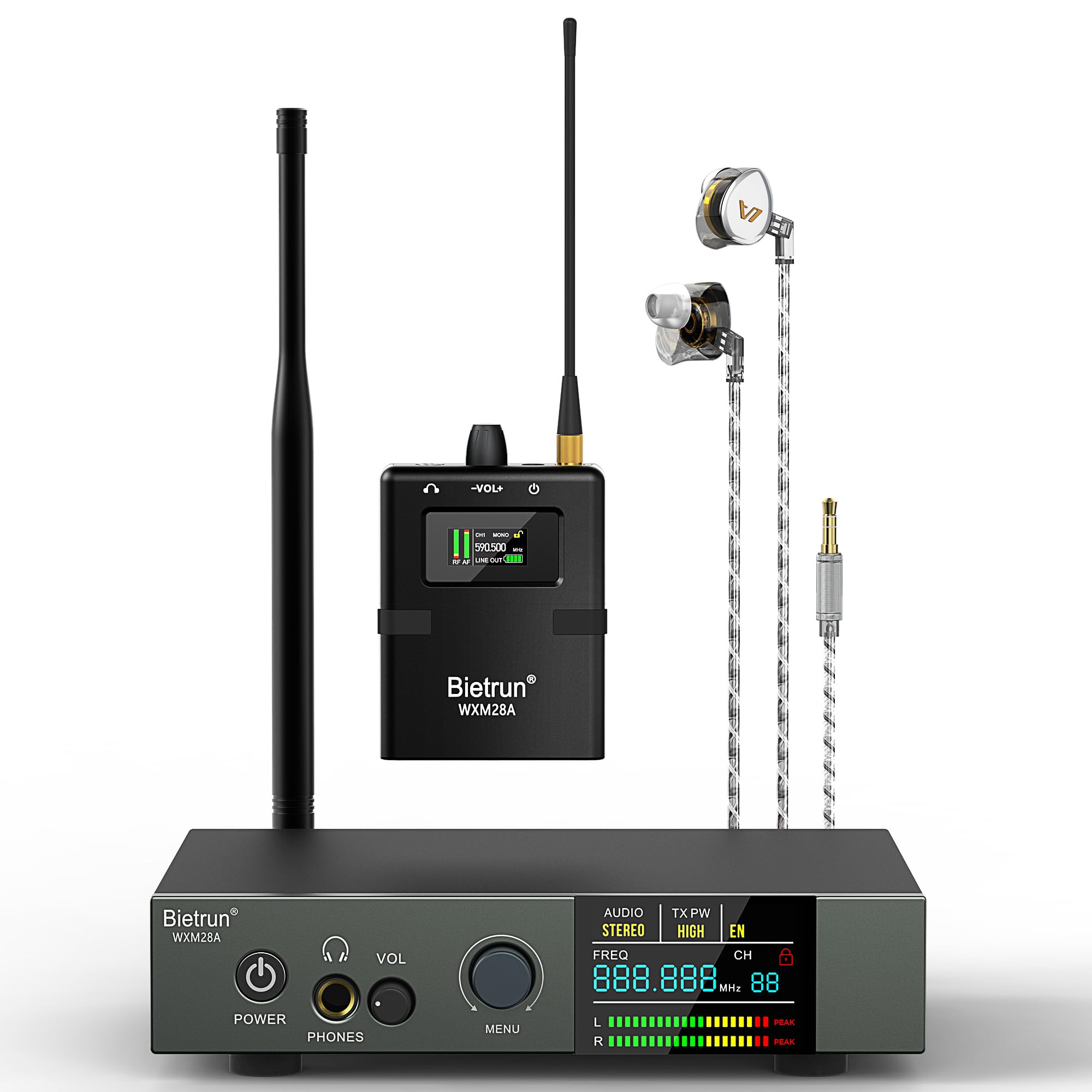
- 1 x Wireless IEM Transmitter
- 1 x UHF Bodypack Receiver
- 1 x sluchátko
- 1 x napájecí adaptér
- 1 x Anténa
- 1 x 3.5mm to dual 6.35mm audio cable
- 1 x 3.5mm to 6.35mm adapter
- 1 x Uživatelská příručka (tento dokument)

This image lists the contents of the Bietrun WXM28A system package and provides the dimensions of both the wireless transmitter and the bodypack receiver.
Nastavení
1. Vysílač Overview a Připojení
The wireless transmitter serves as the central hub for your audio input. Familiarize yourself with its controls and ports.
This image displays the front and rear panels of the Bietrun WXM28A wireless transmitter, highlighting its various controls and connection ports, including power, headphone output, volume, menu knob, LCD screen, DC input, PAD switches, 1/4" TS/XLR inputs, loop outputs, and antenna connection.
- Připojení napájení: Connect the provided power adapter to the 'DC 12V' input on the rear panel of the transmitter and plug it into a power outlet.
- Instalace antény: Screw the antenna securely into the 'ANT' connector on the rear panel. Ensure it is upright for optimal signal transmission.
- Zvukový vstup: Connect your audio source (e.g., mixer, audio interface) to the 'INPUT 1' and 'INPUT 2' ports on the rear panel. These are combo jacks supporting both 1/4" TS (unbalanced) and XLR (balanced) inputs. Use the 'PAD 1' and 'PAD 2' switches to attenuate high-level input signals if distortion occurs.
- Smyčkové výstupy: The 'OUTPUTS' (Loop Out) allow you to copy the original input signal to other devices for additional monitoring or daisy-chaining.
Detailní záběr view of the transmitter's rear panel, detailing the 1/4" TS and XLR combo inputs, PAD switches, and loop outputs for versatile connectivity.
2. Nastavení přijímače kapesního zařízení
The bodypack receiver is designed for portable monitoring.

This image shows the bodypack receiver, detailing its power switch, volume control knob, antenna, OLCD screen, menu button, and the battery compartment for two AA batteries.
- Instalace baterie: Press the two raised buttons in the middle part of the receiver to release the battery cover. Insert two AA batteries, observing correct polarity. Close the cover securely.
- Připojení sluchátek: Plug the provided in-ear earphones into the 3.5mm headphone jack on the bodypack receiver.

This image demonstrates the auto-pairing process between the transmitter and receiver when on the same channel, and illustrates how to install AA batteries into the bodypack receiver.
3. Počáteční zapnutí a párování
- Zapnutí vysílače: Press the 'POWER' button on the front panel of the transmitter. The LCD screen will illuminate.
- Zapnutí přijímače: Slide the 'Power Switch' on the bodypack receiver to the ON position. The OLCD screen will illuminate.
- Automatické párování: The system is designed for automatic pairing. Ensure both the transmitter and receiver are set to the same channel and frequency. The receiver's OLCD screen will display 'RF' and 'AF' indicators when a stable connection is established.
Návod k obsluze
1. Ovládací prvky vysílače
- Hlasitost (VOL): Adjusts the headphone output volume on the transmitter.
- MENU Button/Knob: Short press to enter settings. Rotate to adjust values. Press again to confirm and exit. The TFT full-color screen displays real-time system status.
- Výběr frekvence/kanálu: Use the MENU knob to navigate and select desired frequency and channel. The system offers 10 selectable channels.
- Gain Control: Adjust input gain via the menu to optimize audio levels and prevent distortion.
- Stereo/mono režim: Select between Stereo and Mono monitoring modes via the menu.
2. Bodypack Receiver Controls

This image illustrates the bodypack receiver's OLCD screen displaying channel and frequency, along with its stepless volume control, mono/stereo switch, and ergonomic in-ear earphones.
- Knoflík ovládání hlasitosti: Adjusts the listening volume of the earphones.
- Tlačítko MENU: Accesses the receiver's settings menu.
- Klávesy NAHORU/DOLŮ: Navigate menu options and adjust values.
- Mono/stereo přepínač: Toggles between mono and stereo monitoring modes.
- Squelch Setting: Adjust squelch level via the menu to reduce unwanted background noise when no signal is present.
3. Režimy monitorování
- Mono režim: Provides a single, combined audio signal to both ears. Ideal for clear, focused sound and consistent mix reliability.
- Stereofonní režim: Delivers a rich, immersive experience with enhanced spatial detail, allowing for precise localization of instruments and vocals.
Údržba
- Čištění: K čištění povrchů vysílače a přijímače používejte měkký, suchý hadřík. Nepoužívejte tekuté čisticí prostředky ani rozpouštědla.
- Skladování: Pokud systém nepoužíváte, skladujte jej na chladném a suchém místě mimo dosah přímého slunečního záření a extrémních teplot.
- Péče o baterie: Pokud nebudete kapesní přijímač delší dobu používat, vyjměte z něj baterie, abyste zabránili jejich vytečení.
Odstraňování problémů
1. No Sound from Receiver
- Ujistěte se, že je přijímač zapnutý a má nové baterie.
- Verify the earphones are securely plugged into the receiver's 3.5mm jack.
- Check the volume level on both the receiver and the transmitter.
- Confirm the transmitter is powered on and receiving an audio input signal.
- Ensure the transmitter and receiver are on the same channel and frequency.
2. Interference or Poor Signal Quality
- Change the operating channel on both the transmitter and receiver to avoid interference from other wireless devices.
- Ensure the transmitter's antenna is properly installed and oriented.
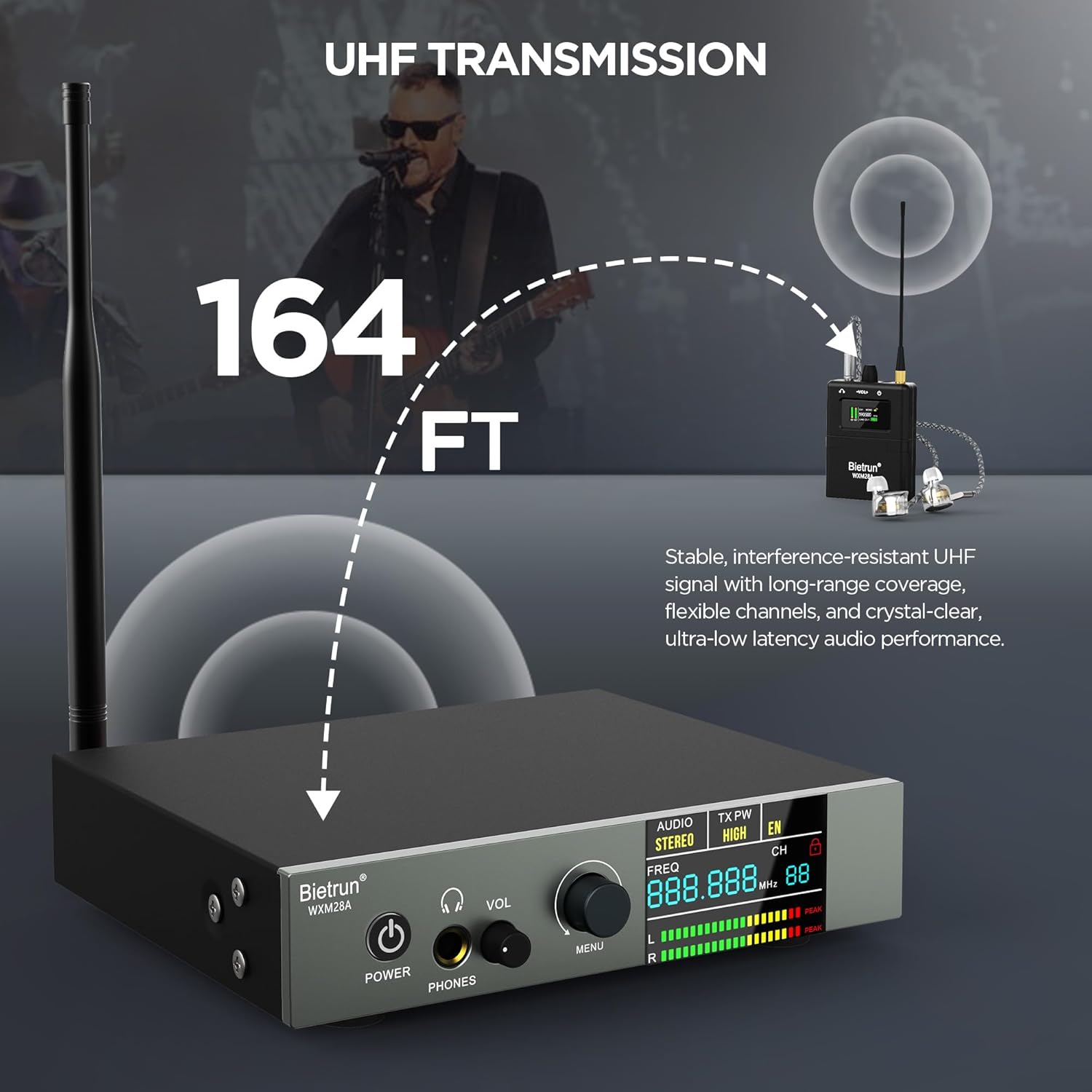
- Reduce the distance between the transmitter and receiver. The optimal range is up to 164 feet (line of sight).
- Avoid physical obstructions (walls, large metal objects) between the transmitter and receiver.
- Adjust the squelch level on the receiver to filter out weak signals or noise.
3. Problémy s párováním
- Ujistěte se, že jsou vysílač i přijímač zapnuté.
- Manually set the transmitter and receiver to the same channel and frequency.
- Power cycle both devices and attempt pairing again.
Specifikace
| Funkce | Specifikace |
|---|---|
| Značka | Bietrun |
| Číslo modelu | WXM28A |
| Barva | Černý |
| Umístění uší | V uchu |
| Form Factor | V uchu |
| Impedance | 47000 ohmů |
| Technologie připojení | UHF, Wireless |
| Bezdrátová technologie | UHF |
| Frekvenční odezva | 20 Hz - 20,000 XNUMX Hz |
| Typ zvukového ovladače | Dynamický ovladač |
| Kontrola hluku | Aktivní potlačení hluku |
| Typ ovládání | Button Control, Push Button |
| Jack pro sluchátka | Zásuvka 3.5 mm |
| Materiál pouzdra | Metal Transmitter, Plastic Receiver |
| Zdroj napájení | DC 12V (Transmitter), 2x AA Batteries (Receiver) |
| Bezdrátové Dosah | 140 to 164 feet (line of sight) |
| Digitální zpracování zvuku | 24 bitů / 192 kHz |
| Poměr signálu k šumu (SNR) | 100 dB |
| Počet kanálů | 10 Volitelné |
Informace o záruce
The Bietrun WXM28A Wireless In-Ear Monitor System comes with a 1 rok záruka od data nákupu. Tato záruka se vztahuje na výrobní vady a zajišťuje, že výrobek splňuje stanovené výkonnostní standardy při běžném používání. Uschovejte si prosím doklad o koupi pro případné reklamace.
Rozšířené plány ochrany lze zakoupit samostatně:
- Dvouletý ochranný plán
- Dvouletý ochranný plán
For details on warranty claims or extended protection, please refer to the documentation provided at the time of purchase or contact customer support.
Zákaznická podpora
If you encounter any issues not covered in this manual or require further assistance, please contact Bietrun customer support. Refer to the contact information provided with your product packaging or visit the official Bietrun webmísto pro zdroje podpory.

This image showcases various professional applications for the Bietrun WXM28A system, including street performance, stage performance, public speaking, and church services.