
Zavedení
This manual provides detailed instructions for the assembly, operation, and maintenance of your FLEXISPOT Standing Desk with a 40x24 inch one-piece desktop. Please read this manual thoroughly before assembly and use to ensure proper function and safety.
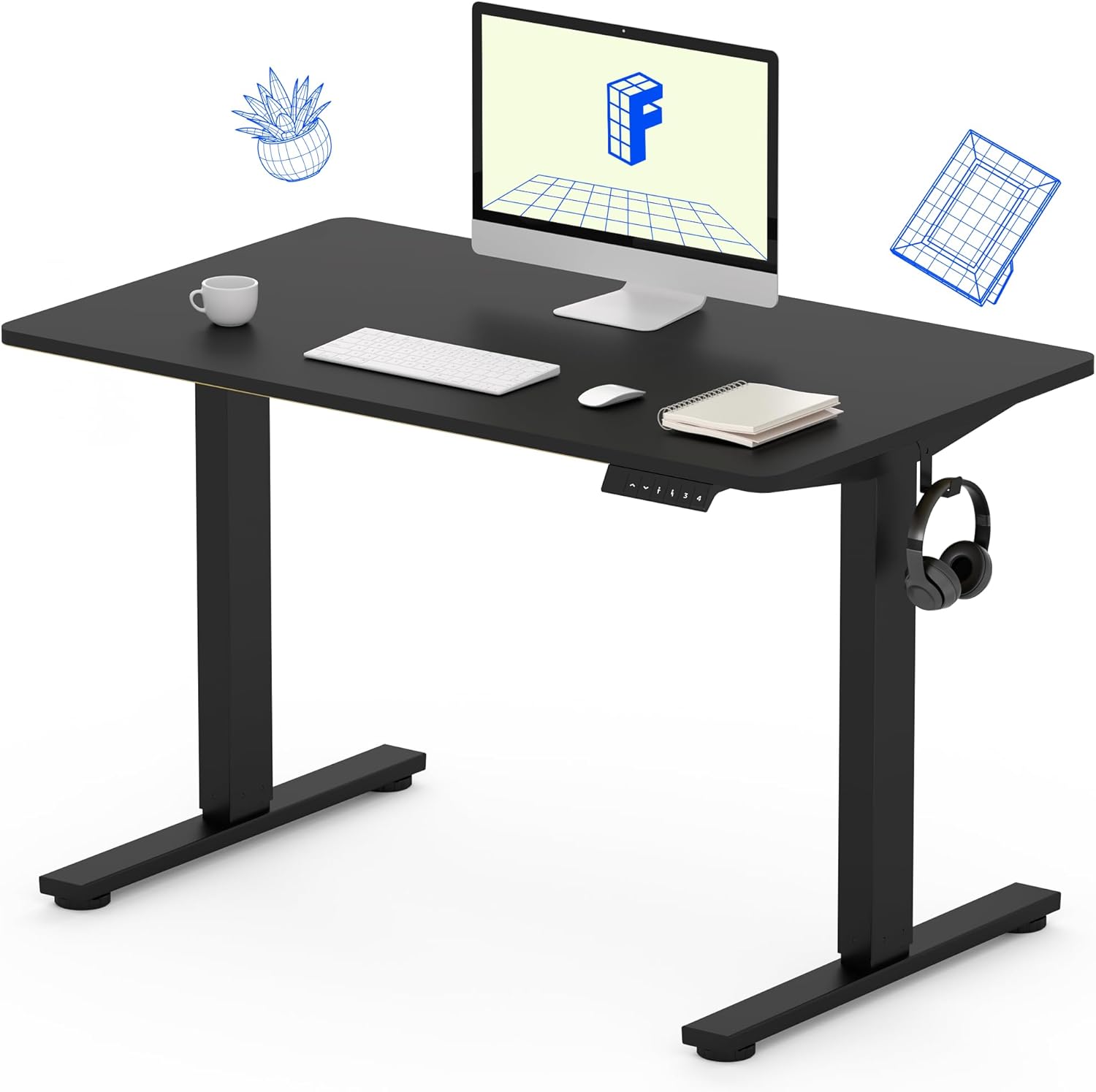
Image 1: The FLEXISPOT Standing Desk, showcasing its black desktop, black frame, and integrated control panel with a headphone hook.
Bezpečnostní informace
VAROVÁNÍ:
- Always use caution when assembling the desk, especially when using a drill.
- Nepřekračujte maximální hmotnostní limit 154 lb (70 kg).
- Keep hands and body parts away from moving parts during height adjustment to prevent injury.
- Ensure all cables are properly managed to avoid entanglement during desk movement.
Obsah balení
Před zahájením montáže zkontrolujte, zda jsou všechny součásti přítomny a nepoškozené. Pokud některé součásti chybí nebo jsou poškozené, kontaktujte zákaznickou podporu.
- One-Piece Desktop (40" x 24", Black)
- Desk Legs (Black Frame, Dual-Stage)
- Motor a řídicí jednotka
- Ovládací panel s předvolbami paměti
- Háček na sluchátka
- Montážní materiál (šrouby, imbusový klíč)
- Napájecí kabel

Image 2: Illustration highlighting the seamless design of the FLEXISPOT one-piece desktop, contrasting it with multi-piece alternatives.
Nastavení a montáž
Assembly typically requires 30 minutes to an hour. It is recommended to have two people for assembly due to the weight of the package. A power drill (not included) may be needed for some steps.
- Rozbalte komponenty: Carefully remove all parts from the packaging. Inspect for any damage. Note that the packaging can be heavy.
- Sestavení rámu stolu: Attach the crossbar to the lifting columns (legs) using the provided hardware. Ensure all screws are tightened securely.
- Připevněte nožičky: Secure the desk feet to the bottom of the lifting columns.
- Připojit plochu: Carefully place the one-piece desktop upside down on a soft, clean surface. Position the assembled frame onto the desktop. Align the pre-drilled holes (if present) or mark positions for screws. Secure the frame to the desktop using the provided screws. A power drill may be helpful for this step.
- Install Control Box and Panel: Mount the control box and control panel to the underside of the desktop in the designated locations. Connect the motor cables and control panel cable to the control box.
- Připojit příslušenství: Install the headphone hook to the side of the desktop as desired.
- Správa kabelů: Route all cables neatly using cable ties or management clips (not included) to prevent interference with desk movement.
- Konečné umístění: With assistance, carefully flip the desk upright and place it in its desired location. Ensure it is stable and level.

Image 3: The FLEXISPOT Standing Desk integrated into a home office setup, demonstrating its spacious desktop and functionality.
Návod k obsluze
Your FLEXISPOT Standing Desk features an electric motor for smooth height adjustments and a control panel with memory presets.
Nastavení výšky
- Stiskněte tlačítko Nahoru (▲) tlačítko pro zvednutí stolu.
- Stiskněte tlačítko Dolů (▼) tlačítko pro spuštění stolu.
- The desk moves smoothly and quietly (under 50 dB) between 28.7 palců (73 cm) a 46.5 palců (118 cm).
Předvolby paměti
Ovládací panel umožňuje uložit až čtyři preferovaná nastavení výšky.
- Set a Height: Adjust the desk to your desired sitting or standing height using the Up/Down buttons.
- Uložit předvolbu: Stiskněte tlačítko „M“ button, then immediately press one of the numbered preset buttons (1, 2, 3 nebo 4). The display will show "S-" followed by the number, indicating the height is saved.
- Předvolba vyvolání: Press the corresponding numbered preset button (1, 2, 3 nebo 4) pro automatické přesunutí stolu do uložené výšky.

Image 4: Visual representation of the desk's adjustable height range, showing it at its lowest (29") and highest (46.6") positions.
Údržba
- Čištění: Otřete pracovní plochu a rám měkkým hadříkemamp hadříkem. Nepoužívejte agresivní chemikálie ani abrazivní čisticí prostředky.
- Kontrola kabelu: Periodically inspect all cables for wear or damage. Ensure they are securely connected and not pinched.
- Utažení šroubů: Občas zkontrolujte a dotáhněte všechny uvolněné šrouby na rámu nebo spojích pracovní desky.
Odstraňování problémů
| Problém | Možná příčina | Řešení |
|---|---|---|
| Stůl se nehýbe. | Power cable disconnected, control box cable loose, overload. | Check power connection. Ensure all cables to the control box and motor are secure. Reduce weight on the desk if exceeding 154 lbs. |
| Stůl se pohybuje nerovnoměrně nebo vydává neobvyklé zvuky. | Volné spoje, překážky, nerovnoměrné rozložení hmotnosti. | Check all assembly screws. Ensure no objects are obstructing the legs. Distribute weight evenly on the desktop. |
| Control panel display shows an error code. | Specifický chybový stav. | Refer to the specific error code in the full product manual (if available) or contact customer support. Often, a power cycle (unplug for 10 seconds, then plug back in) can resolve temporary errors. |
Specifikace
| Funkce | Detail |
|---|---|
| Značka | FLEXISPOT |
| Model | B0F747SWWB |
| Desktop Dimensions (D x W) | 24" x 40" (One-Piece) |
| Výškový rozsah | 28.7" - 46.5" (73 cm - 118 cm) |
| Maximální nosnost | 154 lb (70 kg) |
| Úroveň hluku | Méně než 50 dB |
| Materiál rámu | Legovaná ocel |
| Vrchní materiál | Umělé dřevo |
| Barva | Black Frame / Black Top |
| Montáž Vyžadována | Ano |

Image 5: Details of the desk's construction, including the dual-stage lifting columns and the convenient backpack/headphone hook.
Záruka a podpora
Your FLEXISPOT Standing Desk is backed by a comprehensive warranty:
- Frame and Motor: 5letá omezená záruka.
- Elektronika: 2letá omezená záruka.
For warranty claims, technical assistance, or any questions regarding your product, please contact FLEXISPOT customer support through their official webna webu nebo u prodejce, kde byl produkt zakoupen.