
Zavedení
Welcome to your new NIMO 15.6'' FHD Laptop. This manual provides essential information for setting up, operating, and maintaining your device. Please read through these instructions carefully to ensure optimal performance and longevity of your laptop.
Co je zahrnuto
Ověřte, zda jsou v balení přítomny všechny položky:
- 1 x NIMO N152 Laptop
- 1 x Type-C 65W PD Fast Charger
- 1 x Uživatelská příručka
- Windows 11 Home (předinstalovaný)
- 2 Years Warranty, 90 Days Return Information
Nastavení
Zapnutí a počáteční konfigurace
To begin, connect the provided 65W Type-C PD Fast Charger to your laptop's Type-C port and a power outlet. The laptop comes pre-installed with Windows 11 Home. Press the power button located on the top right of the keyboard. Follow the on-screen prompts to complete the initial setup, including selecting your region, keyboard layout, and connecting to a network.
Připojení k síti
Your NIMO laptop supports Wi-Fi 6 and Bluetooth 5.2 for stable and high-speed wireless connections.
- Wi-Fi: Access network settings through the Windows 11 taskbar or Start Menu to connect to your preferred Wi-Fi network.
- Bluetooth: Pair your Bluetooth devices (e.g., headphones, mouse) through the system settings under 'Bluetooth & devices'.
Porty a připojení
The NIMO N152 laptop offers a variety of ports for versatile connectivity:
- Čtečka karet Micro SD
- USB 2.0 porty
- USB 3.0 porty
- Audio Jack (for headphones/microphone)
- Slot pro zámek Kensington
- HDMI 1.4 port (for external displays)
- Type-C ports (including one for 65W PD Fast Charging)

Image: Left side ports including Micro SD, USB 2.0, USB 3.0, audio jack, and Kensington lock.
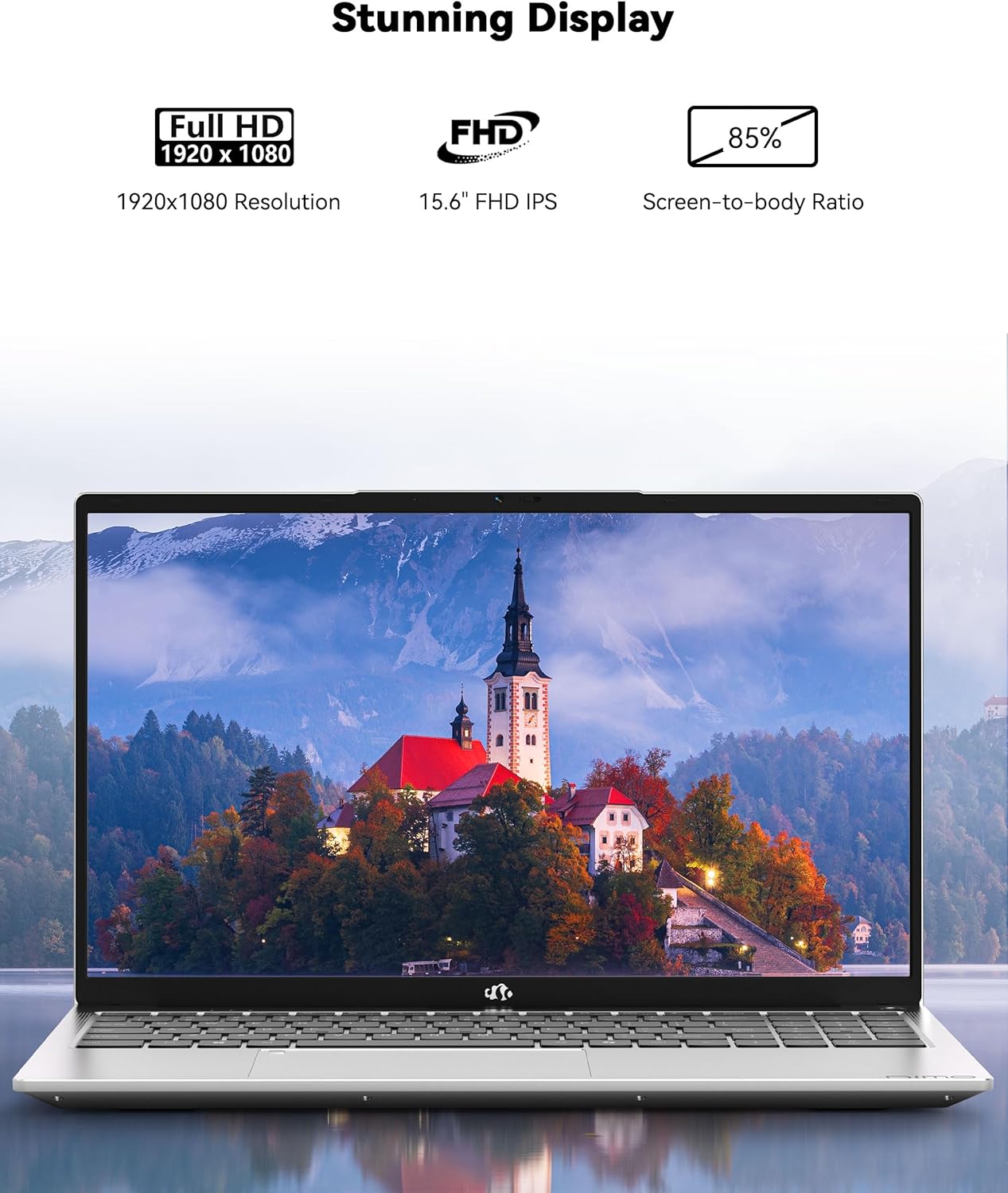
Image: Right side ports including Type-C, USB 3.0, and HDMI.
Video: A comprehensive introduction to the NIMO 15.6 laptop, showcasing its design and various ports for connectivity.
Provozní
Zobrazit
Enjoy stunning visuals on the 15.6" Full HD (1920x1080) IPS anti-glare display. Its 85% screen-to-body ratio and micro-edge design deliver vibrant visuals, precise color accuracy, and sharp details for an immersive viewzkušenosti.

Image: The NIMO N152 laptop showcasing its vivid 15.6" Full HD IPS anti-glare display.
Klávesnice a touchpad
The ergonomic backlit keyboard allows for comfortable and accurate typing in dimly lit environments. Adjust the brightness to suit your needs. The touchpad supports scrolling and multi-touch gestures for intuitive navigation.

Image: The NIMO laptop's backlit keyboard and fingerprint login feature.
Čtečka otisků prstů
For secure and instant login, use the built-in fingerprint sensor integrated into the touchpad. This allows for quick and convenient access to your device without typing passwords.
Výkon
Equipped with an AMD Ryzen 5 processor, 16GB DDR4 RAM, and a 1TB PCIe SSD, this laptop delivers seamless multitasking, lightning-fast boot-ups, and quick file transfers. The RAM and SSD slots are upgradable, allowing you to boost memory and expand storage as needed.

Image: The NIMO laptop handling multiple applications for seamless multitasking.
Životnost baterie
The laptop features a 53.58 Watt Hours Lithium Polymer battery, providing an average of 9 hours of battery life and up to 12.75 hours of standby time. The included 65W USB-C PD Fast Charger can provide 2 hours of use from just 15 minutes of charging, ideal for on-the-go productivity.

Image: Demonstrating the long battery life of the NIMO laptop for efficient work.
Webvačka
The integrated 2 MP front camera is suitable for video calls, online meetings, and remote learning, providing clear visuals for communication.
Video: Showcasing the NIMO 15.6 FHD Laptop's features and suitability for students, home, and work environments.
Údržba a péče
Proper maintenance ensures the longevity and optimal performance of your NIMO laptop:
- Nabíjení: Always use the original 65W Type-C PD Fast Charger. Regularly inspect the charging cable for any signs of damage. Avoid overcharging the battery, as this can reduce its lifespan. Discontinue use immediately if the battery appears to swell.
- Fyzická manipulace: Always hold the laptop by its base to prevent accidental drops or damage to the screen. Consider using a protective sleeve or case when transporting the device. Avoid placing heavy objects on the laptop, as this can damage the screen or internal components.
- Prostředí: Place the laptop on a hard, flat surface to ensure proper ventilation and prevent overheating. Keep the device away from extreme temperatures (both hot and cold) and high humidity.
- Čištění: K čištění obrazovky a vnějšího povrchu použijte měkký hadřík, který nepouští vlákna. V případě odolných šmouh lehceampOtřete hadřík vodou nebo čisticím prostředkem na obrazovky. Vyhněte se agresivním chemikáliím.
- Aktualizace softwaru: Regularly update your Windows 11 operating system and installed applications to ensure you have the latest security patches and performance improvements.
- Zabezpečení: Maintain strong, unique passwords for your user accounts. Install and regularly update reputable antivirus software to protect against malware and other threats.
- Záloha dat: Pravidelně zálohujte své důležité věci files and documents to an external drive or cloud storage to prevent data loss in case of unforeseen issues.
- Rozlití kapaliny: In the event of a liquid spill, immediately power off the laptop, unplug it from the charger, and disconnect any peripherals. Turn the laptop upside down to drain liquid and allow it to dry completely for an extended period (at least 48-72 hours) before attempting to power it on again. If issues persist, seek professional assistance.
Odstraňování problémů
If you encounter any issues with your NIMO laptop, refer to the following common troubleshooting steps:
- Notebook se nezapíná: Ensure the charger is securely connected to both the laptop and a working power outlet. Check if the charging indicator light is on. If the battery is completely drained, it may take a few minutes for the laptop to respond after plugging in.
- Obrazovka je prázdná nebo zamrzlá: Try pressing and holding the power button for 10-15 seconds to force a shutdown. Then, restart the laptop. If the issue persists, connect an external monitor to check if the display is the problem.
- Pomalý výkon: Close unnecessary applications running in the background. Check for available Windows updates and install them. Ensure your storage (SSD) is not completely full. Consider upgrading RAM or SSD if performance remains consistently slow for your tasks.
- Problémy s připojením k Wi-Fi nebo Bluetooth: Ensure Wi-Fi and Bluetooth are enabled in Windows settings. Restart your router/modem. Try forgetting the network and reconnecting. Update wireless drivers if necessary.
- Přehřívání: Ensure the laptop's ventilation vents are not blocked. Use the laptop on a hard, flat surface. Avoid using it on soft surfaces like beds or couches that can obstruct airflow.
- Čtečka otisků prstů nefunguje: Ensure your finger is clean and dry. Re-register your fingerprint in Windows Hello settings.
- Žádný zvuk: Check the volume levels in Windows and on any connected external audio devices. Ensure the correct audio output device is selected in sound settings. Update audio drivers.
- Odborná pomoc: If you are unable to resolve an issue using these steps, or if you suspect a hardware malfunction, do not attempt to disassemble or repair the laptop yourself. Contact NIMO customer support for professional assistance.
Specifikace produktu
| Funkce | Detail |
|---|---|
| Značka | NIMO |
| Název modelu | NIMO N152 |
| Velikost obrazovky | 15.6 palce |
| Barva | Červený |
| Velikost pevného disku | 1024 GB (1TB SSD) |
| Model CPU | AMD Ryzen 5 |
| Velikost nainstalované paměti RAM | 16 GB DDR4 |
| Operační systém | Windows 11 Home |
| Speciální funkce | Podsvícená klávesnice, čtečka otisků prstů, HD zvuk, numerická klávesnice |
| Grafická karta | Integrovaná grafika AMD |
| Hmotnost položky | 3.8 libry |
| Výdrž baterie (průměrná) | 9 hodiny |
| Rozlišení displeje Max | 1920x1080 pixelů (FHD IPS) |
| Bezdrátová technologie | Wi-Fi 6, Bluetooth 5.2 |
| Celkový počet portů USB | 5 (USB 3.0, Type-C) |
| HDMI porty | 1 |
| Rozměry (D x Š x T) | 14.07"D x 8.98"Š x 0.76"V |
Záruka a podpora
Informace o záruce
Your NIMO laptop is backed by a 2-year manufacturer's warranty. This warranty covers manufacturing defects and ensures the reliability of your product. For detailed terms and conditions, please refer to the warranty documentation included with your purchase or contact NIMO customer support.
Zásady vrácení
NIMO offers a 90-day hassle-free return/exchange policy from the date of purchase. If you are not satisfied with your product, please contact customer support within this period.
Zákaznická podpora
For any questions, technical assistance, or warranty claims, our dedicated support team is ready to help. We offer 24-hour service to ensure your issues are resolved promptly.
- E-mail: service@nimopc.com
- Servis: Zákaznický servis je k dispozici 24 hodin denně.
Image: NIMO's comprehensive support and return policy details.