
SYLVOX 75-inch Cinema Pro
Uživatelská příručka k venkovnímu televizoru SYLVOX Cinema Pro s úhlopříčkou 75 palců
Model: 75-inch Cinema Pro (2025 Series)
Zavedení
Thank you for choosing the SYLVOX 75-inch Cinema Pro Outdoor TV. This manual provides essential information for setting up, operating, and maintaining your new outdoor television. Designed with cutting-edge Mini-LED QLED technology, 3500 nits super high brightness, and IP55 waterproof rating, your SYLVOX TV is built to deliver an unparalleled entertainment experience in any outdoor environment. Please read this manual thoroughly before use to ensure proper operation and longevity of your product.
Co je v krabici
Carefully unpack your SYLVOX Outdoor TV and ensure all items are present:
- SYLVOX 75-inch Cinema Pro Outdoor TV
- Uživatelská příručka
- Dálkové ovládání
- Záruční list
- Napájecí kabel
- Šrouby
- Šroubovák

Nastavení
Montáž televizoru
The SYLVOX 75-inch Cinema Pro Outdoor TV supports VESA standard mounting. For the 75-inch model, the VESA standard is 600 x 400 mm. Ensure you use a compatible outdoor-rated wall mount that can support the TV's weight of approximately 116 pounds.
- Opatrně vyjměte televizor z obalu.
- Attach the VESA mount bracket to the back of the TV using the provided screws and screwdriver.
- Securely install the wall mount to a sturdy outdoor surface according to the mount manufacturer's instructions.
- Carefully lift and attach the TV to the installed wall mount. It is recommended to have at least two people for this step due to the TV's size and weight.

Připojení periferií
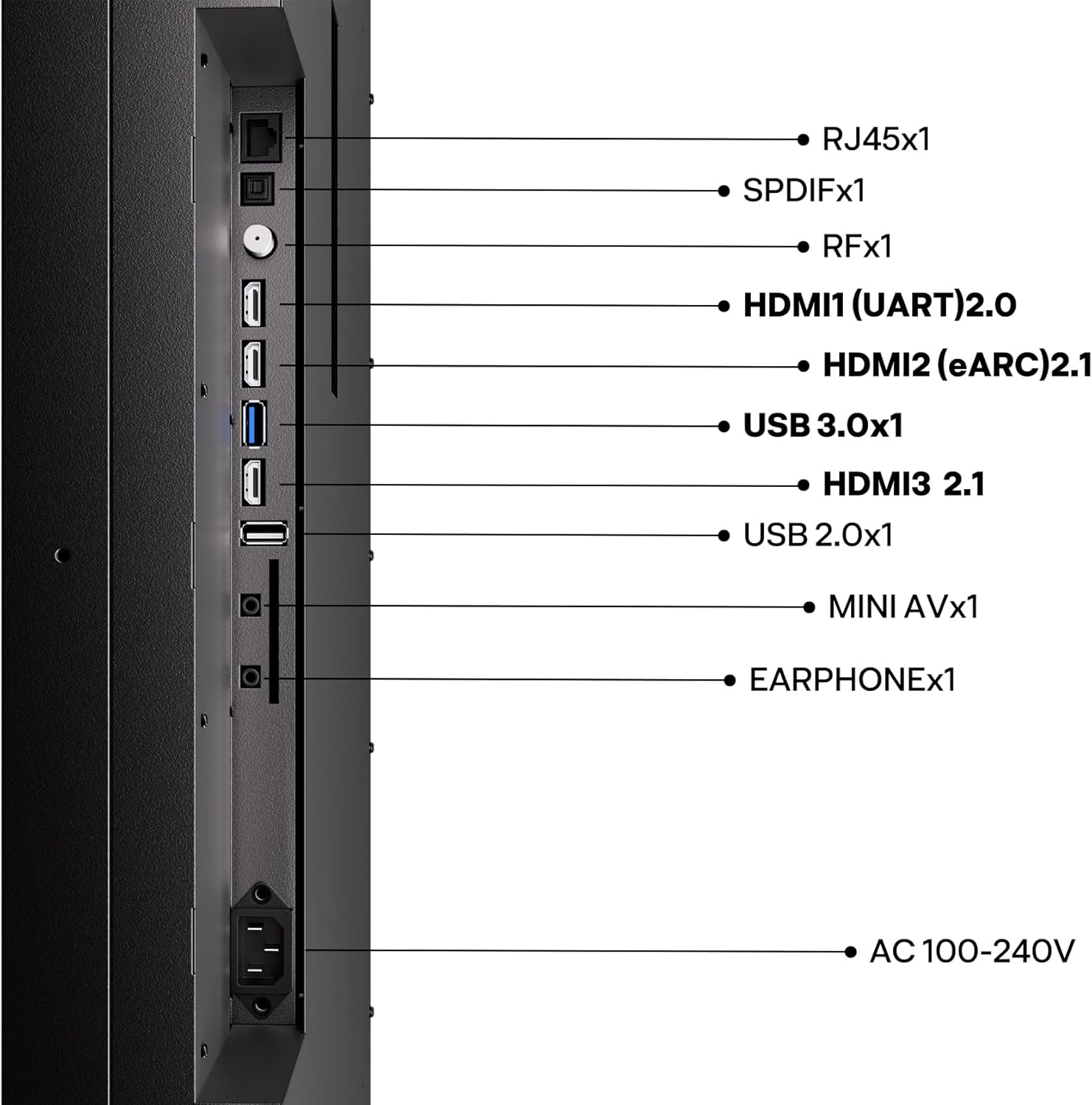
The SYLVOX Cinema Pro offers a variety of connectivity options:
- HDMI 2.1: Connect your gaming consoles, Blu-ray players, or streaming devices for high-quality audio and video.
- USB 3.0: Pro přehrávání médií z USB disků.
- Ethernet (RJ45): Pro stabilní kabelové připojení k internetu.
- Wi-Fi/Bluetooth: Pro připojení bezdrátové sítě a příslušenství.
- SPDIF: Digitální audio výstup.
- RF: Antenna/cable input.
- MINI AV: Analogový video vstup.
- SLUCHÁTKO: Zvukový výstup pro sluchátka.
Připojení napájení
Connect the provided power cord to the AC 100-240V input on the TV and then to a suitable outdoor-rated power outlet. Ensure the outlet is protected from the elements.
Obsluha TV
Initial Power On and Google TV Setup
Upon first power-on, the TV will guide you through the initial setup process for Google TV, including network connection, Google account login, and app installation. The integrated Google TV platform provides access to a vast array of streaming services and apps.
Funkce obrazu a zvuku
Your SYLVOX Outdoor TV is equipped with advanced display and audio technologies:
- Helio QLED (Mini-LED + QLED): Delivers exceptional brightness (3500-5000 nits) and vibrant colors, ensuring clear visibility even in direct sunlight.
- 120Hz Refresh Rate with MEMC: Poskytuje plynulý pohyb u rychlých scén, jako jsou sporty a hry, a snižuje rozmazání.
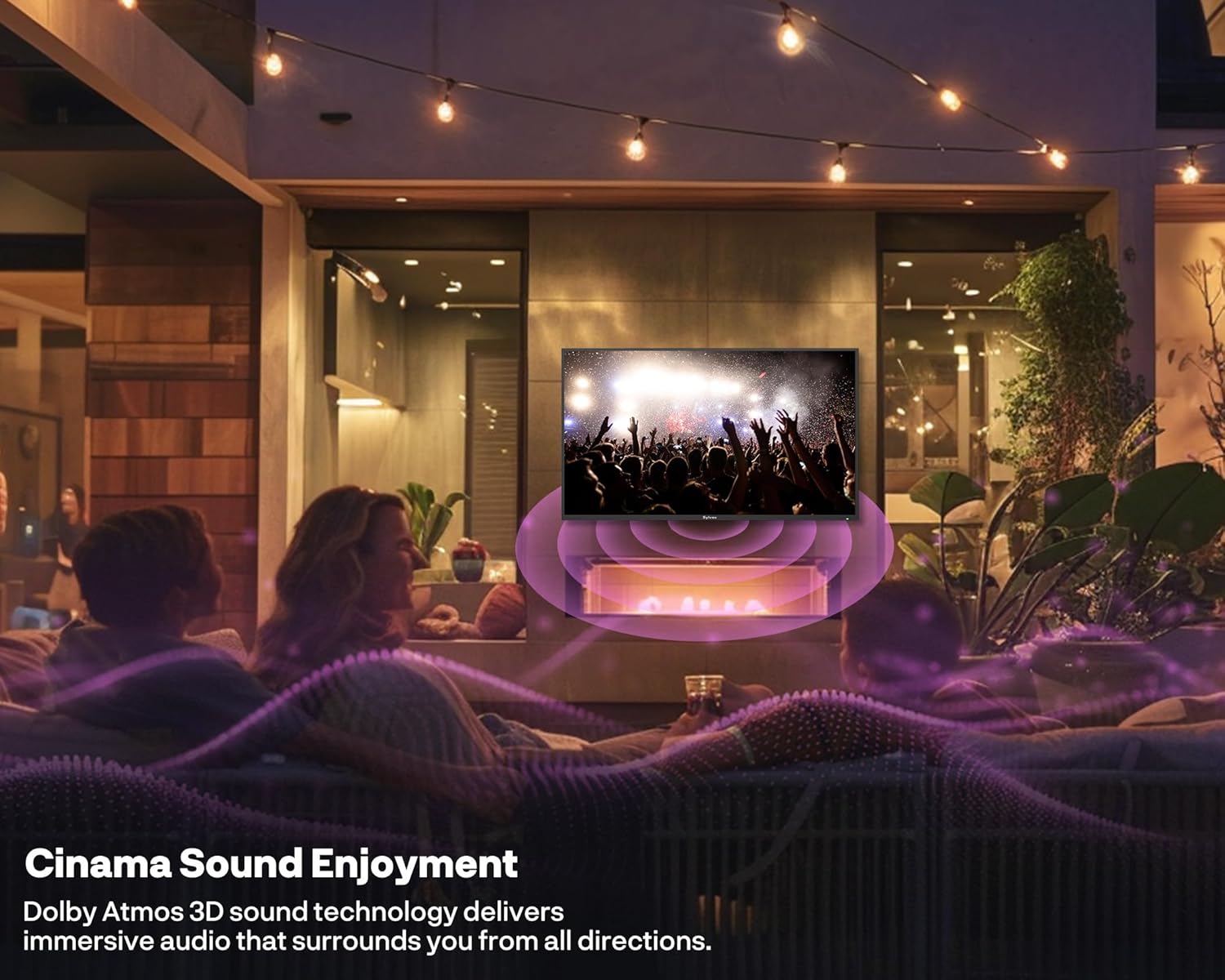
- Zvuk Dolby Atmos: Integrated 2x30W speakers offer immersive 3D surround sound for a cinematic audio experience.
- Hlasové ovládání: Utilize Google Assistant for hands-free control of your TV and smart home devices.



Oficiální video produktu
Podívejte se na oficiální video produktu pro více informacíview of the SYLVOX Cinema Pro Series Outdoor TV features and benefits:
Údržba
The SYLVOX Cinema Pro is built for durability in outdoor conditions, but proper maintenance will ensure its longevity.
- Čištění: Použijte měkký, damp hadříkem k čištění obrazovky a vnějšího povrchu. Nepoužívejte agresivní chemikálie ani abrazivní materiály.
- Ochrana proti počasí: While IP55 waterproof, it is recommended to use a protective cover when the TV is not in use for extended periods or during extreme weather conditions to further safeguard it.
- Odolnost proti korozi: The rust-proof metal body is designed to withstand outdoor elements. Regularly inspect for any signs of wear.

Odstraňování problémů
If you encounter issues with your SYLVOX Outdoor TV, refer to the following common troubleshooting tips:
- Bez napájení: Ensure the power cord is securely connected to both the TV and a working power outlet. Check the circuit breaker.
- Žádný obraz/zvuk: Verify that the correct input source is selected. Check all cable connections (HDMI, audio, etc.) are secure.
- Dálkové ovládání nefunguje: Vyměňte baterie v dálkovém ovladači. Ujistěte se, že mezi dálkovým ovladačem a infračerveným senzorem televizoru nejsou žádné překážky.
- Problémy s připojením k síti: Restart your Wi-Fi router. For wired connections, ensure the Ethernet cable is properly connected.
- Problémy s kvalitou obrazu: Upravte nastavení obrazu (jas, kontrast, barvy) v nabídce televizoru. Ujistěte se, že zdroj obsahu je vysoké kvality.
For more complex issues or persistent problems, please contact SYLVOX customer support.
Specifikace
| Funkce | Popis |
|---|---|
| Značka | SYLVOX |
| Model | 75-inch Cinema Pro |
| Velikost obrazovky | 75 palce |
| Technologie displeje | Mini LED, QLED |
| Rezoluce | 4K (UHD) |
| Jas | 3500 nitů (špička) |
| Obnovovací frekvence | 120 Hz |
| Hodnocení voděodolnosti | IP55 |
| Zvuk | 2x30W Speakers, Dolby Atmos |
| Chytré funkce | Google TV, Chromecast, Voice Control |
| Konektivita | Bluetooth, Wireless (Wi-Fi), Ethernet, HDMI 2.1, USB 3.0 |
| Rozměry produktu | 3.5"H x 66.29"Š x 38.31"V |
| Hmotnost položky | 116 libry |
| Standard VESA | 600 x 400 mm |
Záruka a podpora
Your SYLVOX Outdoor TV comes with a 2-letá záruka. SYLVOX is committed to providing excellent customer service. If you require technical assistance, installation advice, or have any questions regarding your product, please contact our dedicated team of TV specialists. Our professional support ensures your outdoor entertainment system performs flawlessly for years.
For support, please refer to the contact information provided on the warranty card included in your product packaging or visit the official SYLVOX webmísto.
Ask a question about this manual
Ask about setup, troubleshooting, compatibility, parts, safety, or missing instructions. Manuals+ will review the question and use this page’s manual context to help answer it.