
GZCRDZ X7S
GZCRDZ X7S IPX8 Waterproof Bone Conduction Headphones User Manual
Model: X7S
1. Úvod
Thank you for choosing the GZCRDZ X7S IPX8 Waterproof Bone Conduction Headphones. This manual provides essential information for the proper setup, operation, and maintenance of your device. Please read it thoroughly before use to ensure optimal performance and longevity.
2. Obsah balení
Ověřte, zda jsou v balení přítomny všechny položky:
- 1x GZCRDZ X7S Bone Conduction Headphone
- 1x magnetický nabíjecí kabel
- 1x Uživatelská příručka (Tento dokument)

Image: The GZCRDZ X7S Bone Conduction Headphones, showing the main unit and its design.
3. Konec produktuview a funkce
The GZCRDZ X7S headphones are designed for active lifestyles, featuring bone conduction technology and IPX8 waterproofing.
- Vodotěsnost IPX8: Vhodné pro plavání a vodní sporty.
- Provoz ve dvou režimech: Switch between Bluetooth for wireless streaming and MP3 mode with 32GB built-in memory for offline playback.
- Technologie kostního vedení: Delivers sound through your cheekbones, leaving your ears open to ambient sounds.
- Pohodlný a bezpečný střih: Lightweight design (30g) with a secure fit for exercise.
- Magnetické nabíjení: Convenient and waterproof charging interface.

Image: Diagram illustrating bone conduction technology and sound leakage reduction features.
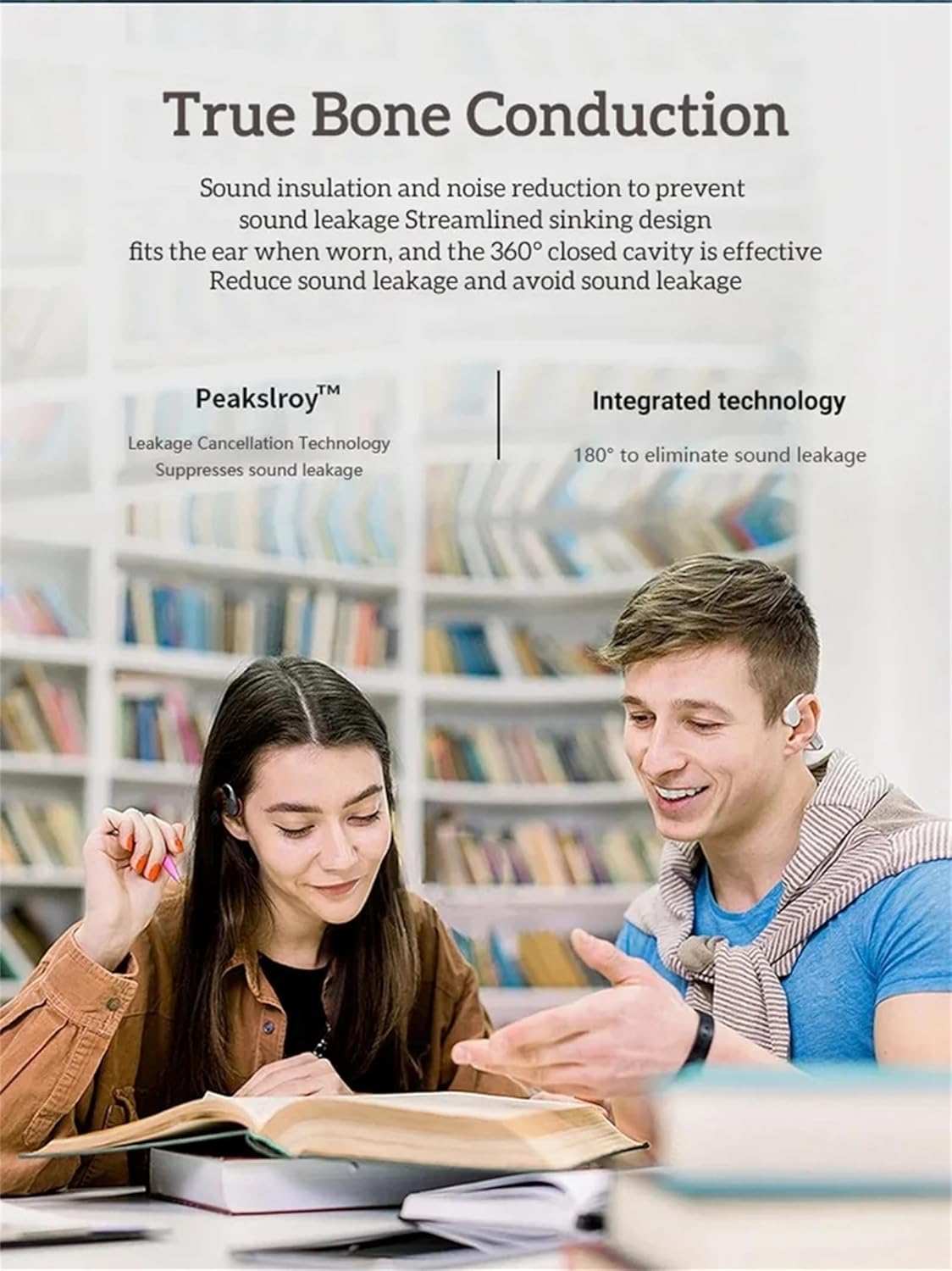
Image: Two individuals wearing bone conduction headphones, demonstrating the comfortable and open-ear design.
4. Nastavení a první použití
4.1 Nabíjení sluchátek
Before first use, fully charge the headphones. Use the provided magnetic charging cable and a 5V 1A or 5V 2A charging adapter. Do not use fast chargers.
- Připojte magnetický konec nabíjecího kabelu k nabíjecímu portu na sluchátkách.
- Connect the USB end of the cable to a compatible USB power adapter or computer USB port.
- Charging time is approximately 1-2 hours. The indicator light will change to show charging status (refer to LED indicator section if available, otherwise assume standard behavior).

Image: Illustration of the magnetic charging interface and battery specifications.
4.2 Zapnutí/vypnutí
- Zapnutí: Press and hold the Power button (often combined with Play/Pause) for a few seconds until you hear an audible prompt or see an indicator light.
- Vypnout: Znovu stiskněte a několik sekund podržte tlačítko napájení, dokud neuslyšíte zvukový signál nebo nezhasne kontrolka.
4.3 Párování Bluetooth
Připojení sluchátek k zařízení s podporou Bluetooth:
- Ujistěte se, že jsou sluchátka vypnutá.
- Stiskněte a podržte tlačítko napájení, dokud kontrolka nezačne rychle blikat (obvykle modře a červeně), což signalizuje režim párování.
- Na svém zařízení (chytrý telefon, tablet, počítač) přejděte do nastavení Bluetooth a povolte Bluetooth.
- Hledat available devices and select "X7S" or similar from the list.
- Once connected, the indicator light will typically stop flashing and remain solid blue.
4.4 Loading Music to MP3 Mode (32GB Internal Memory)
The headphones have 32GB of internal storage for MP3 and WMA audio formats.
- Connect the headphones to your computer using the magnetic charging cable. The computer should recognize the headphones as a removable disk.
- Drag and drop your MP3 or WMA audio files directly into the recognized drive folder.
- Safely eject the headphones from your computer before disconnecting the cable.
5. Návod k obsluze
5.1 Základní ovládací prvky
The headphones feature intuitive button controls. Refer to the image below for button locations:

Obrázek: Podrobný view of the headphone controls, including volume buttons, power/play/pause, and the magnetic charging/transmission interface.
- Tlačítko Napájení/Přehrávání/Pozastavení:
- Stisknutí a podržení: Zapnutí/vypnutí.
- Short press: Play/Pause music, Answer/End calls.
- Double press: Switch between Bluetooth and MP3 mode.
- Tlačítko pro zvýšení hlasitosti (+):
- Krátké stisknutí: Zvýšení hlasitosti.
- Dlouhé stisknutí: Další skladba.
- Tlačítko pro snížení hlasitosti (-):
- Krátké stisknutí: Snížení hlasitosti.
- Dlouhé stisknutí: Předchozí skladba.
5.2 Switching Between Bluetooth and MP3 Mode
Double-press the Power/Play/Pause button to toggle between Bluetooth streaming and playing music from the internal 32GB MP3 player.
5.3 Using in Water (IPX8)
The IPX8 rating means these headphones are designed to withstand continuous immersion in water. For optimal performance in water, it is recommended to use the MP3 mode as Bluetooth connectivity can be limited underwater.

Image: A person wearing the headphones while swimming, demonstrating their use in water.

Image: The headphones shown with water splashing, highlighting their waterproof design.
6. Údržba a péče
Správná údržba zajišťuje dlouhou životnost a výkon vašich sluchátek:
- After Saltwater Use: If used in seawater or saltwater, rinse the headphones thoroughly with fresh water immediately after use and dry them completely. Pay special attention to the magnetic charging contacts, as they are susceptible to corrosion.
- Po cvičení: After each exercise session, wipe any sweat or water from the surface of the earphones, especially the magnetic charging area, to prevent corrosion.
- Dlouhodobé skladování: If not used for an extended period, fully charge the headphones at least once a month to maintain battery health.
- Obecná péče:
- Keep the product away from fire, excessive heat, freezing temperatures, and harsh chemicals.
- Avoid violent impacts, disassembly, or unauthorized modifications to the product.
- Opatření při nabíjení: Always use a 5V 1A or 5V 2A charging adapter. Do not use fast chargers.
7. Řešení problémů
Pokud se se sluchátky setkáte s problémy, podívejte se na následující běžná řešení:
- Sluchátka se nezapnou:
- Ujistěte se, že jsou sluchátka plně nabitá. Připojte je k nabíječce alespoň na 30 minut.
- Try pressing and holding the Power button for a longer duration (5-10 seconds).
- Nelze spárovat přes Bluetooth:
- Ujistěte se, že jsou sluchátka v režimu párování (blikající kontrolka).
- Vypněte a zapněte Bluetooth na vašem zařízení.
- Přesuňte sluchátka blíže k zařízení.
- Vymažte předchozí připojení Bluetooth na zařízení a zkuste spárování znovu.
- Ujistěte se, že ke sluchátkům nejsou aktivně připojena žádná jiná zařízení.
- No sound in MP3 mode:
- Ensure the headphones are switched to MP3 mode (double-press Power button).
- Verify that MP3 or WMA files are correctly loaded onto the internal memory.
- Zkontrolujte úroveň hlasitosti.
- Problémy s nabíjením:
- Ujistěte se, že je magnetický nabíjecí kabel bezpečně připojen ke sluchátkům i ke zdroji napájení.
- Try a different USB power adapter (ensure it's 5V 1A or 5V 2A).
- Clean the magnetic charging contacts on both the headphones and the cable with a dry cloth.
- Problémy s kvalitou zvuku:
- Ujistěte se, že máte sluchátka správně umístěná na lícních kostech.
- Upravte hlasitost na sluchátkách i na připojeném zařízení.
- If using in water, ensure the headphones are in MP3 mode for best performance.
8. Technické specifikace
| Funkce | Specifikace |
|---|---|
| Model | X7S |
| Verze Bluetooth | 5.3 |
| Hodnocení voděodolnosti | IPX8 |
| Vnitřní paměť | 32 GB |
| Kapacita baterie | 200 XNUMX mAh |
| Doba přehrávání hudby | Až 10 hodin |
| Doba hovoru | Až 10 hodin |
| Pohotovostní doba | 300 hodin |
| Doba nabíjení | 1-2 hodin |
| Bezdrátový pracovní dosah | >10 metrů (33 stop) |
| Podporované zvukové formáty | MP3, WMA |
| Podporované protokoly | A2DP, AVRCP, HSP, HFP |
| Citlivost reproduktoru | 100dB at 1KHz/1mW |
| Frekvenční odezva reproduktoru | 20Hz-20KHz |
| Materiál | ABS + PC |
| Hmotnost položky | 30 g (1.06 oz) |
9. Záruka a podpora
For warranty information and customer support, please refer to the documentation provided at the time of purchase or visit the official GZCRDZ webUschovejte si doklad o koupi pro případ reklamace.
If you experience any issues not covered in this manual, please contact GZCRDZ customer service for assistance.
Ask a question about this manual
Ask about setup, troubleshooting, compatibility, parts, safety, or missing instructions. Manuals+ will review the question and use this page’s manual context to help answer it.