
XG99
User Manual: XG99PRO Bluetooth Headphones
Model: XG99 | Brand: Generic
Konec produktuview
The Generic XG99PRO Bluetooth Headphones are an innovative open-ear headset designed for comfort and situational awareness. Utilizing bone conduction technology, these headphones transmit sound through your skull, leaving your ear canals open to ambient sounds. This design ensures a secure fit and allows you to remain aware of your surroundings while enjoying audio content.
The headphones come with a compact charging case, providing extended battery life and convenient portability. The robust design is resistant to stains, making it suitable for various environments, including meetings, lectures, and outdoor activities.

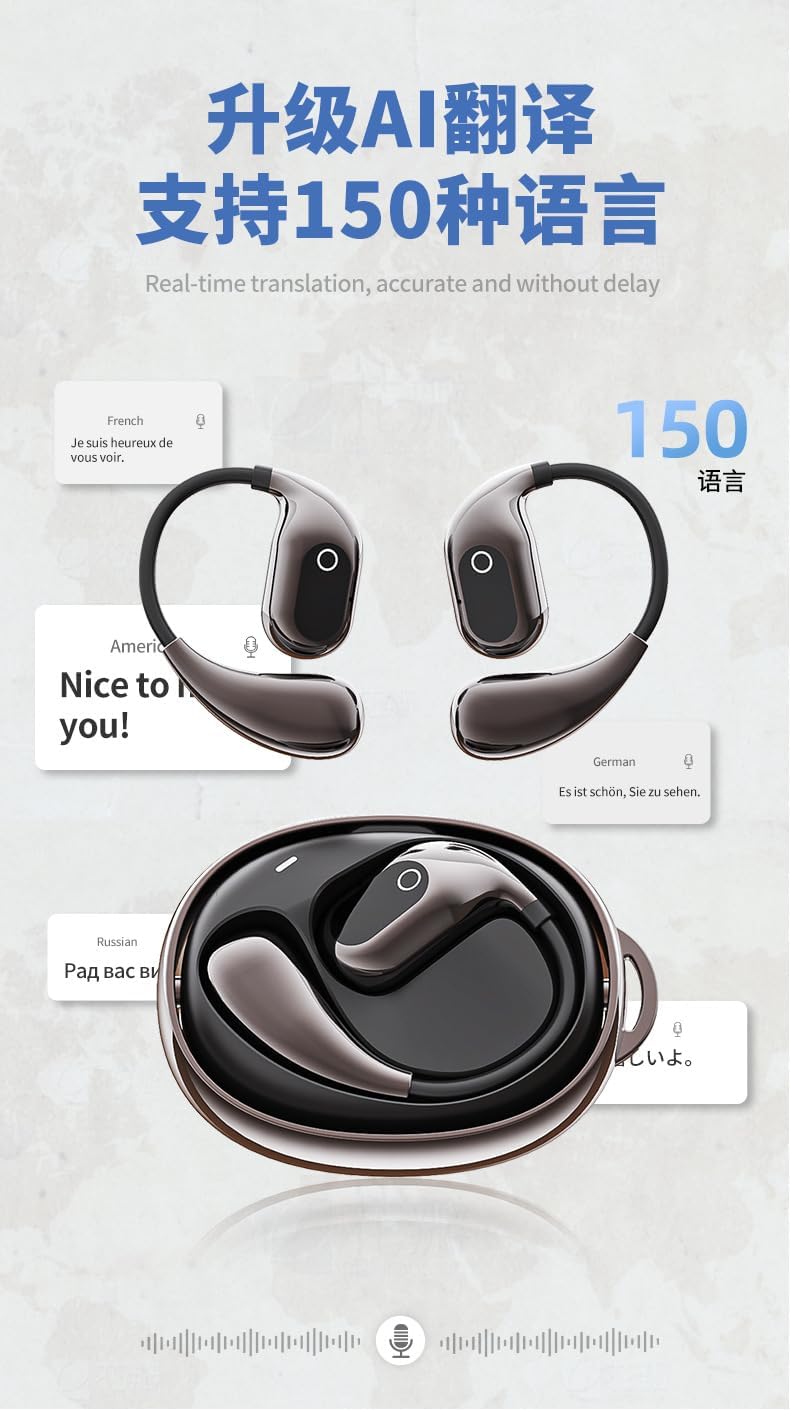
Image: The XG99PRO Bluetooth Headphones, showing both earbuds and the compact charging case. The earbuds feature an over-ear design for a secure fit.
Klíčové vlastnosti:
- Pohodlný design přes uši: Ergonomically designed to reduce pressure on the ears during prolonged use.
- Safe and Open-Ear Listening: Bone conduction technology keeps ear canals open, allowing awareness of external sounds for increased safety.
- Secure Fit: The ear-hook structure ensures stability, even during intense physical activity.
- Prodloužená životnost baterie: The included charging case allows for multiple recharges, providing long-lasting use.
- Voděodolnost a odolnost proti potu: Resistant to sweat and light rain, suitable for sports and various weather conditions.
Průvodce nastavením
1. Počáteční nabíjení
Before first use, ensure the headphones and charging case are fully charged. Place the headphones into the charging case. Connect the charging case to a USB power source using the provided cable. The indicator lights on the case will show charging status.

Image: The XG99PRO headphones securely placed within their charging case, illustrating how they are stored and charged.
2. Párování s vaším zařízením
- Ensure the headphones are charged and powered on. They typically enter pairing mode automatically when first removed from the case or when powered on for the first time.
- Na smartphonu, tabletu nebo počítači přejděte do nastavení Bluetooth.
- Povolte Bluetooth a vyhledejte dostupná zařízení.
- Select "XG99PRO" (or similar name) from the list of found devices.
- Po připojení se ozve potvrzovací zvuk nebo kontrolka, která potvrdí úspěšné spárování.
3. Nošení sluchátek
Gently place the headphones over your ears, ensuring the bone conduction transducers rest comfortably on your cheekbones, just in front of your ears. Adjust the ear hooks for a secure and comfortable fit. The open-ear design allows for ambient sound awareness.
Obrázek: Detailní záběr view of the XG99PRO headphones, highlighting their open-ear design and the area where the bone conduction transducers make contact with the user's head.
Návod k obsluze
Zapnutí/vypnutí
- Zapnutí: Remove headphones from the charging case, or press and hold the multi-function button for 3 seconds.
- Vypnout: Place headphones back into the charging case, or press and hold the multi-function button for 5 seconds.
Přehrávání hudby
- Přehrát/pozastavit: Jednou stiskněte multifunkční tlačítko.
- Další skladba: Dvakrát stiskněte multifunkční tlačítko na pravém sluchátku.
- Předchozí skladba: Dvakrát stiskněte multifunkční tlačítko na levém sluchátku.
- Zvýšit hlasitost: Single press the volume up button.
- Snížit hlasitost: Single press the volume down button.
Správa hovorů
- Přijmout/ukončit hovor: Jednou stiskněte multifunkční tlačítko.
- Odmítnout hovor: Stiskněte a podržte multifunkční tlačítko po dobu 2 sekund.
- Aktivovat Voice Assistant: Třikrát stiskněte multifunkční tlačítko.
Údržba a péče
- Čištění: Wipe the headphones and charging case with a soft, dry, lint-free cloth. For stubborn dirt, a slightly damp cloth can be used, but ensure no moisture enters any openings. Do not use harsh chemicals or abrasive materials.
- Skladování: Pokud sluchátka nepoužíváte, uložte je do nabíjecího pouzdra, aby byly chráněny před prachem a poškozením. Skladujte na chladném a suchém místě mimo dosah přímého slunečního záření a extrémních teplot.
- Péče o baterie: Chcete-li prodloužit životnost baterie, vyvarujte se častého úplného vybíjení sluchátek a nabíjecího pouzdra. Pravidelně je nabíjejte, i když je nepoužíváte neustále.
- Voděodolnost: The headphones are sweatproof and resistant to light rain (IPX rating not specified, but generally implies protection against splashes). Do not submerge them in water or expose them to heavy rain. Dry them thoroughly before placing them back in the charging case if they get wet.
Odstraňování problémů
| Problém | Možná příčina | Řešení |
|---|---|---|
| Sluchátka se nezapínají. | Slabá baterie. | Place headphones in the charging case and ensure the case is charged. |
| Nelze spárovat se zařízením. | Bluetooth na zařízení je vypnutý; sluchátka nejsou v režimu párování; rušení. | Ensure Bluetooth is enabled. Put headphones back in case, then remove to re-enter pairing mode. Move closer to device. Forget device on phone and re-pair. |
| Žádný zvuk nebo nízká hlasitost. | Příliš nízká hlasitost; nejsou připojena sluchátka; je vybrán nesprávný zvukový výstup. | Increase volume on headphones and device. Reconnect headphones. Check device's audio output settings. |
| Nabíjecí pouzdro se nenabíjí. | Cable or power source issue; dirty charging port. | Zkuste jiný USB kabel a napájecí adaptér. Jemně očistěte nabíjecí port. |
Specifikace
| Funkce | Detail |
|---|---|
| Technologie připojení | Bezdrátové připojení (Bluetooth 5.4) |
| Zahrnuté komponenty | Bezdrátové nabíjecí pouzdro |
| Počet položek | 2 (Headphones and Case) |
| Výrobce | Blue and White Wang |
| Číslo modelu položky | XG99 |
| Datum první dostupnosti | 24. dubna 2025 |
| Země původu | Čína |
| Značka | Obecný |
| Barva | zatemnit |
| Umístění uší | Otevřete ucho |
| Form Factor | Skutečné bezdrátové |
| Název modelu | arctis_pro (Note: This appears to be a generic placeholder, actual model is XG99PRO/XG99) |
Záruka a podpora
Specific warranty details for the Generic XG99PRO Bluetooth Headphones are typically provided with your purchase documentation or can be found on the manufacturer's official webstránky. Uschovejte si prosím doklad o koupi pro případ reklamace.
For technical support, troubleshooting assistance beyond this manual, or inquiries regarding replacement parts, please refer to the contact information provided by your retailer or visit the official website of the Generic brand.
Ask a question about this manual
Ask about setup, troubleshooting, compatibility, parts, safety, or missing instructions. Manuals+ will review the question and use this page’s manual context to help answer it.