
1. Úvod
The FREEWOLF M75 is a versatile 75% layout wireless gaming keyboard designed for various operating systems and devices. It features dual-mode connectivity (Bluetooth and 2.4GHz wireless), a multi-functional knob, an OLED display, and gradient PBT keycaps. This manual provides detailed instructions for setting up, operating, and maintaining your M75 keyboard.
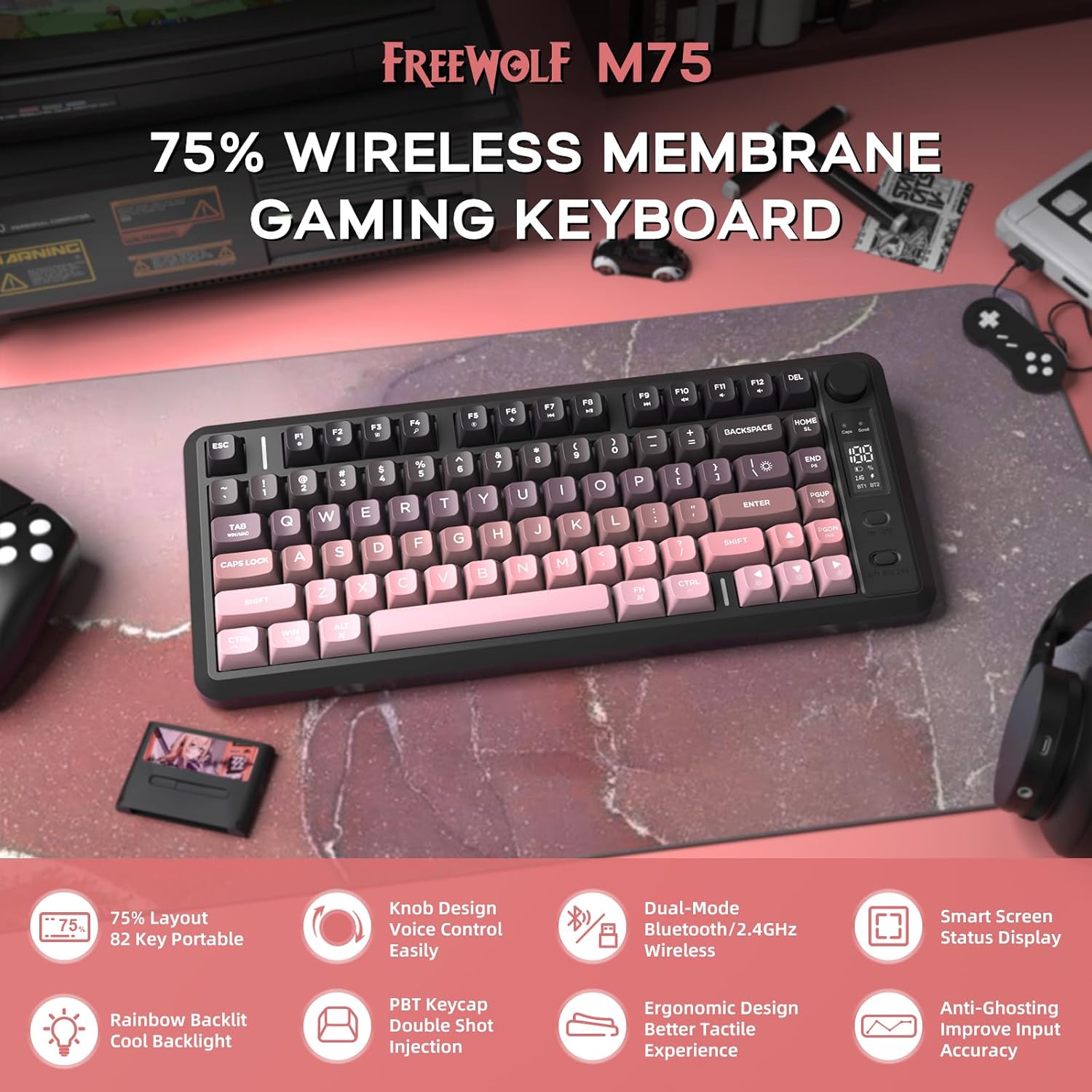
Obrázek 1: Konecview of the FREEWOLF M75 Wireless Gaming Keyboard.
2. Obsah balení
Zkontrolujte prosím balení, zda neobsahuje následující položky:
- M75 Keyboard x 1
- Kabel USB-C x 1
- 2.4GHz Receiver x 1
- Návod k použití x 1
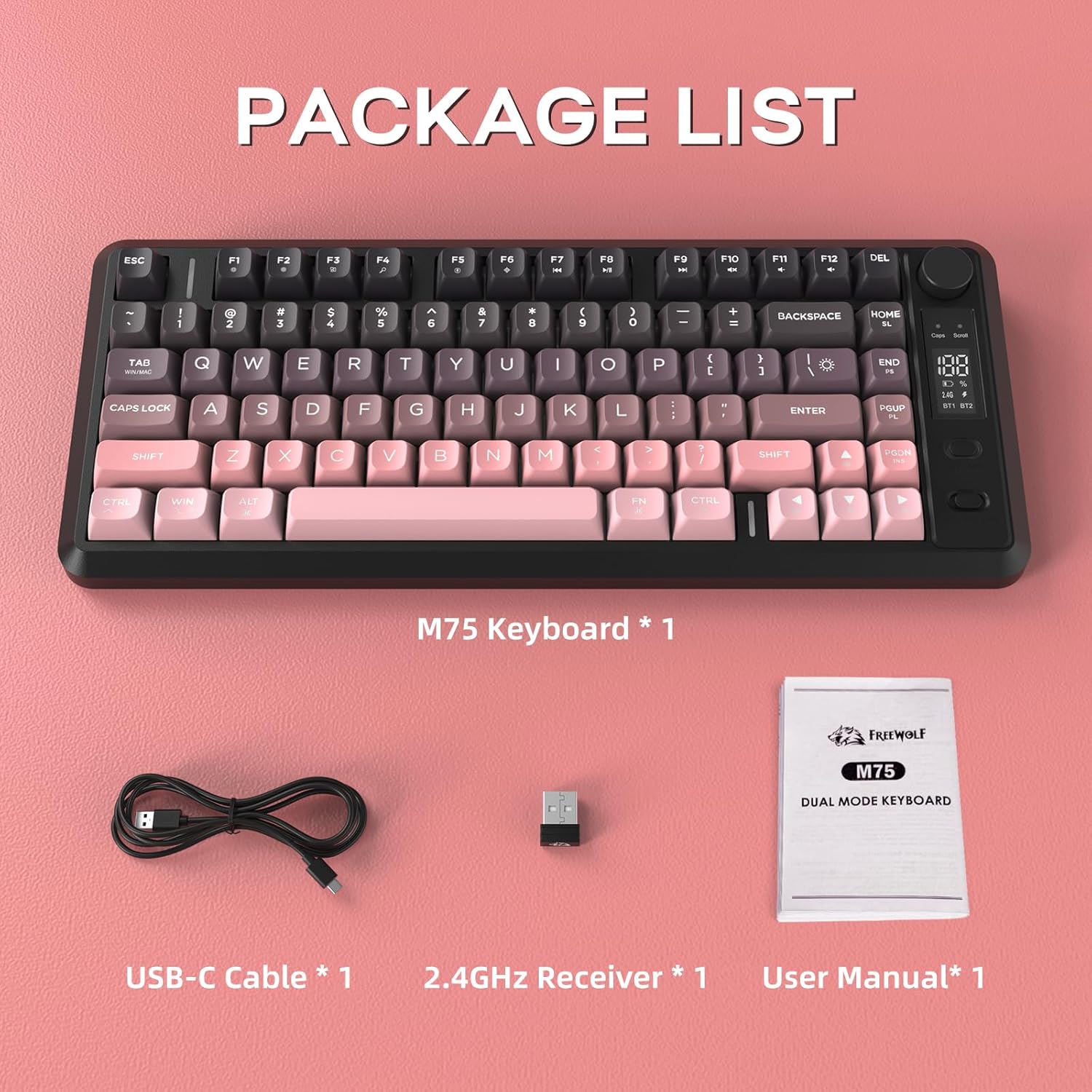
Image 2: Contents included in the FREEWOLF M75 keyboard package.
3. Specifikace
| Model | M75 |
| Rozložení | 75% (82-Key Compact Layout) |
| Konektivita | Bezdrátové připojení Bluetooth 5.1/5.2, 2.4 GHz |
| Klíčenky | Gradient PBT Double-Shot |
| Podsvícení | Rainbow Backlit |
| Kapacita baterie | 2000 XNUMX mAh |
| Anti-Ghosting | 26-Key Rollover |
| Kompatibilní zařízení | Notebook, PC, tablet (Windows, macOS, Linux) |
| Speciální funkce | OLED Display, Multi-functional Knob, Ergonomic Design |

Image 3: The 75% compact layout and 26-key anti-ghosting feature of the M75 keyboard.
4. Nastavení
4.1 Nabíjení klávesnice
Before first use, or when the OLED display indicates low battery, connect the keyboard to a power source using the provided USB-C cable. The OLED display will show the charging status.

Image 4: The M75 keyboard features a 2000mAh rechargeable battery.
4.2 Připojení klávesnice
The M75 keyboard supports two wireless connection modes:
- Bezdrátový režim 2.4 GHz:
- Insert the 2.4GHz USB receiver into an available USB port on your computer or device.
- Turn on the keyboard. The keyboard should automatically connect. The OLED display will indicate the 2.4G connection status.
- Režim Bluetooth (BT1/BT2):
- Zapněte klávesnici.
- Press the dedicated Bluetooth button (usually marked BT1 or BT2) to select a Bluetooth channel.
- Na svém zařízení (počítač, notebook, tablet) povolte Bluetooth a vyhledejte nová zařízení.
- Select "FREEWOLF M75" from the list of available devices to pair. The OLED display will show the Bluetooth connection status.
- To switch between paired Bluetooth devices, press the corresponding BT1 or BT2 button.
The keyboard is compatible with Windows PC, MacBook, and Linux systems. For gaming consoles like Switch, Xbox, or PlayStation, an adapter may be required for connectivity.

Image 5: The M75 keyboard supports both 2.4GHz wireless and Bluetooth modes for multi-device compatibility.
5. Návod k obsluze
5.1 Multi-functional Knob and OLED Display
The M75 keyboard features a multi-functional knob and an OLED display for enhanced control and information.
- Funkce knoflíku:
- Press the knob: Play/Pause media.
- Rotate right: Increase volume.
- Rotate left: Decrease volume.
- Press and hold the knob for 5 seconds: Adjust backlight settings.
- OLED displej: Shows real-time information including battery level, current connection mode (2.4G, BT1, BT2), charging status, and low battery warnings.
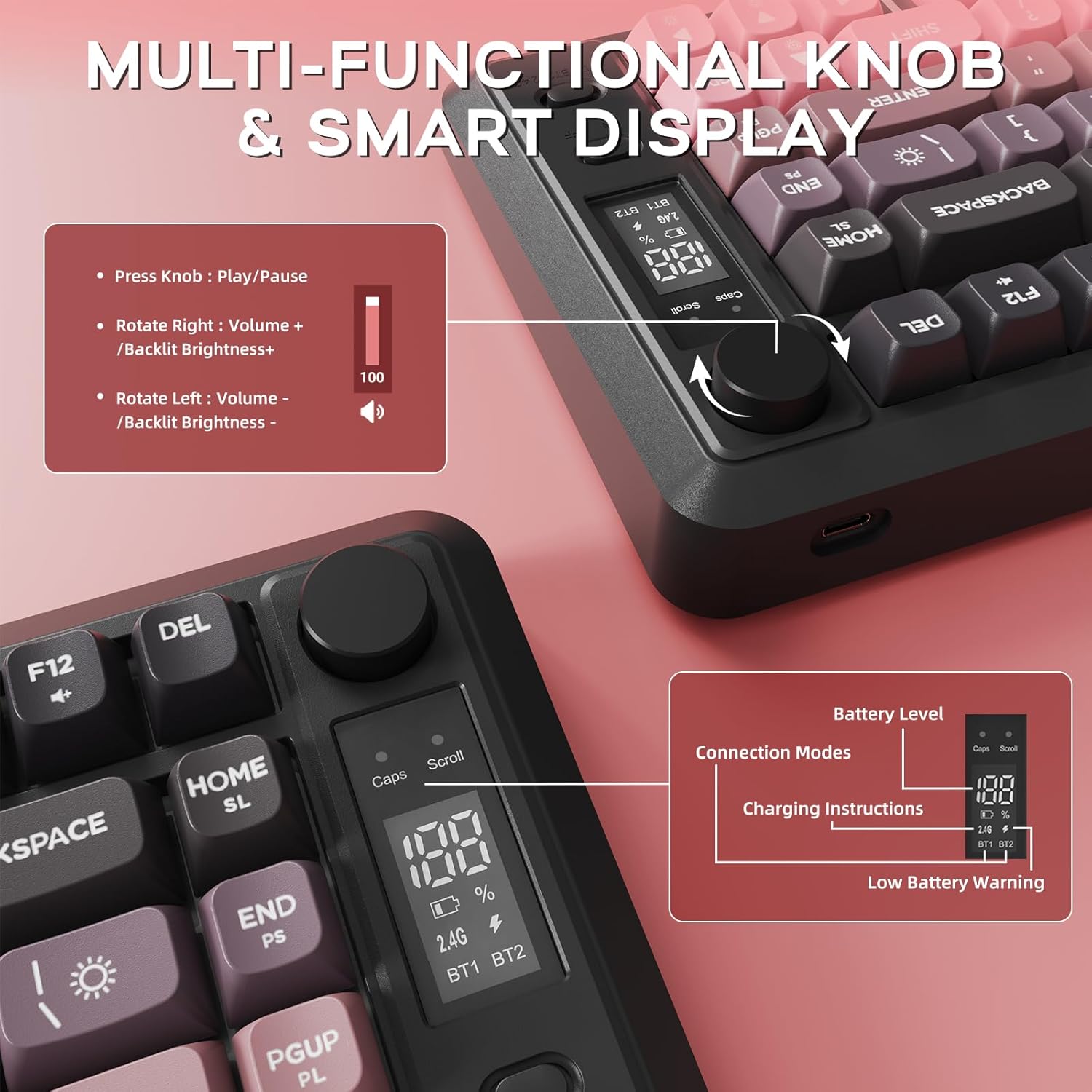
Obrázek 6: Detailní view of the multi-functional knob and OLED display on the M75 keyboard.
5.2 ovládání podsvícení
The M75 keyboard features a rainbow backlight. Note that the keycaps themselves are opaque, meaning the light illuminates around and beneath the keys, not through the legends.
- Přepínání režimů osvětlení: Stiskněte Fn + I to cycle through different backlight modes.
- Upravit jas: Stiskněte Fn + ↑ (šipka nahoru) pro zvýšení jasu a Fn + ↓ (Šipka dolů) pro snížení jasu.
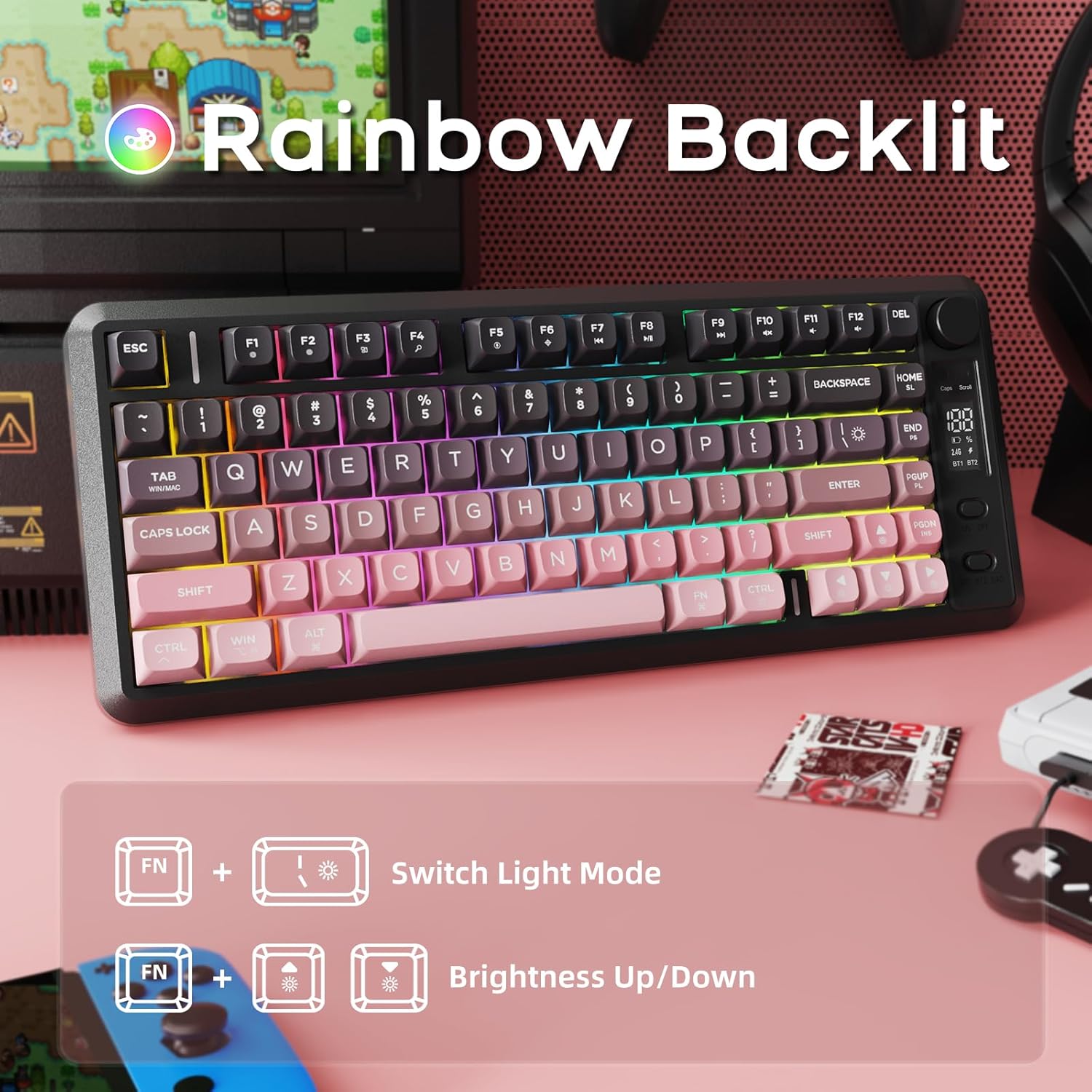
Image 7: The M75 keyboard features a vibrant rainbow backlight.
5.3 Ochrana proti ghostingu
The keyboard is equipped with 26-key rollover technology, ensuring that multiple key presses are registered accurately and simultaneously. This prevents 'ghosting' or missed inputs during fast typing or complex gaming commands.
6. Údržba
6.1 Čištění klávesnice
- Před čištěním odpojte klávesnici od všech zařízení.
- K otření povrchu klávesnice použijte měkký, suchý hadřík.
- Na odolné nečistoty lehce damphadřík vodou nebo jemným čisticím roztokem. Zabraňte nadměrné vlhkosti.
- K odstranění prachu a nečistot z prostoru mezi klávesami použijte stlačený vzduch.
6.2 PBT Keycaps Care
The M75 keyboard features durable double-shot PBT keycaps, which are resistant to oils, fading, and yellowing. Regular cleaning as described above will help maintain their appearance and longevity.

Image 8: The M75 keyboard is equipped with durable double-shot PBT keycaps.
6.3 Péče o baterii
- Nevystavujte klávesnici extrémním teplotám.
- Charge the keyboard regularly to maintain battery health, especially if it will not be used for an extended period.
7. Řešení problémů
- Klávesnice se nepřipojuje:
- Ujistěte se, že je klávesnice zapnutá.
- Zkontrolujte stav baterie na OLED displeji a v případě potřeby ji nabijte.
- For 2.4GHz mode, ensure the USB receiver is securely plugged in.
- For Bluetooth mode, ensure Bluetooth is enabled on your device and the correct channel (BT1/BT2) is selected on the keyboard. Try re-pairing the device.
- Try connecting the keyboard via USB-C cable to check if it functions in wired mode.
- Klávesy nereagují:
- Check for debris under the keycaps.
- Ujistěte se, že je klávesnice správně připojena.
- Restartujte počítač/zařízení.
- Backlight not working or dim:
- Upravte jas pomocí Fn + ↑/↓.
- Ujistěte se, že je baterie dostatečně nabitá.
- OLED display not showing information:
- Ujistěte se, že je klávesnice zapnutá.
- Zkontrolujte stav baterie.
8. Záruka a podpora
For warranty information and technical support, please refer to the documentation provided with your purchase or contact FREEWOLF customer service through their official webna webu nebo u prodejce, kde byl produkt zakoupen.