
1. Úvod
This manual provides essential information for setting up, operating, maintaining, and troubleshooting your HP 15.6 inch FHD Touchscreen Laptop. Please read these instructions carefully to ensure proper use and longevity of your device.
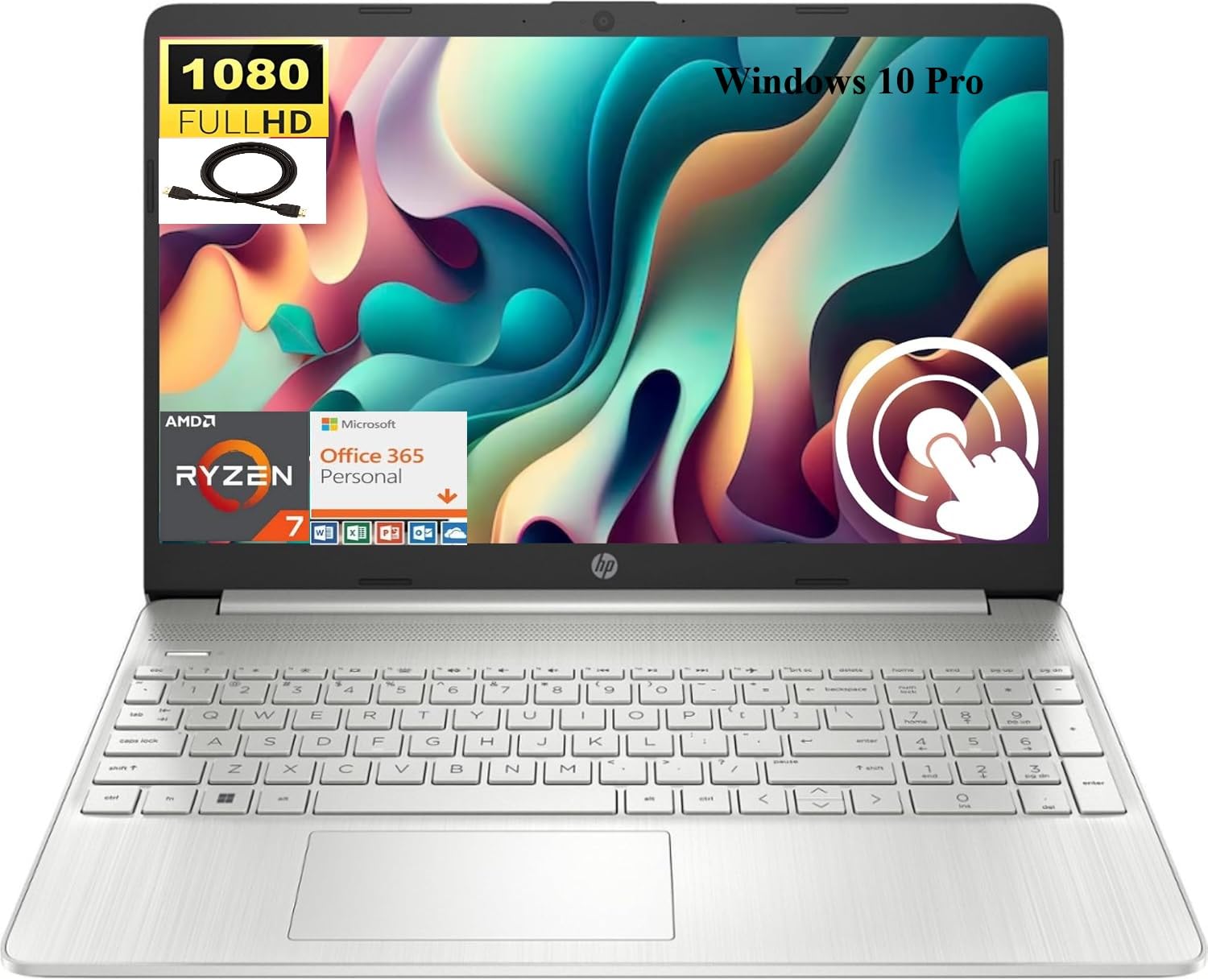
Image 1.1: HP 15.6 inch FHD Touchscreen Laptop, silver finish, open with screen displaying a scenic image.
2. Nastavení
2.1 Vybalení a úvodní kontrola
Carefully remove your laptop and all accessories from the packaging. Verify that all components are present and undamaged. Retain the packaging for future transport or service needs.
2.2 Připojení napájení
- Připojte síťový adaptér k napájecímu konektoru na notebooku.
- Zapojte napájecí kabel do elektrické zásuvky.
- Před prvním použitím nechte baterii nabíjet alespoň 30 minut nebo dokud indikátor baterie neukáže dostatečné nabití.
2.3 Initial Boot-up and Windows 10 Pro Setup
Press the power button to turn on your laptop. Follow the on-screen instructions to complete the Windows 10 Pro setup process. This includes selecting your region, language, creating a user account, and connecting to a Wi-Fi network.

Image 2.1: HP laptop shown with an HDMI cable, illustrating connectivity options.
3. Návod k obsluze
3.1 Dotyková obrazovka a displej
Your laptop features a 15.6 inch Full HD (1920 x 1080) IPS touchscreen display. Use touch gestures for navigation, zooming, and interaction with applications. The micro-edge design maximizes your viewoblast.
3.2 Klávesnice a touchpad
The full-size, natural silver keyboard includes a numeric keypad for efficient data entry. The integrated touchpad supports multi-touch gestures for precise cursor control.

Image 3.1: HP laptop displaying the Windows Start Menu, showcasing the operating system interface.
3.3 Porty a konektivita
Váš notebook je vybaven různými porty pro připojení externích zařízení:
- 2 x SuperSpeed USB Type-A 5Gbps: Pro standardní USB zařízení.
- 1 x SuperSpeed USB Type-C 5Gbps: For modern USB-C devices.
- 1× HDMI 1.4b: Připojení k externím displejům nebo projektorům.
- 1 x AC inteligentní pin: Pro připojení napájecího adaptéru.
- 1 x Multi-format SD media card reader: Pro čtení SD karet.
- 1 x Headphone/microphone combo: Pro audio vstup/výstup.
Wireless connectivity includes Realtek RTL8821CE 802.11a/b/g/n/ac (1x1) Wi-Fi and Bluetooth 4.2 combo.

Image 3.2: Detailed diagram highlighting the location and type of ports on the HP laptop, including headphone/microphone combo, SD media card reader, SuperSpeed USB Type-C, SuperSpeed USB Type-A, and HDMI 1.4b.
3.4 Webkamera a zvuk
The HP True Vision 720p HD camera with integrated dual array digital microphones allows for clear video conferencing. Enjoy HD Audio with stereo speakers for an enhanced listening experience.

Image 3.3: Visual representation of the HP True Vision HD Camera for video chat and HD Audio with stereo speakers for sound output.
4. Údržba
4.1 Čištění notebooku
Použijte měkký hadřík, který nepouští vlákna dampened with water or a screen cleaner specifically designed for electronics to clean the display and exterior surfaces. Avoid harsh chemicals or abrasive materials.
4.2 Péče o baterii
To prolong battery life, avoid extreme temperatures and fully discharging the battery frequently. For optimal performance, keep the laptop connected to power when possible, but also allow occasional discharge cycles.
4.3 Aktualizace softwaru
Pravidelně kontrolujte a instalujte aktualizace systému Windows a aktualizace ovladačů HP, abyste zajistili stabilitu, zabezpečení a optimální výkon systému.
5. Řešení problémů
If you encounter issues with your HP laptop, consider the following basic troubleshooting steps:
- Bez napájení: Ujistěte se, že je síťový adaptér bezpečně připojen k notebooku i k funkční zásuvce. Zkontrolujte kontrolku napájení.
- Problémy se zobrazením: If the screen is blank, try connecting an external monitor via HDMI to check if the issue is with the laptop's display. Restart the laptop.
- Problémy s připojením: For Wi-Fi or Bluetooth issues, ensure wireless is enabled. Try restarting your router or the laptop's wireless adapter.
- Pomalý výkon: Zavřete nepotřebné aplikace, zkontrolujte procesy na pozadí a zajistěte dostatek volného místa v úložišti.
V případě složitějších problémů se obraťte na podporu HP website or contact HP customer service for assistance.
6. Specifikace
Below are the detailed technical specifications for your HP 15.6 inch FHD Touchscreen Laptop (Model HP 15):
| Značka | HP |
| Název modelu | HP 15 |
| Velikost obrazovky | 15.6 palce |
| Rozlišení displeje | 1920x1080 pixelů (FHD) |
| Typ zobrazení | LED, Touch, IPS, Micro-edge, BrightView |
| Procesor | AMD Ryzen 7 4700U (8 Cores, up to 4.1 GHz) |
| Grafika | Integrovaná grafika AMD Radeon |
| Paměť RAM | 8 GB DDR4 SDRAM |
| Velikost pevného disku | 512GB SSD (PCIe NVMe M.2) |
| Operační systém | Windows 10 Pro |
| Konektivita | Wi-Fi (802.11a/b/g/n/ac), Bluetooth 4.2 |
| Porty | 2x USB-A 5Gbps, 1x USB-C 5Gbps, 1x HDMI 1.4b, 1x AC Smart Pin, 1x SD Card Reader, 1x Headphone/Mic Combo |
| Fotoaparát | HP True Vision 720p HD Camera |
| Zvuk | HD Audio, Dual Speakers |
| Baterie | 3článkový, 41 Wh Li-ion |
| Rozměry (D x Š x V) | 14.11 x 9.53 x 0.78 palce |
| Hmotnost položky | 3.75 libry |

Image 6.1: Diagram illustrating the dimensions of the HP laptop: 14.11" W, 9.53" D, and 0.78" H.
7. Záruka a podpora
Your HP laptop comes with a standard manufacturer's warranty. For detailed warranty information, please refer to the documentation included with your product or visit the official HP support website. For technical assistance, driver downloads, and service inquiries, please visit support.hp.com.