
DOOGEE Tab A9+
DOOGEE Tab A9 Pro+ Android 15 Tablet User Manual
Model: Tab A9+
1. Úvod
This manual provides detailed instructions for the safe and efficient use of your DOOGEE Tab A9 Pro+ Android 15 Tablet. Please read this manual thoroughly before operating the device to ensure optimal performance and longevity. The DOOGEE Tab A9 Pro+ is designed for versatile use, offering powerful performance for work, study, and entertainment.
2. Obsah balení
Ověřte, zda jsou v balení produktu přítomny všechny níže uvedené položky:
- 1x DOOGEE Tab A9 Pro+ Tablet
- 1x USB kabel typu C
- 1x Nabíječka
- 1x Balící krabice
- 1x Uživatelská příručka
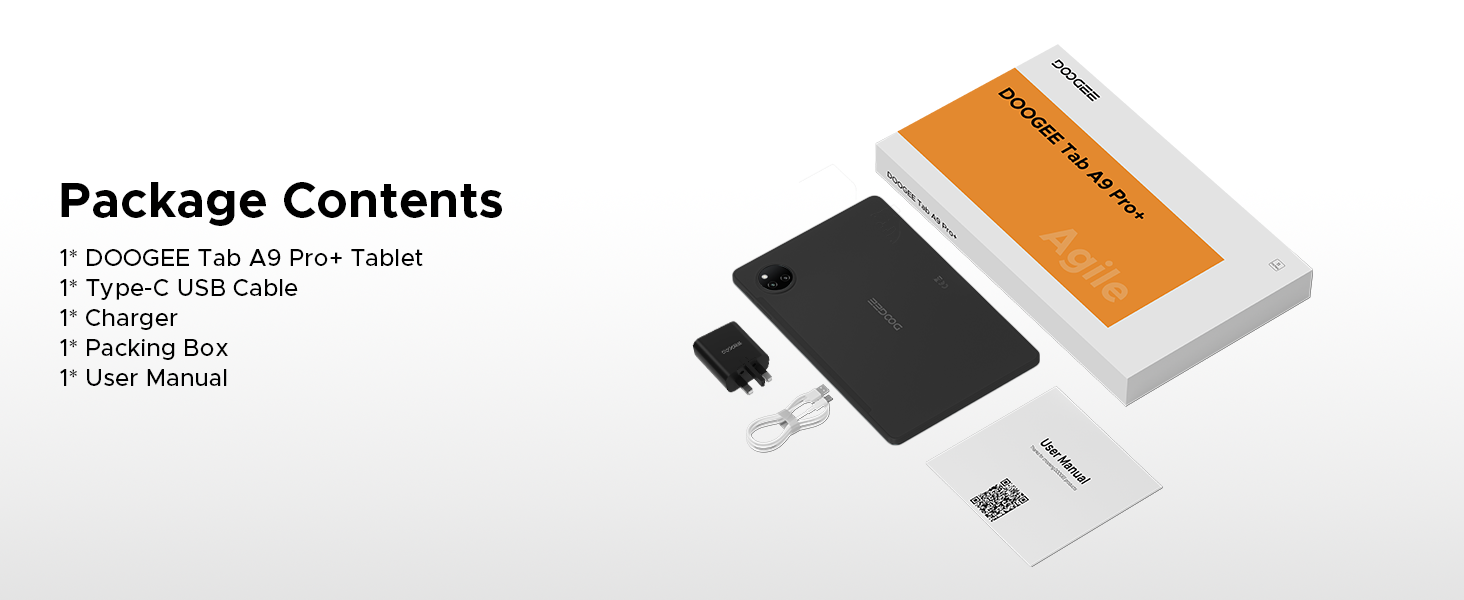
Figure 2.1: Contents of the DOOGEE Tab A9 Pro+ package.
3. Konec produktuview a funkce
The DOOGEE Tab A9 Pro+ is equipped with advanced features for a superior user experience.
3.1 Displej
The tablet features an 11-inch HD IPS display with a 90Hz refresh rate, providing a wide field of view and smooth visuals. It supports Widevine L1 for high-definition streaming content, ensuring a clear and vibrant viewzkušenosti.

Figure 3.1: The 11-inch 90Hz HD IPS display of the DOOGEE Tab A9 Pro+.
3.2 Výkon a úložiště
Powered by an Octa-Core Unisoc T7200 processor, the tablet offers efficient performance. It comes with 6GB of physical RAM, expandable up to 30GB with virtual RAM, and 128GB of internal storage, expandable up to 2TB via a TF card (sold separately).

Obrázek 3.2: Přesview kapacit RAM a ROM.

Figure 3.3: The Unisoc T7200 Octa-Core Processor.
3.3 Životnost baterie
The 8580mAh battery provides extended usage times, including up to 24 days standby, 36 hours of music playback, 6.5 hours of video watching, and 7 hours of web browsing. It supports 10W fast charging and 5W reverse charging.

Obrázek 3.4: Kapacita baterie a odhadovaná doba používání.
3.4 Operační systém
The tablet runs on Android 15, offering an intelligent, seamless, and secure user experience with features like split-screen multitasking, advanced privacy controls, and low blue light mode.

Figure 3.5: The Android 15 operating system interface.
3.5 Kamery a zvuk
Equipped with a 13MP main camera and a 5MP front camera for capturing photos and video calls. Dual speakers provide clear audio, and a standard 3.5mm audio jack is included for private listening.

Figure 3.6: Camera specifications and sampobrázky.
Figure 3.7: High-Quality Dual Speakers for immersive audio.
4. Průvodce nastavením
4.1 Počáteční nabíjení
Before first use, fully charge your tablet using the provided Type-C USB cable and charger. Connect the USB cable to the tablet's charging port and the charger to a power outlet. The charging indicator will show the charging status.
4.2 Zapnutí/vypnutí
- Zapnutí: Stiskněte a podržte tlačítko napájení, dokud se na obrazovce nezobrazí logo DOOGEE.
- Vypnutí: Stiskněte a podržte tlačítko Napájení, dokud se nezobrazí nabídka možností napájení, poté vyberte „Vypnout“.
- Restartovat: Stiskněte a podržte tlačítko Napájení, dokud se nezobrazí nabídka možností napájení, a poté vyberte „Restartovat“.
4.3 Průvodce počátečním nastavením
Po prvním zapnutí vás tablet provede průvodcem počátečním nastavením. Postupujte podle pokynů na obrazovce:
- Vyberte svůj jazyk.
- Připojte se k síti Wi-Fi.
- Přihlaste se pomocí svého účtu Google nebo si vytvořte nový.
- Nastavte zámek obrazovky (PIN, vzorec, heslo nebo Face ID).
- Review a přijměte obchodní podmínky.
5. Návod k obsluze
5.1 Navigace a gesta
The Android 15 operating system uses intuitive gestures for navigation:
- Domov: Přejeďte prstem nahoru ze spodní části obrazovky.
- Zadní: Přejeďte prstem z levého nebo pravého okraje obrazovky.
- Nedávné aplikace: Swipe up from the bottom and hold.
- Notifications/Quick Settings: Přejeďte prstem z horní části obrazovky dolů.
5.2 Správa aplikací
- Instalace aplikací: Stáhněte si aplikace z Obchodu Google Play.
- Odinstalovat aplikace: Press and hold an app icon, then drag it to "Uninstall" or go to Settings > Apps.
- Multitasking na rozdělené obrazovce: Access recent apps, tap the app icon at the top of the window, and select "Split screen". This allows two apps to run simultaneously.
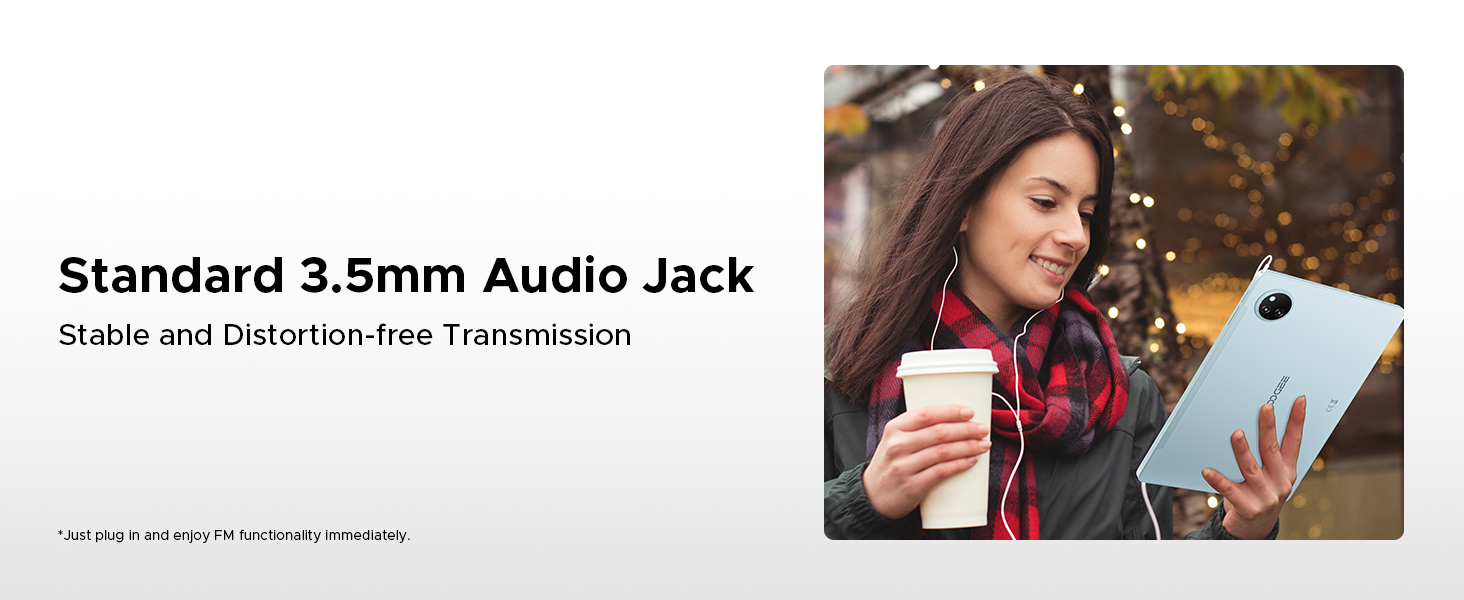
Figure 5.1: Efficient Split-Screen Multitasking.
5.3 Bezpečnostní funkce
- ID obličeje: Set up facial recognition for quick and secure unlocking via Settings > Security > Face Unlock.
- Ovládací prvky ochrany osobních údajů: Android 15 offers enhanced privacy settings. Manage app permissions and data access in Settings > Privacy.
Figure 5.2: Fortified Privacy Shield features.
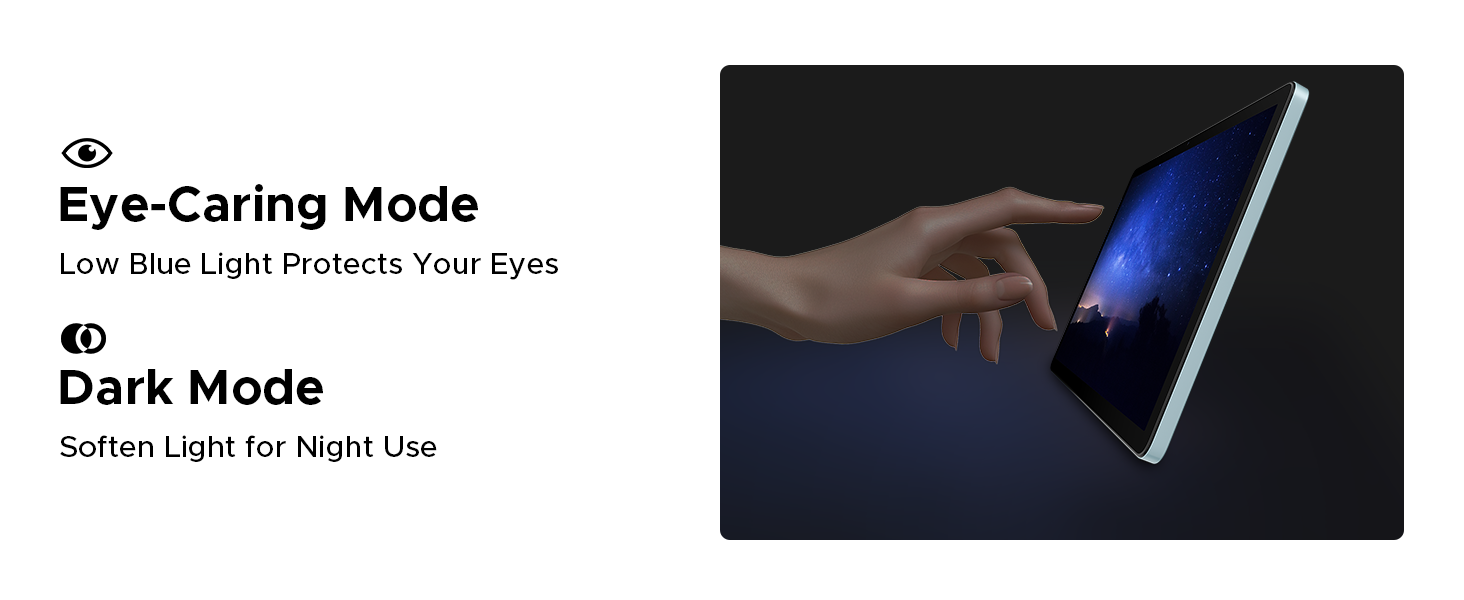
Figure 5.3: Facial Recognition Unlock.
5.4 Eye Comfort Modes
The tablet includes features to reduce eye strain:
- Režim slabého modrého světla: Reduces blue light emission for comfortable reading, especially in low light. Activate this in Display Settings.
- Tmavý režim: Softens screen light for night use, reducing glare.
- Režim potlačení blikání: Zvyšuje vizuální komfort snížením blikání obrazovky.
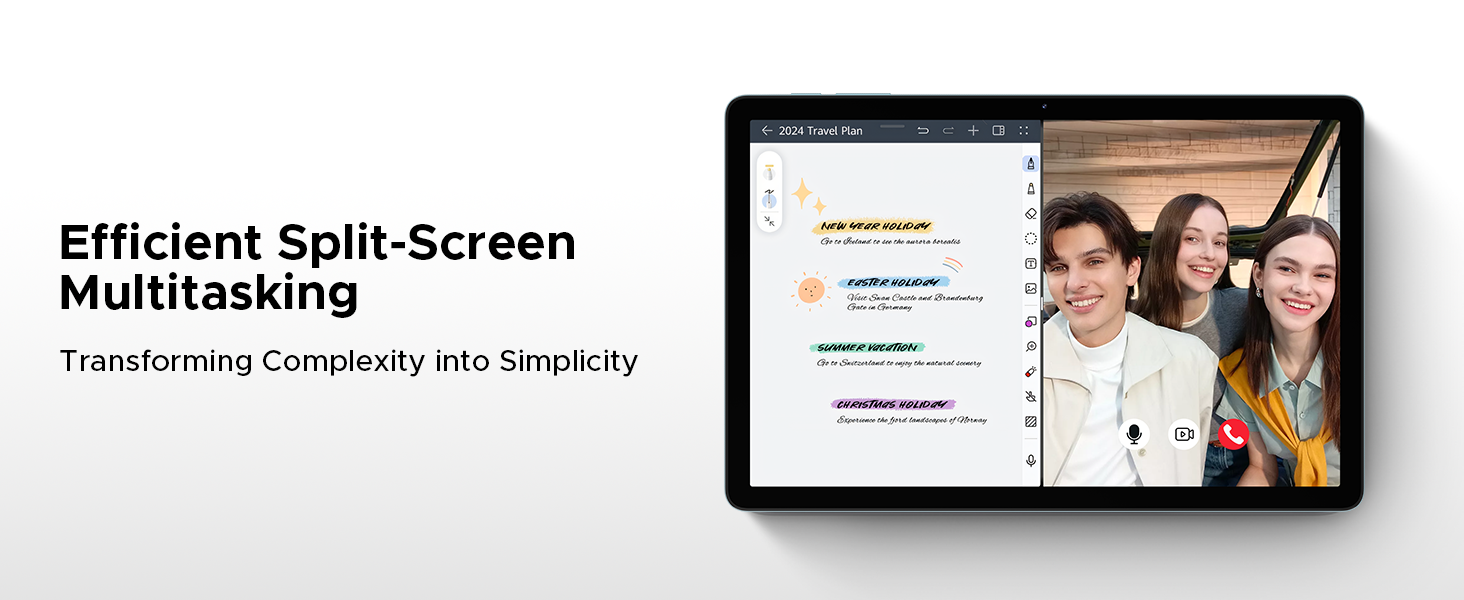
Figure 5.4: Anti-Flicker Mode comparison.
Figure 5.5: Eye-Caring Mode and Dark Mode.
6. Údržba
6.1 Čištění tabletu
K čištění tabletu použijte měkký hadřík, který nepouští vlákna. V případě odolných šmouh lehceampOtřete hadřík vodou nebo čističem obrazovek určeným pro elektroniku. Nepoužívejte agresivní chemikálie, abrazivní materiály ani nadměrnou vlhkost.
6.2 Aktualizace softwaru
Regularly check for and install software updates to ensure your tablet has the latest features, security patches, and performance improvements. Go to Settings > System > System update to check for updates.
6.3 Péče o baterii
Chcete -li prodloužit životnost baterie:
- Vyhněte se extrémním teplotám.
- Nenechávejte baterii často úplně vybít.
- Použijte originální nabíječku a kabel.
- If storing the tablet for a long period, charge it to about 50% before turning it off.
7. Řešení problémů
This section addresses common issues you might encounter with your DOOGEE Tab A9 Pro+.
| Problém | Možná příčina / řešení |
|---|---|
| Tablet se nezapne. | Battery might be depleted. Connect the charger and wait a few minutes before attempting to power on. If still unresponsive, try holding the power button for 10-15 seconds for a forced restart. |
| Pomalý výkon nebo pády aplikací. | Too many apps running in the background. Close unused apps. Clear cache for problematic apps (Settings > Apps > [App Name] > Storage > Clear cache). Consider a factory reset if issues persist (backup data first). |
| Problémy s připojením k Wi-Fi. | Ensure Wi-Fi is enabled. Restart your router and the tablet. Forget the network and reconnect. Check if other devices can connect to the same Wi-Fi. |
| Baterie se rychle vybíjí. | High screen brightness, many background apps, or heavy usage. Reduce screen brightness, close unused apps, disable unnecessary notifications, and limit background data usage. |
| Obrazovka nereaguje. | Perform a forced restart by holding the power button for 10-15 seconds. Ensure the screen is clean and dry. |
8. Specifikace
Detailed technical specifications for the DOOGEE Tab A9 Pro+ tablet:
| Funkce | Detail |
|---|---|
| Značka | DOOGEE |
| Číslo modelu | Záložka A9+ |
| Operační systém | Android 15 |
| Velikost displeje | 11 palců (10.92 palce pro zobrazení ve stoje) |
| Typ zobrazení | IPS HD, 90Hz Refresh Rate |
| Rezoluce | 1280*800 |
| Procesor | Unisoc T7200 Octa-Core, 1.6GHz |
| BERAN | 6 GB (rozšiřitelná až na 30 GB pomocí virtuální RAM) |
| Interní úložiště | 128 GB |
| Rozšiřitelné úložiště | Up to 2TB (TF card not included) |
| Kapacita baterie | Lithium-polymer 8580 mAh |
| Nabíjení | 10W rychlé nabíjení, 5W reverzní nabíjení |
| Hlavní fotoaparát | 13 MP |
| Přední kamera | 5 MP |
| Zvuk | Dva reproduktory, 3.5mm audio jack |
| Konektivita | 5G WiFi (2.4G/5G), Bluetooth |
| Zabezpečení | ID obličeje |
| Rozměry | 24.53 x 16.33 x 0.99 cm |
| Hmotnost | 644 g |
| Barva | Šedá (dle aktuální varianty produktu) |
9. Záruka a podpora
DOOGEE provides a 2-year after-sales service for the Tab A9 Pro+ tablet, ensuring peace of mind. For technical support, warranty claims, or further assistance, please refer to the contact information provided on the official DOOGEE webwebu nebo v dokumentaci k nákupu.
Pro více informací navštivte oficiální obchod DOOGEE: DOOGEE Store on Amazon UK
Ask a question about this manual
Ask about setup, troubleshooting, compatibility, parts, safety, or missing instructions. Manuals+ will review the question and use this page’s manual context to help answer it.