
1. Úvod
This manual provides detailed instructions for the installation, operation, and maintenance of your SANNCE PoE NVR 4K 8 Channel Security Camera System. This system is designed to provide high-definition surveillance with advanced features for both day and night monitoring.
2. Obsah balení
Please check the package contents carefully. If any items are missing or damaged, contact SANNCE support.
- SANNCE 8-Channel PoE NVR
- 8 x SANNCE 4K 8MP PoE IP Security Cameras
- Napájecí adaptér pro NVR
- USB myš
- Ethernetové kabely
- Montážní šrouby a hmoždinky
- Rychlý průvodce
3. Nastavení
3.1. Konec systémuview
The SANNCE PoE NVR system simplifies installation by using Power over Ethernet (PoE) technology. A single Ethernet cable transmits both power and video data to each camera.

Figure 3.1: Plug and Play Installation. This image illustrates the simplicity of PoE setup, where a single Ethernet cable connects the camera to the NVR, providing both power and data. The NVR is then connected to a router for network access.
3.2. Connecting the NVR
- Připojte NVR k monitoru pomocí kabelu HDMI nebo VGA.
- Connect the included USB mouse to the NVR's USB port.
- Pro přístup k síti připojte NVR k routeru pomocí ethernetového kabelu.
- Připojte napájecí adaptér k NVR a zapojte jej do elektrické zásuvky. NVR se automaticky zapne.
3.3. Connecting PoE Cameras
Connect each PoE IP camera to an available PoE port on the NVR using an Ethernet cable. The cameras will receive power and transmit video data automatically.
3.4. Počáteční konfigurace
Follow the on-screen prompts to complete the initial setup wizard, which includes setting a password, time zone, and network settings. The NVR will automatically detect and display the connected cameras.
4. Obsluha systému
4.1. Živě View a Nahrávání
Jakmile jsou kamery připojeny, můžete view živé footage on the connected monitor. The system is configured for continuous recording by default. You can adjust recording schedules and modes through the NVR's interface.

Figure 4.1: 4K UHD Day or Night Vision. This image demonstrates the camera's capability to capture clear 4K UHD video both during the day with natural light and at night using infrared illumination.
4.2. Noční vidění
The cameras are equipped with Smart IR LEDs, providing up to 100ft (30m) of night vision. The system automatically switches between day and night modes based on ambient light conditions.

Figure 4.2: 100ft Night Vision. This image highlights the camera's powerful infrared night vision, capable of illuminating and capturing clear footage up to 100 feet in complete darkness.
4.3. Detekce pohybu a upozornění
The system features advanced human detection capabilities. When motion is detected, especially human shapes, the system can trigger email alerts and push notifications to your mobile device via the SANNCE VISION app.

Figure 4.3: Human Detection and Alerts. This image demonstrates the system's ability to detect human figures and send instant notifications to a mobile device, ensuring you are aware of activity on your property.
4.4. One-Way Audio
Each PoE IP camera is equipped with a built-in microphone, allowing you to hear audio from the camera's location. This feature enhances surveillance by providing auditory context to visual events.

Figure 4.4: Real-Time One-Way Audio. This image illustrates the camera's ability to capture audio, allowing you to hear sounds from the monitored area, such as a conversation at your doorstep.
4.5. Vzdálený přístup
Download the SANNCE VISION app on your smartphone or tablet to access live view, playback recordings, and receive alerts from anywhere with an internet connection.
4.6. Viewúhel
The cameras feature a 105° field of view (FOV) with a 2.8mm lens, providing wide coverage for monitoring larger areas.
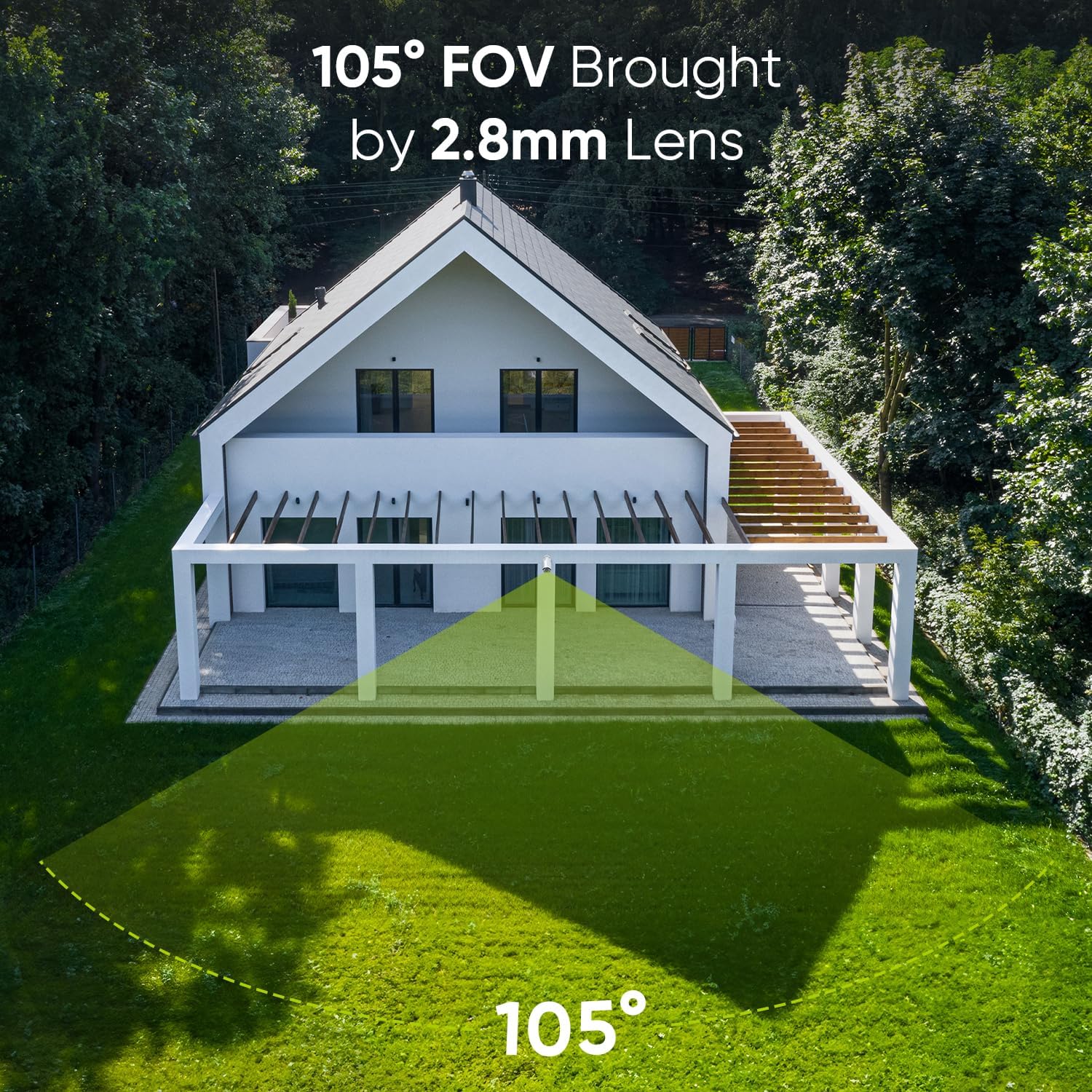
Obrázek 4.5: 105° pole View. This image visually represents the wide coverage area provided by the camera's 105-degree lens, suitable for monitoring broad outdoor spaces.
4.7. Kompatibilita
The system supports Open Network Video Interface Protocol (ONVIF), ensuring compatibility with both SANNCE NVRs and certain third-party NVRs.

Figure 4.6: Open Network Video Interface Protocol (ONVIF). This image demonstrates the system's ONVIF compliance, allowing for flexible integration with various NVR systems, including SANNCE and compatible third-party devices.
5. Údržba
5.1. Voděodolná konstrukce
The cameras feature an IP66 weatherproof metal housing, designed to withstand extreme temperatures from -4°F to 140°F (-20°C to 60°C). This ensures reliable operation in various outdoor conditions.

Figure 5.1: IP66 Weatherproof. This image illustrates the camera's robust IP66-rated housing, designed to protect it from harsh weather conditions, including rain and extreme temperatures.
5.2. Čištění
Pravidelně čistěte objektivy fotoaparátu měkkým hadříkemamp hadříkem, abyste zajistili ostrý a kvalitní obraz. Nepoužívejte agresivní chemikálie ani abrazivní materiály.
5.3. Aktualizace firmwaru
Check the SANNCE official website regularly for firmware updates to ensure optimal performance and access to new features. Follow the provided instructions for safe firmware upgrades.
6. Řešení problémů
- Bez zobrazení videa:
- Ensure the NVR is powered on and connected to the monitor correctly.
- Verify that cameras are properly connected to the NVR's PoE ports.
- Check Ethernet cables for damage or loose connections.
- Bez vzdáleného přístupu:
- Confirm the NVR is connected to the internet via your router.
- Zkontrolujte připojení k internetu na vašem mobilním zařízení.
- Ensure the SANNCE VISION app is updated to the latest version.
- Špatná kvalita obrazu:
- Vyčistěte čočku fotoaparátu.
- Ujistěte se, že v zorném poli kamery nejsou žádné překážky view.
- Check for sufficient lighting in the area, especially at night.
7. Specifikace
| Funkce | Specifikace |
|---|---|
| Značka | SANNCE |
| Číslo modelu | SU-N98PBM0-74EE-P-OP-01 |
| Technologie připojení | PoE |
| Rozlišení záznamu videa | 4K UHD 2160p |
| Počet kanálů | 8 |
| Barva | Černý |
| Zdroj napájení | Elektrický kabel |
| Operační systém | Linux |
| Doporučená použití | Bezpečnostní dohled |
| Kompatibilní zařízení | IP kamera |
| Technologie nízkého osvětlení | IR |
| Rozsah nočního vidění | 100 stop (30 m) |
| Snímková frekvence | 30 snímků za sekundu |
| Režim nahrávání | Kontinuální |
| Celkový počet portů USB | 2 |
| Hardwarové rozhraní | Ethernet |
| Video vstup | IP kamera |
| Viewúhel | 90 Degrees (105° FOV with 2.8mm lens) |
| Rozměry produktu | 9 x 3 x 3.99 palce |
| Hodnocení odolnosti vůči povětrnostním vlivům | IP66 |
| Provozní teplota | -4 °F až 140 °F (-20 °C až 60 °C) |
8. Záruka a podpora
All SANNCE products are CE, FCC, and HDMI certified, ensuring compliance with international standards. SANNCE offers premium 24/7 customer support to assist you with any questions or issues regarding your security system.
For technical assistance, troubleshooting, or warranty claims, please visit the official SANNCE website or contact our support team directly. Refer to your purchase documentation for specific warranty terms and conditions.