
1. Úvod
This manual provides detailed instructions for the installation, operation, and maintenance of your Alomejor Electric Scooter Controller Kit. This kit is specifically designed for the MI4 electric scooter model, enhancing its performance with a 36V 350W motor controller and a clear LCD display dashboard.
The kit includes essential components for upgrading or replacing your scooter's control system, ensuring seamless integration and optimal functionality.
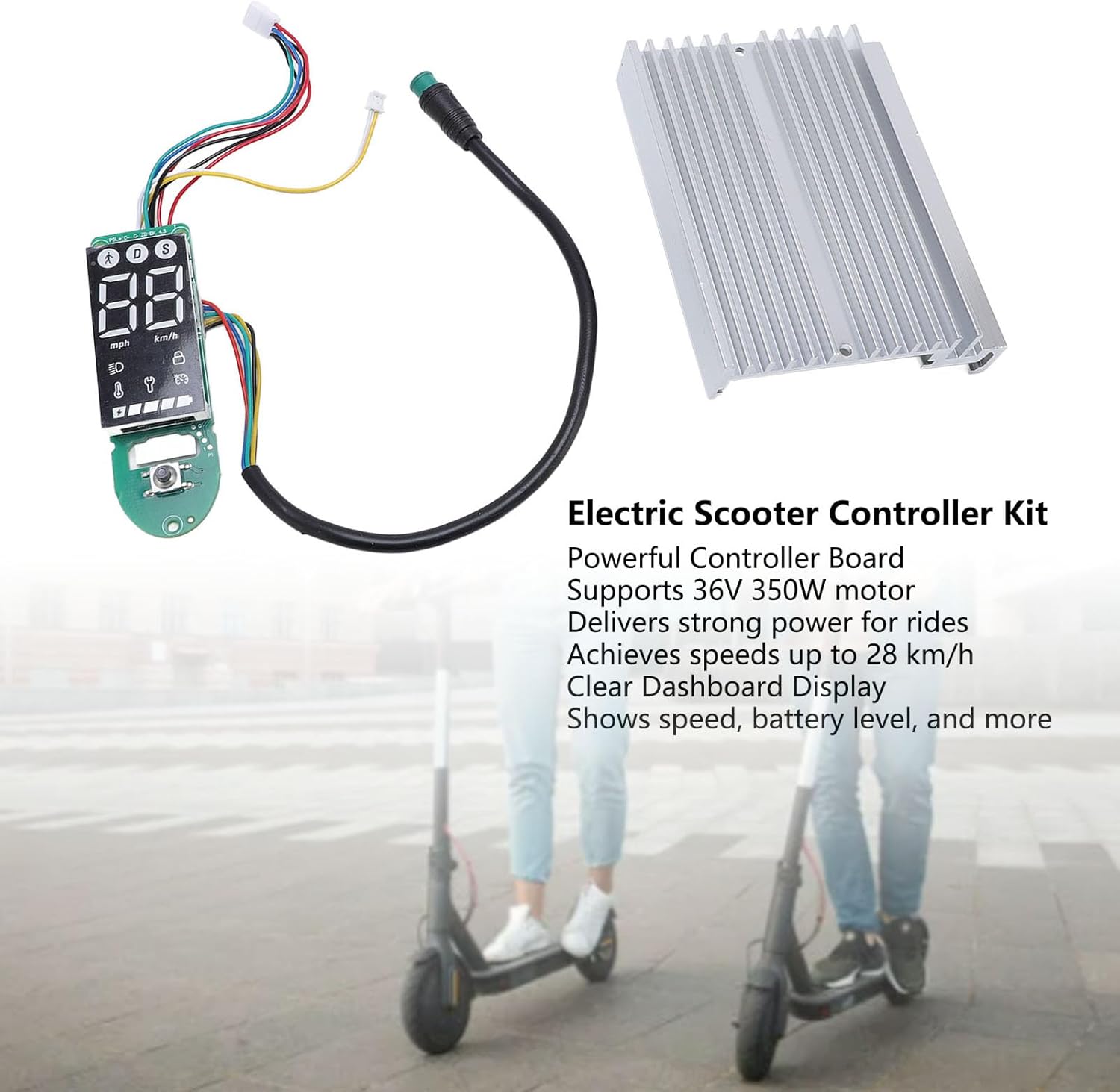
Obrázek 1.1: Nadview of the Alomejor Electric Scooter Controller Kit, including the controller board, LCD display, and heat sink, shown with electric scooters in the background.
Obsah balení:
- 1 x Electric Scooter Controller
- 1 x LCD Display Dashboard
2. Bezpečnostní informace
Before proceeding with installation or operation, please read and understand all safety instructions. Failure to follow these instructions may result in injury, damage to the product, or damage to your electric scooter.
- Doporučená profesionální instalace: If you are not familiar with electric scooter electronics, it is highly recommended to seek professional assistance for installation.
- Odpojení napájení: Always ensure the electric scooter's power is completely off and the battery is disconnected before attempting any installation, removal, or maintenance.
- Správný svtage: This kit is designed for 36V systems. Do not use it with other voltage systémy.
- Vyvarujte se vystavení vodě: Keep the controller and display away from water and moisture to prevent electrical shorts and damage.
- Zabezpečená připojení: Ujistěte se, že všechna elektrická připojení jsou bezpečná a řádně izolovaná, aby se zabránilo zkratu.
3. Kompatibilita a instalace
3.1 Kompatibilita
This Electric Scooter Controller Kit is precisely designed for the MI4 electric scooter model. Its components ensure a perfect fit and seamless integration with your scooter's existing system, providing optimal performance and reliability.

Obrázek 3.1: The controller kit components, highlighting their specific design for MI4 electric scooters to ensure compatibility.
3.2 Proces instalace
The installation of this electric scooter controller kit is designed to be straightforward, facilitating convenient replacements and maintenance. Follow these general steps for installation:
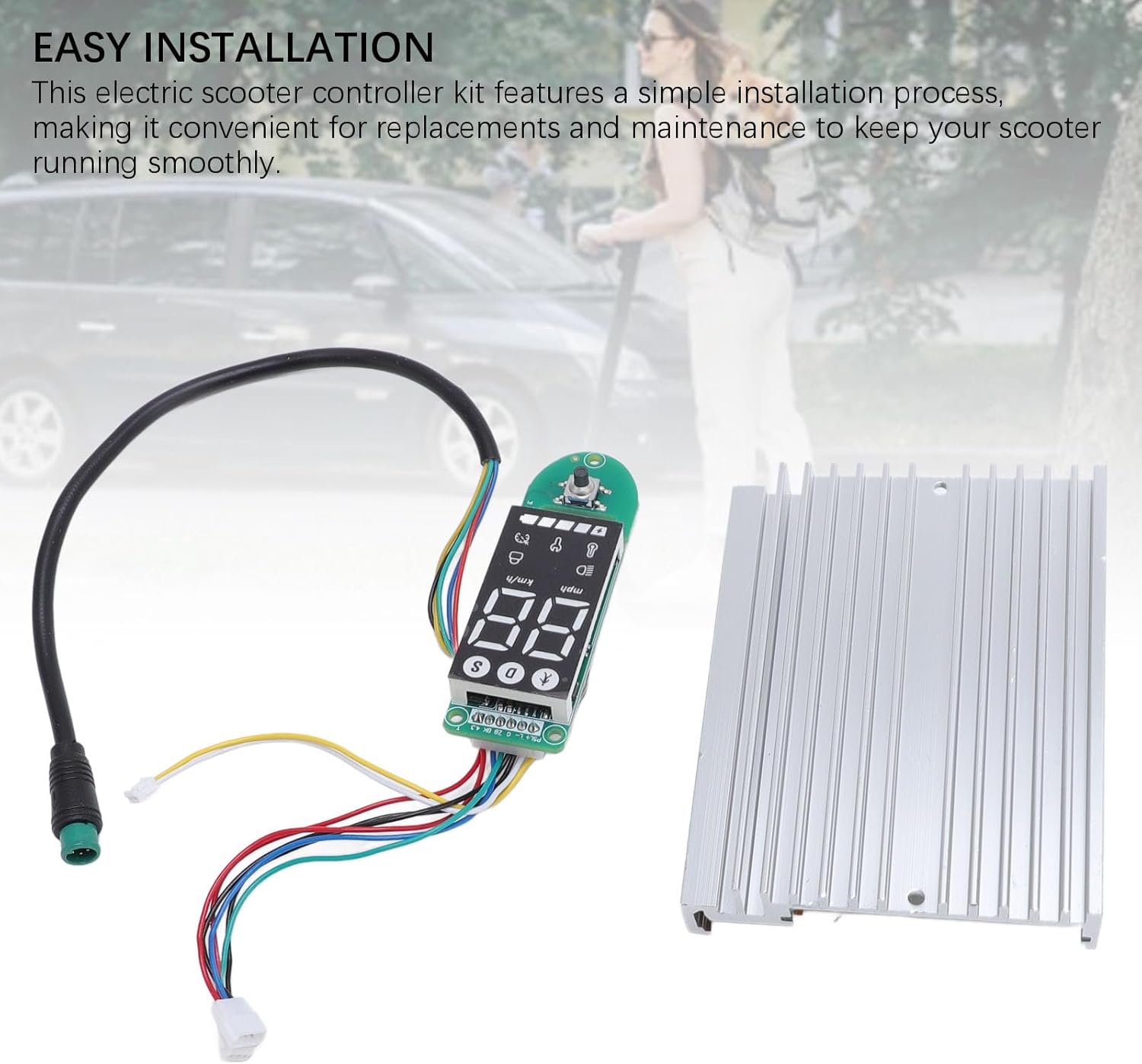
Obrázek 3.2: The controller and dashboard components, emphasizing the ease of installation for replacement or upgrade.
- Příprava koloběžky: Ensure the electric scooter is powered off and the battery is disconnected. Remove any covers or panels necessary to access the existing controller and dashboard wiring.
- Remove Old Components (if replacing): Carefully disconnect all wires from the old controller and dashboard. Note the position and color of each wire for correct re-connection.
- Instalace nového ovladače: Mount the new controller board in the designated compartment. Connect the motor wires, battery wires, and other accessory wires (e.g., brake, throttle) to the new controller. Refer to your scooter's specific wiring diagram if available.
- Install New Dashboard: Connect the dashboard display to the controller using the provided cable. Secure the dashboard in its housing on the handlebars.
- Bezpečné zapojení: Ensure all connections are firm and wires are routed safely, away from moving parts or pinch points.
- Test funkčnosti: Reconnect the battery and power on the scooter. Verify that the display lights up, shows correct information, and the motor responds to throttle input.
- Znovu sestavit: Once functionality is confirmed, reattach all covers and panels.
4. Návod k obsluze
The LCD display dashboard provides real-time information about your scooter's status, allowing for effortless monitoring during operation.
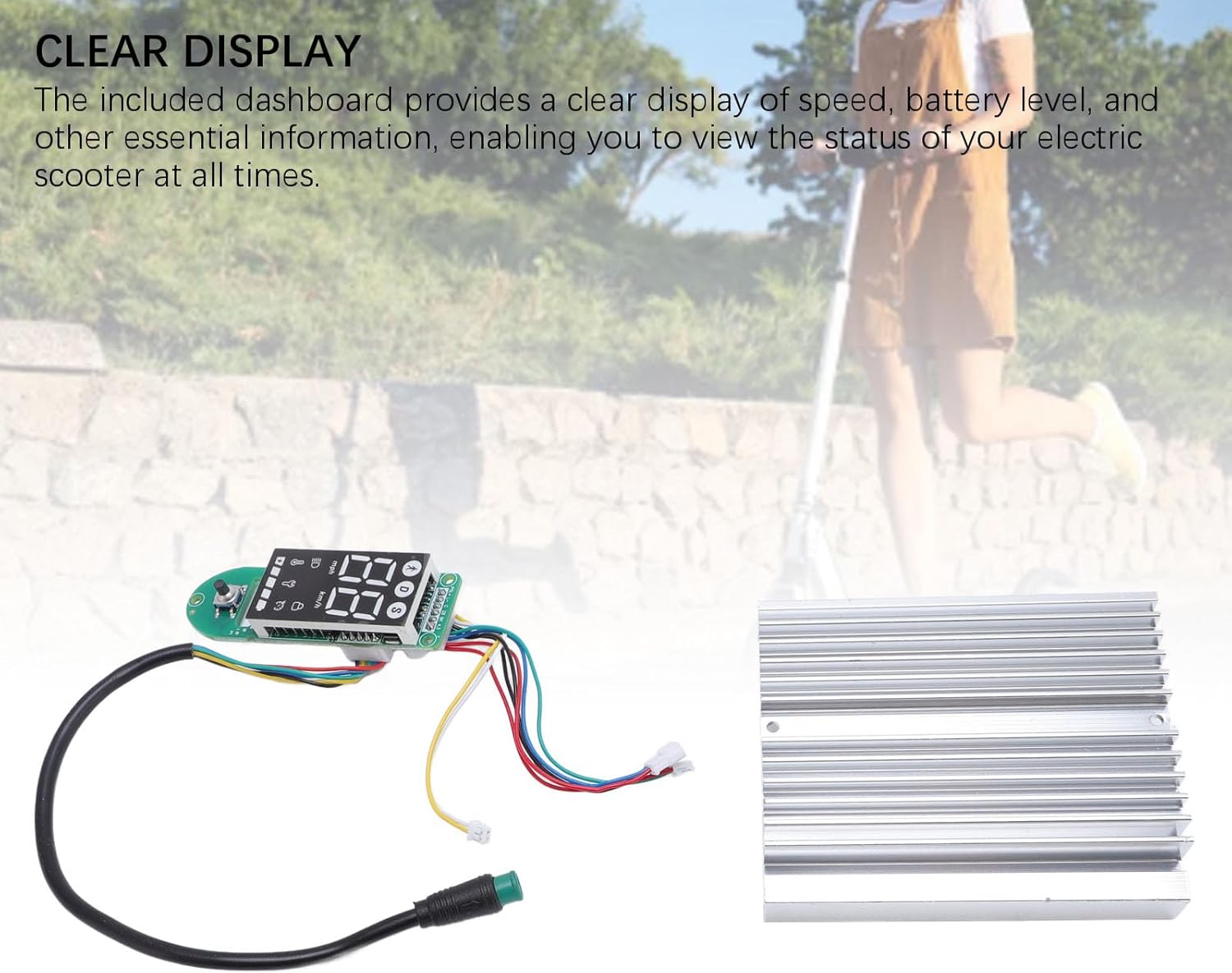
Obrázek 4.1: The LCD display dashboard, showing its clear interface for monitoring scooter status.
4.1 Zapnutí/vypnutí
- Zapnutí: Press and hold the power button on the dashboard until the display illuminates.
- Vypnutí: Znovu stiskněte a podržte tlačítko napájení, dokud se displej nevypne.
4.2 Porozumění zobrazení
The LCD dashboard provides the following key information:
- Rychlost: Zobrazuje aktuální rychlost jízdy (km/h nebo mph).
- Úroveň baterie: Zobrazuje zbývající nabití baterie.
- Režim/Vybavení: Shows the current riding mode or speed gear.
- Indikátor světlometů: Illuminates when the scooter's headlights are active.
- Bluetooth/Connectivity: May indicate connection status if applicable.
Refer to your MI4 scooter's specific user manual for detailed explanations of all dashboard icons and functions.
5. Údržba
Proper maintenance ensures the longevity and optimal performance of your electric scooter controller kit. The components are crafted from durable aluminum alloy and PCB, designed for robust performance.

Obrázek 5.1: The controller and dashboard, highlighting their construction from robust aluminum alloy and PCB for enhanced durability.
- Čištění: Use a soft, dry cloth to wipe down the display and controller housing. Avoid using harsh chemicals or abrasive materials.
- Inspekce: Pravidelně kontrolujte všechna kabelová připojení, abyste se ujistili, že jsou bezpečná a bez koroze nebo poškození.
- Ochrana životního prostředí: Store your scooter in a dry environment, away from extreme temperatures and direct sunlight, to protect the electronic components.
- Vyhněte se dopadu: Protect the controller and display from physical impacts, which can damage internal components.
6. Řešení problémů
If you encounter issues with your controller kit, refer to the following common problems and solutions:
- Displej se nezapíná:
- Zkontrolujte připojení baterie a úroveň nabití.
- Ensure the dashboard cable is securely connected to the controller.
- Scooter Not Responding to Throttle:
- Verify all motor and throttle connections to the controller.
- Check for any error codes displayed on the dashboard (refer to your scooter's manual for code meanings).
- Inaccurate Speed/Battery Reading:
- Ensure all sensor wires are correctly connected.
- A full power cycle (turn off, disconnect battery, reconnect, turn on) may resolve temporary glitches.
V případě přetrvávajících problémů kontaktujte zákaznickou podporu nebo kvalifikovaného technika.
7. Specifikace
The Alomejor Electric Scooter Controller Kit provides robust power and reliable performance for your MI4 electric scooter.
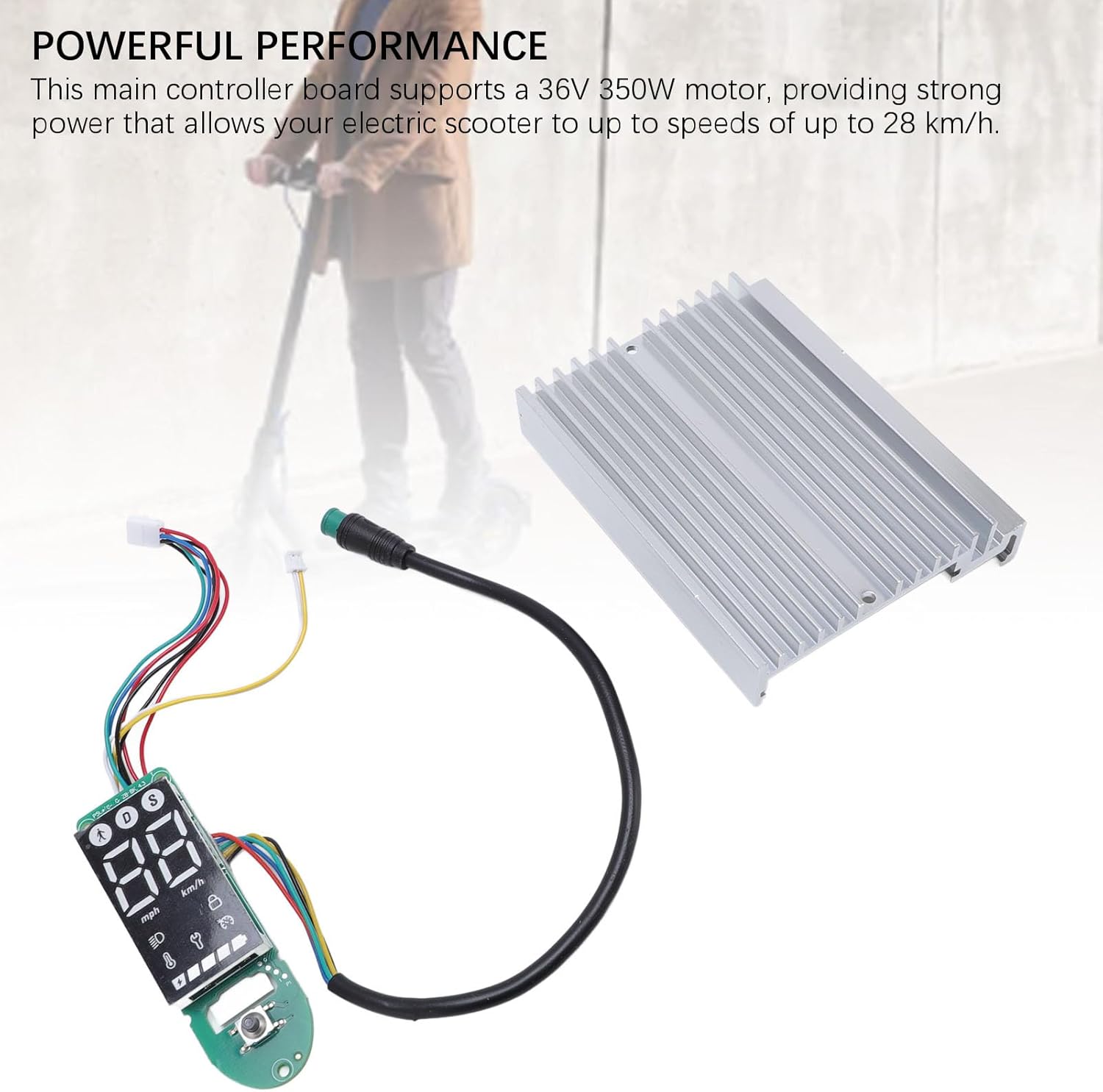
Obrázek 7.1: The controller kit, illustrating its capability to deliver powerful performance for electric scooters.
| Funkce | Specifikace |
|---|---|
| Typ položky | Electric Scooter Dashboard and Controller |
| Aplikace | For MI4 electric scooter |
| Podpora motoru | 36V 350W |
| Maximální rychlost | Až 28 km / h |
| Materiály | Aluminum Alloy + PCB |
| Rozměry balení (D x Š x V) | 7.09 x 5.12 x 1.57 palce |
| Hmotnost balení | 167 gramů |
| Značka | Alomejor |
| Název modelu (interní) | Alomejorzhvy51os3n |
8. Záruka a podpora
This product comes with a standard manufacturer's warranty. Please refer to the product packaging or the seller's terms and conditions for specific warranty details and duration.
Pro technickou podporu, pomoc s řešením problémů nebo reklamaci se prosím obraťte přímo na prodejce nebo výrobce. Uschovejte si účtenku jako doklad o koupi.