
1. Bezpečnostní informace
Please read all instructions carefully before using the printer. Keep this manual for future reference.
- Nevystavujte tiskárnu vodě ani vlhkosti.
- Neumísťujte tiskárnu na přímé sluneční světlo ani do blízkosti zdrojů tepla.
- Používejte pouze dodaný napájecí adaptér.
- Do not attempt to disassemble or repair the printer yourself. Contact customer support if service is required.
- Během provozu zajistěte dostatečné větrání kolem tiskárny.
2. Konec produktuview
The Bewinner Portable 58mm Thermal Receipt Printer is designed for efficient and reliable receipt printing in various environments such as restaurants, takeaways, supermarkets, and convenience stores. It features dual USB and Bluetooth connectivity and operates inklessly.
2.1 Obsah balení
Ověřte, zda jsou v balení přítomny všechny položky:
- 1 x Receipt Printer
- 1 x Power Supply Cord (US Plug)
- 1 x Printing Paper Roll
- 1 x USB kabel
- 1 x Uživatelská příručka

Obrázek 2.1: Obsah balení
2.2 Součásti tiskárny
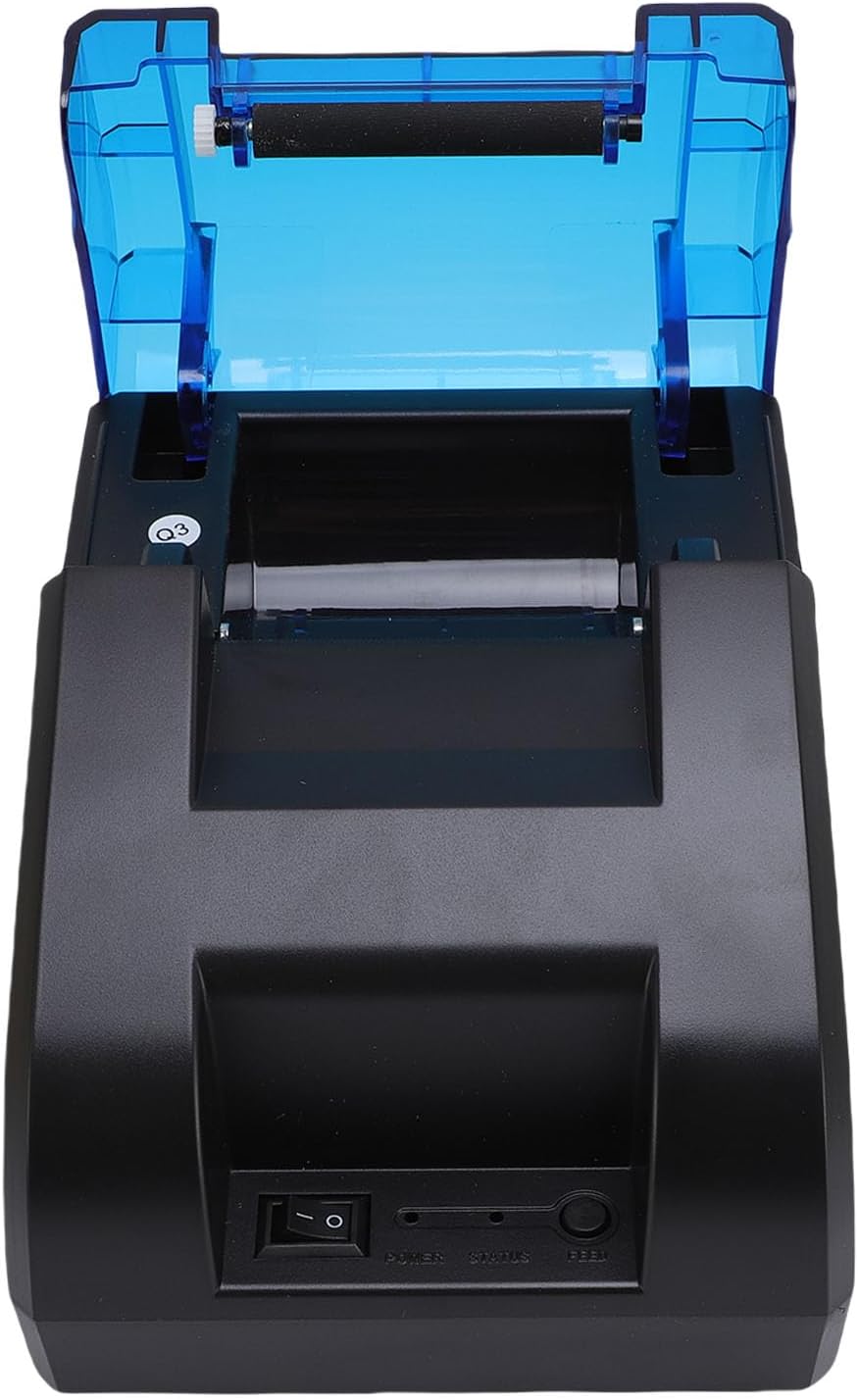
Familiarize yourself with the main parts of the printer:
Obrázek 2.2: Nahoře View (Power Switch, Status Indicator, Feed Button)
Obrázek 2.3: Zadní View (USB Port, Power Port)
3. Nastavení
3.1 Instalace role papíru
- Open the top cover of the printer by pressing the release button or lifting the cover firmly.
- Vložte roli termopapíru do přihrádky a ujistěte se, že papír je podáván zespodu a že přední okraj je rovný.
- Vytáhněte malé množství papíru za řeznou hranu.
- Pevně zavřete horní kryt, dokud nezacvakne na místo.

Figure 3.1: Paper Roll Compartment
3.2 Připojení napájení
- Connect the power supply cord to the power port on the rear of the printer.
- Plug the other end of the power supply cord into a standard electrical outlet.
- Flip the power switch (located on the front of the printer) to the 'ON' position. The power indicator light should illuminate.
4. Konektivita
The printer supports both USB and Bluetooth connections for versatile use with various devices.
4.1 Připojení USB
- Ujistěte se, že je tiskárna zapnutá.
- Connect one end of the provided USB cable to the USB port on the rear of the printer.
- Connect the other end of the USB cable to an available USB port on your computer or POS system.
- Install the necessary printer drivers on your computer. Refer to the driver installation guide (if provided separately) or the manufacturer's webkonkrétní pokyny.
4.2 Připojení Bluetooth
The printer can connect to up to 7 Android phones simultaneously and one additional phone for maximum convenience.
- Ujistěte se, že je tiskárna zapnutá a v dosahu vašeho zařízení.
- On your mobile device or computer, enable Bluetooth.
- Hledat available Bluetooth devices. The printer will typically appear as a device named 'POS Printer' or similar.
- Select the printer from the list to pair. If prompted for a PIN, enter '0000' or '1234'.
- Once paired, you can select the printer within your application for printing.

Obrázek 4.1: Připojení Bluetooth Example
5. Provoz
5.1 Základní tisk
After connecting the printer via USB or Bluetooth and installing any necessary drivers or applications, you can initiate printing from your software. The printer supports ESC/POS commands for various printing functions.
- Tlačítko Feed: Press the 'FEED' button on the front of the printer to advance the paper manually.
- Indikátor stavu: The status light indicates the printer's current state (e.g., solid blue for ready, flashing for error).

Figure 5.1: High-Performance Print Head and Inkless Operation
5.2 Supported Receipt Types
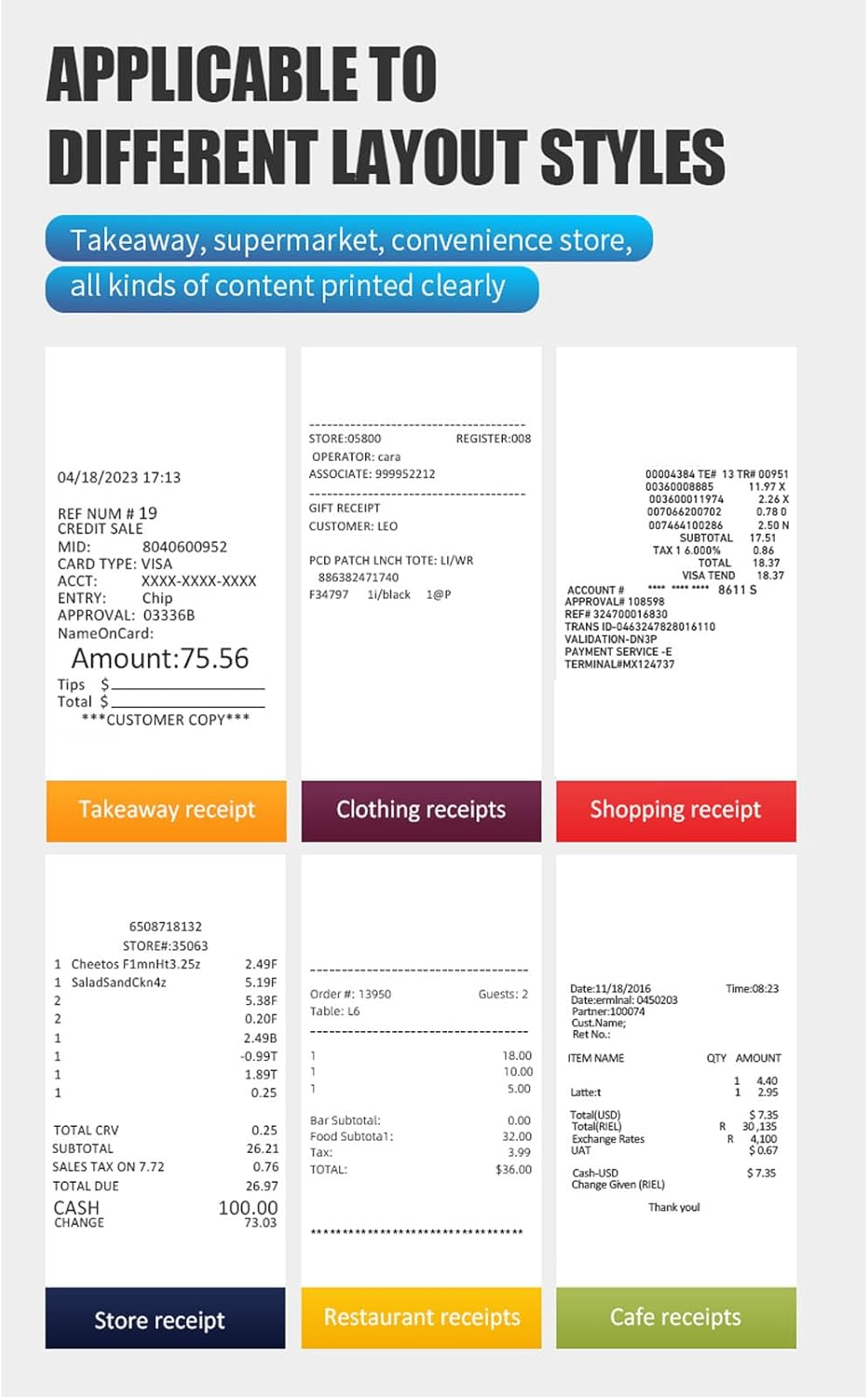
The printer is capable of printing various receipt layouts clearly, making it suitable for diverse business needs.

Obrázek 5.2: Přample of a Printed Receipt
6. Údržba
6.1 Čištění tiskárny
Pravidelné čištění pomáhá udržovat kvalitu tisku a prodlužuje životnost tiskárny.
- Před čištěním tiskárnu vypněte a odpojte napájecí kabel.
- Lehce používejte měkký hadřík, který nepouští vlákna dampVnější povrch tiskárny vyčistěte vodou nebo isopropylalkoholem.
- Gently wipe the print head with a cotton swab dampošetřeno isopropylalkoholem. Před použitím nechte zcela vyschnout.
- Odstraňte z přihrádky na papír veškerý papírový prach nebo nečistoty.
6.2 Výměna papírové role
Follow the steps outlined in Section 3.1 for paper roll installation when the current roll runs out.
7. Řešení problémů
Pokud se s tiskárnou setkáte s problémy, podívejte se na následující běžné problémy a jejich řešení:
| Problém | Možná příčina | Řešení |
|---|---|---|
| Tiskárna se nezapne | Power cord not connected, power outlet faulty, power switch off | Check power connections, try a different outlet, ensure power switch is ON. |
| Tiskárna se nepřipojuje přes Bluetooth | Bluetooth off on device, printer not in pairing mode, incorrect PIN | Ensure Bluetooth is enabled, restart printer, re-attempt pairing with correct PIN. |
| No printing or blank pages | Paper installed incorrectly, paper roll empty, print head dirty, driver issue | Reinstall paper correctly, replace paper roll, clean print head, reinstall drivers. |
| Špatná kvalita tisku | Low quality paper, dirty print head, print density settings | Use recommended thermal paper, clean print head, adjust print density in software. |
| Zaseknutý papír | Incorrect paper loading, foreign object | Turn off printer, open cover, carefully remove jammed paper, ensure no obstructions. |
If the problem persists after trying these solutions, please contact Bewinner customer support.
8. Specifikace
Detailed technical specifications for the Bewinner Portable 58mm Thermal Receipt Printer:
- Číslo modelu položky: Bewinnerm4f6ydgk7q-12
- Rozměry produktu: 6.69 x 5.12 x 4.72 palce
- Hmotnost položky: 1.19 libry
- Rozhraní: USB, BT
- Příkaz k tisku: ESC, POS command
- Rychlost tisku: 70 mm/s
- Rezoluce: 203DPI (8 points/mm)
- TPH Reliability: 50 km
- Podpora loga: Download and print logo
- Hustota tisku: 384 bodů / řádek
- Velikost postavy: ANK, font A: 1.5x3.0mm (12x24 dots); font B: 1.1x2.1mm (9x17 dots) Chinese; Traditional Chinese: 3.0x3.0mm (24x24 dots)
- 1D čárové kódy: UPC A / UPC E / JAN13 (EAN13) / JAN8 (EAN8) / CODE39 / ITF / CODABAR / CODE93 / CODE128
- 2D čárové kódy: QR Code, PDF417
- Podpora operačního systému: For Windows, for Linux, for OS X, for OPOS, for Android
- Šířka tisku: Cca. 48 mm / 1.89 palce
- Průměr role papíru: ≤ 50 mm
- Šířka papíru: ≤ 58 mm
- Příkon: DC 5V/2A
9. Záruka a podpora
For warranty information, technical support, or service inquiries, please refer to the documentation included with your purchase or contact Bewinner customer support directly. Keep your purchase receipt as proof of purchase.