
1. Úvod
Welcome to your Blackview W80PRO Smartwatch. This manual provides detailed instructions on how to set up, operate, and maintain your device. Please read this manual carefully before use to ensure optimal performance and longevity of your smartwatch.
Černýview W80PRO is a rugged smartwatch designed for active lifestyles, featuring Bluetooth calling, GPS, health monitoring, and a durable build.

Obrázek: Černáview W80PRO Smartwatch, highlighting its rugged design and display.
Video: Overview Černéhoview W80PRO Smartwatch's key features, including charging, GPS, notifications, and durability.
2. Co je v krabici
Po otevření vašeho Blackview W80PRO Smartwatch package, you should find the following items:
- 1x Blackview W80PRO Smartwatch
- Kabel nabíjení 1x USB
- 1x Uživatelská příručka

Obrázek: Obsah černéview W80PRO Smartwatch package, showing the smartwatch, a USB charging cable, the user manual, and a diagram of the product's dimensions.
3. Nastavení
3.1 Nabíjení chytrých hodinek
Before first use, fully charge your smartwatch. Connect the USB charging cable to the charging port on the back of the watch and to a USB power adapter (not included) or a computer's USB port.
3.2 Instalace a párování aplikace
To unlock all features, download the "GloryFit" app from your smartphone's app store (compatible with Android and iOS). Follow the in-app instructions to pair your smartwatch via Bluetooth.
- Download the "GloryFit" app.
- Povolte na svém smartphonu Bluetooth.
- Open the GloryFit app and create an account or log in.
- Follow the prompts to add a new device and select "Blackview W80PRO".
- Potvrďte požadavek na párování na telefonu i na chytrých hodinkách.
4. Ovládání chytrých hodinek
4.1 Funkce tlačítek
Černýview W80PRO features four physical buttons:
- Levé horní tlačítko: Flashlight Power On/Off
- Bottom Left Button: Funkce GPS
- Pravé horní tlačítko: Power On/Off / Screen On/Off / Menu Access
- Pravé dolní tlačítko: Zpět / Návrat
Obrázek: Podrobný view of the smartwatch screen and side buttons, indicating their respective functions such as Flashlight, GPS, Power, and Back.
4.2 Základní navigace
The smartwatch features a 1.91-inch ultra-HD color touchscreen. Swipe left/right or up/down to navigate through menus and functions. Tap to select items.
4.3 Volání a oznámení přes Bluetooth
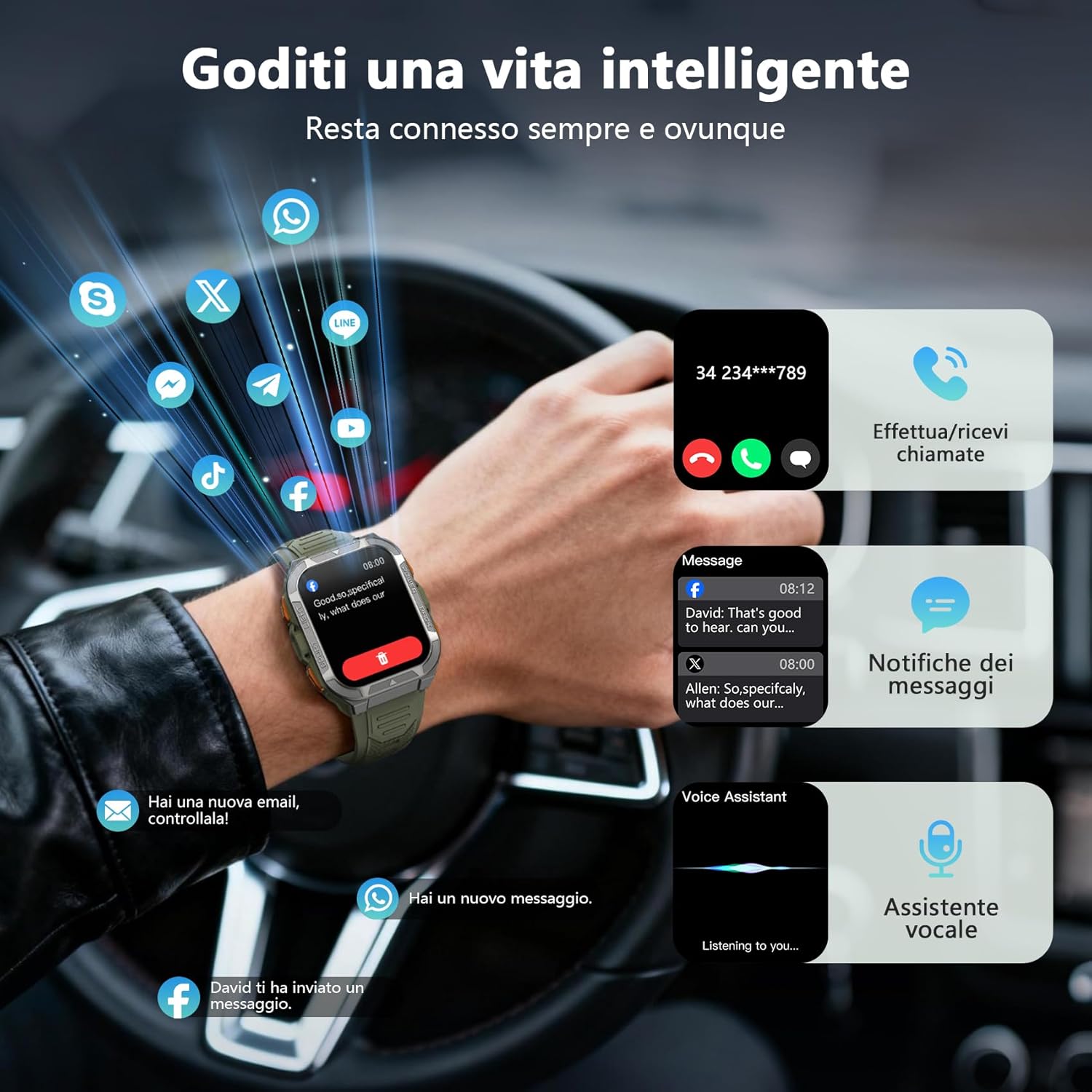
Once paired, you can make and receive calls directly from your smartwatch using its built-in speaker and microphone. You will also receive real-time notifications from your smartphone for messages, social media apps, and emails.
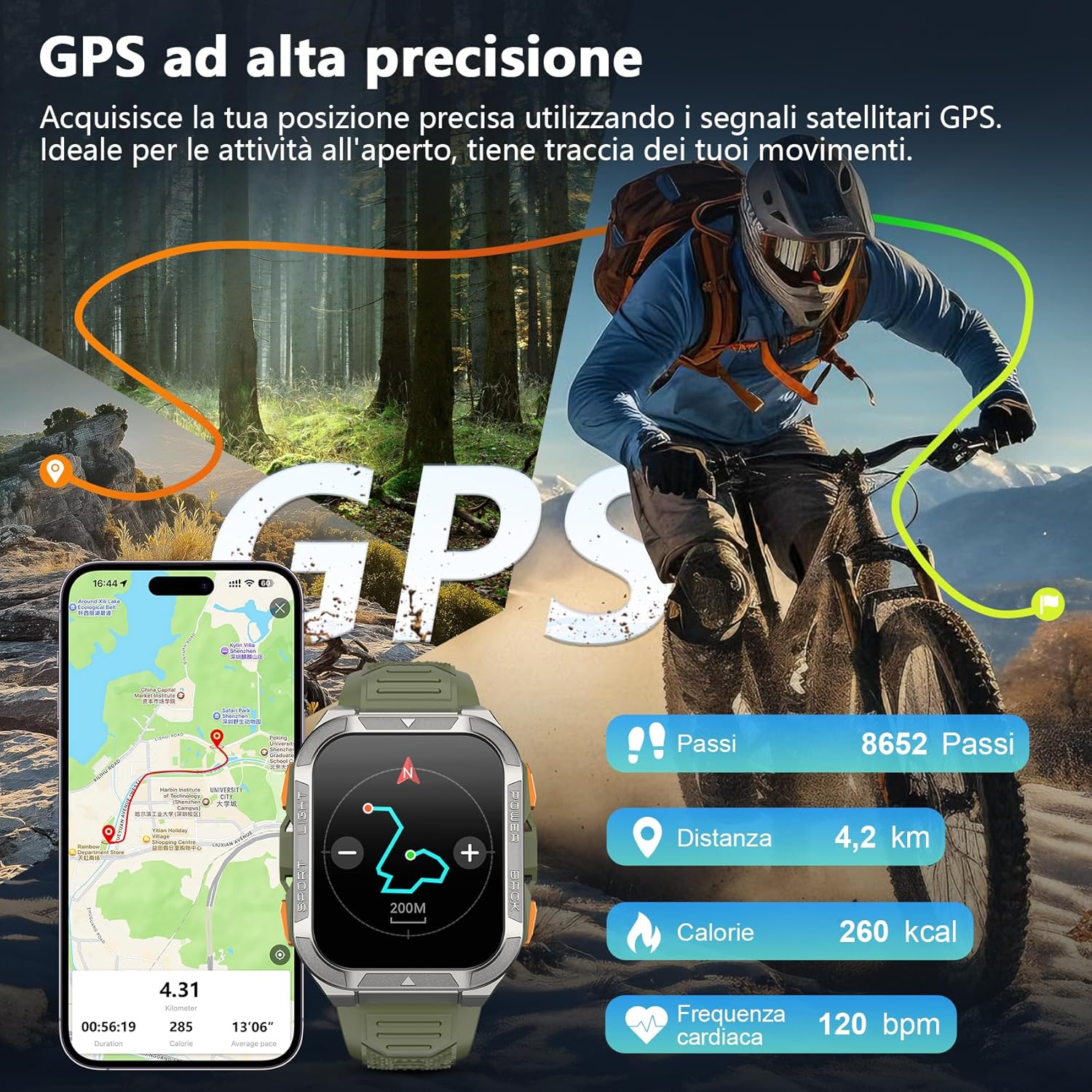
Image: The smartwatch screen displaying an incoming call and various message notifications from social media apps.
4.4 Monitorování zdraví
The smartwatch continuously monitors your health data, including heart rate, blood oxygen (SpO2), emotional stress, and sleep quality. Access these metrics through the watch interface or the GloryFit app for detailed insights.
- Monitorování srdeční frekvence: Sleduje váš tep po celý den.
- Monitorování krevního kyslíku (SpO2): Měří hladinu saturace krve kyslíkem.
- Monitorování spánku: Analyzuje vaše spánkové vzorce a kvalitu spánku.
- Sledování stresu: Provides insights into your emotional stress levels.

Image: A composite image illustrating the smartwatch's health monitoring capabilities, including heart rate, blood oxygen, sleep, and stress tracking, with corresponding data displays.
4.5 Sportovní režimy a GPS
The W80PRO supports over 110 sports modes. Select the appropriate mode for your activity (running, cycling, hiking, etc.) to track your performance. The integrated high-precision GPS accurately records your location, distance, steps, and calorie consumption during outdoor activities.
Image: The smartwatch screen displaying GPS data, including steps, distance, calories, and heart rate, overlaid on an image of a person cycling outdoors.
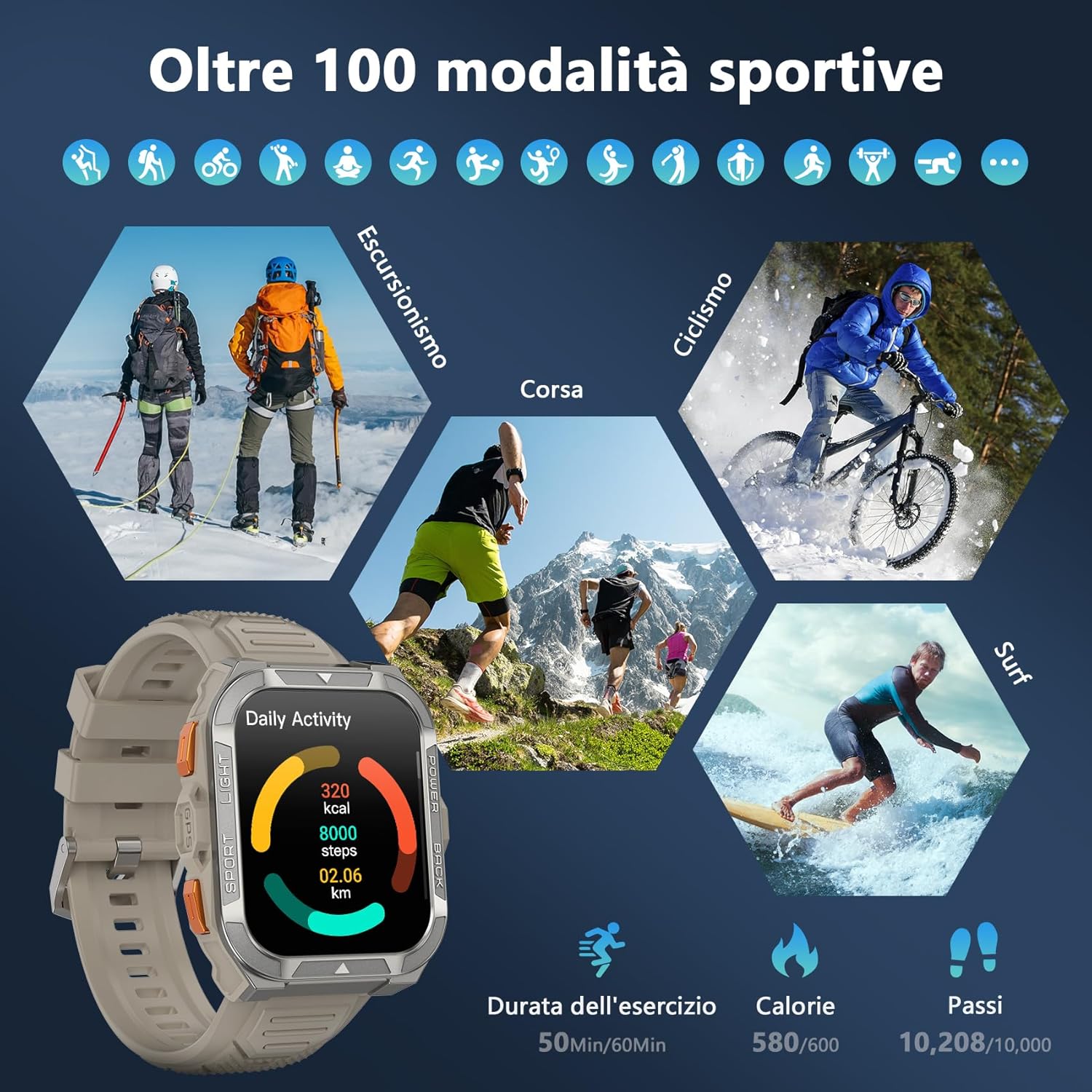
Image: A visual representation of the smartwatch's extensive sports mode selection, featuring icons for activities like hiking, cycling, and running.
4.6 Flashlight and Compass
The smartwatch includes a powerful LED flashlight with constant and SOS modes for outdoor adventures. The high-precision anti-magnetic compass provides accurate real-time directions, even in remote areas.

Image: The smartwatch demonstrating its LED flashlight feature in a dark environment and its compass function showing directional readings.
4.7 Další chytré funkce
The W80PRO offers a range of additional features for convenience and intelligence:
- Ciferník s umělou inteligencí: Customize your watch face with AI-generated designs or personal photos via the GloryFit app.
- ChatGPT & Translator: Access AI chat and translation functions directly from your wrist.
- Ovládání hudby: Ovládejte přehrávání hudby na svém smartphonu.
- Předpověď počasí: Získejte aktuální informace o počasí v reálném čase.
- Alarm Clock, Timer, Calculator: Základní užitkové nástroje.
- Ovládání kamery: Vzdáleně spusťte fotoaparát telefonu.
- Hlasový asistent: Interakce s hlasovým asistentem vašeho telefonu.
- Najít telefon: Najděte svůj ztracený smartphone.
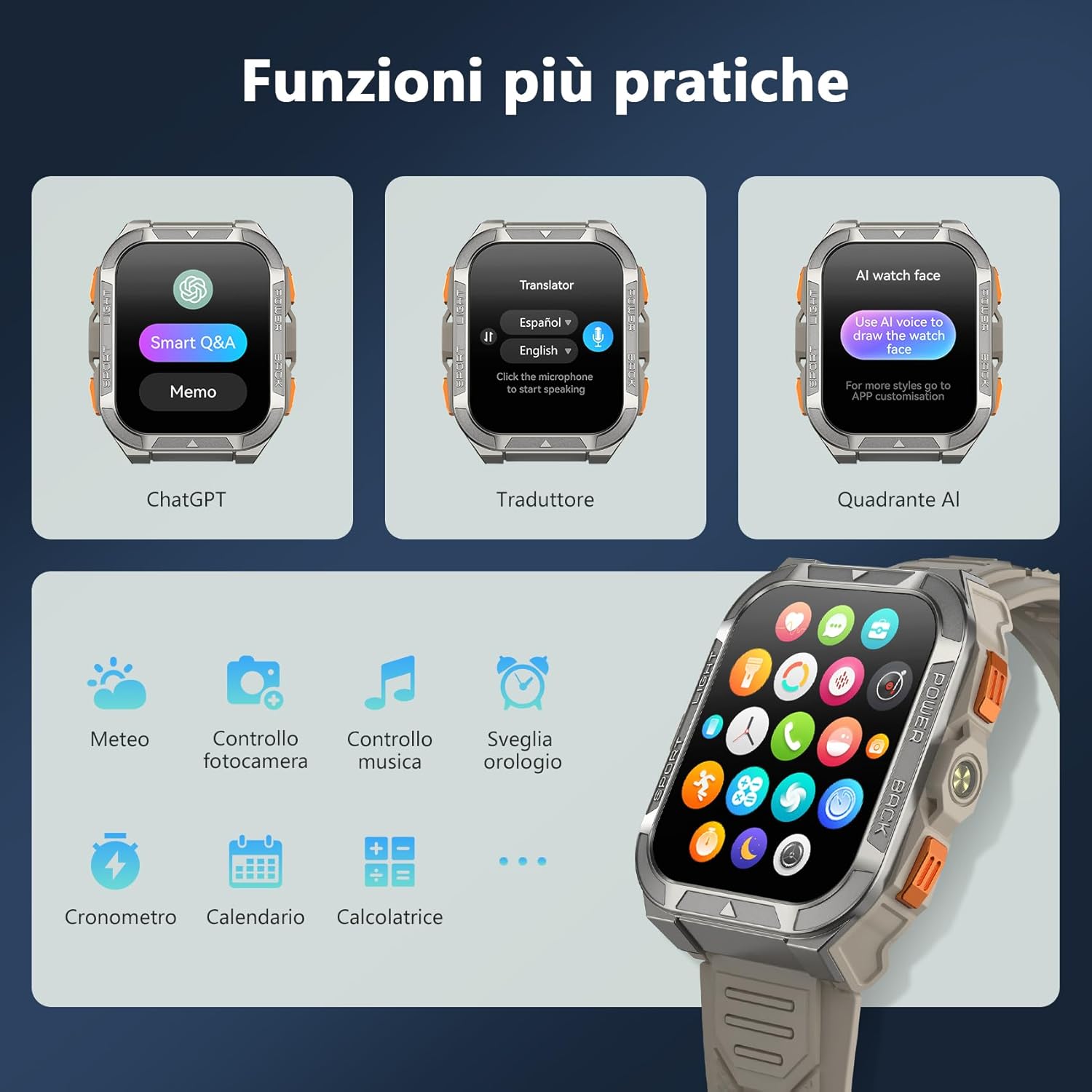
Image: A collage of smartwatch screens showcasing features like ChatGPT, a language translator, AI watch face customization, music control, weather, and other utility applications.
5. Údržba
5.1 Vlastnosti trvanlivosti
Černýview W80PRO is built to withstand harsh conditions:
- Vodotěsný: IP68 rated, suitable for swimming and exposure to rain. Avoid hot water or steam.
- Prachotěsný: Navrženo tak, aby odolávalo vnikání prachu.
- Odolné proti mrazu: Operates effectively in low temperatures.
- Odolnost proti pádu: Built with a zinc alloy bezel and stainless steel back case for enhanced shock resistance.

Image: The smartwatch being tested for dust resistance.

Image: The smartwatch undergoing a drop test, showcasing its resistance to impacts.

Image: The smartwatch submerged in water, illustrating its waterproof design.

Image: The smartwatch being used in a snowy environment, highlighting its cold resistance.
5.2 Čištění a péče
To maintain your smartwatch, regularly wipe it with a soft, dry cloth. For stubborn dirt, use a slightly damp hadříkem a poté důkladně osušte. Nepoužívejte agresivní chemikálie ani abrazivní materiály.
6. Řešení problémů
- Chytré hodinky se nezapínají: Ensure the device is fully charged. If not, connect it to the charger.
- Nelze spárovat se smartphonem:
- Ujistěte se, že je v telefonu povoleno Bluetooth.
- Make sure the smartwatch is within range.
- Restartujte chytré hodinky i telefon.
- Zkontrolujte, zda je aplikace GloryFit aktualizována na nejnovější verzi.
- Nepřesné zdravotní údaje: Ujistěte se, že máte hodinky pevně na zápěstí, ne příliš těsně ani příliš volně. Pravidelně čistěte senzory.
- Neobdržená oznámení: Check app permissions in your phone settings and ensure notifications are enabled for the GloryFit app.
7. Specifikace
| Funkce | Detail |
|---|---|
| Název modelu | W80PRO |
| Značka | Černýview |
| Operační systém | Kompatibilní s Androidem a iOS |
| Velikost obrazovky | 1.91 palce |
| Rezoluce | 320 x 320 |
| Technologie připojení | Bluetooth |
| GPS | Integrovaný GPS |
| Kapacita baterie | 900 XNUMX mAh |
| Průměrná životnost baterie | 15 Days (normal use), 60+ Days (standby) |
| Úroveň odolnosti proti vodě | Voděodolný (IP68) |
| Typ materiálu pásku | Silikon |
| Monitorování zdraví | Heart Rate Monitor, Blood Oxygen Monitor, Sleep Duration, Stress |
| Speciální funkce | Long battery life, ChatGPT, Translator, AI Watch Face, LED flashlight, Compass, Call answering/making, Notifications, 110+ Sports Modes, Weather, Alarm, Timer, Calculator, Menstrual Cycle Tracking, Sedentary/Water Reminder, Music Control, Camera Remote. |
8. Záruka a podpora
Černýview W80PRO Smartwatch comes with a 1letá omezená záruka od data nákupu. Tato záruka se vztahuje na výrobní vady a poruchy při běžném používání.
Pro technickou podporu, reklamace nebo další pomoc se prosím obraťte na společnost Black.view zákaznický servis prostřednictvím jejich oficiálních webnebo prodejce, u kterého jste produkt zakoupili. Uschovejte si prosím doklad o koupi pro ověření záruky.
Dostupnost náhradních dílů v EU: 2 roky.