
1. Úvod
Thank you for choosing the Minthouz Quiet Desktop & Wall-Mountable Fan. This manual provides essential information for the safe and efficient operation, maintenance, and troubleshooting of your fan. Please read it thoroughly before use and retain it for future reference.
2. Konec produktuview a funkce
The Minthouz GXZ-F83 fan is designed for versatile use, offering both desktop and wall-mountable options. It features multiple wind speeds, a digital display, and a rechargeable battery for portable convenience.
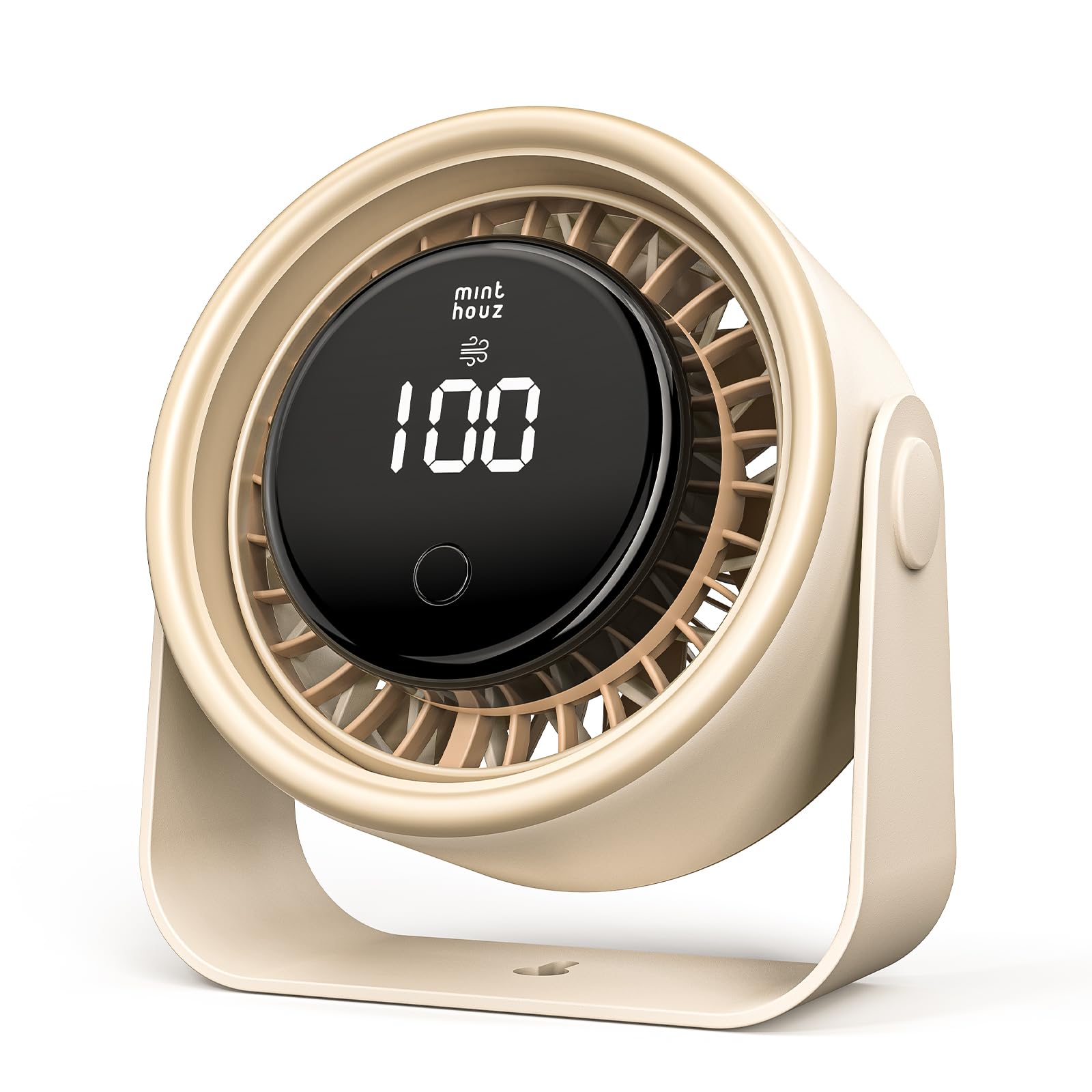
Figure 1: Minthouz GXZ-F83 fan in both desktop and wall-mounted configurations.
Klíčové vlastnosti:
- 3000mAh dobíjecí baterie: Provides up to 10 hours of operation on Level 1, 5 hours on Level 2, and 3 hours on Level 3.
- Rychlé nabíjení USB-C: Fully charges in approximately 2.5 hours using a USB-C 5V2A power source.
- LED digitální displej: Shows real-time battery level and current wind speed.
- 4 Wind Speed Levels: Includes three constant speeds and a natural wind mode.
- 90° Up/Down Rotation: Manual adjustment for optimal airflow direction.
- Tichý provoz: Engineered for minimal noise output, suitable for various environments.
- Kompaktní a přenosný design: Dimensions of 5.76" D × 2.74" W × 5.66" H make it easy to carry and place.
- Funkce 2 v 1: Can be used as a desktop fan or mounted on a wall.
3. Co je v krabici
- 1 x Minthouz Desktop/Wall-mount Fan (GXZ-F83)
- 1 x USB-C kabel
- 1 x Průvodce rychlým startem
4. Nastavení
4.1 Umístění na pracovní ploše
Place the fan on a flat, stable surface. Ensure the base is secure to prevent tipping. The fan head can be manually tilted up or down by 90 degrees to direct airflow.

Figure 2: Manual 90° up and down rotation for directing airflow.
4.2 Montáž na stěnu
The fan's base includes a keyhole slot for wall mounting. A mounting screw is not included. Securely attach the fan to a wall using an appropriate screw, then adjust the fan head to your desired angle.

Figure 3: The fan can be used on a desktop or mounted on a wall.
5. Charging the Fan
The Minthouz GXZ-F83 fan is equipped with a 3000mAh rechargeable battery. Use the provided USB-C cable for charging.
- Connect the USB-C end of the cable to the fan's charging port (located at the back of the fan head).
- Connect the USB-A end of the cable to a compatible 5V2A USB power source (e.g., USB charger, computer, power bank).
- The LED digital display will show the battery level increasing from 00 to 100 during charging.
- A full charge takes approximately 2.5 hours. The fan can be used while charging.

Figure 4: USB-C fast charging port.
6. Návod k obsluze
The fan is controlled by a single button located on the front of the unit.
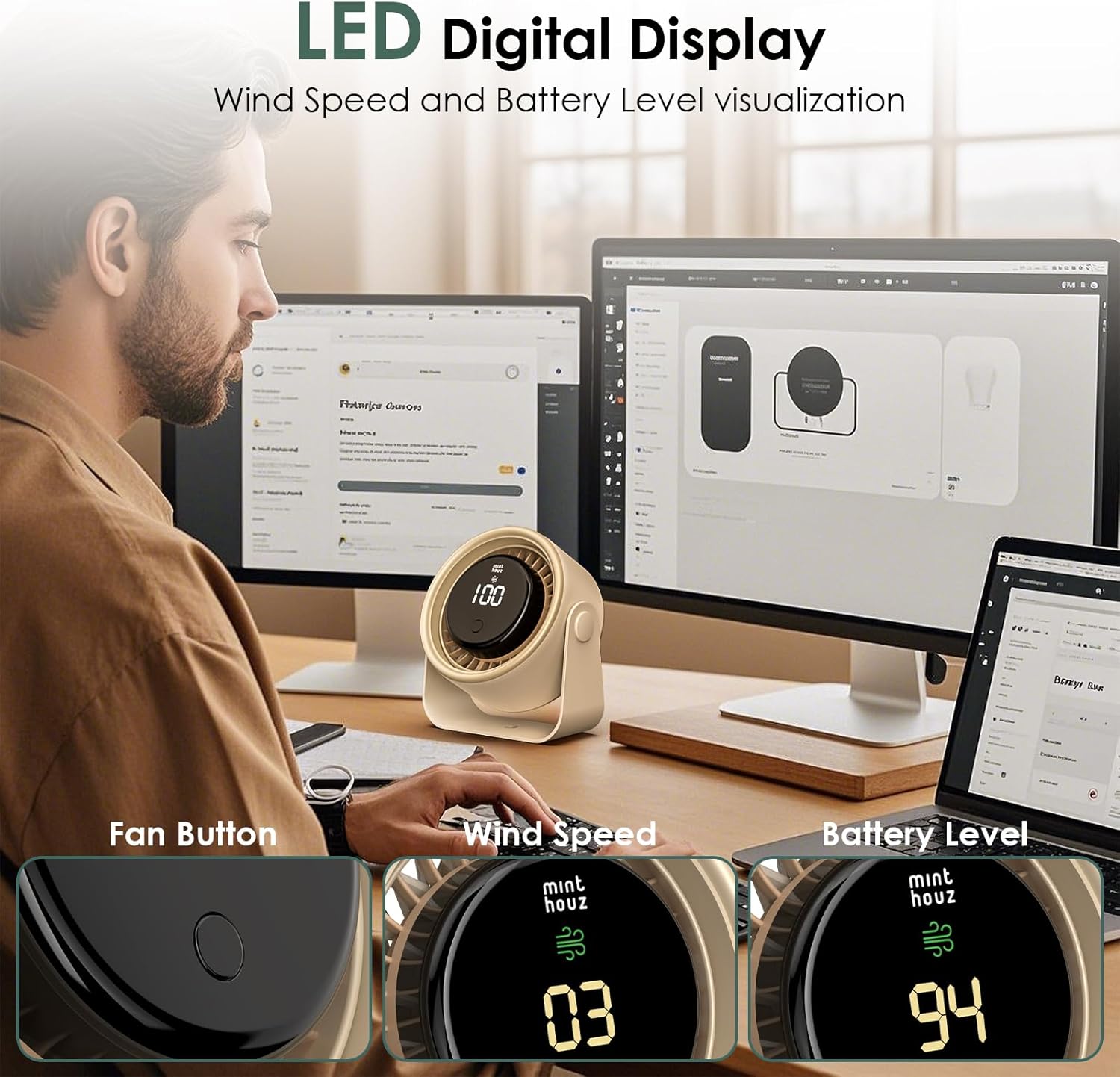
Figure 5: LED Digital Display and control button.
- Zapnutí/Rychlost 1: Press the button once to turn on the fan at Level 1 (gentle breeze). The display will show "01" and then the current battery percentage.
- Rychlost 2: Press the button a second time for Level 2 (medium breeze). The display will show "02".
- Rychlost 3: Press the button a third time for Level 3 (strong breeze). The display will show "03".
- Natural Wind Mode (Speed 4): Press the button a fourth time to activate the natural wind mode. The display will show "04" and the fan speed will vary to simulate a natural breeze.
- Vypnout: Press the button a fifth time to turn off the fan.
The LED display will show the current wind speed (01-04) for a few seconds after adjustment, then revert to displaying the battery percentage.

Figure 6: Illustration of 4-level adjustable wind speed and battery life.
7. Údržba
- Čištění: Ensure the fan is turned off and unplugged before cleaning. Use a soft, dry cloth to wipe the exterior. Do not use abrasive cleaners or immerse the fan in water.
- Skladování: Pokud ventilátor delší dobu nepoužíváte, skladujte jej na chladném a suchém místě.
- Péče o baterie: Pro prodloužení životnosti baterie se vyvarujte častého úplného vybíjení. Ventilátor pravidelně nabíjejte, i když jej nepoužíváte neustále.
8. Řešení problémů
| Problém | Možná příčina | Řešení |
|---|---|---|
| Ventilátor se nezapne. | Baterie je vybitá. | Nabíjejte ventilátor pomocí dodaného kabelu USB-C. |
| Ventilátor se neočekávaně zastaví. | Slabá baterie. | The LED display will blink when the battery is at or below 10%. Recharge the fan. |
| Slabé proudění vzduchu. | Ventilátor je na nízké rychlosti. | Press the control button to cycle through higher speed settings. |
| Ventilátor je hlučný. | Obstruction in fan blades or unit. | Vypněte ventilátor a odpojte ho ze zásuvky. Pečlivě zkontrolujte, zda nejsou v něm překážky, a odstraňte je. |
9. Specifikace
| Funkce | Detail |
|---|---|
| Značka | Minthouz |
| Název modelu | GXZ-F83 |
| Materiál | Akrylonitrilbutadienstyren (ABS) |
| Barva | Béžový |
| Rozměry produktu (D x Š x V) | 5.76" x 2.74" x 5.66" (14.63 cm x 6.95 cm x 14.37 cm) |
| Hmotnost položky | 0.41 kg |
| Zdroj napájení | Napájení z baterie |
| Kapacita baterie | 3000 XNUMX mAh |
| Nabíjecí svtage/Aktuální | 5V == 2A |
| Doba nabíjení | Přibl. 2.5 hodin |
| Working Time (Level 1/2/3) | 10h / 5h / 3h |
| Kmitání | 90° Up/Down Manual Rotation |
| Kontrolní metoda | dotyková tlačítka |
| Typ konektoru | USB typ C |
| Vnitřní/venkovní použití | Krytý |

Obrázek 7: Rozměry produktu.
10. Záruka a podpora
Minthouz offers a 1-letá záruka for this fan. For any product inquiries, technical support, or warranty claims, please contact Minthouz customer service through the retailer where the product was purchased or visit the official Minthouz webmísto.
Pro více informací navštivte Minthouz Store.